
What Is Nano Banana? The Definitive Guide to Google’s Powerful New Image Model 2026
If you used Google ImageFX before April 30, 2026, it is gone now. The tool you bookmarked, the projects you saved, the workflow you had figured out — all of it moved into Google Flow AI under a new name and a new model.
That name is Nano Banana.
Most people who hear it for the first time assume it is a joke, a placeholder name, or something temporary. It is none of those things. Nano Banana is Google’s current default image generation engine inside Google Flow AI — the model that powers every image you generate when you visit flow.google.com today.
This guide answers every question about what Nano Banana actually is, how it relates to ImageFX, what changed when Google shut ImageFX down, what Nano Banana 2 and Nano Banana Pro mean, and whether you need to pay anything to use it.
The Short Answer: Nano Banana is the image generation model inside Google Flow AI. It replaced ImageFX when Google shut that platform down on April 30, 2026 and merged everything into Flow. The base version is free. The Pro version requires a paid Google AI subscription.
Why ImageFX No Longer Exists — What Happened
To understand Nano Banana, you need to understand what Google did in early 2026 — because it was a significant change that affected anyone who had been using Google’s AI creative tools separately.
Before February 25, 2026, Google had three distinct AI creative tools running as separate experiments under Google Labs:
Whisk — a visual collage and mood board tool where you could combine reference images into new compositions
ImageFX — a text-to-image generator powered by Google’s Imagen models, launched in 2024
Flow — a video generation tool powered by Veo
Each tool did one thing. If you wanted to create an image and then animate it into a video, you had to generate the image in ImageFX, download it, upload it into Flow, and start the video process from scratch. The tools did not talk to each other. Your creative workflow was constantly interrupted by the mechanical work of moving files between separate platforms.
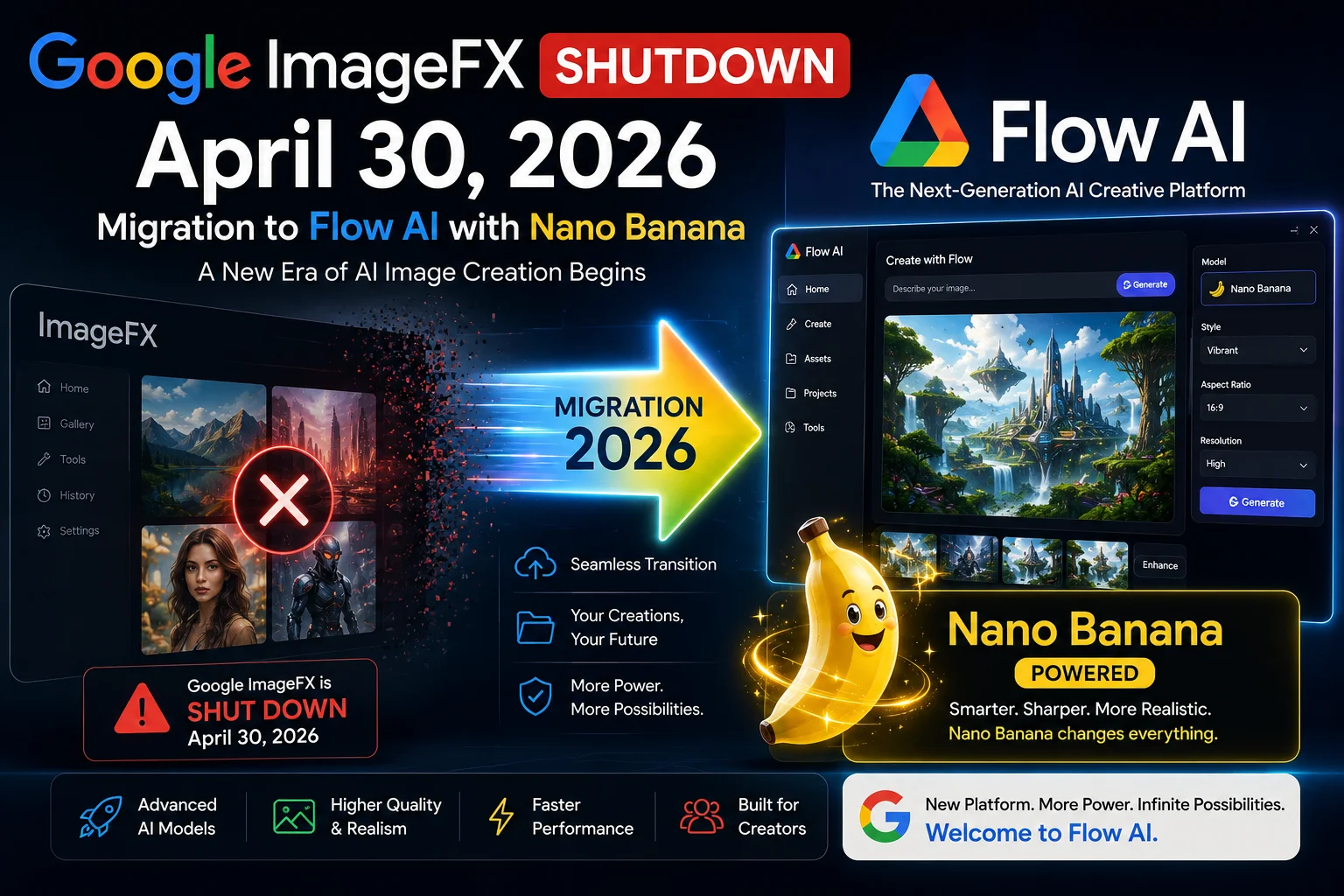
On February 25, 2026, Google merged all three into a single unified workspace and called it Google Flow. The announcement was straightforward: Google explained that ImageFX had launched as an experiment in 2024, and that experiment had matured enough to become a permanent part of a real product. They gave users until April 30, 2026 to migrate their existing ImageFX and Whisk projects into Flow.
After April 30, ImageFX was permanently shut down. Any media left in old ImageFX or Whisk accounts that had not been migrated was deleted.
So What Exactly Is Nano Banana?
Nano Banana is the name Google gave to the image generation model that now powers Google Flow AI.
It is not a completely new technology built from the ground up — it is built on top of Google’s Imagen architecture, specifically running on the Gemini Flash foundation. The “Nano Banana” branding appears to have started as an internal code name at Google before becoming the public-facing name for the model in Flow.
Here is the clearest way to understand the relationship:
- ImageFX was the tool (the interface you used)
- Imagen was the underlying AI model powering ImageFX
- Nano Banana is the new model that replaced Imagen inside Flow — with meaningful upgrades to quality, speed, and capability
Google announced Nano Banana specifically because it wanted to signal that the image generation inside Flow was not just the old ImageFX engine transplanted into a new interface. It was an improved model with new capabilities — particularly around image quality, text rendering, and how generated images feed into the video generation workflow.
Nano Banana vs Nano Banana 2 vs Nano Banana Pro — What Is the Difference?
This is where it gets slightly confusing, because there are now multiple versions of the model. Here is each one clearly explained:
Nano Banana (Original)
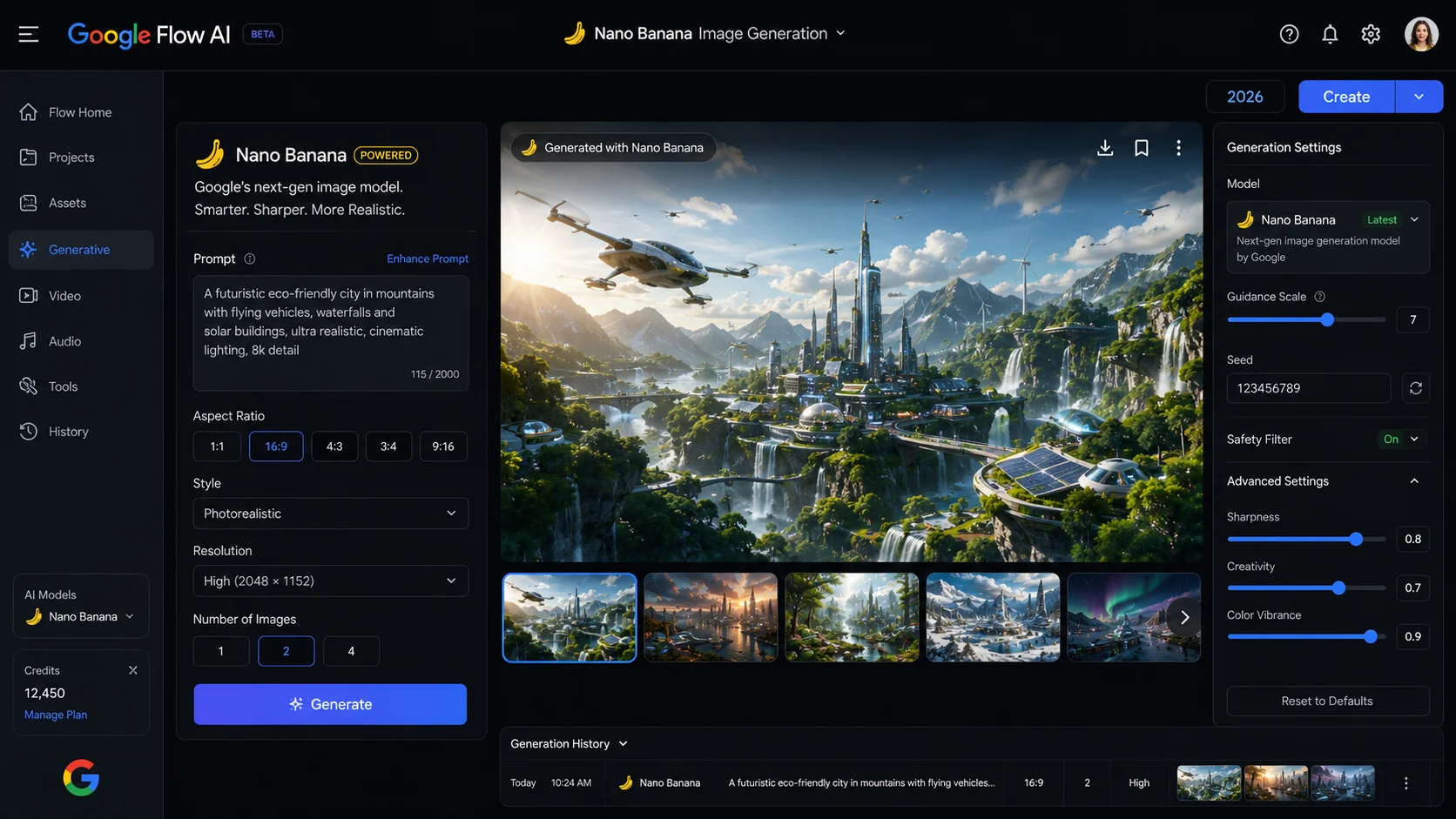
The first version of the model that launched when Flow was unified in February 2026. This is what replaced ImageFX at launch. It offered noticeably better image detail and significantly improved text rendering compared to the old ImageFX Imagen model — one of the most common complaints about ImageFX was that text in generated images was garbled and unreadable. Nano Banana fixed that.
Nano Banana 2
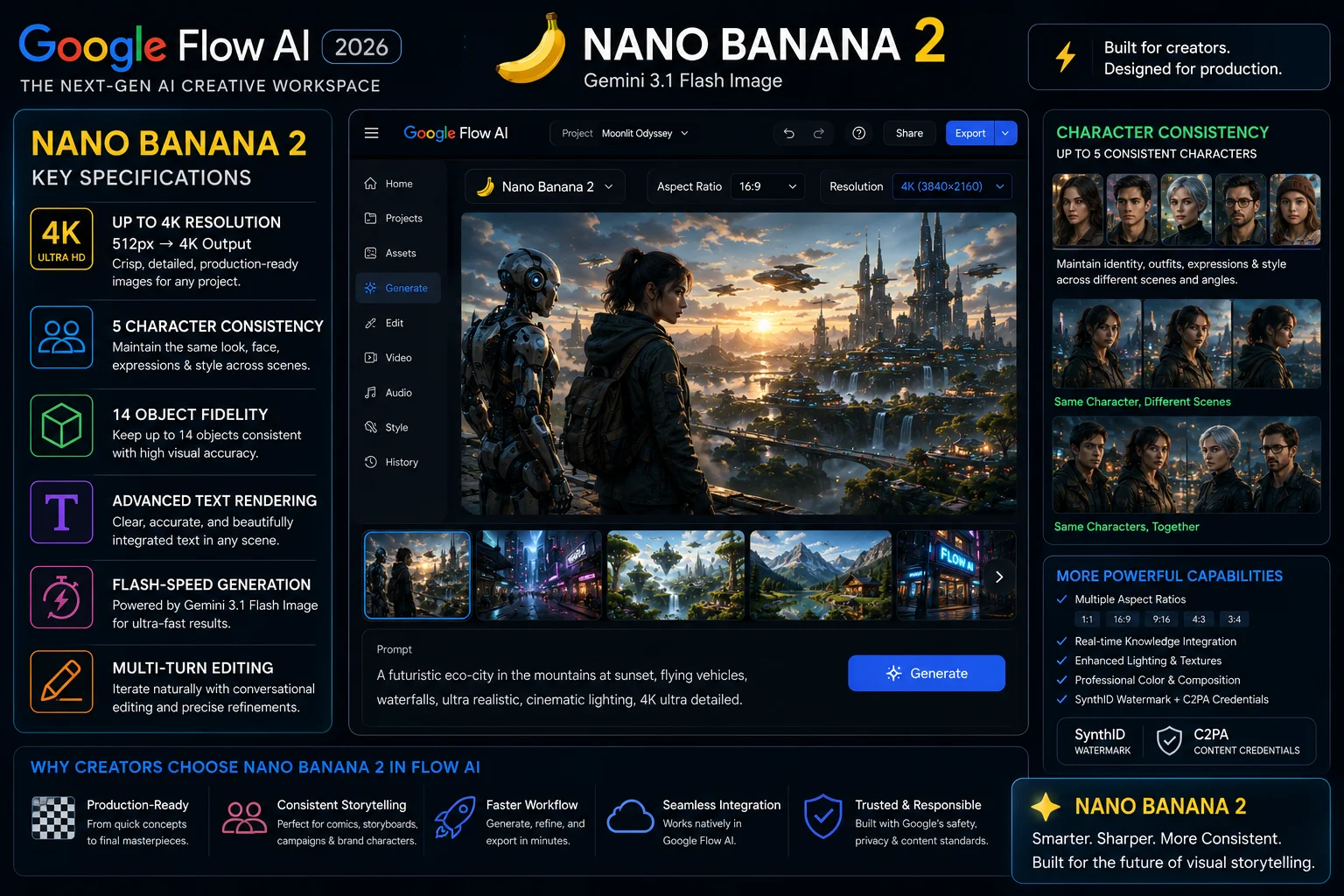
Announced by Google on February 26, 2026 — one day after the unified Flow launch — Nano Banana 2 is a substantial upgrade to the original.
Here are the confirmed specifications:
- Resolution range: 512px all the way up to 4K — the same image can be generated at different sizes without quality loss
- Aspect ratio support: Multiple aspect ratios natively — portrait, landscape, square, and widescreen
- Character consistency: Maintains the appearance of up to 5 characters across multiple generations in the same project
- Object consistency: Maintains the appearance of up to 14 objects in a single workflow
- Text rendering: Legible, accurate text inside generated images — this was a persistent failure point in earlier AI image models
- Architecture: Built on Gemini 3.1 Flash — which means it combines the visual quality of Nano Banana Pro with generation speed fast enough that the creative loop does not feel interrupted
The character and object consistency capabilities in Nano Banana 2 are the most practically important upgrade. For anyone building visual narratives, storyboards, or brand content where the same person or product needs to appear consistently across multiple frames, this changes what is actually possible without manual correction.
Nano Banana Pro
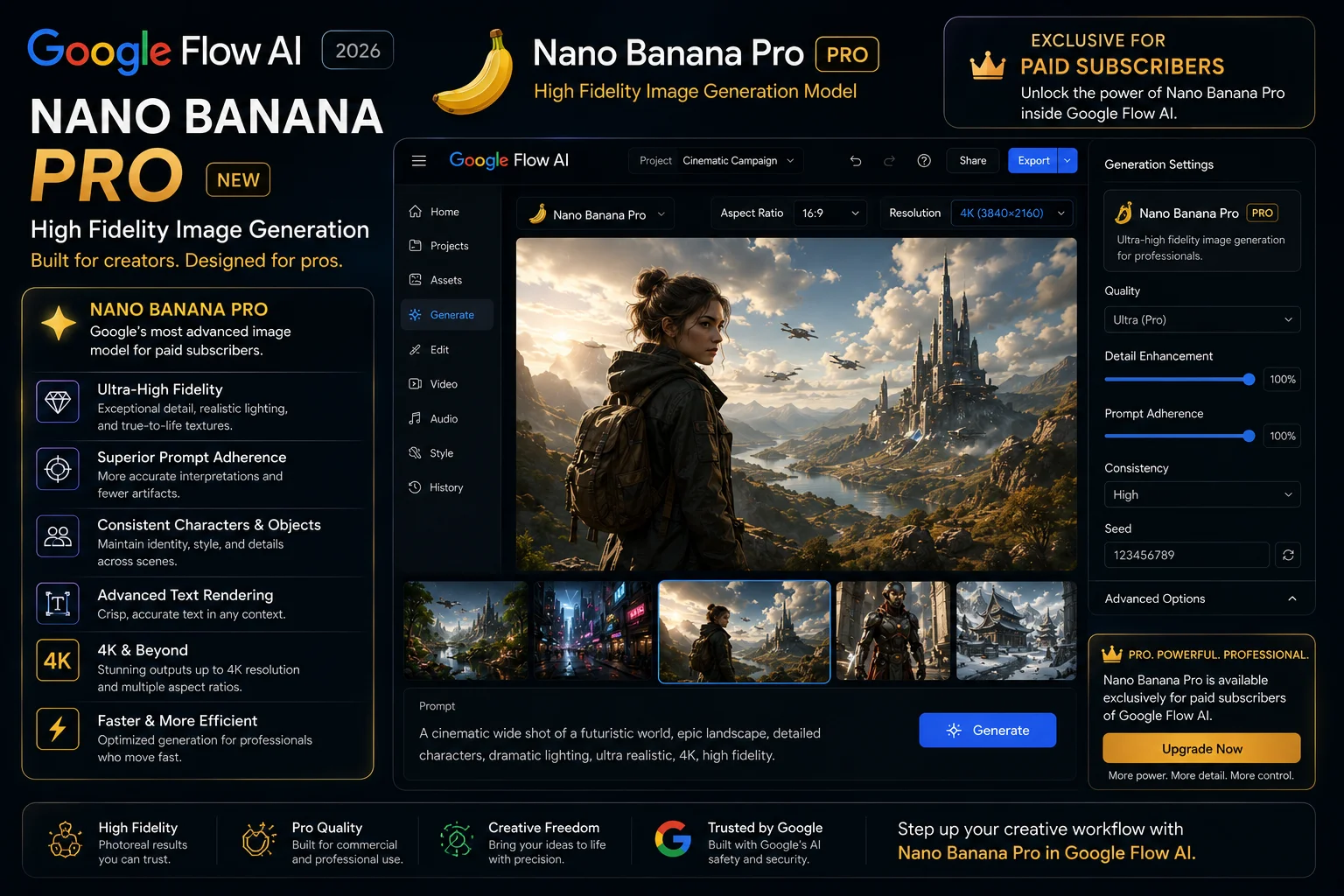
Nano Banana Pro is the upgraded tier of the model, available to paid Google AI subscribers.
The technical foundation is Google’s Gemini 3 Pro Image architecture — a higher-capability version of the Gemini Flash base that Nano Banana 2 runs on. In practical terms, Nano Banana Pro produces images with:
- Higher detail and fidelity, particularly in complex scenes
- Better handling of fine textures — fabric, hair, skin, reflective surfaces
- More accurate interpretation of detailed, multi-element prompts
- Stronger stylistic control when you specify a particular visual style
Google highlighted Nano Banana Pro specifically at Google I/O 2026, and it is the version powering the new Google Pics app — a consumer-facing image creation tool that Google announced alongside the other I/O updates.
Nano Banana Free vs Nano Banana Pro — Who Gets What
Here is the breakdown of what is available at each access level:
| Feature | Free Account | AI Plus $9.99 | AI Pro $19.99 | AI Ultra $100 |
|---|---|---|---|---|
| Nano Banana 2 (base model) | ✅ Yes | ✅ Yes | ✅ Yes | ✅ Yes |
| Nano Banana Pro (upgraded model) | ❌ No | ✅ Yes | ✅ Yes | ✅ Yes |
| Max image resolution | Up to 2K | Up to 4K | Up to 4K | Up to 4K |
| Character consistency (up to 5) | ✅ Yes | ✅ Yes | ✅ Yes | ✅ Yes |
| Text rendering in images | ✅ Yes | ✅ Yes | ✅ Yes | ✅ Yes |
| Use images as Veo 3.1 Ingredients | ✅ Yes | ✅ Yes | ✅ Yes | ✅ Yes |
| Monthly generation credits | Limited | 200 | 1,000 | 12,500 |
| Generation speed priority | Standard | Standard | High | Highest |
| SynthID watermark on images | ✅ Yes (all tiers) | ✅ Yes | ✅ Yes | ✅ Yes |
The practical takeaway: Free users get Nano Banana 2 — which is already a meaningful upgrade from the old ImageFX. The images are higher quality, text renders correctly, and character consistency works for up to 5 characters. What free users do not get is the Pro model (higher detail), 4K resolution output, or the higher credit allowances.
For most casual users and people exploring the tool, the free tier is genuinely useful. The Pro model becomes worth paying for when image quality is critical — product shoots, brand content, professional creative work.
IMAGE 6 — Place here: Nano Banana free vs Nano Banana Pro comparison table Google Flow AI 2026
The Most Important Thing Nano Banana Does — The Ingredients Connection
Here is the thing about Nano Banana that makes it fundamentally more useful inside Google Flow than ImageFX ever was — and it has nothing to do with image quality.
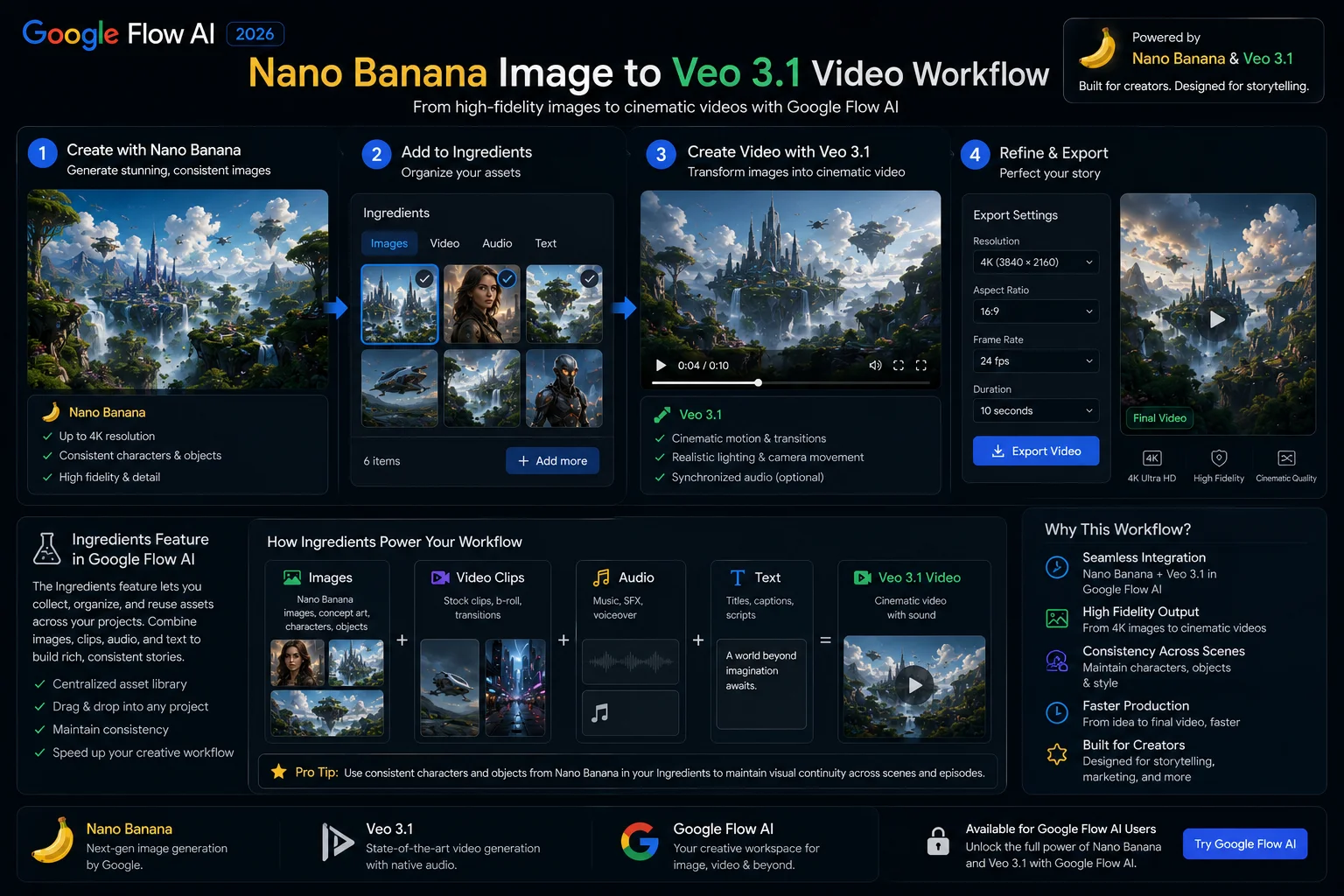
It is how Nano Banana images feed directly into Veo 3.1 video generation.
In the old workflow — ImageFX separate from Flow — you would generate an image, download it as a file, go into a completely different tool (Flow), upload the file, and then try to use it as a reference for video generation. The two tools had no shared memory of what you had built. Every time you crossed from one to the other, you started with a blank slate.
Inside the unified Google Flow, Nano Banana images become what Google calls “Ingredients.”
An Ingredient is a saved creative element — a character, a setting, a visual style, an object — that the rest of the Flow workspace understands and can reference. When you generate an image with Nano Banana, you can save that image as an Ingredient. From that point, every video you generate with Veo 3.1 in the same project can reference that Ingredient to maintain consistency.
What this means practically:
You generate a character with Nano Banana — their face, clothing, and look exactly how you want. You save them as an Ingredient. Every scene you generate in Veo 3.1 featuring that character will maintain that appearance across all clips. The character looks the same in Scene 1 and Scene 7 because the Ingredient carries that reference through the entire project.
This solves the single biggest pain point in AI video production: visual consistency across multiple generations. Before Ingredients, every new video generation was essentially starting from scratch visually. With Nano Banana → Ingredients → Veo 3.1, you have a continuous pipeline where your creative choices carry forward automatically.
Google Pics — What Is It and How Does It Relate to Nano Banana?
One more development worth knowing about, announced at Google I/O 2026 on May 19: Google Pics.
Google Pics is a new standalone consumer image creation and editing app, separate from Google Flow AI. It is described as a tool with “the creative controls you want” for everyday image creation — positioned as more accessible and consumer-friendly than the full Flow workspace.
Critically: Google Pics is built on Nano Banana Pro. The same upgraded image model that powers the paid tier in Google Flow is what drives Google Pics.
This tells you something about how Google sees Nano Banana — it is not just a feature inside Flow. It is the image generation foundation that Google is building multiple consumer products on top of.
Google Pics availability details beyond the I/O 2026 announcement have not been fully confirmed yet. Watch the Google Labs page for updates.
IMAGE 8 — Place here: Google Pics new app built on Nano Banana model announced Google I/O 2026
How to Use Nano Banana in Google Flow Right Now
Getting started with Nano Banana image generation in Google Flow is straightforward:
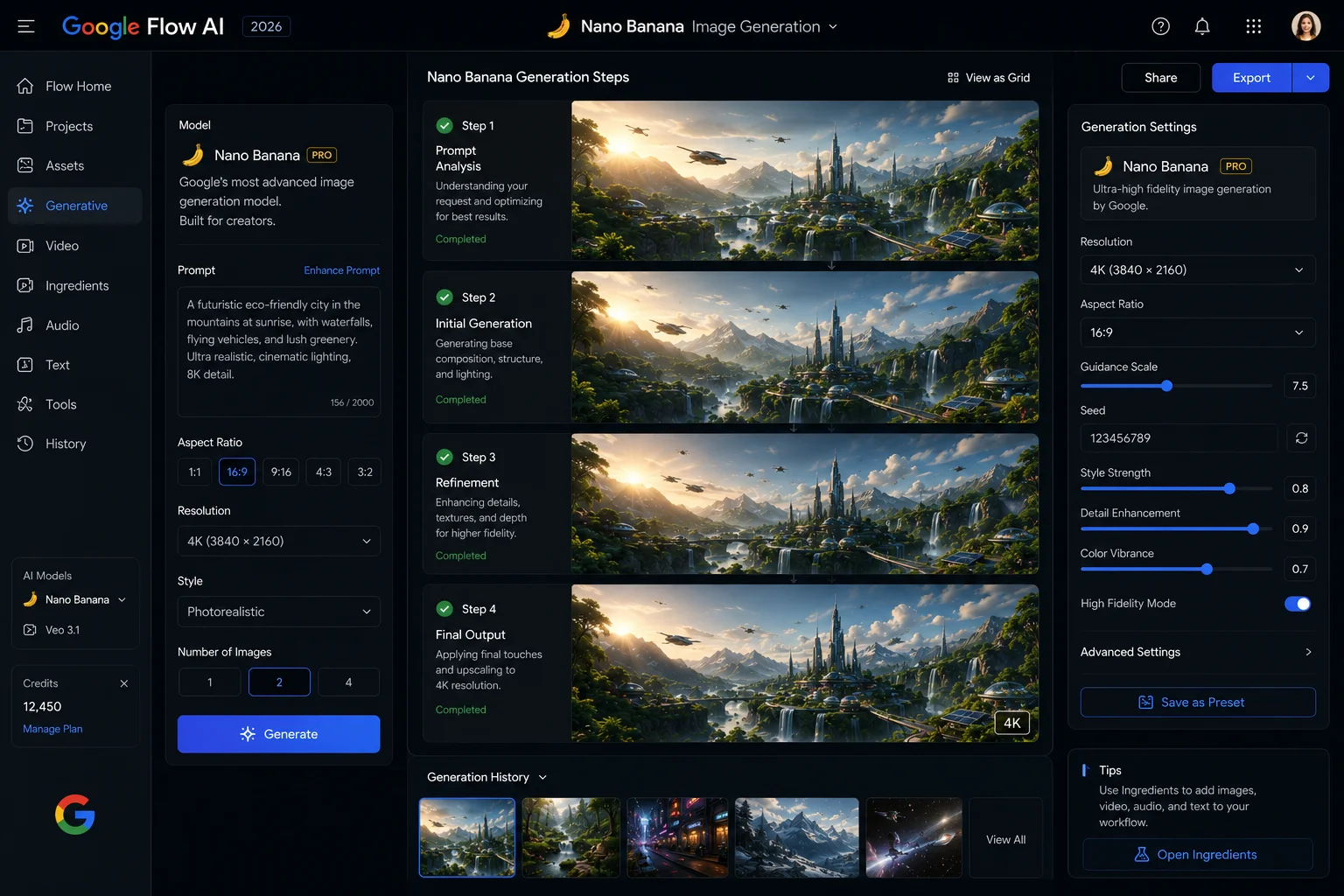
Step 1: Go to flow.google.com and sign in with your Google account. No special setup needed — a standard Google account gets you access.
Step 2: Click “New Project” or open an existing one.
Step 3: In the creation panel, choose “Image” as your output type. Nano Banana is the default image model — you do not need to select it specifically unless you want to switch between the base and Pro versions.
Step 4: Type your image prompt. Be specific — describe the subject, the setting, the lighting, the style, and any text you want to appear in the image. Nano Banana 2’s improved text rendering means written text in your prompt will actually appear correctly in the output.
Step 5: Generate. Review the result. If you want to refine it, adjust your prompt and regenerate — or use the variation tools to produce multiple options.
Step 6: Once you have an image you want to use in a video, click “Save as Ingredient.” This locks that image as a reference element that Veo 3.1 will use when generating video clips in the same project.
For a full walkthrough of how the Ingredients system works and how to build a complete image-to-video workflow in Flow, our Google Flow AI Tutorial for Beginners covers the process from scratch.
Nano Banana Prompting Tips — Getting Better Results
The model is capable, but like every AI image tool, what you get out of it depends heavily on how you describe what you want. Here are the approaches that consistently produce better results with Nano Banana:
Describe the lighting specifically Nano Banana responds well to precise lighting descriptions. “Soft diffused morning light” produces noticeably different results from “harsh direct sunlight” or “warm golden hour glow.” Generic lighting descriptions produce generic outputs.
Specify the camera angle and framing “Close-up portrait of a woman with short dark hair” gives the model a clear framing instruction. “A woman with short dark hair” does not. Include distance (close-up, mid-shot, wide), angle (eye level, low angle, overhead), and framing (centered, rule of thirds, portrait format) wherever possible.
Name a specific visual style or reference aesthetic “Photorealistic,” “cinematic film still,” “illustrated in the style of a graphic novel,” “flat design infographic,” “claymation texture” — Nano Banana understands a wide range of style descriptions and applies them consistently.
For text in images — keep it short and put it at the end of your prompt Nano Banana 2’s text rendering is significantly better than previous models, but longer text strings still produce less reliable results than short ones. For best accuracy, keep in-image text to 3–5 words and mention it explicitly at the end of your prompt: “Generate a product image with the text ‘NEW ARRIVAL’ in bold white letters at the bottom.”
Use the Ingredients system for recurring elements If a character, product, or setting appears in multiple images, save the first good generation as an Ingredient immediately. Then reference that Ingredient for every subsequent generation featuring that element. This is more reliable than re-describing the same element from scratch each time.
Frequently Asked Questions
Is ImageFX completely gone? Yes. Google officially shut down ImageFX on April 30, 2026. The platform no longer exists as a standalone tool. All image generation that was previously in ImageFX is now inside Google Flow AI, powered by Nano Banana.
Are my old ImageFX projects still accessible? Only if you migrated them before April 30, 2026. Google gave users a migration window to opt in to transfer their ImageFX and Whisk projects into Flow. Any media that was not migrated before the deadline was permanently deleted.
Is Nano Banana free? Nano Banana 2 (the base model) is available to all Google Flow users with a free Google account, subject to the monthly credit limits. Nano Banana Pro (the upgraded model) requires a paid Google AI subscription starting at $9.99/month.
What is the difference between Nano Banana and Imagen 4? They are related but technically distinct. Nano Banana is built on the Gemini Flash architecture. Imagen 4 is a separate Google image model. In Google Flow, the image generation engine is referred to as Nano Banana — the Imagen 4 branding appears in some documentation but Nano Banana is the active model name in the Flow interface.
Does Nano Banana add a watermark to images? Yes. All images generated by Nano Banana include a SynthID watermark — Google’s invisible digital watermark embedded in the image data — and C2PA Content Credentials indicating the image was AI-generated. This applies to all tiers including free.
Can I use Nano Banana images commercially? Google’s terms for AI-generated content allow personal and commercial use of images generated in Google Flow, subject to the platform’s usage policies. Review the current Google Flow terms of service for the most up-to-date commercial use details, as these can change.
What is Nano Banana Pro vs regular Nano Banana? Nano Banana Pro runs on the Gemini 3 Pro Image architecture — a higher-capability version of the base model. It produces higher-fidelity images, handles complex prompts more accurately, and better manages fine textures and detailed scenes. It is available to paid Google AI subscribers.
How does Nano Banana compare to Midjourney? Midjourney still leads in stylized, artistic output quality — particularly for editorial and concept art. Nano Banana Pro is competitive for photorealistic and commercially-styled images. Nano Banana’s advantage over Midjourney is the integration with Veo 3.1 inside Google Flow — images become Ingredients that directly feed video generation without any file transfer. For a full comparison, our Google Flow AI vs Midjourney guide covers this in detail.
Related Guides on WhiskAILabs
- What Is Google Flow AI? — Complete 2026 Guide
- Google Flow AI Tutorial for Beginners
- Google Flow AI Free vs Paid — Is $19.99 Worth It?
- Gemini Omni Flash in Flow AI — Complete Guide
- Google Flow AI Agent Launch — What Free Users Get
- Google Flow AI Prompts — 50 Tested Prompts
- Google Flow AI vs Midjourney















