
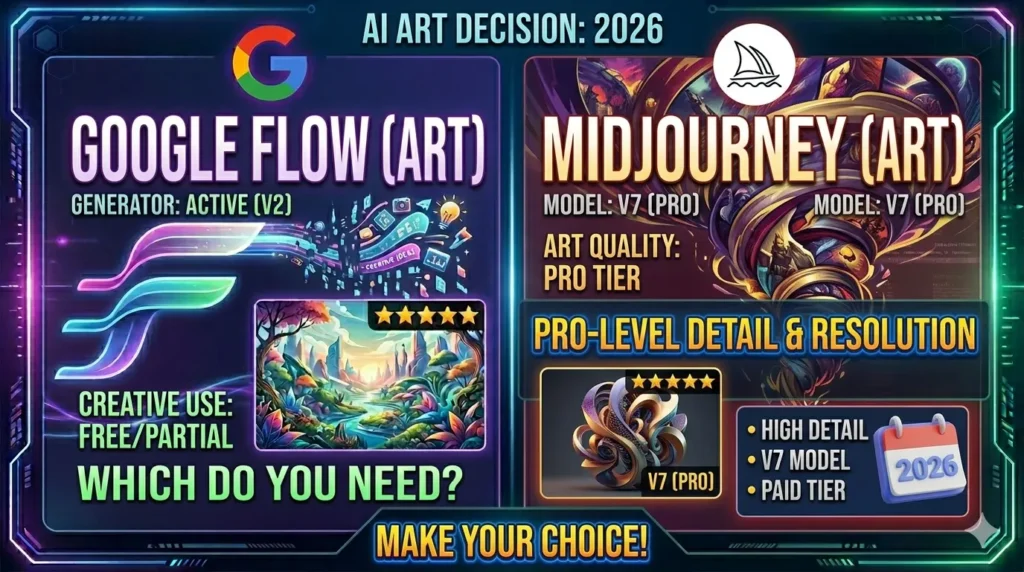
Google Flow AI vs Midjourney 2026 | The Honest Comparison That Tells You Which One You Actually Need
Two tools. Two completely different philosophies. One question that keeps coming up everywhere right now.
Google Flow AI arrived and changed the conversation about what a free creative tool could actually do. Midjourney has been the gold standard for artistic image quality since 2022 and is not giving that title up quietly. Between those two realities sits a decision that thousands of creators, designers, and content makers are trying to figure out right now.
This Google Flow AI vs Midjourney comparison does not declare a winner and call it done. That kind of comparison is useless. What matters is which tool wins for your specific situation — and those are different answers for different people.
We have tested both extensively. Here is what we actually found.
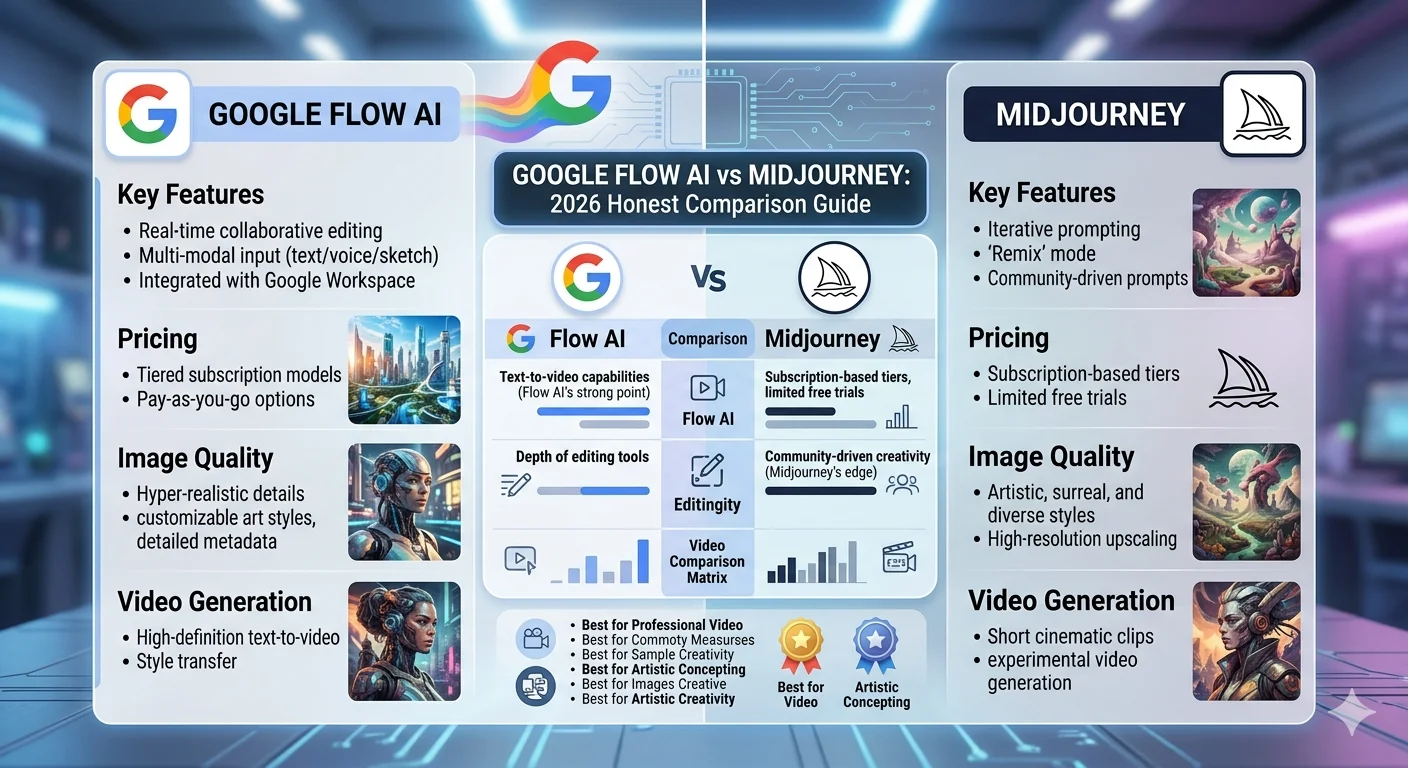
The Core Difference Nobody Explains Properly {#core-difference}
Most comparison articles describe these tools as if they are competing for the same thing. They are not.
Google Flow AI is a complete creative pipeline. It generates images, animates them into video clips with synchronized audio, gives you editing tools to modify specific parts of a scene, and manages your entire project inside one workspace. It is trying to be the all-in-one creative studio for the age of AI video.
Midjourney is an image generation tool that has gotten better at image generation every single version release. It does not do video. It does not do audio. It does not have a project timeline. What it does — generating strikingly beautiful still images from text descriptions — it does better than almost anything else available right now.
Calling this a straight comparison is like comparing a film production company to a photography studio. They overlap in one area — still image creation — and diverge completely everywhere else.
Keep that in mind as you read the rest of this guide. The tool that wins this comparison depends entirely on what you are actually trying to make.
If you are new to Google Flow AI and want to understand what it does before comparing it to anything, our complete Google Flow AI guide covers the full picture from access to first generation.
Image Quality — Head to Head {#image-quality}
This is the one area where both tools genuinely compete. Both generate still images from text descriptions. Both produce genuinely impressive results. And there is a real difference between them worth understanding honestly.
Midjourney’s Edge — Artistic Quality
Midjourney v8 Alpha launched in March 2026 with 2K native resolution and generation speeds five times faster than v7. It remains the undisputed leader for artistic quality — gallery-worthy portraits, cinematic concept art, and unmatched stylistic depth.
That description is accurate and not exaggerated. When you need an image that makes someone stop scrolling — a portrait with real emotional weight, a fantasy landscape with genuine depth and atmosphere, concept art that looks like it came from a major film production — Midjourney produces results that no other tool currently matches at that level of artistic polish.
The reason is how the model was built and what it was optimised for. Midjourney leans hard into stylisation over realism. Its default outputs have rich shadows, dimensional lighting, and textural detail that feels like it was directed by a cinematographer. There is an emotional quality to Midjourney images that is genuinely difficult to describe technically but immediately obvious when you see it.
Google Flow AI’s Edge — Consistency and Pipeline
Google Flow AI uses Imagen 3 for image generation — the same model that powered Whisk AI and Google ImageFX. Imagen 3 produces high-quality images with excellent detail, strong photorealistic output, and notably better text rendering inside images than Midjourney.
If your work involves images that need legible text — thumbnails, promotional graphics, posters, branded content — Imagen 3 handles this more reliably than Midjourney, which has historically struggled with text rendering even as it has improved.
Flow’s image quality also benefits from the Ingredients system — where you can upload reference images for characters or objects and use them consistently across multiple generations. Character consistency across a series of images is something Midjourney only handles through its character reference (--cref) parameter, and Flow’s implementation is often more reliable for non-artistic use cases.
The Honest Summary
| Google Flow AI (Imagen 3) | Midjourney v8 | |
|---|---|---|
| Artistic quality | High | Industry-leading |
| Photorealism | Excellent | Good |
| Text in images | Good | Weak |
| Character consistency | Strong (Ingredients) | Moderate (–cref) |
| Resolution | High | 2K native |
| Style range | Wide | Exceptional depth |
For pure artistic image quality, Midjourney wins. For practical image use in commercial, content, and product contexts, Flow holds its own and often wins on specific criteria.
Video Generation — No Contest {#video}
This comparison point is simple.
Google Flow AI generates video. Midjourney does not.
Midjourney has /animate — a feature that creates short looping video clips from images. This is not video generation in the meaningful sense. It creates basic motion effects. It does not generate narrative video content from text descriptions, it does not produce synchronized audio, and it does not give you a timeline to sequence multiple clips.
Flow generates cinematic video clips up to 8 seconds long using Veo 3.1, with natively synchronized audio — environmental sounds, dialogue, music matched to visual rhythm. Multiple clips can be chained in the timeline editor for sequences lasting minutes. The Frames to Video feature generates the transition between a starting image and an ending image. The Extend feature continues any clip beyond its original duration.
If video is any part of what you need — short social media clips, animated product demos, cinematic sequences, or anything that moves — this comparison ends here. Flow does it. Midjourney does not.
For the full breakdown of Flow’s video capabilities including how to write prompts that get the best results, our Google Flow AI prompts guide covers image and video prompting in detail.
Ease of Use — A Real Gap {#ease-of-use}
This is where the difference between the two tools is most felt by real users day to day.
Google Flow AI — Complex But Accessible
Flow is more complex than Whisk AI was. Anyone who came to Flow from Whisk expecting the same simplicity was surprised. The unified workspace has more sections, more options, more model choices, and more settings than Whisk ever had.
But it remains accessible. You interact through a standard web interface. You describe what you want in plain language. The model selection is a dropdown. The generation button is a button. There is no special syntax to learn before you can create your first image.
Our Google Flow AI tutorial for beginners covers the whole interface from scratch — most people are generating images within their first fifteen minutes.
Midjourney — A Different Kind of Learning Curve
Midjourney’s learning curve is steeper and different in character. It still runs primarily through Discord — a chat application — though a web interface has been rolling out. You type slash commands followed by prompts. Results appear as grids of four images. You click to upscale or explore variations.
The Discord workflow is genuinely clunky for people not already comfortable in that environment. And the prompt sensitivity is real — changing one word in a Midjourney prompt can produce a completely different result. That sensitivity is a feature for experienced users who want precise control. For newcomers, it is friction.
Midjourney also has no free tier. You need to subscribe before you can generate a single image. At $10 per month for the Basic plan, that is a low financial barrier — but it is still a barrier that Flow does not impose.
The community offsets some of the learning difficulty. Midjourney’s Discord community is genuinely active and helpful. Experienced users share techniques, prompts, and workflow tips in a way that accelerates the learning process significantly.
The Honest Summary
| Google Flow AI | Midjourney v8 | |
|---|---|---|
| Interface | Web app | Discord-based + web |
| Learning curve | Low–Medium | Medium–High |
| Free trial | Yes — genuinely usable | No free tier |
| Prompt complexity | Natural language | Specific syntax helps |
| Community | Growing | Large and active |
Pricing — Free vs Paid Reality {#pricing}
Google Flow AI Pricing
Free accounts receive 50 daily AI credits for video generation — 180 credits in some countries. Credits reset at midnight and do not roll over.
Image generation has separate and more generous limits on the free tier. For casual image creation, the free tier is sufficient for most people’s needs.
Google AI Pro — $19.99/month: Higher generation limits, access to Gemini Advanced, NotebookLM Plus, and the full suite of Google AI tools under one subscription. This plan makes financial sense if you are already using other Google AI products.
Google AI Ultra — $249.99/month: Maximum generation limits, watermark-free exports where regulations allow, early access to experimental features. Aimed at professional studios and high-volume creators.
Free video exports on the standard tier include a visible “Made with Veo” watermark. Watermark removal requires Ultra.
Midjourney Pricing
Midjourney has no free tier at all.
Basic — $10/month: 3 hours of fast GPU time per month. Roughly 200 images at standard settings. Unlimited generation in Relax mode (slower).
Standard — $30/month: 15 hours of fast GPU time. Approximately 900–1,500 images per month. Unlimited Relax mode.
Pro — $60/month: 30 hours of fast GPU time. Unlimited Relax mode. Stealth mode for private generations.
Mega — $120/month: 60 hours of fast GPU time. For high-volume commercial use.
Companies with over $1 million in annual revenue must subscribe to Pro or Mega plans for commercial licensing compliance — an important detail for agencies and growing businesses.
The Real Comparison
| Google Flow AI | Midjourney | |
|---|---|---|
| Free tier | Yes — genuinely usable | No |
| Entry price | Free | $10/month |
| Mid tier | $19.99/month (Pro) | $30/month (Standard) |
| High tier | $249.99/month (Ultra) | $120/month (Mega) |
| Watermark | Free/Pro tier video | No watermark on images |
| Commercial | Check terms | Pro+ for large companies |
For creators on no budget, Flow wins by default — it is free and genuinely capable. For professional image-heavy workflows where budget exists and artistic quality is the priority, Midjourney’s Standard plan at $30/month is good value for the output quality it delivers.
For full pricing detail on Flow’s tiers, our What Is Google Flow AI guide has the complete breakdown.
Prompt Writing — Two Different Languages {#prompts}
How you communicate with these tools is fundamentally different, and that difference matters more than most comparisons acknowledge.
Google Flow AI — Natural Language
Flow uses Gemini as the understanding layer between your words and the image or video output. Gemini is built to understand natural language — how people actually talk and write — and translate that into technical generation instructions.
This means you can write prompts the way you would describe something to another person. “A cozy Japanese ramen shop at night, warm lantern light inside, rain on the window, no people visible” — Flow understands all of that without any special syntax.
For video specifically, the additional elements you need — camera movement and audio direction — follow the same natural language pattern. “A slow push-in toward the window. Ambient sound: rain, distant street traffic.”
Midjourney — A Learned Vocabulary
Midjourney prompting is more sensitive and more technical. The same image described in different word orders can produce meaningfully different results. Style parameters like --stylize 1000, aspect ratios like --ar 16:9, and version flags like --v 8 give experienced users precise control — but require learning before they become useful.
The community has developed a whole shared vocabulary of effective Midjourney prompt patterns. Learning that vocabulary takes time but unlocks significantly more consistent results.
For someone who writes well and can describe what they want clearly, Flow’s natural language approach has a lower floor. For someone willing to invest time in learning Midjourney’s specific prompt patterns, the ceiling is higher for artistic control.
Our Google Flow AI prompts guide has 50 tested prompts for both images and video that work in Flow. The techniques there — subject, setting, light, camera — transfer naturally to anyone moving between the two tools.
Commercial Use — What the Fine Print Says {#commercial}
This matters for anyone using AI-generated content in professional work, and the rules are different enough between the two tools that it is worth being specific.
Google Flow AI Commercial Use
Google’s terms for Labs tools can change, and the current documentation does not offer the same explicit commercial indemnification that some other tools do. Check Google’s current terms at labs.google/flow/about before using Flow outputs commercially. For work where legal certainty around intellectual property is essential, a conversation with a lawyer familiar with AI content is worth the time.
Midjourney Commercial Use
Midjourney’s commercial policy is tied to subscription tier and company size. Individual creators and small businesses can use outputs commercially on any paid plan. Companies with annual revenue exceeding $1 million must use the Pro or Mega plan for commercial compliance.
Midjourney does not offer IP indemnification — meaning it does not protect you from copyright claims if a generated image turns out to infringe on existing material. For high-stakes commercial projects where that risk is unacceptable, Adobe Firefly remains the safest option — the only major tool currently offering commercial IP indemnification.
For a full comparison of tools by commercial safety alongside everything else, our Whisk AI alternatives guide covers the landscape honestly.
Who Should Use Google Flow AI {#who-flow}
Former Whisk AI users — Flow is the direct successor. The image quality you were used to is preserved through Imagen 3, and the capabilities have expanded significantly into video. Our Whisk AI shutdown guide explains the transition in full.
Short-form video content creators — If your work involves social media video, product animations, or any content that needs to move — Flow is the only choice between these two. Midjourney does not do this.
Creators on no budget — Flow’s free tier is genuinely capable. 50 daily credits for video generation and separate image generation limits cover real creative work. Midjourney requires payment before you can try anything.
People building multi-format projects — If a project needs images, video, and audio in one coherent workflow, Flow manages that inside a single workspace. Midjourney covers images only.
Beginners — Flow’s natural language interface and free access make it the easier starting point. You can learn what works without spending anything.
Who Should Use Midjourney {#who-midjourney}
Artists and designers who need the best-looking images — If the output needs to be gallery-worthy, cinematic, or artistically distinctive, Midjourney v8 produces results that Flow’s Imagen 3 does not currently match on pure artistic quality.
Concept artists and creative professionals — The depth of stylistic control available through Midjourney’s parameter system, combined with output quality, makes it the professional choice for high-end concept work.
People who already know Midjourney — If you have invested time in learning the prompt vocabulary and parameter system, switching tools means starting that learning over. The existing investment is real.
Social media creators who focus on still images — For Instagram, Pinterest, editorial work, or any platform where striking still images are the deliverable — Midjourney’s aesthetic advantage is meaningful.
Teams willing to invest in quality — At $30/month for Standard, Midjourney’s output quality-to-cost ratio is genuinely good for professional image-heavy workflows.
The Verdict — Straight Answer {#verdict}
Stop looking for one tool that wins everything and use this instead.
“I need the most beautiful still images possible and I am willing to pay and learn.” → Midjourney. The artistic quality advantage is real and it matters for this use case.
“I need images and video in the same workflow.” → Google Flow AI. Midjourney does not do real video. This is not a close call.
“I am on zero budget and want to start creating now.” → Google Flow AI. It is free. Midjourney requires a subscription before you can try a single generation.
“I used Whisk AI and want to keep doing what I was doing.” → Google Flow AI. Same image model, same output quality, significantly expanded capabilities.
“I do commercial client work and need legal clarity.” → Neither — consider Adobe Firefly. If you need to choose between these two specifically, Midjourney’s paid plans have clearer commercial terms for most use cases.
“I want to make short videos for social media.” → Google Flow AI. Midjourney cannot help you here.
“I want to explore AI creative tools with the lowest possible barrier.” → Google Flow AI. Free access, natural language, no Discord required.
Frequently Asked Questions {#faq}
Is Google Flow AI better than Midjourney for image quality?
For artistic and stylised images, Midjourney v8 currently produces higher quality outputs. For photorealistic images, text rendering in images, and character consistency across multiple generations, Flow’s Imagen 3 is competitive and wins on specific criteria. The honest answer depends on what kind of images you need.
Can Midjourney generate videos like Google Flow AI?
Not in a meaningful sense. Midjourney’s /animate creates simple motion effects from existing images. Google Flow AI generates full cinematic video clips with synchronized audio using Veo 3.1 and allows you to sequence multiple clips in a timeline. These are not comparable capabilities.
Which is cheaper — Google Flow AI or Midjourney?
Google Flow AI is free at the basic tier with 50 daily video generation credits. Midjourney has no free tier — it starts at $10/month. For equivalent paid tiers, Flow’s Pro at $19.99/month covers more tool categories than Midjourney’s Standard at $30/month covers for images alone.
Can I use both Google Flow AI and Midjourney together?
Yes — and many creators do. A common workflow is using Midjourney for high-quality still image creation and Flow for animating those images into video clips. The tools complement each other’s strengths rather than being mutually exclusive.
Does Google Flow AI replace Whisk AI for sticker and plushie style outputs?
The specific preset buttons from Whisk — Sticker, Plushie, Enamel Pin — do not exist as one-click options in Flow. But the same visual styles are achievable through prompt language. Our Whisk AI prompts guide has the exact prompt formulas for each style that work in text-based tools including Flow.
Which tool is better for beginners — Google Flow AI or Midjourney?
Google Flow AI. It uses natural language, requires no special syntax, has no Discord interface to navigate, and is completely free to start. Midjourney requires payment before you can try anything and has a real learning curve around prompt sensitivity and parameter flags. Both reward learning — but Flow’s starting line is significantly lower.
Is Midjourney available in more countries than Google Flow AI?
Midjourney is available globally through Discord. Google Flow AI is available in 149+ countries but excludes the EU, UK, and some other regions due to data privacy regulations. For users in restricted countries, our Google Flow AI not working guide covers the VPN access method that works for most regions.
Both tools are worth knowing. Neither is going away. The question was never which one is better in the abstract — it was always which one is better for what you are making right now.
For everything you need to get started with Google Flow AI — prompts, tutorials, troubleshooting, and the full Google Labs AI ecosystem — browse the complete resource library at WhiskAILabs.net.















