
You typed something into Google and landed here. Maybe you heard someone mention “Google Whisk AI” and wanted to understand what it actually is. Or maybe you tried it, liked it, and now you want to go deeper. Either way — you are in exactly the right place.
This guide covers everything from scratch. No tech jargon. No confusing explanations. Just a clear, honest look at what Google Whisk AI was, how it worked, what made it different, and what you need to know in 2026.
Table of Contents
- What Is Google Whisk AI — The Short Answer
- The Story Behind Whisk AI — From Google Labs to 2026
- How Whisk AI Image Blending Actually Works
- Google Imagen 3 — The Engine Inside Whisk AI
- Whisk AI vs. Traditional Text-to-Image Tools
- Is Whisk AI Free? The Complete Pricing Breakdown for 2026
- Who Was Whisk AI Really Built For?
- Frequently Asked Questions
1. What Is Google Whisk AI? {#what-is}
Let’s start with the simplest possible answer.
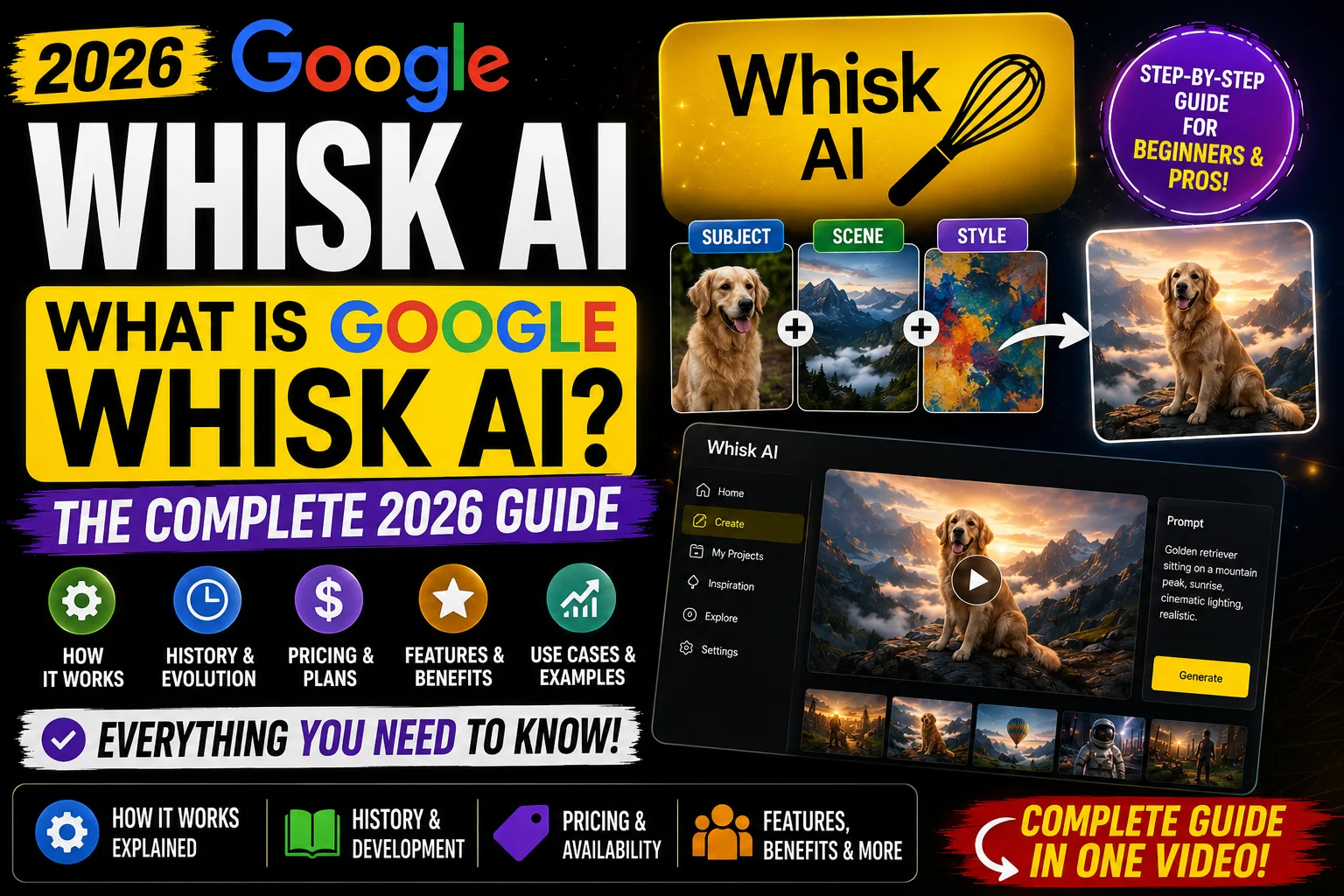
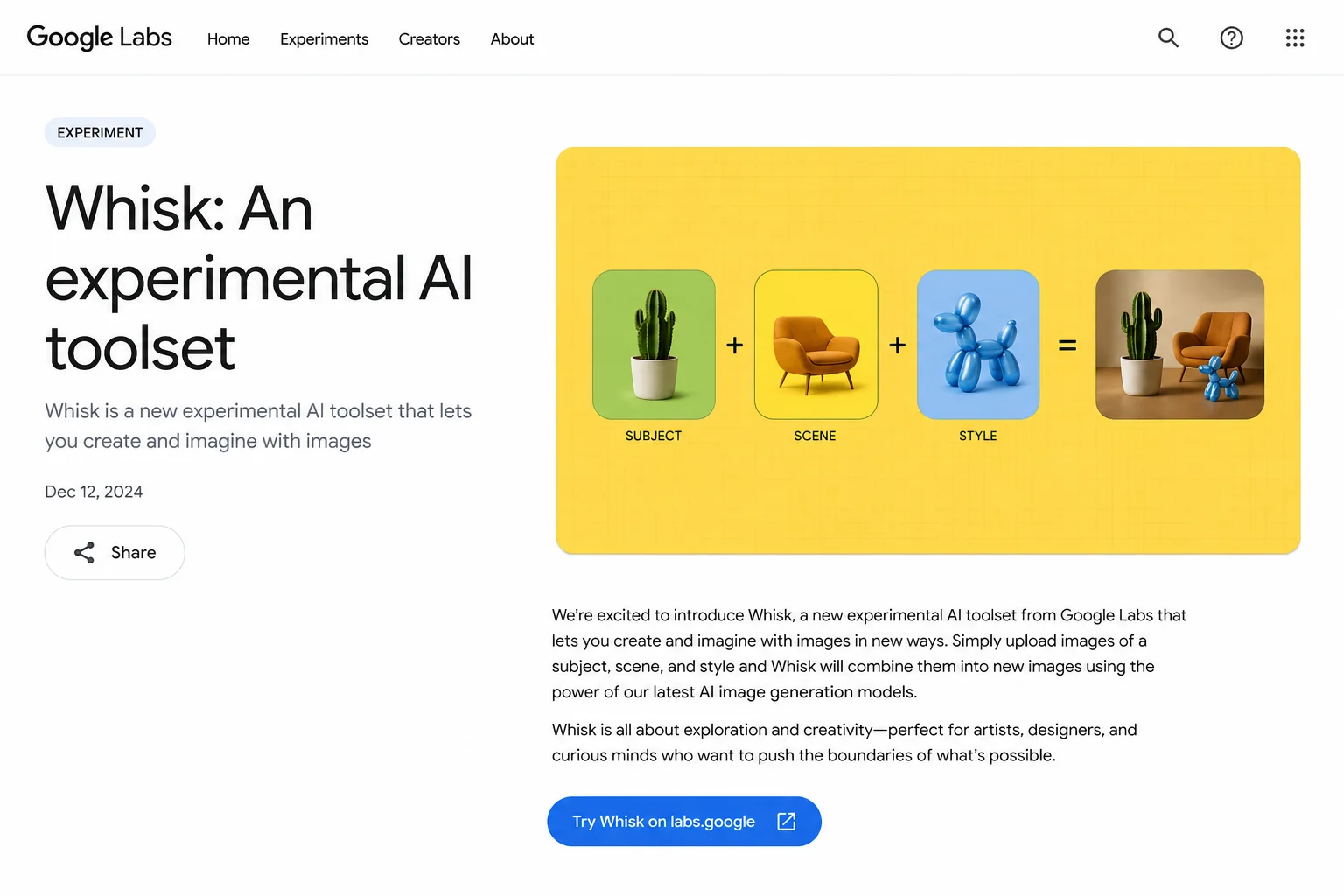
Google Whisk AI is an image creation tool that lets you build new pictures by mixing three existing images together — one for the main character (called the “subject”), one for the setting (the “scene”), and one for the overall look and feel (the “style”).
Instead of typing out a long, complicated description and hoping the AI understands what you mean, you just drag in three pictures. Whisk takes one look at all three, figures out what you are going for, and produces something new that combines the best parts of each.
Think of it like this: imagine you are a chef. You have a plate of strawberries, a chocolate cake, and a waffle. You blend them into a new dessert that carries the flavor of all three, but looks like none of them exactly. That is what Whisk does — but with pictures.
It launched out of Google Labs — which is Google’s playground for experimental tools — back in December 2024, and ran until April 30, 2026, when it was officially retired.
Quick fact: Whisk AI was never meant to be a permanent product. Google Labs exists to test ideas. Whisk was one of those ideas — and it turned out to be a genuinely useful one that sparked a lot of creative work before it closed.
If you are wondering why it shut down, how to keep using similar tools, or what made it special while it was alive — keep reading. This guide covers all of it.
2. The Story Behind Whisk AI — From Google Labs to 2026 {#history}
Where Did Whisk Come From?
To understand Whisk AI, you have to understand Google Labs first.
Google Labs is where Google’s engineers and researchers take half-formed ideas and release them to real people before those ideas are finished. The whole point is to learn from actual usage rather than polishing something in private for years.
In May 2024, Google introduced Imagen 3 — a major upgrade to their image generation model. At the same time, they were pushing hard on Gemini, their AI model that can understand text, images, and other types of input at once.
A small team inside Google saw something interesting: Gemini was good at looking at images and describing them in words. Imagen 3 was good at turning words into images. What if you put those two things together — and let the system describe images automatically, then generate something new based on those descriptions?
That question led directly to Whisk.
The December 2024 Launch
On December 16, 2024, Google made three announcements at once:
- Veo 2 (an improved video generation model)
- Imagen 3 (an upgraded image generation model rolling out globally)
- Whisk — a brand new Google Labs experiment
Whisk launched first in the United States through labs.google/whisk, available to anyone with a Google account. The response from the creative community was genuinely enthusiastic. Designers, digital artists, game developers, and even kids started using it to make everything from anime-style characters to sticker sheets to plushie designs.
What Happened Between Launch and Shutdown?
For about 16 months, Whisk grew steadily. At one point, the platform was pulling in nearly 24.7 million monthly visits — a remarkable number for an experimental tool with no marketing budget and zero paid features.
Google added new capabilities along the way. The “Whisk Animate” feature arrived, which used another Google model (Veo) to turn Whisk-generated images into short videos. This made Whisk feel less like a novelty and more like a real creative pipeline.
Then, in early April 2026, Google quietly announced that Whisk would be shutting down on April 30, 2026. The reasoning was consistent with how Google Labs typically works: the experiment had run its course, and the underlying technology — Gemini’s visual understanding paired with Imagen’s generation quality — was moving into other Google products rather than continuing as a standalone tool.
For users who had built creative workflows around Whisk, the shutdown came as a real disappointment. You can read our full Whisk AI migration guide if you are looking for the best places to continue similar work.
3. How Whisk AI Image Blending Actually Works {#how-it-works}
This is the part most people are curious about, and it is honestly more fascinating than it sounds at first.
The Three-Part System: Subject, Scene, Style
Every image you created in Whisk started with three inputs:
Subject — This is the “who” or “what” in your image. Upload a photo of a robot, a cat, a person, a cartoon character — anything you want to be the main focus of the final picture.
Scene — This is the “where.” Upload a photo of a beach, a forest, a city street, a fantasy castle — wherever you want your subject to exist.
Style — This is the “how it looks.” Upload any image with an artistic style you like — a watercolor painting, a photograph with dramatic lighting, a pixel art screenshot, a hand-drawn sketch. This sets the visual personality of the output.
You do not have to fill in all three slots. One or two inputs work too. Whisk fills in the gaps intelligently.
What Happens Behind the Scenes
Here is the part that makes Whisk genuinely clever, and it is worth understanding even if you are not a tech person.
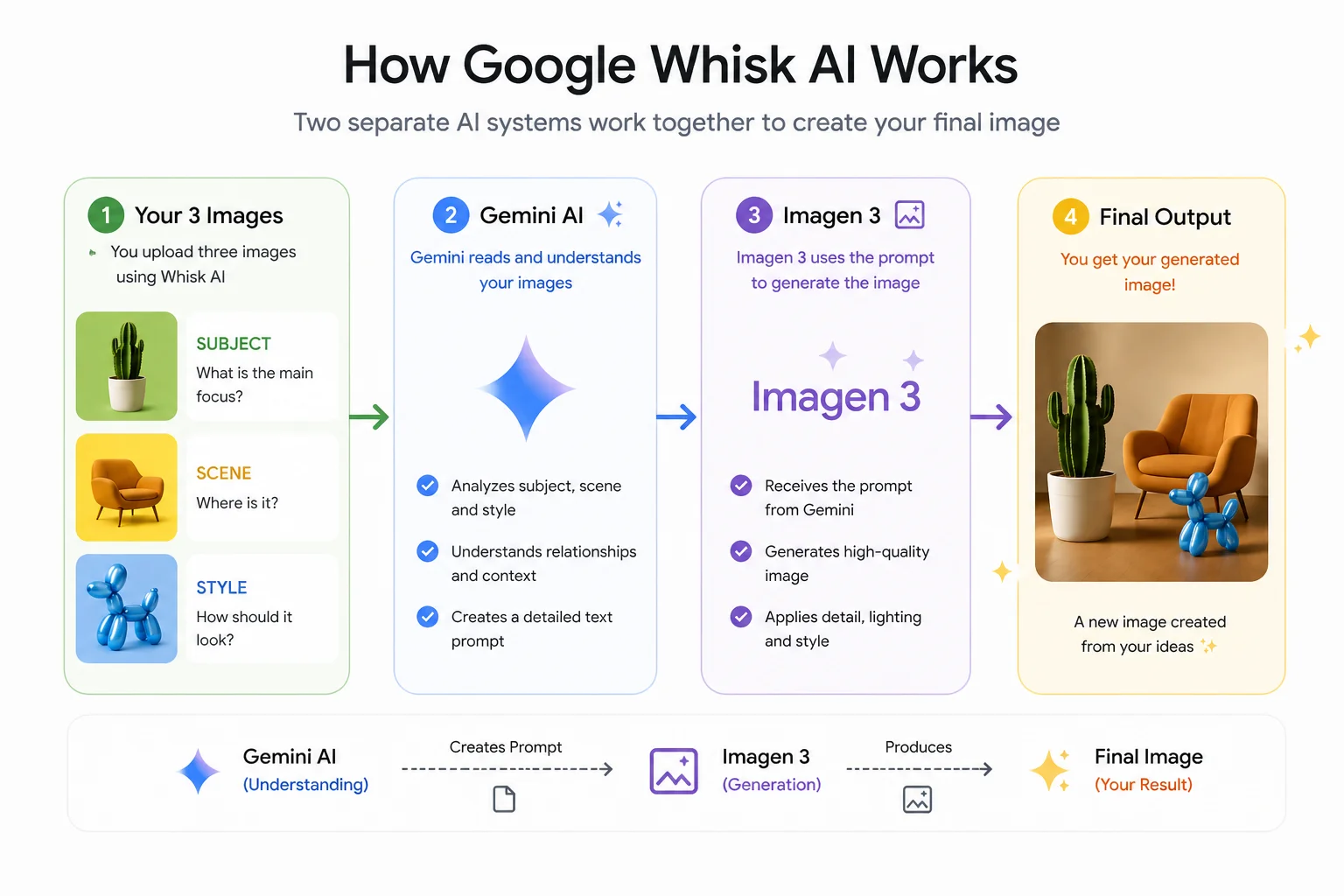
When you drop your three images into Whisk, two separate AI systems spring into action:
Step 1 — Gemini reads your images
Gemini — Google’s multimodal AI — looks at each of your three images carefully. It does not just see colors and shapes. It understands meaning. It can tell the difference between a photo of a golden retriever and a cartoon dog. It recognizes artistic styles, lighting moods, and compositional choices.
For each of your images, Gemini automatically writes a detailed written description. You never see this description unless you ask to — but it is working in the background. Something like: “A fluffy golden retriever with warm brown eyes, sitting in a slightly tilted position, fur lit from the left side, expressing friendly alertness.”
That description gets generated automatically, in seconds, from just the image you dropped in.
Step 2 — Imagen 3 builds your new image
Those written descriptions get passed directly to Imagen 3, Google’s image generation engine. Imagen 3 reads all three descriptions — the subject, the scene, and the style — and creates a brand new image that weaves them together.
The result is something that carries the essence of each input without being an exact copy of any of them. Google designed it this way on purpose. Whisk is not meant to be a photocopier. It is meant to be a creative remix tool.
This is also why Whisk would sometimes surprise you with unexpected results. If your subject image showed a person with dark hair, the output might have different hair. The system captures the spirit of what it sees, not the pixel-perfect details.
The Editing Layer — Where You Take Control
One of Whisk’s smartest features was its transparency. After generating an image, you could click a button and actually read the text prompt that Gemini had written for your images. You could edit that prompt directly — adjust the lighting, change the composition, add details — and then regenerate with your modifications.
This gave you two layers of control:
- The visual layer (drag in different images)
- The text layer (edit the prompt behind the image)
Most tools give you one or the other. Whisk gave you both.
You could also hit “Remix” to generate several variations at once, keeping the inputs the same but exploring different creative interpretations. This was particularly popular with designers who wanted to quickly explore multiple directions for a concept.
For more on how to get the most out of the system, our Whisk AI prompt guide goes into the text editing layer in much deeper detail.
A Real-World Example
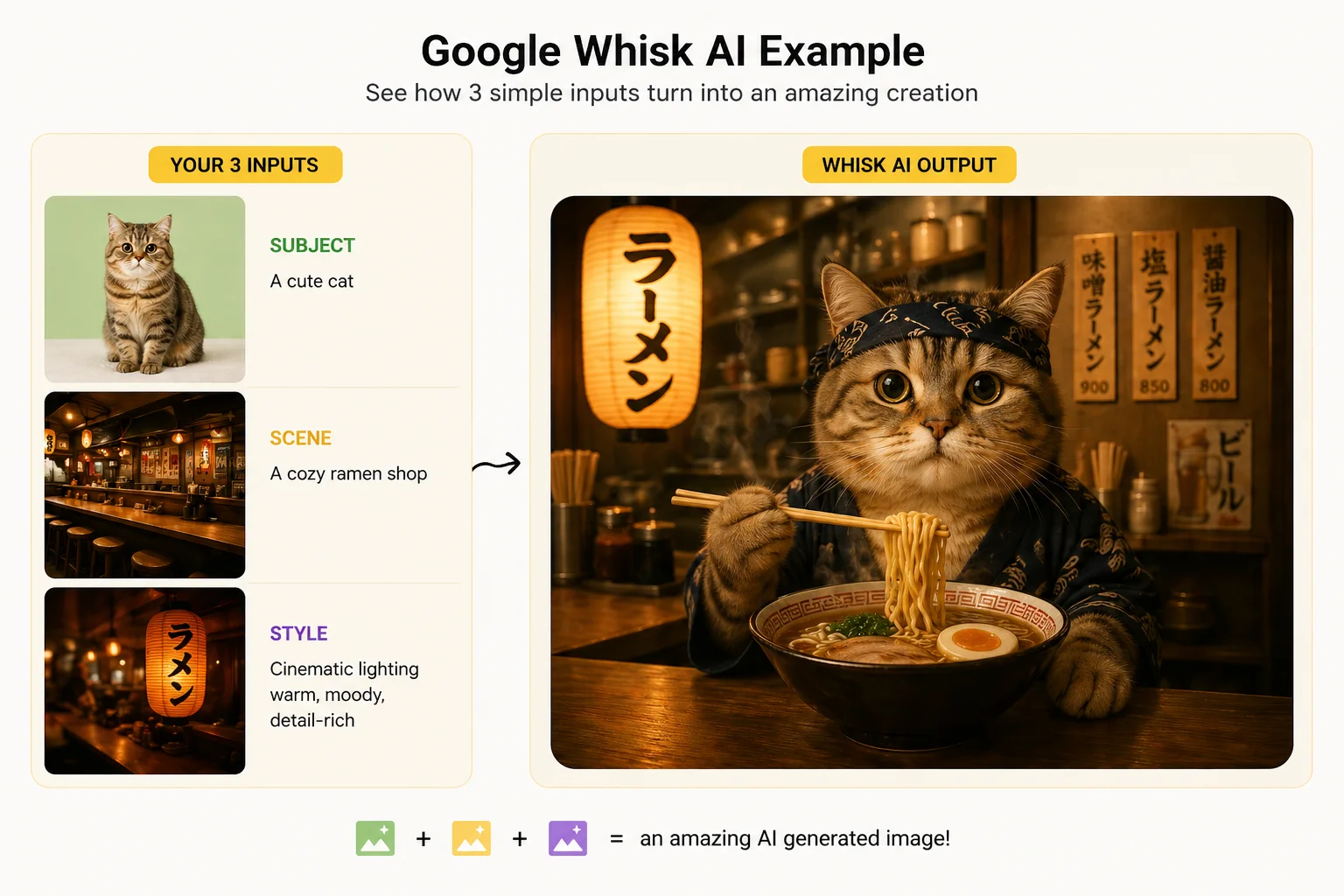
Say you wanted to make a sticker design of your cat in a Japanese anime style, set against a ramen shop background.
Old approach with most AI tools: You would type a long, very specific prompt trying to describe all of this at once. Something like: “A sticker design of an orange tabby cat with round eyes in Studio Ghibli anime style, sitting in front of a cozy Japanese ramen shop at night with warm lantern lighting, clean black outline, white background, flat color design.”
Getting that exactly right takes practice, patience, and a lot of tries.
Whisk approach: Drop a photo of your cat. Drop a photo of a ramen shop. Drop a screenshot from a Ghibli movie. Click generate.
Done. In under 30 seconds.
That is the core promise of Whisk — less typing, more creating.
4. Google Imagen 3 — The Engine Inside Whisk AI {#imagen3}
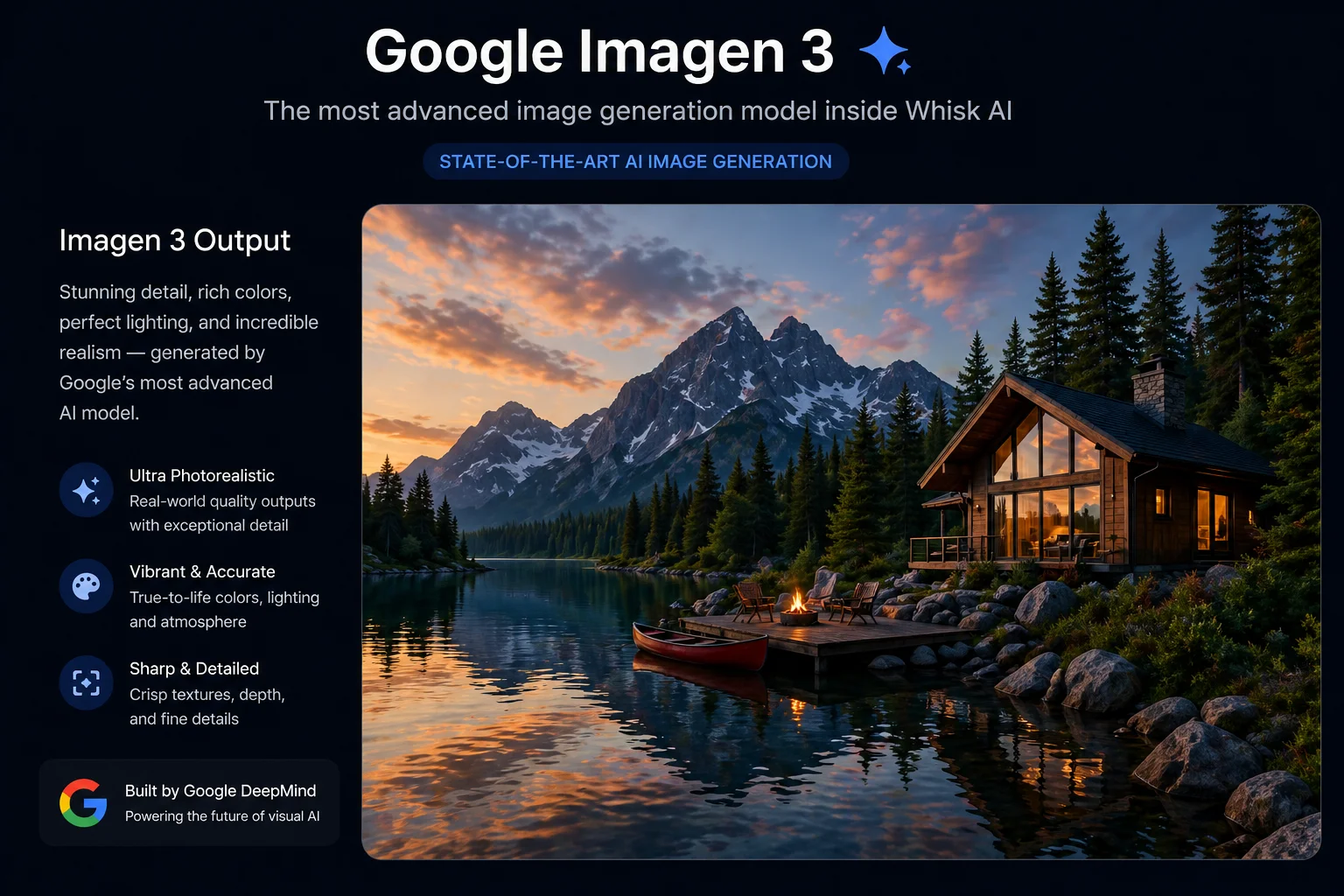
You cannot fully understand what made Whisk AI special without understanding Imagen 3, because Imagen 3 was the reason Whisk’s output looked as good as it did.
What Is Imagen 3?
Imagen 3 is Google DeepMind’s image generation model — the technology that actually converts written descriptions into finished pictures. It was first released publicly in August 2024, after being announced at Google I/O in May 2024.
Think of Imagen 3 as the paintbrush, and Gemini as the art director giving instructions. Together, they formed the complete creative pipeline that powered Whisk.
What Made Imagen 3 Different From Older Models?
If you have ever tried an older AI image tool and been disappointed by blurry faces, broken text, or hands with too many fingers — you were experiencing the limitations of older diffusion models.
Imagen 3 addressed many of these problems directly:
Sharper, more realistic details. Imagen 3 was trained on significantly richer image data, with more detailed captions attached to each training image. This meant it developed a much better understanding of fine details — fabric textures, facial features, lighting gradients, and complex backgrounds.
Better text rendering in images. One of the biggest complaints about AI image tools before Imagen 3 was that any text appearing in a generated image would come out garbled and unreadable. Imagen 3 dramatically improved this, making signs, labels, and text elements in generated images actually legible.
Wider artistic range. Imagen 3 was trained across a broader range of visual styles than its predecessors. Whether you wanted something photorealistic, painterly, anime-inspired, vintage, or minimalist, Imagen 3 handled the transition between styles more smoothly.
Improved prompt understanding. Earlier models would sometimes ignore parts of your description. Imagen 3 was specifically trained to pay closer attention to every element of a prompt, including spatial relationships (“the cat sitting under the table, not on it”) and compositional instructions.
How Imagen 3 Works (Without the PhD)
Imagen 3 is built on what researchers call a diffusion model. Here is the simplest way to think about it:
Imagine you take a clear photograph and slowly cover it in static noise — the kind of visual fuzz you used to see on an old TV with bad signal. Keep adding noise until the original picture is completely buried under randomness.
Now imagine teaching a computer to reverse that process. Given a noisy mess, can it learn to uncover a coherent image? Diffusion models do exactly this — but in reverse. They start with random noise and progressively refine it toward a clear, detailed image guided by a text description.
What makes Imagen 3 special within this category is that it uses a cascaded approach — meaning multiple models of increasing detail work in sequence. A smaller model handles the rough overall composition, then larger models add progressively finer detail. Each stage builds on what the previous stage decided, which is why Imagen 3 produces more consistent, coherent results than single-model approaches.
The safety dimension also matters here. Every image generated by Imagen 3 carries an invisible watermark embedded directly into the pixel data using Google’s SynthID technology. You cannot see it, but it is there — and it allows generated images to be identified as AI-made even after editing, cropping, or sharing.
What Happens to Imagen 3 Now That Whisk Is Closed?
Whisk may be gone, but Imagen 3 itself is very much alive. The same image generation capability is now available through:
- Google ImageFX — Google’s dedicated text-to-image tool in Google Labs
- Gemini — The Gemini app now supports Imagen-powered image generation directly in conversation
- Google Vertex AI — For developers building applications
You can read our full comparison of Whisk AI vs ImageFX to understand how these tools differ and which one fits your current workflow best.
5. Whisk AI vs. Traditional Text-to-Image Tools {#vs-tools}
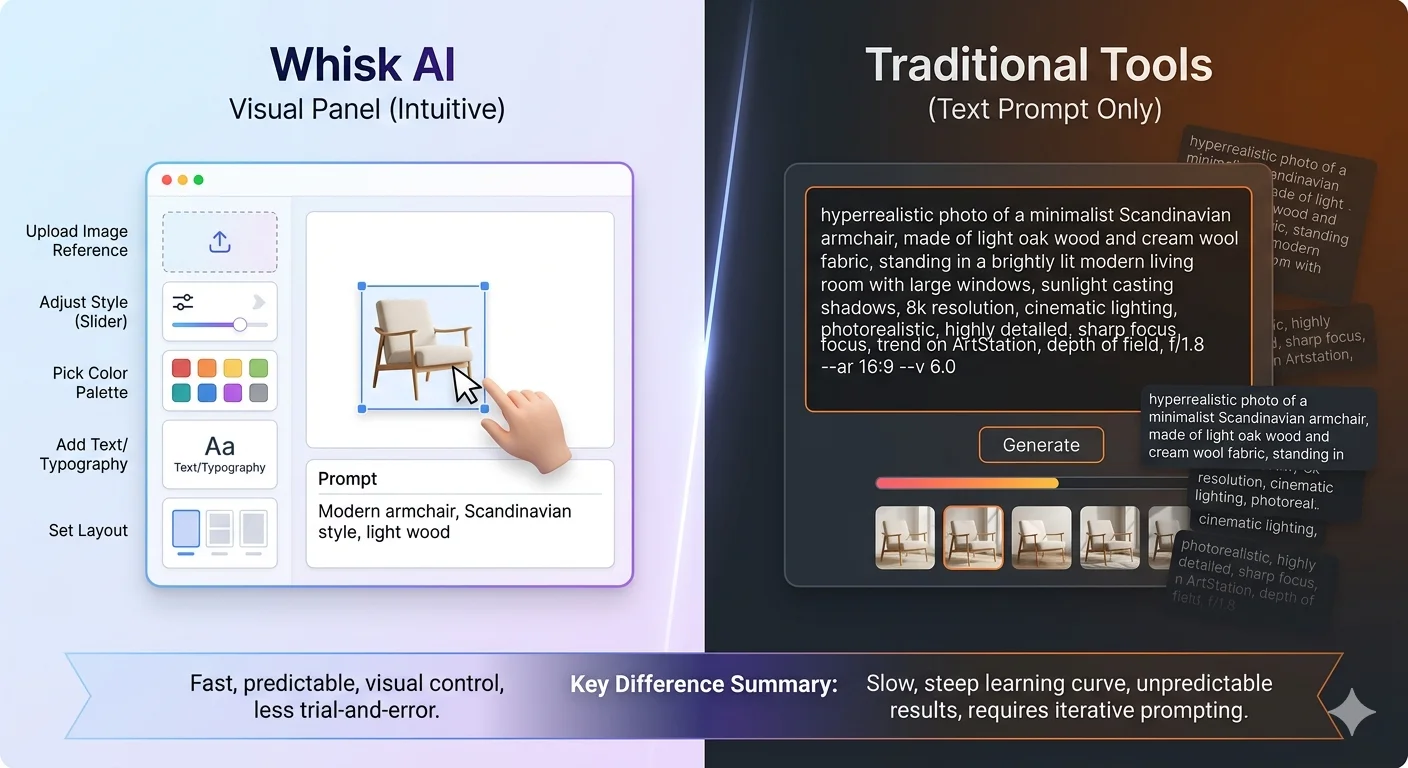
This is a question we get constantly: “How is Whisk AI different from Midjourney, DALL-E, or Stable Diffusion?”
The honest answer is that they are solving similar problems in fundamentally different ways — and understanding that difference helps you pick the right tool for the right job.
The Core Difference: Input Method
| Whisk AI | Traditional Text-to-Image | |
|---|---|---|
| Primary input | Images (drag & drop) | Text prompts |
| Learning curve | Very low | Moderate to high |
| Output control | Essence-based | Precision-based |
| Best for | Quick exploration | Specific visions |
| Skill required | None | Prompt writing skill |
| Surprise factor | High (by design) | Low (by design) |
The Prompt Problem
Every traditional text-to-image tool shares the same fundamental challenge: the quality of what you get out depends entirely on the quality of what you type in.
Writing a good AI image prompt is a real skill. It takes time to learn which words work, which combinations produce which effects, how to describe lighting and composition and mood in a way the model understands. There are entire communities dedicated to teaching this skill — and that should tell you something about how much friction is involved.
Whisk removed most of that friction. The entire purpose of the image-based input system was to let people communicate visually rather than verbally. Most of us are better at pointing at something and saying “like that” than we are at writing a 50-word technical description.
This is not a small thing. When Whisk launched, Google noted that a beginner using their tool could get results within 10–15% of the quality an experienced prompt engineer would achieve. That gap — which used to take months of practice to close — shrank to almost nothing.
What Traditional Tools Do Better
Whisk was designed for speed and exploration. It was not designed for precision.
If you have a very specific image in your head — a particular person, a specific composition, an exact color palette, a precise architectural detail — traditional text-to-image tools let you describe that specificity in ways Whisk does not.
Midjourney, for example, gives you extensive control over aspect ratios, stylization levels, image weights, and even the specific “version” of the AI you want to use. DALL-E 3 lets you write long, nuanced descriptions and will try to follow every detail. Stable Diffusion gives technically advanced users full control over the generation process itself.
Whisk traded precision for speed, and accessibility for depth. Neither is wrong — they serve different needs.
The New Category Whisk Created
Something worth recognizing is that Whisk did not just compete with existing tools. It created a genuinely new category: image-prompted image generation.
Before Whisk, if you wanted to take inspiration from multiple visual sources and blend them into something new, you needed either advanced Photoshop skills or significant experience with AI prompt engineering. Whisk made that kind of creative remixing available to someone who had never touched a design tool in their life.
That is a meaningful shift in who gets to participate in visual creativity — and it is the legacy Whisk leaves behind even after its shutdown.
To explore tools that offer similar visual-input workflows, check out our guide to Google Labs AI tools and the full Whisk AI alternatives guide.
6. Is Whisk AI Free? The Complete Pricing Breakdown for 2026 {#pricing}
Let’s address this directly, because there is genuine confusion about what Whisk AI cost, how its pricing evolved, and what the equivalent options cost now that the tool has closed.
Was Whisk AI Free When It Launched?
Yes — completely.
When Whisk launched in December 2024 through Google Labs, it was fully free for any user in the United States with a Google account. There was no subscription, no credit system, no trial period. You signed in, you created images, you downloaded them. No payment required.
This was consistent with how Google Labs has historically operated. The goal of Labs experiments is to gather usage data and feedback, not to generate revenue. Charging users would reduce the volume of feedback, which is the opposite of what Google wanted.
Did the Pricing Change Over Time?
As Whisk grew and Google expanded it beyond its initial experimental phase, the access model became more nuanced. While a free tier remained available, certain higher-usage features and generation limits became tied to Google’s subscription plans.
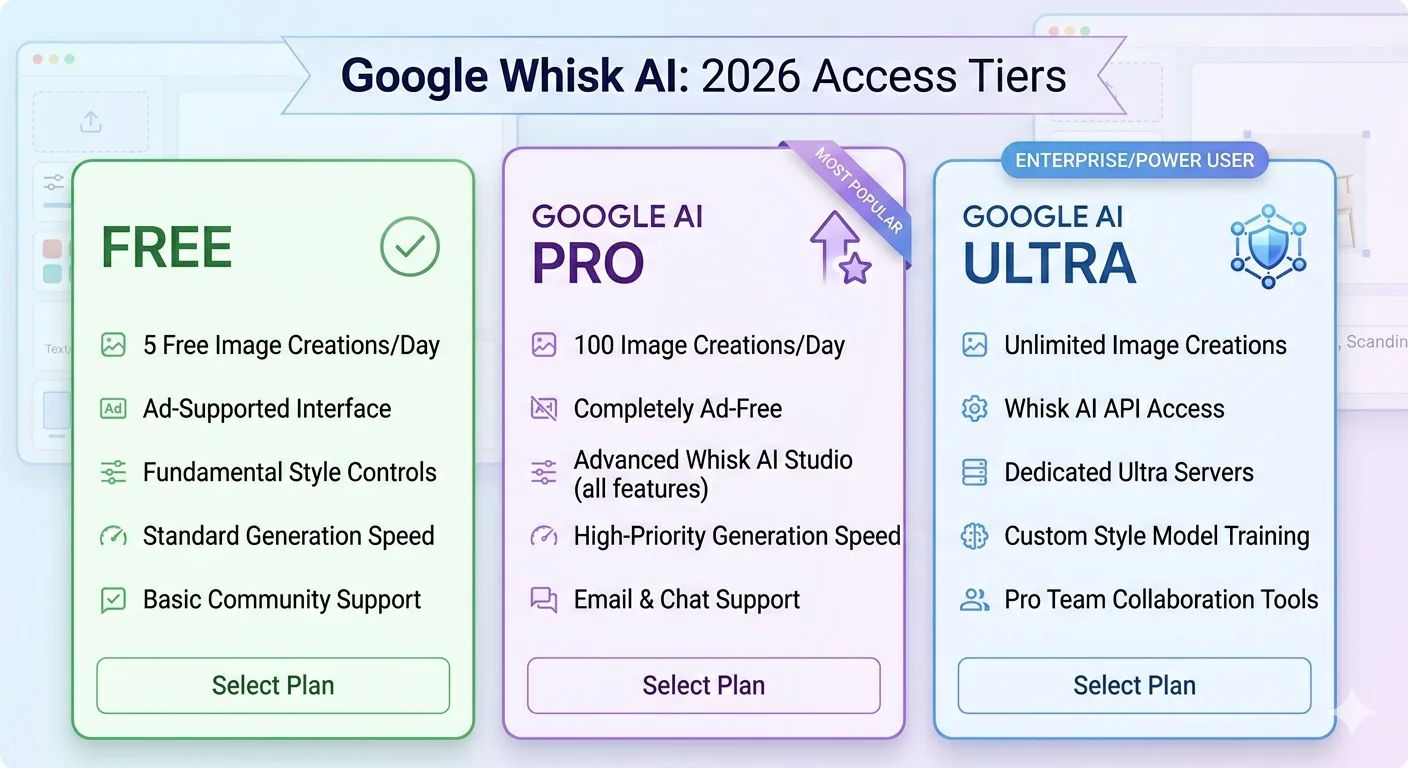
Here is how access broke down in 2026, shortly before the tool’s shutdown:
Free (Google Account Required)
- Basic image generation using the subject/scene/style inputs
- Standard generation speed
- Limited number of daily generations
- Watermarked outputs via SynthID
Google AI Pro ($19.99/month)
- Higher daily generation limits
- Access to Whisk Animate (turning Whisk images into short videos via Veo)
- Faster generation speeds
- Priority access during high-traffic periods
- This plan also includes broader access to Gemini Advanced, NotebookLM Plus, and other Google AI features
Google AI Ultra (higher tier)
- Maximum generation limits across all Google Labs tools
- Highest-quality model access
- For heavy professional users of the entire Google AI ecosystem
For most casual users and hobbyists, the free tier was completely sufficient. The paid tiers were primarily relevant if you were using Whisk heavily for creative work — generating dozens or hundreds of images per week — or specifically wanted the video animation feature.
What Does This Mean for You Now?
Since Whisk shut down on April 30, 2026, the pricing question has shifted. The equivalent capabilities now live in other tools:
Free alternatives with Imagen 3 access:
- Google ImageFX — free, uses same Imagen 3 model, text-based prompting
- Gemini free tier — includes basic image generation
Paid alternatives for similar image blending:
- Various tools offer image-reference-based generation, many with free tiers
Our dedicated Whisk AI alternatives guide walks through the best current options and their pricing in detail.
Was Whisk AI Worth Paying For?
When the paid tier existed, the honest answer depended entirely on your usage pattern.
For someone making a few images a week for fun — no. The free tier was more than enough.
For a designer using Whisk as part of their client workflow, generating dozens of concept explorations per project — yes. The higher limits and Animate feature added real value at a professional level.
The $19.99/month AI Pro price point was also notably competitive for what it included. That same subscription covered Gemini Advanced access, which itself was a significant productivity tool independent of Whisk.
7. Who Was Whisk AI Really Built For? {#who-for}
Understanding the intended audience helps explain every design decision Whisk made.
The Creative Non-Expert
The most important thing Google said about Whisk when it launched was this: it was built for people who have ideas but not necessarily the technical vocabulary to describe those ideas to an AI.
A nine-year-old who loves dragons but does not know what “cinematic lighting” or “Unreal Engine render style” means can use Whisk just as effectively as a professional designer who knows every trick in the book. They just need three images.
This makes Whisk unusual. Most AI tools are built for people who are already somewhat technical, or at least patient enough to go through a learning curve. Whisk was genuinely designed to start at zero.
Small Business Owners and Content Creators
Another large group who found Whisk genuinely useful were people who needed visual content frequently but did not have design training.
A food blogger who needs a thumbnail for every recipe. A Etsy seller who wants to mock up product sticker designs. A teacher building visual presentations for class. A social media manager exploring concepts for a campaign.
None of these people want to spend an hour learning prompt engineering. They need something visual, quickly, that looks professional. Whisk delivered that.
Game Developers and Digital Artists
At the more skilled end, game developers and digital artists found Whisk useful as a rapid ideation tool — not for final production assets, but for exploring visual directions quickly.
The Whisk FX sprite generator workflow, where Whisk could produce game-character-style assets, became particularly popular in indie game development communities.
For an artist, having a tool that generates ten rough visual explorations in five minutes — rather than spending an hour sketching each one — changes the creative process meaningfully. Whisk was good at generating creative starting points. The human artist then takes the most promising direction and refines it.
8. Frequently Asked Questions {#faq}
What was the official website for Google Whisk AI?
The official Google Whisk AI tool lived at labs.google/fx/tools/whisk. It was part of Google Labs — Google’s experimental projects division — and required a Google account to access.
Why did Google Whisk AI shut down?
Google Labs experiments are, by definition, temporary. Google runs them to gather feedback and test technology, not as permanent products. Whisk closed on April 30, 2026, with Google indicating that the underlying technology — Gemini’s visual understanding combined with Imagen 3’s generation quality — would continue through other products like ImageFX and Gemini’s built-in image generation. This is a normal pattern for Google Labs projects.
Can I still access something similar to Whisk AI?
Yes. Google ImageFX uses the same Imagen 3 model, though it is primarily text-prompt based rather than image-based. The Gemini app also supports image generation. For the image-blending approach specifically, several third-party tools have emerged. Our alternatives guide covers the best current options with honest comparisons.
Does Whisk AI save my images automatically?
While Whisk was active, images were saved within your Google account session and could be downloaded directly. The tool did not permanently store your entire creative history the way a dedicated creative platform might. All user data associated with the tool was scheduled to be deleted after the April 30, 2026 shutdown.
Was Whisk AI available outside the United States?
Whisk initially launched as a US-only experiment. It later became available in additional regions, though access varied by country throughout its lifespan. If you experienced availability issues, our Whisk AI not available fix guide covered the most reliable workarounds.
Is Whisk AI safe for children to use?
Google built safety filters into Whisk through both Gemini’s understanding layer and Imagen 3’s generation layer. The tool blocked attempts to generate harmful, violent, or inappropriate content. That said, any AI tool works best with adult supervision for younger users — not because of safety failures, but because the creative results can sometimes be unexpected, and guidance helps children make the most of the experience.
What is the difference between Whisk AI and Google Gemini image generation?
Both use Imagen 3 under the hood. The key difference was the input method. Whisk let you use images as your starting point — dragging in visual references for subject, scene, and style. Gemini’s image generation is text-based — you describe what you want in words. For people comfortable writing prompts, Gemini offers more precise control. For people who prefer working visually, Whisk’s approach was significantly easier and more intuitive. See our full Whisk AI vs ImageFX comparison for a closer look.
The Bottom Line
Google Whisk AI was a genuinely novel approach to image creation. It did not try to be the most powerful tool, or the most precise, or the most feature-rich. It tried to be the most accessible — the tool that someone who had never made AI art before could sit down with and create something they were proud of in their first five minutes.
For 16 months, it achieved that goal remarkably well. Tens of millions of people used it to design stickers, generate game sprites, build product mockups, explore artistic styles, and make things they simply could not have made otherwise.
The shutdown is real. But the ideas Whisk proved — that visual input is a valid and powerful way to communicate with AI, that creative tools do not need steep learning curves, and that blending multiple visual references produces genuinely interesting results — those ideas are not going anywhere.
If you want to continue creating in the same spirit, explore our complete guide to Whisk AI prompts and our overview of the best Google Labs AI tools still available in 2026.
The canvas is still open. The tools just changed.
Sources & Further Reading
- Google Labs official Whisk announcement — blog.google
- Imagen 3 — Google DeepMind
- Google ImageFX (active replacement)
- Google Gemini image generation
- SynthID — Google’s AI watermarking technology
- Wikipedia: Imagen (text-to-image model)
Have a question we did not answer here? Browse our full resource library at WhiskAILabs.net — we cover everything from beginner guides to advanced prompt techniques for every stage of your creative journey.
