
Google Flow AI Pricing 2026 | Free vs Pro vs Ultra — Full Plan Breakdown
If you opened flow.google.com recently and noticed that the image model you were using is now labeled “Pro only,” or that your monthly credits ran out faster than they used to, or that a feature you relied on is suddenly asking you to upgrade — this guide explains exactly what happened and exactly what you get at each tier.
There are now four pricing tiers inside Google Flow AI. They are not always easy to tell apart from the interface itself. This guide lays them out clearly, explains what each one actually includes, and tells you which one makes sense for your situation.
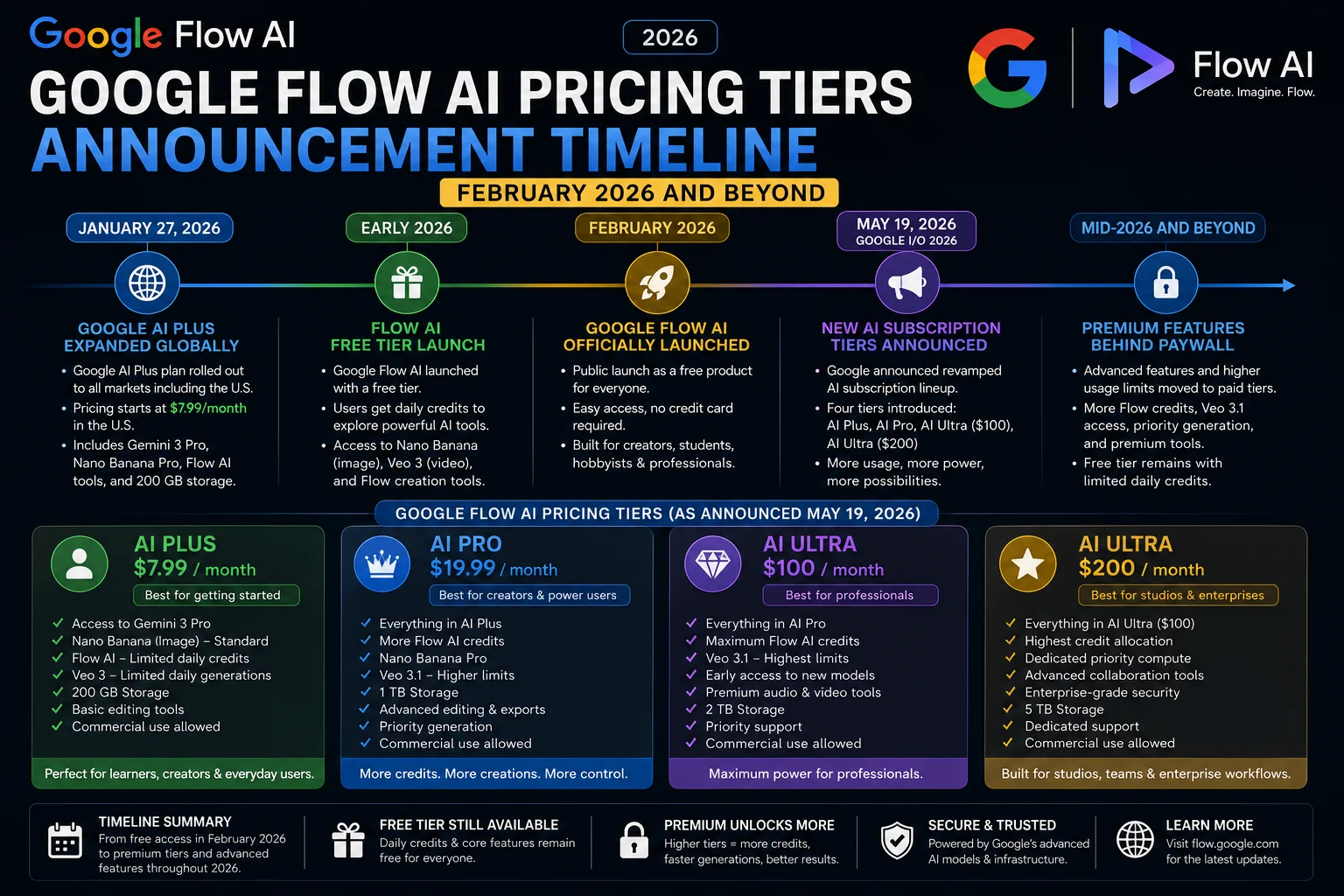
Google Flow AI Free gives you real access to Nano Banana 2 image generation and Veo 3.1 video generation — both with monthly credit limits. AI Plus at $9.99 unlocks Nano Banana Pro and higher credit counts. AI Pro at $19.99 is the full-featured tier for professional use. AI Ultra at $100 is for teams and enterprise workflows with the highest credit allowances and priority processing across every tool.
Why Google Flow AI Has Paid Tiers Now — What Changed in 2026
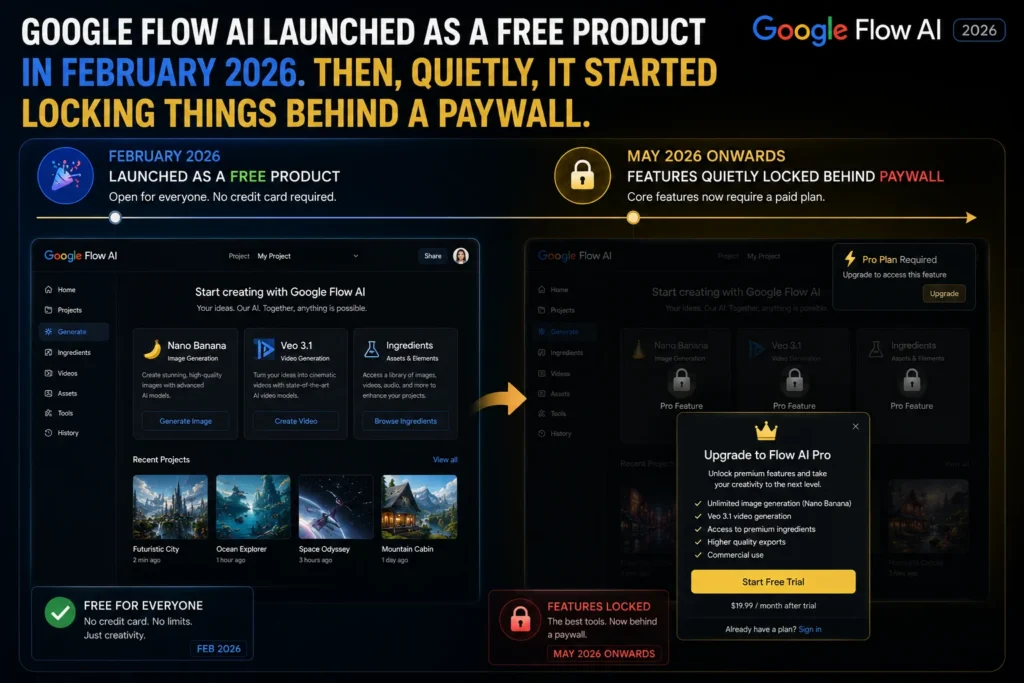
When Google Flow launched on February 25, 2026, the announcement focused on unification. Google took three separate tools — ImageFX, Whisk, and the original Flow video tool — and merged them into one workspace. At launch, access was broadly free.
What Google did not announce loudly was that the new unified platform would introduce tiered pricing almost immediately. Within weeks of the February launch, paid tiers appeared in the interface under the Google AI subscription structure that Google had already established through Gemini Advanced.
The reason is straightforward: the two core generation models inside Flow — Nano Banana for images and Veo 3.1 for video — are expensive to run at scale. Google was not going to sustain unlimited free access indefinitely. The credit system and the Pro model paywalls are the mechanism Google chose to manage that cost.
The result is a four-tier structure that most users encounter without a clear explanation of what they are actually paying for at each level.
The Four Google Flow AI Pricing Tiers — Explained Clearly
Free — $0/month
The free tier is a real working tier, not a stripped-down preview. You get access to both Nano Banana 2 image generation and Veo 3.1 video generation. You can build projects, use the Ingredients system, save your work, and export what you create. Google does not require a payment method to use the free tier.
What you do not get on the free tier:
- Nano Banana Pro — the higher-fidelity image model is locked to paid plans
- 4K image resolution — free tier caps at 2K output
- High-priority generation — your requests process at standard speed
- High monthly credit counts — the free allowance is the most limited of the four tiers
For casual exploration, learning the platform, or low-volume personal projects, the free tier is genuinely usable. You will hit the credit ceiling if you use Flow daily or if you are generating video regularly — video clips consume credits significantly faster than images.
AI Plus — $9.99/month
AI Plus is the first paid tier and the one that unlocks Nano Banana Pro. If image quality is your primary reason for upgrading, AI Plus is where that upgrade happens — you do not need to go to AI Pro just to access the better image model.
AI Plus gives you 200 monthly generation credits, 4K image resolution output, and standard generation speed. It is positioned for individual users who want meaningfully better image quality and a higher credit ceiling without paying for the full professional feature set.
What AI Plus does not include compared to AI Pro: high-priority generation speed, the higher 1,000-credit monthly allowance, and some of the advanced workspace features that appear at the Pro tier.
AI Pro — $19.99/month
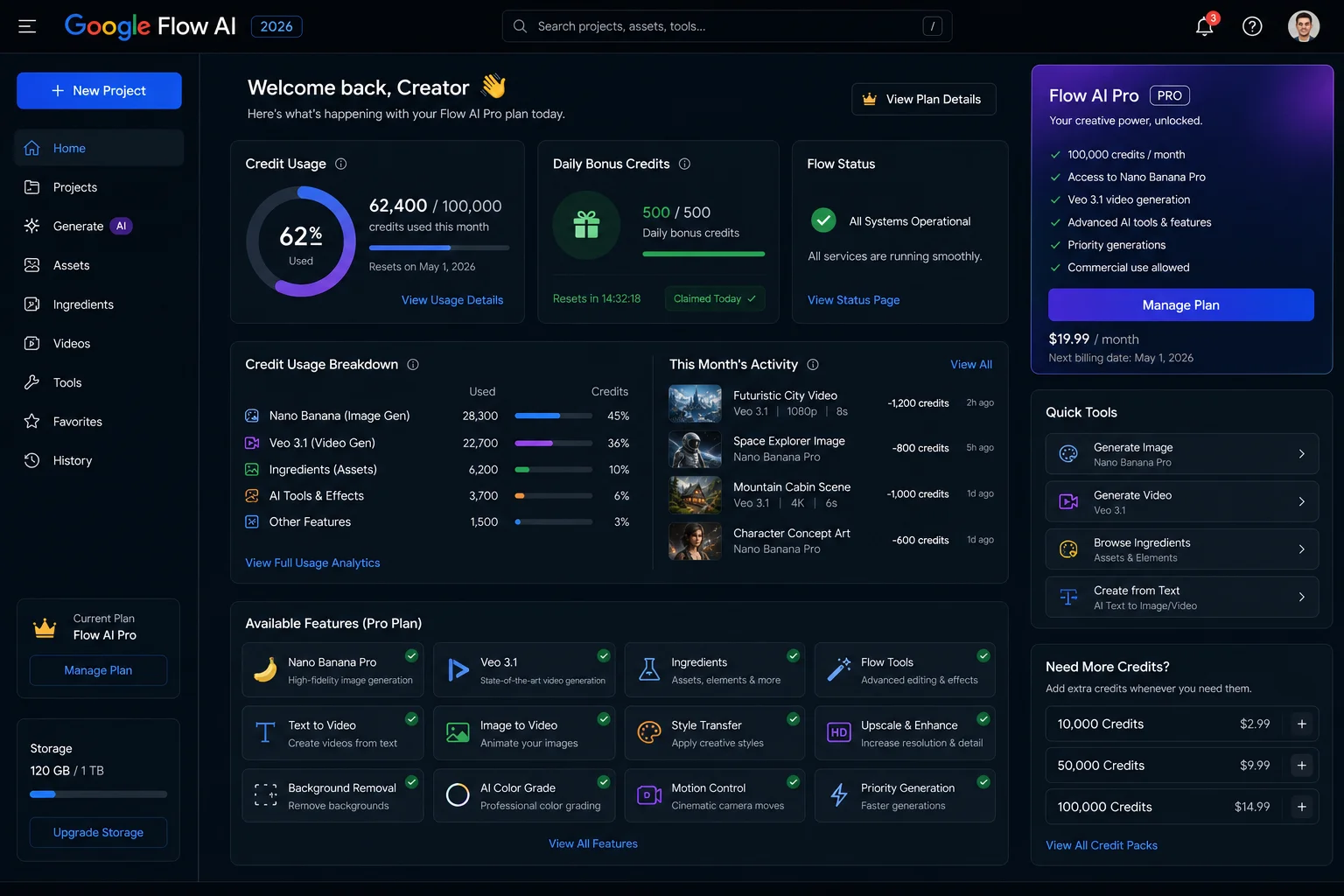
AI Pro is the tier designed for regular professional use. It is what Google describes as the standard paid plan for individual creators, freelancers, and professionals using Flow as part of an actual workflow rather than occasional personal projects.
The practical differences from AI Plus at this tier are the credit count — 1,000 per month versus 200 — and high-priority generation processing. If you are generating multiple images and video clips daily, the difference in generation speed between standard and high priority becomes noticeable over time, particularly during peak usage hours.
AI Pro also includes full Google Workspace integration. Your Flow projects connect directly to Drive, and the AI assistant features inside Docs and Gmail that are part of Google’s broader AI subscription stack are active at this tier.
AI Ultra — $100/month
AI Ultra is not for most individual users. Google designed it for teams, studios, agencies, and developers who are either running AI-generated content at scale or building applications on top of Google Flow’s API.
The defining difference at Ultra is the credit allowance — 12,500 per month — and the highest-priority processing across all generation tools. At this volume, Flow is functioning as a production pipeline, not a creative tool you open occasionally.
Ultra also includes early access to new features before they roll out to lower tiers, dedicated support, and the full Google One storage and Google Workspace features that come with Google’s enterprise AI subscription tier.
Google Flow AI Pricing — Full Comparison Table
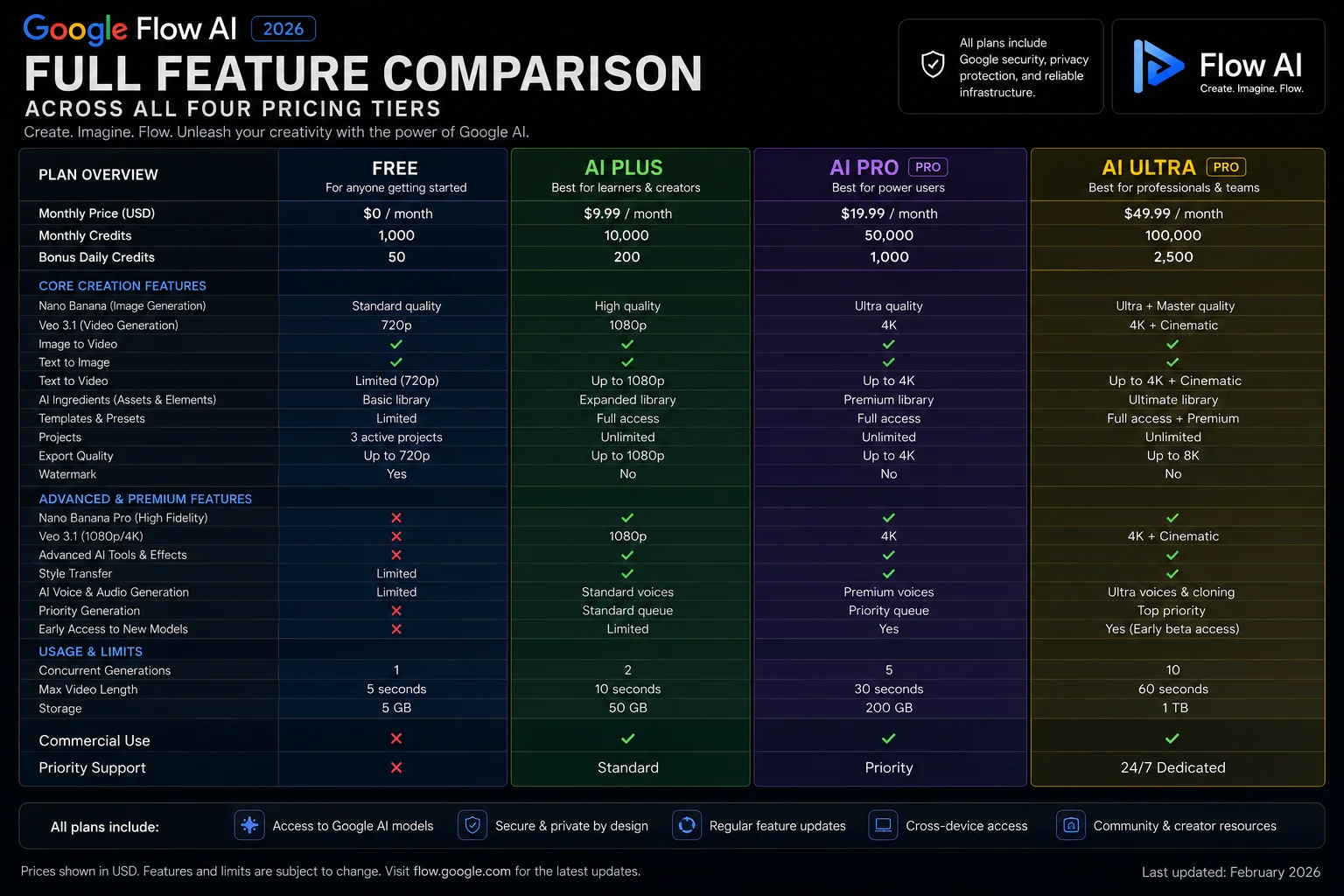
| Feature | Free — $0 | AI Plus — $9.99 | AI Pro — $19.99 | AI Ultra — $100 |
|---|---|---|---|---|
| Nano Banana 2 (base image model) | ✅ Yes | ✅ Yes | ✅ Yes | ✅ Yes |
| Nano Banana Pro (upgraded image model) | ❌ No | ✅ Yes | ✅ Yes | ✅ Yes |
| Veo 3.1 video generation | ✅ Yes | ✅ Yes | ✅ Yes | ✅ Yes |
| Max image resolution | Up to 2K | Up to 4K | Up to 4K | Up to 4K |
| Monthly generation credits | Limited | 200 | 1,000 | 12,500 |
| Generation speed priority | Standard | Standard | High | Highest |
| Ingredients system (image → video) | ✅ Yes | ✅ Yes | ✅ Yes | ✅ Yes |
| Character consistency (up to 5) | ✅ Yes | ✅ Yes | ✅ Yes | ✅ Yes |
| Text rendering in images | ✅ Yes | ✅ Yes | ✅ Yes | ✅ Yes |
| Google Workspace integration | Partial | Partial | ✅ Full | ✅ Full |
| Google One storage (expanded) | ❌ No | 100 GB | 2 TB | 2 TB+ |
| SynthID watermark on all images | ✅ All tiers | ✅ All tiers | ✅ All tiers | ✅ All tiers |
| Early access to new features | ❌ No | ❌ No | Selected | ✅ Yes |
| Dedicated support | ❌ No | ❌ No | ✅ Priority |
What the Credit System Actually Means — How Fast Do Credits Run Out?
Credits are the part of Google Flow AI pricing that most people misunderstand until they are already out of them mid-project.
Credits in Flow are not a 1:1 ratio with generations. Different types of output consume different amounts. Generating a single image with Nano Banana 2 costs fewer credits than generating a short video clip with Veo 3.1. Longer video clips, higher resolution outputs, and Pro model generations each consume more credits than their base equivalents.
Google has not published a precise credit cost table for every generation type, but based on reported usage, here is a practical sense of how the credit counts at each tier translate to real work:
- Free tier: Enough for light exploration — testing prompts, generating a few images per day, or producing one or two short video clips per week. Most users who try to use it daily for real projects will hit the limit within 2–3 weeks.
- AI Plus (200 credits): Roughly enough for a moderate personal project — generating a batch of images for a blog, a short social media video, or a creative side project completed across a month. Not enough for daily professional use.
- AI Pro (1,000 credits): Sufficient for regular professional use — creating content for clients, generating images and videos for consistent publishing schedules, or running Flow as a core part of a creative workflow.
- AI Ultra (12,500 credits): Designed for volume production — agencies, studios, or developers running automated or high-frequency generation pipelines.
Nano Banana Free vs Nano Banana Pro — Is the Upgrade Worth It?
This is the most common question from people deciding between the free tier and AI Plus, because Nano Banana Pro is the most visible feature locked behind the paywall.
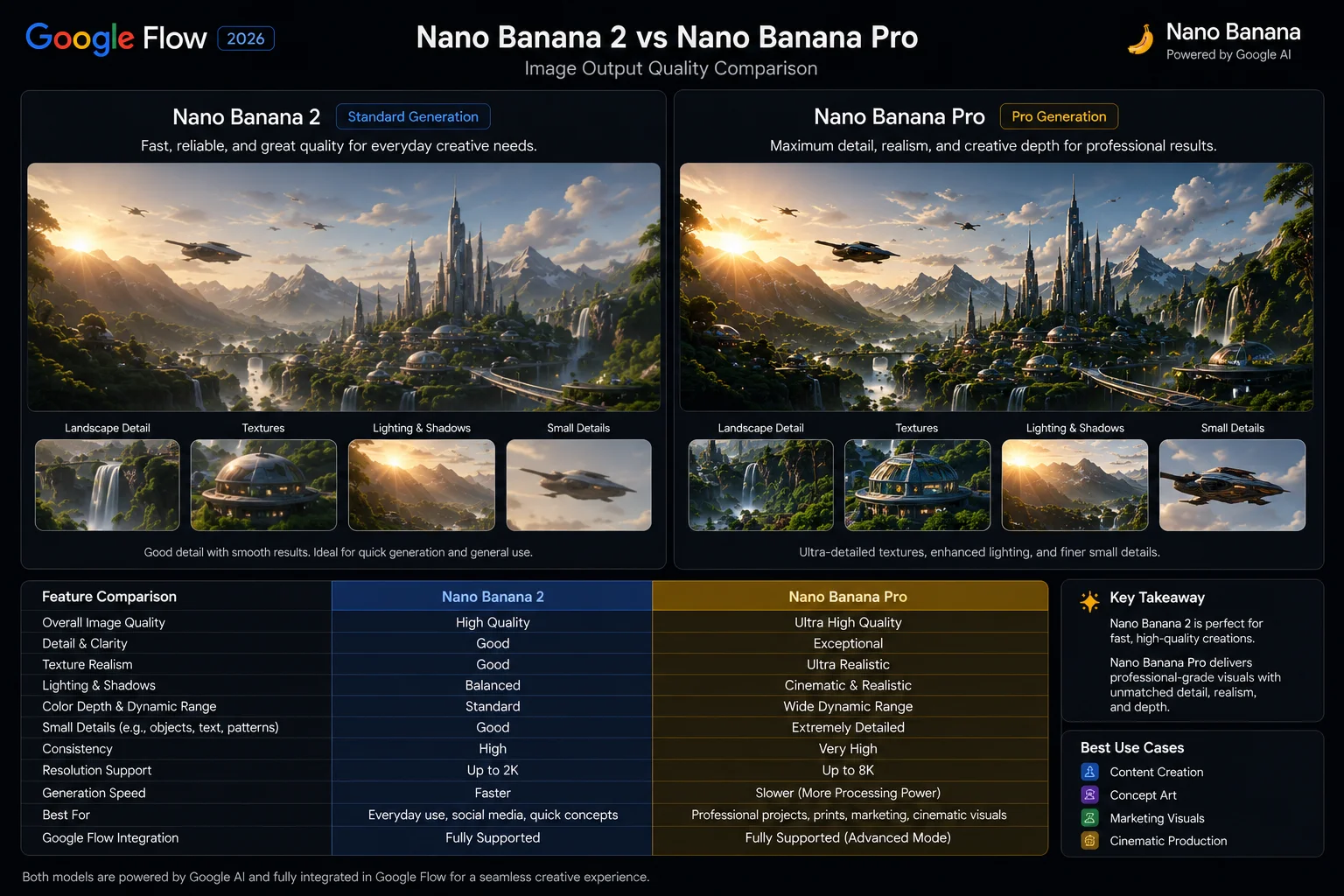
Nano Banana 2 — available free — is not a stripped-down placeholder. It is a capable image model with 4K generation support at paid tiers, character consistency for up to 5 characters, and the text rendering improvements that made Nano Banana a meaningful upgrade over the old ImageFX Imagen model. For a large portion of use cases, Nano Banana 2 produces images that are genuinely good.
Nano Banana Pro — available from AI Plus upward — runs on the Gemini 3 Pro Image architecture. The differences that matter in practice:
- Fine texture rendering — fabric, hair, skin, reflective surfaces, and complex materials look noticeably more detailed
- Complex prompt interpretation — when a prompt has many simultaneous elements, Pro handles the composition more accurately
- Stylistic control — specifying a particular visual style produces more consistent results with Pro than the base model
- High-detail environments — architectural scenes, dense crowd scenes, and intricate product shots resolve better at Pro
For casual and personal use, Nano Banana 2 is sufficient. For anything going in front of clients, being published professionally, or used in commercial content where image quality reflects directly on your work — Nano Banana Pro produces a visible difference that justifies the AI Plus cost at minimum.
Which Google Flow AI Plan Should You Get?
The answer depends on two variables: how often you generate, and what you generate it for.
Get the Free Tier If:
- You are learning the platform and exploring what Flow can do
- You use Flow occasionally — a few times per week at most
- Image quality at the base Nano Banana 2 level is sufficient for your purposes
- You are generating mostly images rather than video
- You do not need the output delivered quickly during peak hours
Get AI Plus ($9.99) If:
- Image quality is your primary reason to upgrade and Nano Banana Pro is what you are after
- You need 4K resolution output but do not require 1,000 monthly credits
- Your monthly volume is moderate — personal projects, a portfolio, a side creative practice
- You want to pay as little as possible while accessing the better image model
Get AI Pro ($19.99) If:
- You use Google Flow regularly as part of paid client work or a professional publishing workflow
- You need the full Google Workspace integration — Flow connected to your Drive and Gmail
- Generation speed matters to your workflow — high-priority processing is noticeably faster
- 1,000 monthly credits fits a daily creative workload without constant rationing
- You are a freelancer, content creator, marketer, or educator using AI tools as core productivity infrastructure
Get AI Ultra ($100) If:
- You are running a studio, agency, or team where multiple people generate content daily
- You are building applications or automations on top of Google Flow’s API
- 12,500 monthly credits is the volume your production pipeline actually requires
- Early feature access and dedicated support are worth paying for given your operational dependency on the platform
Google Flow AI Pricing vs Competitors — How Does It Compare?
Google Flow AI is not the only AI creative platform with tiered pricing, and the comparison matters if you are deciding where to put your subscription budget.
Midjourney’s standard plan is $10/month for 200 fast GPU hours — similar to AI Plus in cost, but Midjourney produces exclusively images with no video generation capability and no Google ecosystem integration. For stylized artistic output, Midjourney still leads. For integrated image-to-video workflows, Flow has no direct equivalent at a comparable price.
Adobe Firefly’s paid access comes through Adobe Creative Cloud subscriptions starting at $54.99/month — significantly more expensive than Flow’s AI Plus or AI Pro tiers, but bundled with the full Adobe creative suite. If you are already paying for Creative Cloud, Firefly is effectively included at no extra cost. If you are not, Flow offers image and video AI at a lower standalone price.
OpenAI’s ChatGPT Plus at $20/month includes DALL-E image generation but no video capability. The feature set comparison favors Flow at a similar price point purely on the breadth of creative output available.
The clearest competitive advantage Google Flow AI has at every tier is the Ingredients pipeline — the ability to generate an image with Nano Banana and feed it directly into Veo 3.1 video generation without file transfers or separate tools. No competitor offers an equivalent integrated image-to-video workflow at this price point.

Frequently Asked Questions
Is Google Flow AI free to use?
Yes. Google Flow AI has a genuine free tier that requires no payment method. Free users get access to Nano Banana 2 image generation and Veo 3.1 video generation with monthly credit limits. The free tier is usable for real projects, not just a trial preview.
What is the difference between AI Plus and AI Pro?
Both tiers include Nano Banana Pro and 4K image resolution. The differences are: AI Pro gives you 1,000 monthly credits versus 200 at AI Plus, high-priority generation processing instead of standard speed, and full Google Workspace integration rather than partial integration. If your main reason to upgrade is the better image model, AI Plus is sufficient. If you use Flow daily for professional work, AI Pro makes more sense.
How much does Google Flow AI cost per month?
Free tier is $0. AI Plus is $9.99/month. AI Pro is $19.99/month. AI Ultra is $100/month. Note that Google AI subscriptions are billed through Google One, so upgrading Google Flow AI upgrades your broader Google AI access across other Google products as well.
Can I cancel my Google Flow AI subscription anytime?
Google AI subscriptions are monthly and cancel without penalty. You retain access until the end of your current billing period. There are no annual lock-in requirements for AI Plus or AI Pro. Enterprise arrangements at Ultra may differ depending on terms agreed directly with Google.
Do credits roll over month to month?
Google has not confirmed a credit rollover policy for Google Flow AI as of the current plan structure. Based on reported user experience, unused credits from a given month do not carry forward — the monthly allowance resets at the start of each billing cycle. This is worth factoring into your plan selection: if you regularly have credits left over at month end, you may be on a higher tier than you actually need.
Does every generated image have a watermark?
Yes. All images generated by Nano Banana at every pricing tier — including free — include a SynthID invisible digital watermark embedded in the image data, and C2PA Content Credentials indicating AI generation. The watermark is not visible to the eye but is detectable by tools designed to read it. This applies regardless of plan tier.
Is Google Flow AI available in Pakistan and other South Asian countries?
Google Flow AI availability varies by region and has been expanding since the February 2026 launch. The paid tier billing operates through Google One, which is available in a growing number of countries. For the current availability status in your country, check the Google One availability page and the Google Flow AI site directly.
Can I use Google Flow AI images commercially?
Google’s current terms permit personal and commercial use of content generated in Google Flow AI, subject to the platform’s usage policies. Google’s policies prohibit generating content that violates third-party rights, depicts real people without consent, or is used in ways that violate applicable law. Review the current Google Flow terms of service before using generated content in commercial contexts, as these terms can be updated.
What happened to the old ImageFX free tier?
ImageFX was permanently shut down on April 30, 2026. Google gave users a migration window to move their ImageFX and Whisk projects into Google Flow AI. Any content not migrated before the deadline was deleted. The image generation that was in ImageFX now lives inside Google Flow AI, powered by Nano Banana rather than the original Imagen models. For the full story on that transition, see our guide: What Is Nano Banana — The Complete Guide.















