
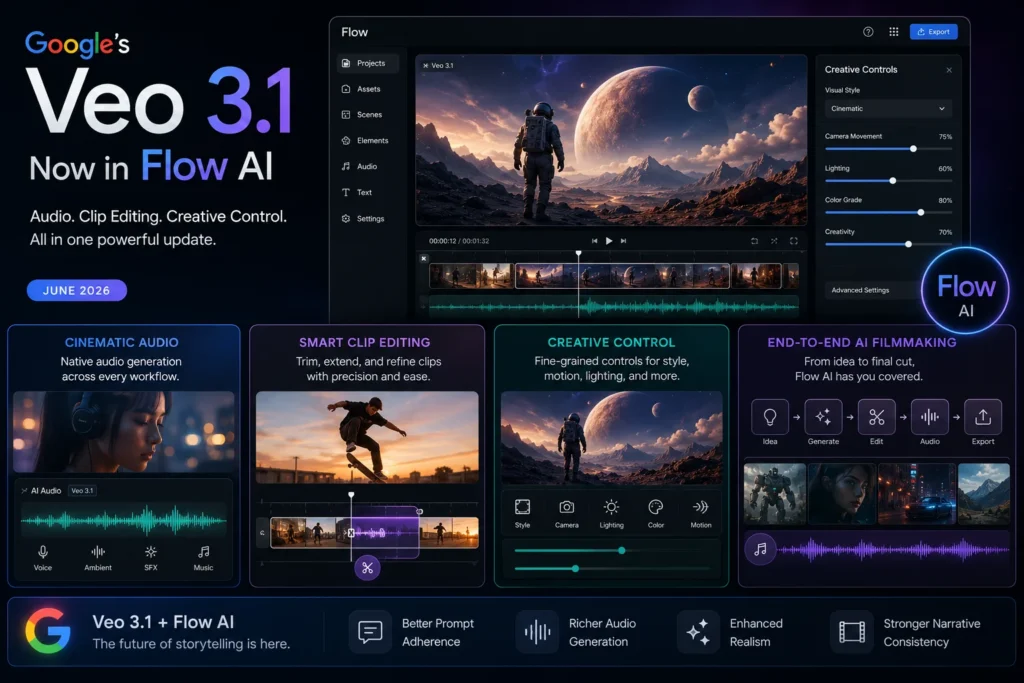
Veo 3.1 Update 2026 | Google Flow AI Gets Powerful New Video Editing Features (Full Breakdown)
If you’ve been using Google Flow AI to create videos — or even just thinking about it — this week brought some genuinely exciting news. Google just rolled out a significant Veo 3.1 update that changes how you edit, refine, and hear your AI-generated videos inside Flow.
And no, this isn’t one of those “minor bug fix” updates. This one actually matters.
In this article, we’re breaking down every new thing that landed in the Veo 3.1 update, what it means for you as a creator, and exactly how to start using these features today. Whether you’re a student making short clips, a content creator running a YouTube channel, or someone who’s never touched AI video tools before — this guide is written for you.
Let’s get into it.
What Is Veo 3.1? (Quick Background for New Readers)
Before jumping into the new stuff, here’s a quick refresher — especially if you landed here from Google and aren’t sure what Veo 3.1 even is.
Veo is Google’s AI video generation model. Think of it as the engine running quietly under the hood of Google Flow AI — the platform where you actually go to create your videos.
When you type a prompt like “a golden retriever running through a sunlit field, cinematic slow motion” and Flow generates a beautiful video clip from it — that’s Veo doing the heavy lifting.
Veo 3 (launched in 2025) was already a massive leap because it could generate video with native audio — meaning background sounds, dialogue, and environmental noise came built into the video automatically. No separate audio editing needed.
Veo 3.1 is now the latest version, and it brings that same quality forward while adding a whole layer of editing control on top.
If you’re new here, you might also want to read our complete Google Flow AI guide to understand the full picture before diving into just the updates.
Why Did Google Release This Update Now?
This one’s worth understanding because it explains what Google added and why.
When Google launched Flow AI back in early 2026 — after Google Whisk AI shut down on April 30, 2026 — users loved it. Over 275 million videos were generated inside Flow in the first five months alone. That’s not a typo. 275 million.
But the feedback from those millions of creators was pretty consistent: “We love what Veo generates. We just want more control over the result.”
People wanted to:
- Fine-tune a clip without regenerating the whole thing from scratch
- Add audio to features that didn’t have sound before
- Edit specific moments in a scene instead of starting over
Google listened. This Veo 3.1 update is their direct response to that feedback.
Here’s the official confirmation straight from Google’s blog: “We’re always listening to your feedback, and we’ve heard that you want more artistic control within Flow, with increased support for audio across all features.”
The Big Veo 3.1 Changes — Explained Simply
Let’s go through every major feature from this update. No jargon. No fluff. Just what changed and what it means for you.
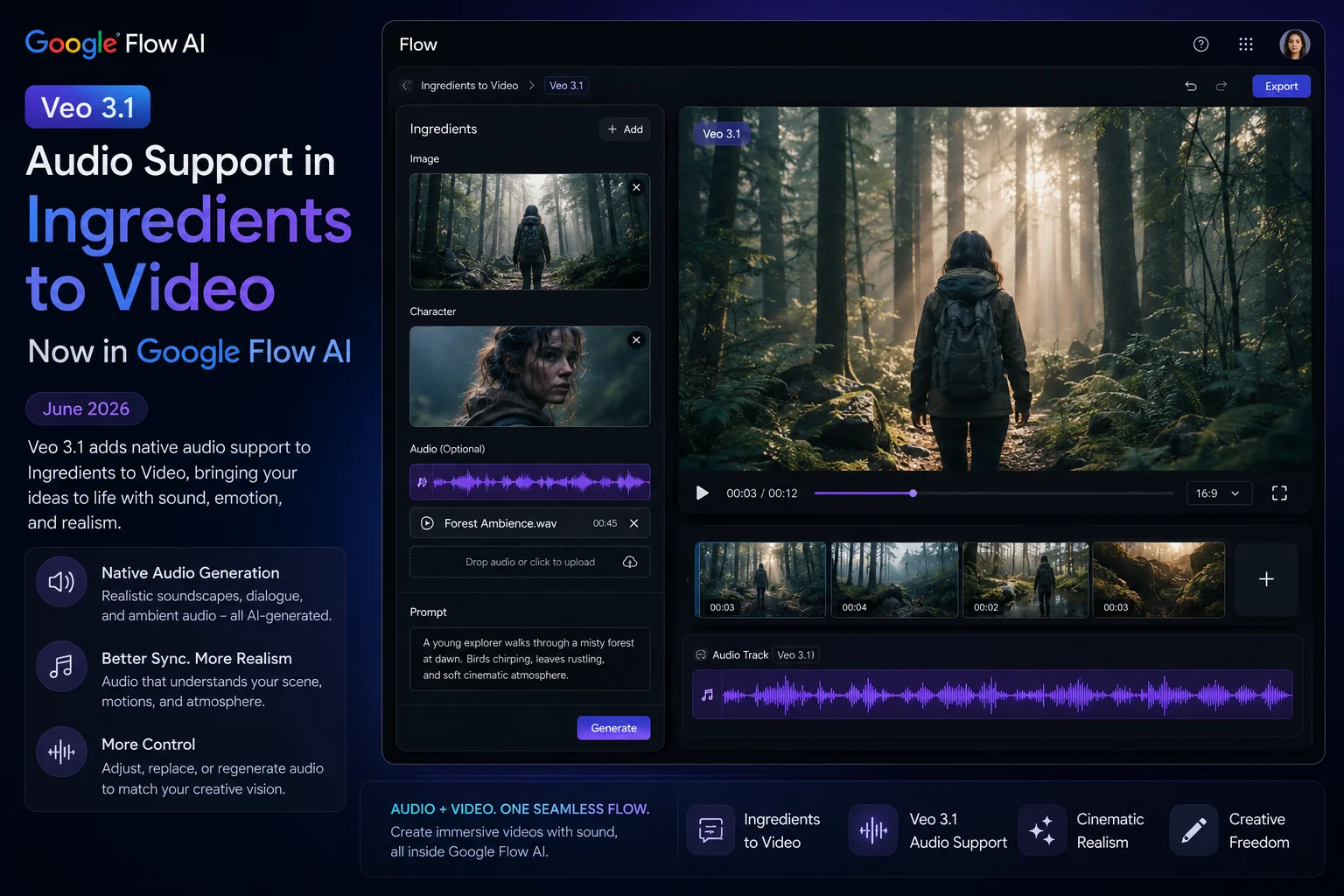
1. Audio Now Works Across ALL Features in Flow
This is the headline change of the Veo 3.1 update, and it’s a big one.
Before this update, audio inside Flow AI was only available for some video generation modes. If you used features like Ingredients to Video, Frames to Video, or Extend — you got a beautiful video, but it was silent. You’d have to add your own music or sound effects separately.
Now? Audio works across all of them.
Here’s what that means in plain terms:
Ingredients to Video + Audio: You know the Whisk AI Ingredients system — where you upload a Subject, a Scene, and a Style to generate an image or video? That whole workflow now generates video with synchronized audio automatically. If your Ingredients create a beach scene, you’ll hear waves. If it’s a city street, you’ll hear traffic and crowd noise.
Frames to Video + Audio: You provide a first and last frame image, and Veo 3.1 fills in the motion between them — now with sound.
Extend + Audio: When you extend an existing video clip to make it longer, the audio extends naturally too instead of cutting off awkwardly.
This is the kind of thing that sounds small when you read it but feels huge when you’re actually creating. Previously, getting a complete video-with-audio required multiple tools or manual editing. Now it just… happens.
2. New Clip Editing Tools — Much More Creative Control
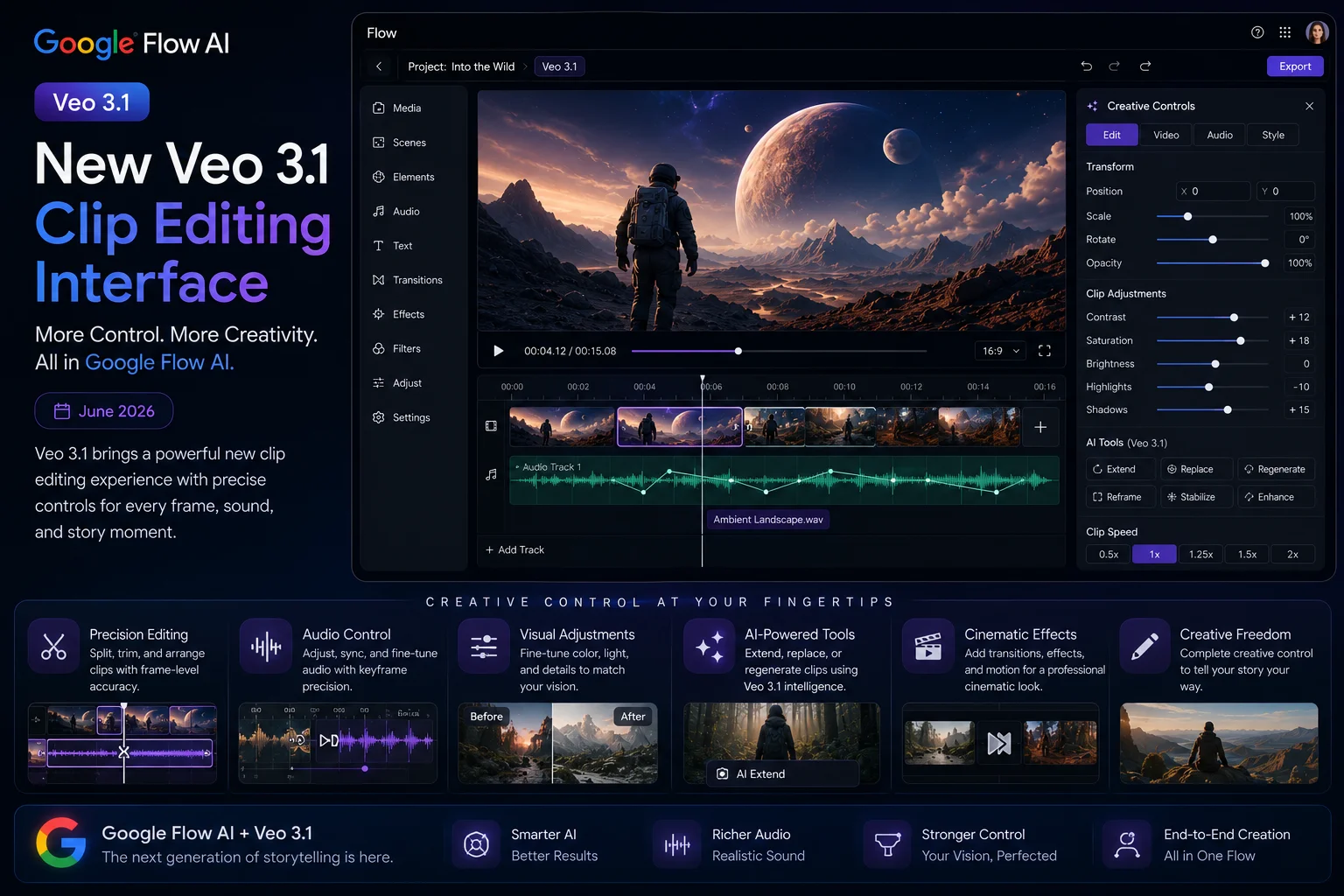
The second major update is about editing precision. Veo 3.1 introduces enhanced tools that let you change specific parts of your generated video instead of regenerating everything from scratch.
Think of it this way: before this update, if you generated a video and didn’t like one small thing — say, the background color was wrong or an object looked off — your only option was to write a new prompt and roll the dice again. That’s frustrating when you spent 20 minutes getting everything else just right.
Now you can make targeted changes. Here’s what’s new:
Add Object: Drop a new element into an existing scene. Say you have a generated clip of a kitchen table — you can now add a coffee mug to it without regenerating the whole video from scratch.
Remove Object: Take something out of a scene that shouldn’t be there. This is genuinely useful for cleaning up unwanted visual elements from AI-generated clips.
Scene Extension: Continue a video’s motion beyond where it currently ends. If your character walks to the door, you can extend the scene so they actually open it.
First and Last Frame Control: You define what a scene looks like at the beginning and at the end — Veo 3.1 fills in everything in between with smooth, realistic motion.
These are the kinds of tools that professional video editors have had for years in software like Adobe Premiere. The fact that they now exist in an AI tool — where the content itself is generated, not just cut and trimmed — is genuinely new territory.
For creators using Whisk AI templates or working on game sprite animations with Whisk FX, these controls open up a lot of new possibilities.
3. Richer Audio Quality and Narrative Control
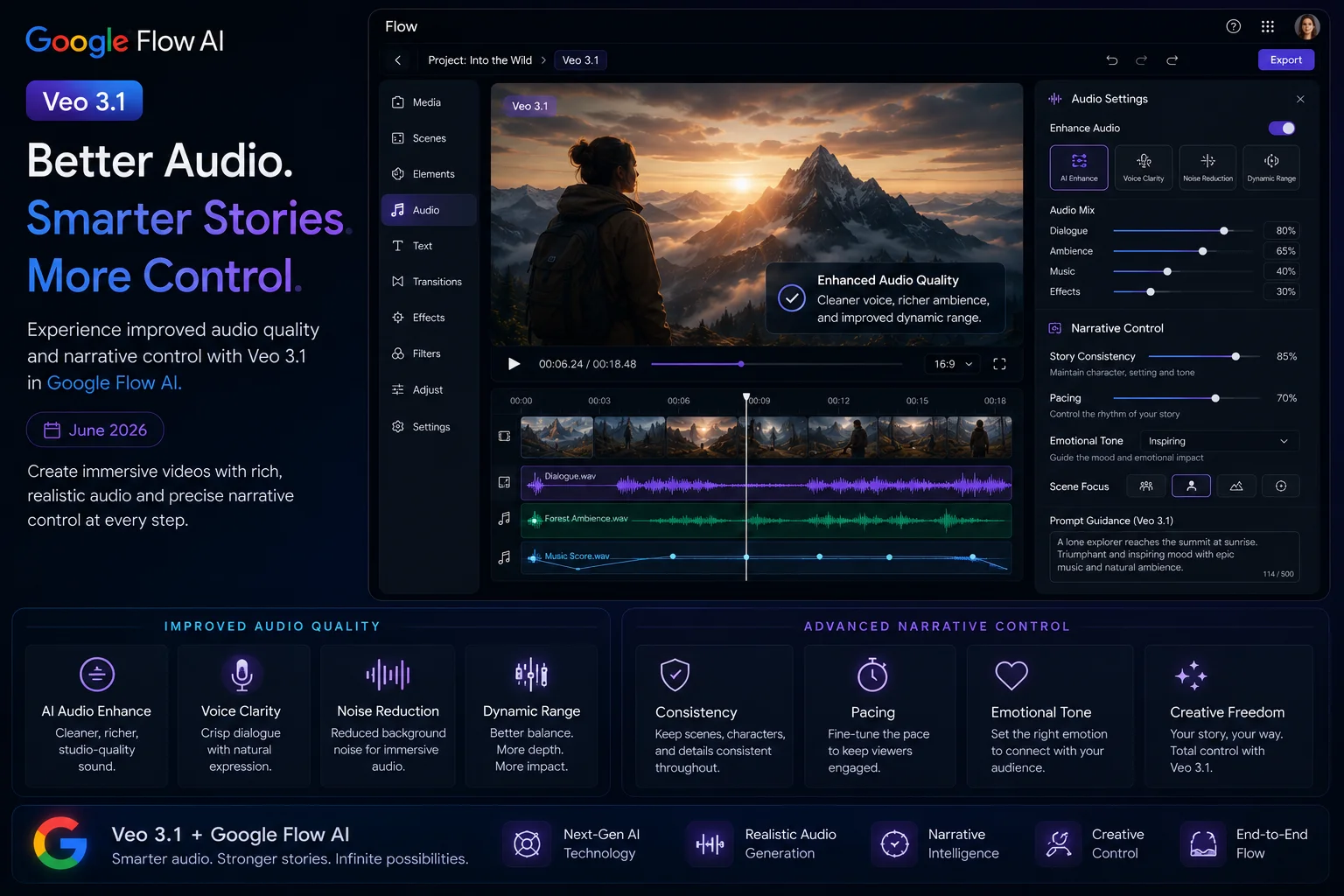
Beyond just having audio in more places, the quality of that audio has improved significantly in Veo 3.1.
The model now understands narrative context better — meaning the sounds it generates actually match what’s happening on screen in a more intelligent way. A tense scene gets tense audio. A calm nature scene gets subtle ambient sound. The AI isn’t just slapping random background music onto your video; it’s reading the mood and visual cues of each moment.
This matters because one of the biggest complaints about early AI video tools was that the audio felt “pasted on” — like it came from a stock music library with no real connection to the visuals. Veo 3.1 is meaningfully better at this.
There’s also improved dialogue rendering — when characters in a video are speaking, the lip sync and voice quality have both been refined. This was already one of Veo 3’s standout features (when it launched, the dialogue capability was genuinely impressive compared to competitors), and 3.1 makes it more reliable.
4. These Features Are Coming to the Gemini API Too
This one is specifically important if you’re a developer or if you’re curious about what’s coming next.
Three of the new Veo 3.1 features — Ingredients to Video, First and Last Frame, and Scene Extension — are being rolled out to the Gemini API. This means developers can start building their own tools and apps on top of these capabilities.
The Add Object and Remove Object features aren’t available in the API quite yet, but they’re in the pipeline.
Scene Extension is also coming soon to the Vertex AI API for enterprise users.
If you’re not a developer, here’s what this means for you in practical terms: expect to see these Veo 3.1 features showing up in third-party apps and creative tools over the coming months as developers build on top of them.
What Hasn’t Changed (Things to Know)
Being fair and honest here — not everything is different with Veo 3.1.
Pricing is the same. Google confirmed the pricing hasn’t changed with this update. Image generation inside Flow AI remains free on the free tier. Video generation still requires Google AI Plus ($19.99/month) or Google AI Ultra for the highest quality outputs. For Pakistan users, that’s roughly Rs. 1,400/month — check our Pakistan access guide for current pricing details.
The free image tier is still there. If you’re just using Flow for images — through the classic Whisk AI ingredients workflow — nothing changes. You still get free image generation with Imagen 4.
Platform is still desktop-first. Google Flow AI is still primarily a web-based tool on desktop. A mobile app is expected later in 2026, but it isn’t here yet. For now, use Google Chrome or any Chromium-based browser on your computer for the best experience.
How to Access These Veo 3.1 Features Right Now
Okay, so where do you actually find all of this?
Step 1: Go to flow.google This is the new home of everything that used to be Google Whisk AI. If you’re still bookmarked to the old labs.google/whisk URL, that doesn’t work anymore. Head directly to flow.google.
Step 2: Sign in with your personal Gmail Use a personal Gmail account — not a school account or Google Workspace account. Those sometimes have restrictions that block access to Google Labs tools.
Step 3: Check your subscription level The new editing features (Add Object, Remove Object, etc.) require a Google AI Plus or Ultra subscription. Image generation and basic Ingredients workflows are free. If you want video features, you’ll need a paid plan.
Step 4: Find the editing tools in your clip panel Once you’ve generated a video clip, you’ll see the new editing options appear in the clip’s tool panel. Look for the “Edit Clip” or similar interface — the exact layout may vary slightly depending on when you read this, as Google does roll out features gradually.
If you’re running into any issues accessing Flow AI at all, our Whisk AI not working fix guide has solutions for the most common problems — blank screens, access errors, regional blocks, and more.
Veo 3.1 vs What You Had Before — A Side-by-Side Look
Here’s a quick comparison so you can see exactly what changed:
| Feature | Before Veo 3.1 | After Veo 3.1 |
|---|---|---|
| Audio in Ingredients to Video | ❌ No audio | ✅ Full audio |
| Audio in Frames to Video | ❌ No audio | ✅ Full audio |
| Audio in Extend | ❌ No audio | ✅ Full audio |
| Add Object to existing clip | ❌ Not available | ✅ Available |
| Remove Object from clip | ❌ Not available | ✅ Available |
| Scene Extension | Limited | ✅ Enhanced + audio |
| Audio quality | Good | ✅ Richer, more narrative-aware |
| API access for developers | Limited | ✅ 3 features now in Gemini API |
Who Will Benefit Most From This Update?
Content creators and YouTubers — If you’re making short-form or long-form video content, the audio improvements alone are a massive time-saver. No more hunting for royalty-free music that kind of matches your vibe. The sound just comes with the video.
Indie game developers — If you’ve been using Whisk FX for sprite generation and want to animate those sprites into short video sequences, the new editing controls give you much more precision over the result.
Social media marketers — The Ingredients to Video workflow with audio is perfect for creating branded short clips for Instagram Reels, TikTok, or YouTube Shorts — all without needing a video editing background.
Teachers and educators — Imagine generating a short explainer video about a historical event, a science concept, or a geography topic — complete with ambient sounds — in a few minutes. That’s now genuinely possible.
Beginners who’ve never made a video before — Honestly, this is where Veo 3.1 shines most. The barriers to making something that looks and sounds good have dropped significantly. You don’t need to know anything about video production.
Real Talk: What Are the Limitations?
Every tool has limits, and it’s better to know them upfront.
Video clip length is still capped. Individual generated clips are typically 8-10 seconds. You can chain multiple clips together in Flow’s timeline to build longer videos, but you can’t generate a 5-minute video in one shot.
Add Object and Remove Object aren’t in the API yet. If you’re a developer hoping to build on these, you’ll need to wait a bit longer.
Results vary with complex prompts. This is true of all AI video tools — the more specific and complex your request, the less predictable the output. Simple, clear prompts still tend to get better results than overly detailed ones. Our advanced Whisk AI prompts guide has tips that translate well to Flow AI video prompting too.
AI Plus is required for video. The exciting new features are locked behind a paid subscription. Free users can still use image generation — which is great — but video with all these new capabilities requires payment.
What’s Coming Next for Google Flow AI?
Based on Google’s announcements and the current trajectory, here’s what’s expected in the coming months:
Scene Extension for Vertex AI API — Google confirmed this is coming soon for enterprise developers and large-scale users.
Google Flow Mobile App — The mobile version of Flow AI has been confirmed but hasn’t launched yet as of this writing. Expect it later in 2026.
Expanded country availability — Flow AI and Veo features continue to roll out to more regions. Pakistan is already confirmed accessible — see our Pakistan access guide — but some features roll out in waves.
More model improvements — Google DeepMind is actively working on further Veo improvements. Given how quickly Veo went from 2 to 3 to 3.1, it’s safe to expect more updates before the end of 2026.
For the latest news on all of this, bookmark our news and updates section — we cover every significant Google Flow AI and Veo development as it happens.
How Does Veo 3.1 Compare to Competitors?
This is a question a lot of people ask, so let’s address it honestly.
The two main alternatives to Veo 3.1 right now are OpenAI’s Sora 2 and Runway ML. Here’s the honest picture:
Veo 3.1 vs Sora 2: Veo 3.1 produces a more cinematic, polished look. Sora 2 tends to feel slightly more natural and less “artificial” in its default output style. Both are impressive — which one is “better” depends on what kind of video you’re making.
Veo 3.1 vs Runway ML: Runway has more mature editing tools at the moment and a longer track record with professional video editors. But Veo 3.1’s native audio generation is a genuine differentiator — Runway still requires separate audio handling in many workflows.
The big Veo advantage right now: Audio. Native, synchronized, narrative-aware audio that generates with the video in a single step. No competitor does this as well at the moment.
For a deeper comparison, check out our Flow AI vs Midjourney guide which covers the visual generation side in detail.
Frequently Asked Questions About Veo 3.1
Q: Is Veo 3.1 free to use? A: Image generation in Google Flow AI is free. Video generation — including Veo 3.1’s new features — requires Google AI Plus ($19.99/month). In Pakistan, that’s approximately Rs. 1,400/month.
Q: Do I need a new account to use Veo 3.1? A: No. If you already have a Google account and access to Flow AI, Veo 3.1 is the same model you’re now using automatically. Google rolls out model updates to existing users.
Q: Will the Add Object and Remove Object features ever be free? A: Google hasn’t announced pricing changes for these specific features. For now, they’re part of the paid tier.
Q: Can I use Veo 3.1 in Pakistan? A: Yes. Google Flow AI is available in Pakistan. Image generation is free. Video features require the AI Plus plan. See our complete Pakistan access guide for details.
Q: What happened to Whisk AI? Is it gone? A: The standalone Whisk AI tool shut down on April 30, 2026. All Whisk AI features — including the Ingredients system — are now inside Google Flow AI at flow.google. Read our complete migration guide for the full story.
Q: Where can I learn how to use the new Veo 3.1 editing tools? A: Start with our Google Flow AI Tutorial — we’ll be updating it with Veo 3.1 specific steps. Google’s official documentation is also at blog.google.
Q: Is Veo 3.1 better than Veo 3? A: Yes, in specific ways. The underlying video quality is similar, but 3.1 adds audio to more features, introduces new editing tools, and improves narrative understanding in audio generation. It’s a meaningful incremental improvement rather than a complete overhaul.















