Google Flow Veo 3.1 Watermark Guide 2026 — What It Is, How to Remove It, and What You Can’t Remove
You generated a video in Google Flow AI, it looked great in the preview — and then you noticed it. A “Veo” logo sitting in the corner of your video. Sometimes it’s there. Sometimes it isn’t. When you try to crop it out, it moves. When you search for how to remove it, you get conflicting answers.
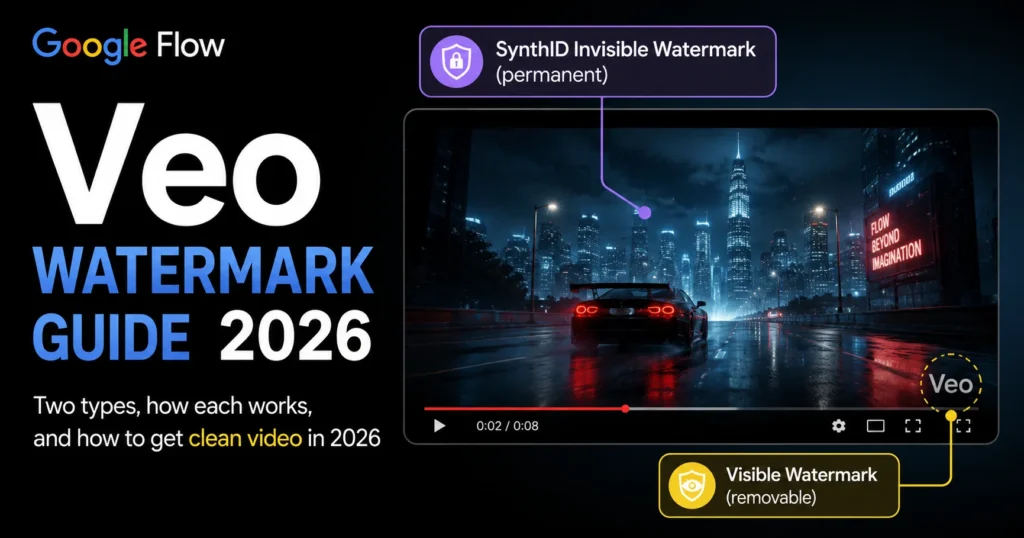
This guide gives you the complete, honest picture — no confusion, no misleading promises. There are two completely different types of watermark on Veo videos, they work differently, and knowing which one you’re dealing with determines everything else.
The Two Types of Google Flow Veo Watermark
— Understand This First
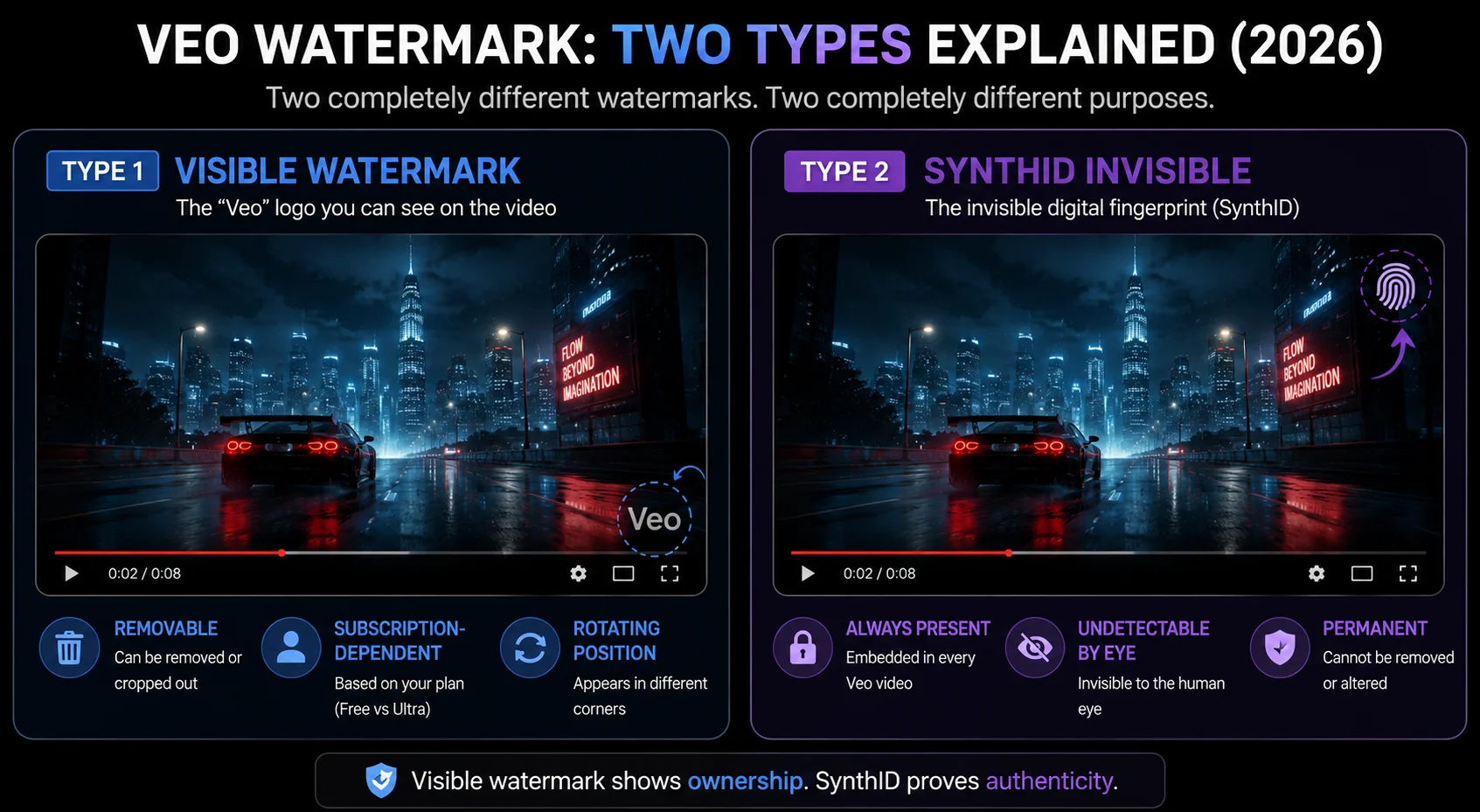
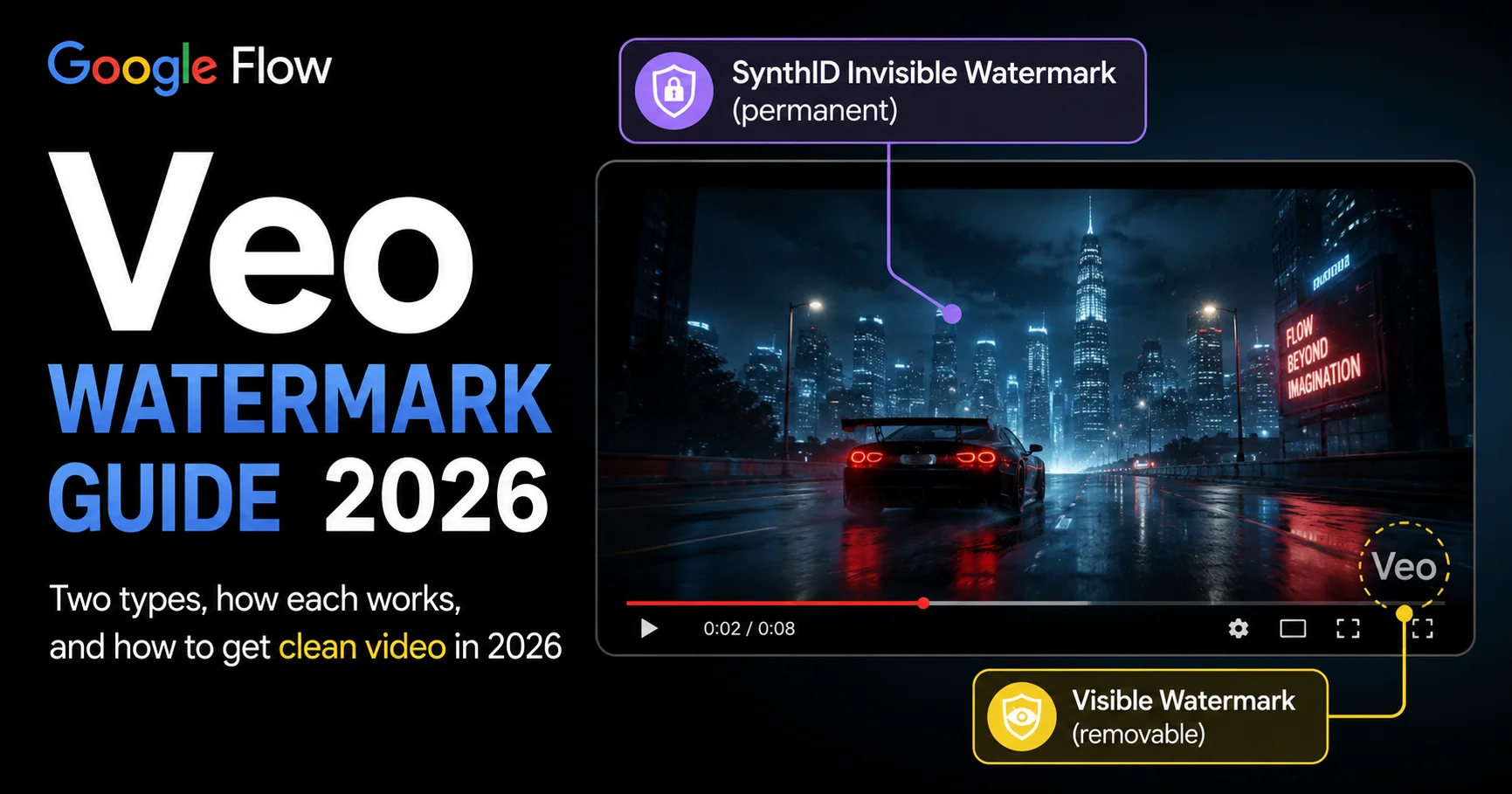
All Veo videos must include an invisible SynthID watermark — think of it as an ‘invisible ID card’ for AI-generated content. It’s a Google requirement designed to identify AI-created videos, prevent the spread of misinformation, enable content tracing, and comply with relevant regulations.
But most people searching about Veo watermarks are actually dealing with the visible one — the “Veo” text logo that appears in the corner. These two watermarks are completely separate systems.
Type 1 — Visible Watermark (the “Veo” logo):
- A semi-transparent “Veo” text logo
- Appears in multiple positions throughout the clip — corners, mid-frame edges, and sometimes center. The exact placement changes at regular intervals, making it a moving watermark that can’t simply be cropped out.
- Subscription-dependent — only appears on certain plan tiers
- Can be legitimately avoided by upgrading your plan
Type 2 — SynthID Invisible Watermark:
- Completely invisible to the human eye — you cannot see it
- Embedded directly into the video data stream, completely invisible to the naked eye, and robust against common video processing operations including cropping, compression, and transcoding
- Present on ALL Veo outputs regardless of subscription tier
- Cannot be reliably removed — SynthID is designed to remain detectable after common editing operations
Understanding which watermark you’re dealing with changes everything about how you handle it. Let’s cover each one completely.
The Visible “Veo” Watermark — Which Plans Get It?
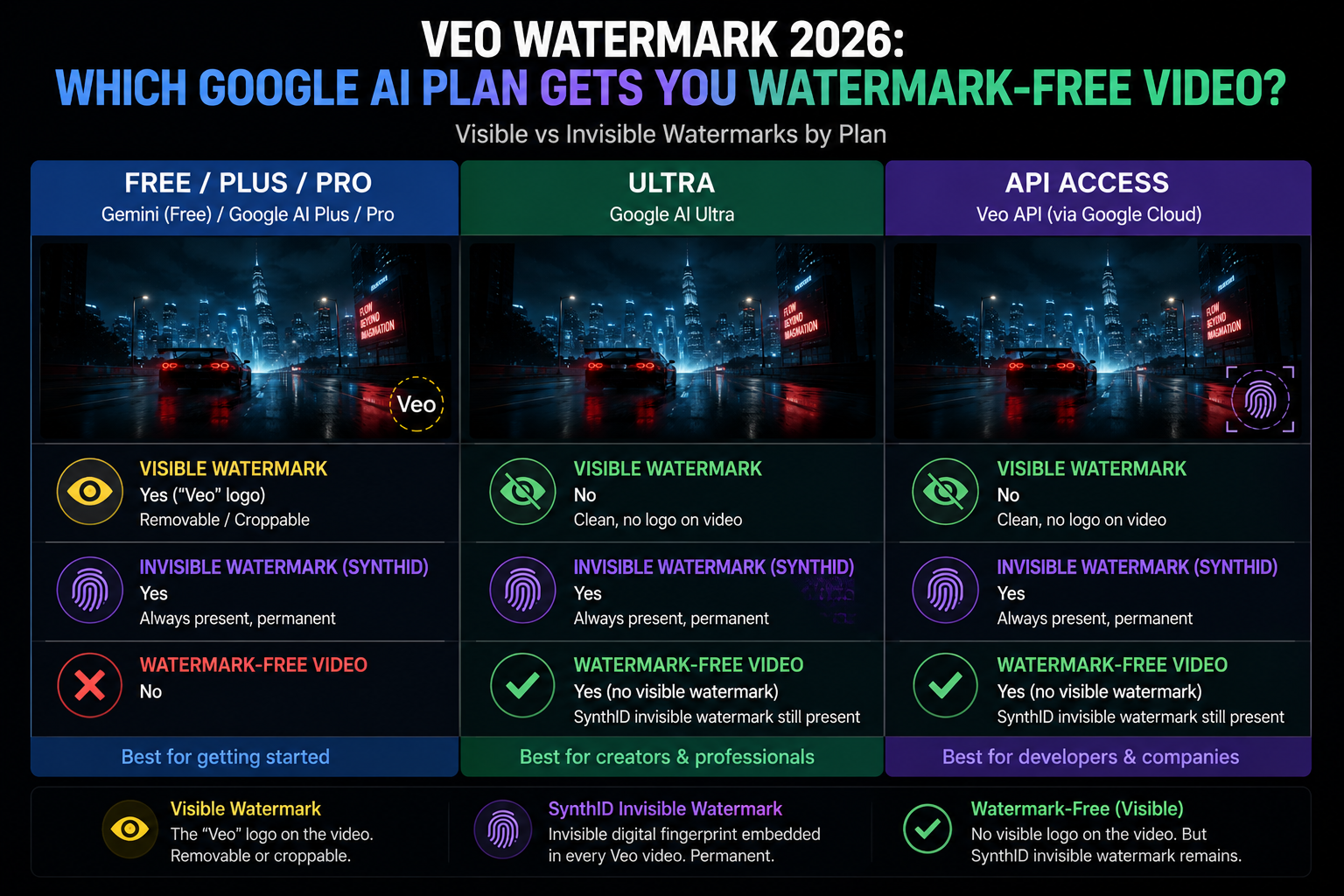
Google has clear distinctions in visible watermark policies for different subscription tiers.
| Plan | Visible “Veo” Watermark | SynthID Invisible |
|---|---|---|
| Free | ✅ Visible watermark present | Always present |
| Google AI Plus ($19.99/mo) | ✅ Visible watermark present | Always present |
| Google AI Pro ($19.99/mo) | ✅ Visible watermark present | Always present |
| Google AI Ultra ($249.99/mo) | ❌ No visible watermark (in Flow) | Always present |
| Gemini API / Vertex AI | ❌ No visible watermark | Always present |
The crucial detail is: Ultra users are only exempt from the visible watermark when using Veo 3.1 within Flow. If you call it through the Gemini App or other channels, the watermark policy might be different. This means the same Ultra user could experience the “sometimes with watermark, sometimes without” difference when generating videos through different channels.
This explains the “sometimes there, sometimes not” confusion that many creators report. If you’ve noticed the watermark appearing inconsistently, it’s likely because you’ve been accessing Veo through different channels — Flow itself vs the Gemini app vs API — each with different watermark policies for your subscription tier.
Why Does the Visible Watermark Move Around?
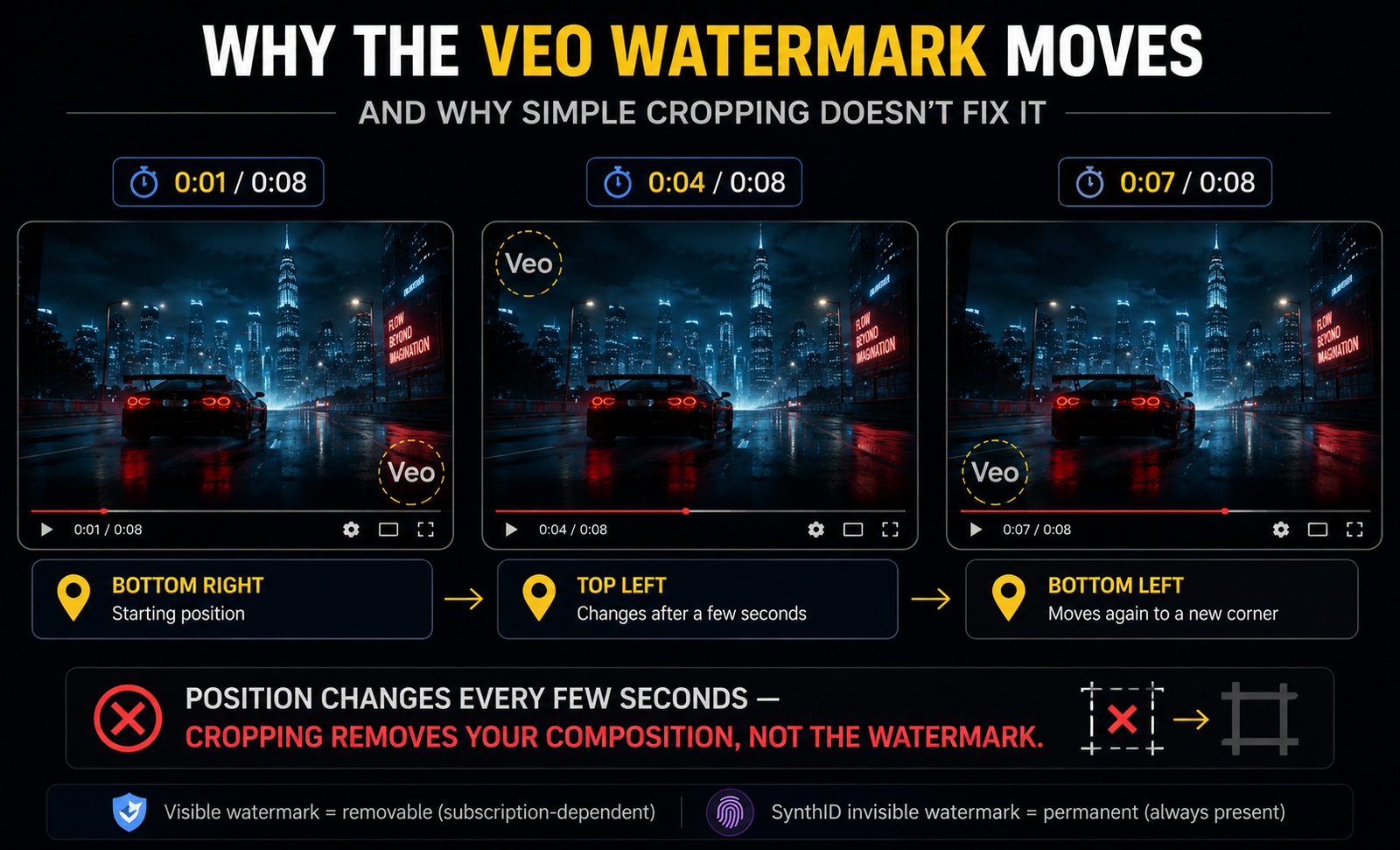
This is one of the most frustrating things about the visible Veo watermark: the watermark is semi-transparent and appears in multiple positions throughout the clip — corners, mid-frame edges, and sometimes center. The exact placement changes at regular intervals, making it a moving watermark that can’t simply be cropped out.
Why does Google do this? Two reasons:
1. To make simple removal harder. A static watermark in one corner can be cropped away by trimming the frame edges. A moving watermark that rotates between positions defeats this simple workaround without affecting the video’s quality.
2. Regulatory compliance. Several countries and platforms increasingly require AI-generated content to be labeled. A moving watermark is harder to accidentally or intentionally obscure while still being visually non-intrusive most of the time.
The practical result for creators: you can’t simply crop the frame to remove the visible Veo logo. You need either a higher subscription tier, API access, or a dedicated video editing approach.
How to Get Watermark-Free Video — Every Legitimate Method
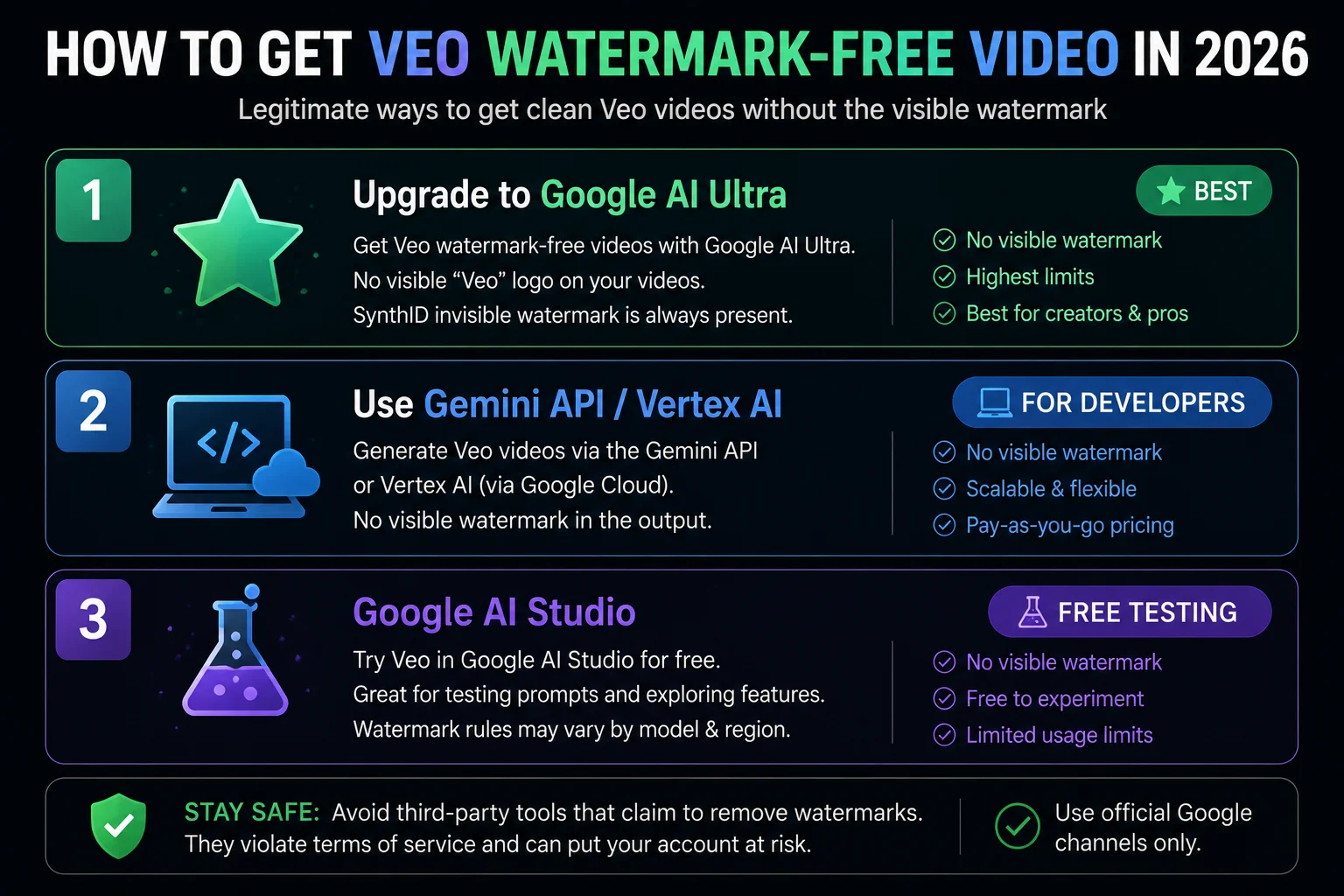
Method 1 — Upgrade to Google AI Ultra (Best for Creators)
The cleanest and most straightforward path for content creators: upgrade to Google AI Ultra.
The visible watermark can be avoided by upgrading to a Google AI Ultra subscription ($249.99/month) and using it within Flow.
At $249.99/month, Ultra is a significant investment — it’s designed for professional creators and enterprises who need high-volume, watermark-free video production. For the first three months, Google has offered promotional pricing that brings this down to $124.99/month.
What Ultra includes beyond watermark removal:
- 25,000 monthly credits (vs 1,000 on Plus)
- 4K video upscaling
- Early access to new features
- Highest priority generation queue
- Full Google Flow AI professional feature access
For a full pricing breakdown including Pakistan pricing, see our Google Flow AI Pricing guide.
Method 2 — Gemini API / Vertex AI (Best for Developers)
The most legitimate way to get clean videos: API-generated videos have no visible watermark — only the invisible SynthID metadata remains.
The Gemini API and Google Vertex AI give developers direct access to the Veo 3.1 model. Outputs generated through the API don’t carry the visible “Veo” logo watermark. Pricing starts at approximately $0.15 per video through Google Vertex AI. No subscription required — pay per video.
This method requires technical knowledge — you need to write code or use an API client to make requests. It’s ideal for developers building applications on top of Veo, or for production workflows that generate large volumes of clips.
Method 3 — Google AI Studio (For Testing)
If you have a paid Google AI Studio subscription, videos generated through the studio interface also come without visible watermarks. The free tier adds visible watermarks.
Google AI Studio is designed for developers and researchers. It gives you a web interface for calling AI models directly, without going through the full Flow AI creative workspace. If you’re comfortable with a more technical interface and mainly need watermark-free video for testing or development purposes, this is a cost-effective path.
What Is SynthID and Why Can’t It Be Removed?
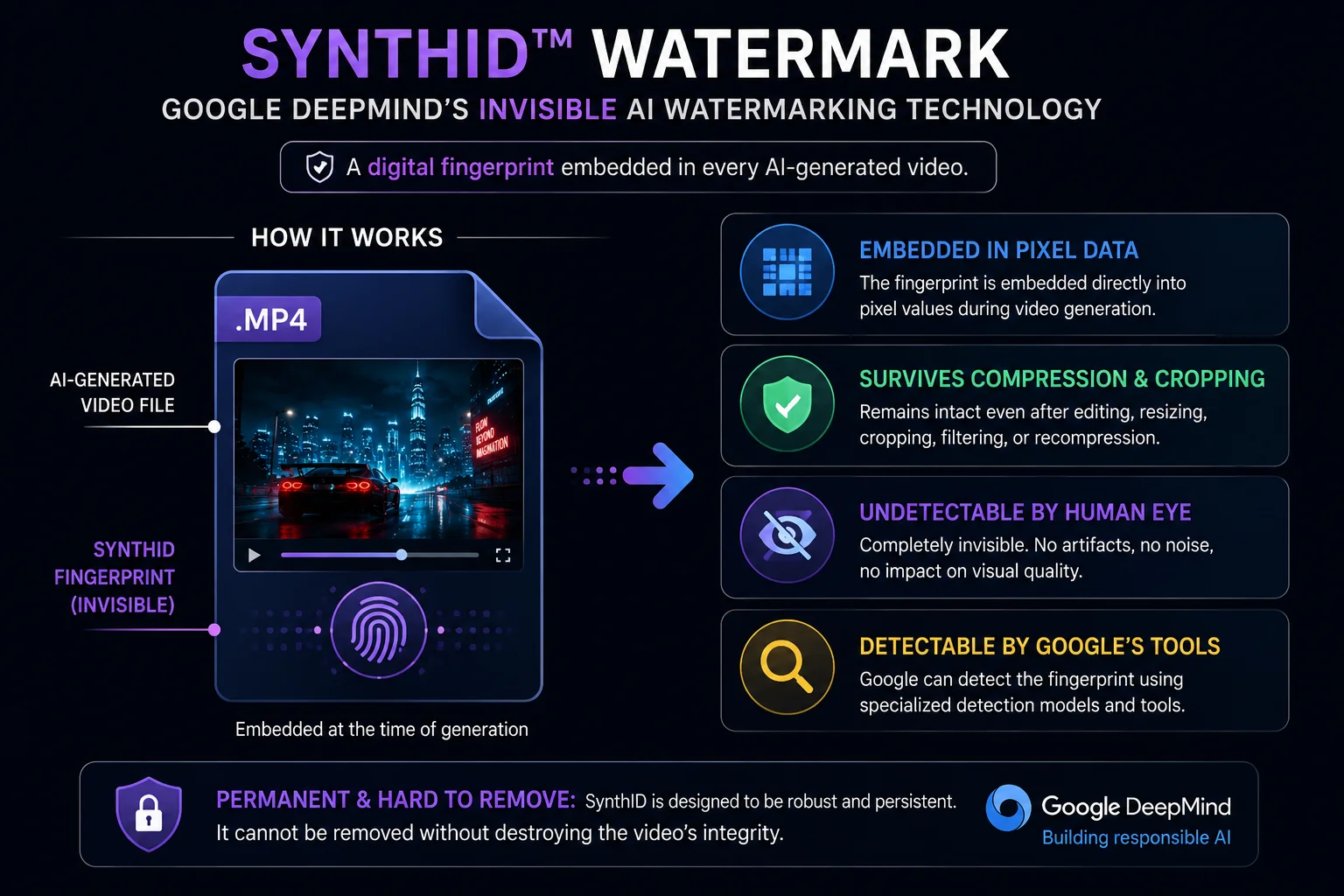
SynthID is an AI content identification technology developed by Google DeepMind. It’s embedded directly into the video data stream, completely invisible to the naked eye, and robust against common video processing operations including cropping, compression, and transcoding. Currently, ordinary users cannot detect the SynthID watermark — specialized tools are required.
Here’s how SynthID works technically: rather than adding a visible overlay on top of the video, SynthID modifies the actual pixel values of each frame at the generation stage — making imperceptibly small changes that collectively embed an identifiable pattern. This pattern survives most video editing operations because it’s part of the pixel data itself, not a layer on top of it.
Because SynthID is designed to remain detectable after common editing operations, there is currently no widely available solution that can reliably remove it from generated videos.
Why this matters for creators:
The practical impact of SynthID on your daily creative work is essentially zero — it’s invisible, it doesn’t affect video quality, and viewers cannot see it. It becomes relevant only in specific situations:
- AI detection tools can identify your video as AI-generated even if the visible watermark is removed
- Platforms like YouTube and TikTok may shadowban your videos if they find hidden AI markers that you tried to erase
- If you’re submitting AI video to competitions or platforms that prohibit AI content, SynthID remains as evidence even after visible watermark removal
The Legal Reality of Removing Veo Watermarks in 2026
In 2026, the law is getting stricter. New rules like the COPIED Act require creators to be honest about using AI. If you remove watermarks to trick people, you could face legal trouble or fines.
Here’s the honest legal picture:
✅ What is clearly legal:
- Upgrading to Google AI Ultra to get watermark-free output through legitimate means
- Using the Gemini API or Vertex AI to generate videos without visible watermarks
- Using watermark-free output for commercial purposes under Google’s terms of service
- Having SynthID in your video (it’s invisible, required, and doesn’t affect commercial use)
⚠️ What is a gray area or risky:
- Using third-party tools to remove the visible Veo logo from free-tier or Plus-tier content
- Removing visible watermarks from free-tier content may violate Google’s terms of service
❌ What is clearly problematic:
- Removing watermarks to trick people — presenting AI-generated content as human-created footage — which can lead to fines under the COPIED Act
- Attempting to remove SynthID to circumvent AI content identification systems on platforms that require disclosure
The practical takeaway: if you need watermark-free video for legitimate professional use, use Method 1, 2, or 3 above (upgrade, API, or AI Studio). These give you clean output through means Google explicitly permits. Third-party removal tools that strip the visible watermark from lower-tier content exist in a legal gray area that’s becoming increasingly uncomfortable as AI content regulation strengthens.
Why Is My Watermark Appearing Intermittently?
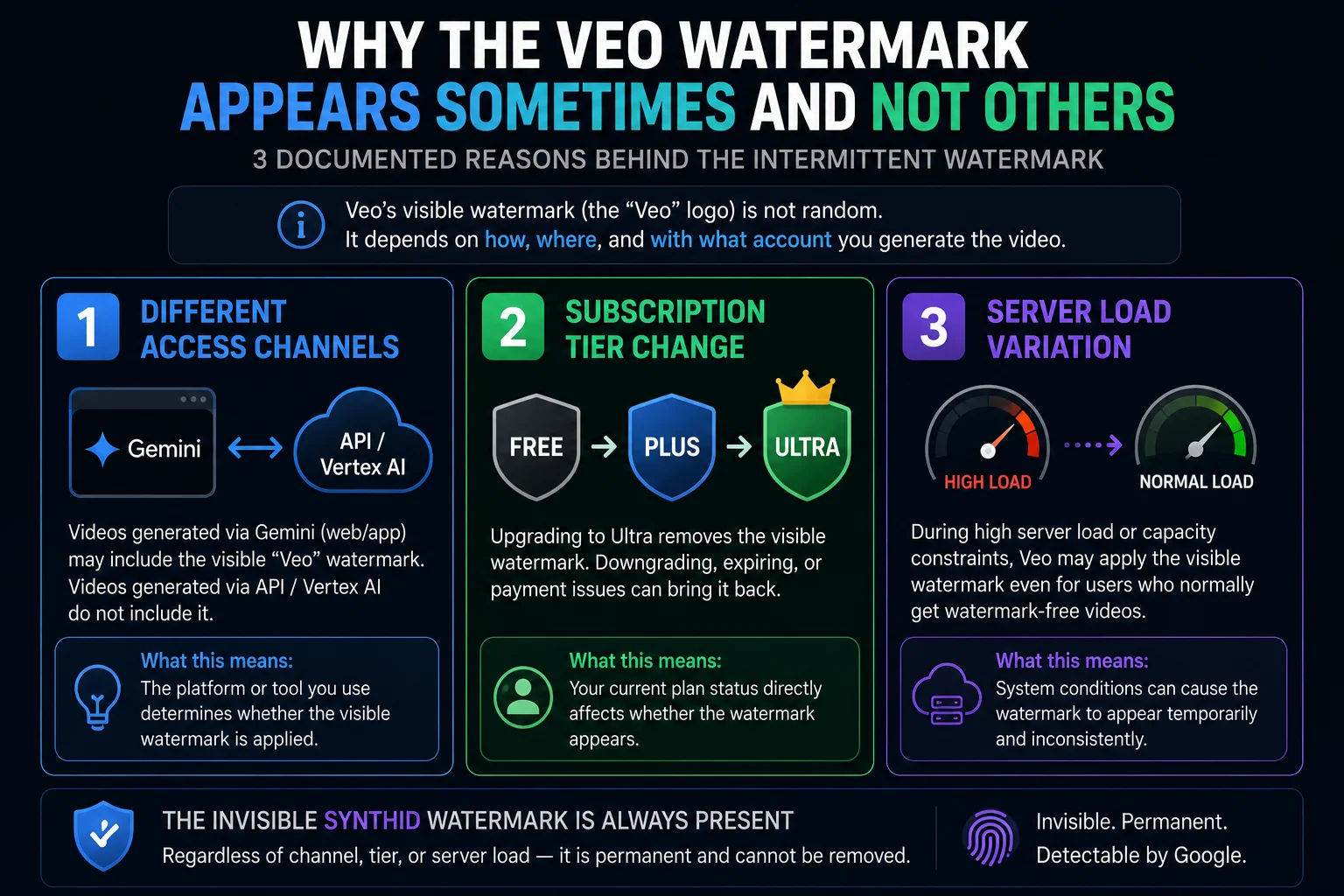
This “sometimes there, sometimes not” pattern is the most common Veo watermark complaint, and there are three documented explanations:
Reason 1 — You’re using different channels: The crucial detail is: Ultra users are only exempt from the visible watermark when using Veo 3.1 within Flow. If you call it through the Gemini App or other channels, the watermark policy might be different. The same account accessing Veo through flow.google vs the Gemini app vs the API may see different watermark behavior — not because the watermark is glitching, but because each channel has its own policy.
Reason 2 — Recent subscription change: If you recently upgraded or downgraded your Google AI plan, the watermark policy for your account may have updated mid-session. Sign out and back in to ensure your current subscription tier is properly reflected in your generation settings.
Reason 3 — Generation model variation: There is speculation among developers that high server load may cause the generation pipeline to route differently, occasionally applying watermark policies inconsistently. This is less documented but may explain why even on the same plan and channel, watermark appearance can vary.
The Veo Watermark and Commercial Use
A common question: if your video has the visible Veo watermark, can you still use it commercially?
The visible watermark doesn’t legally prevent commercial use under Google’s terms of service on paid plans — it’s a branding element, not a copyright restriction. However, practically speaking, a visible “Veo” logo in the corner of a marketing video or YouTube content often looks unprofessional, which is why most creators want to remove it.
For content you intend to publish, advertise, or deliver to clients:
- Google AI Plus users: The visible watermark will be present. Factor this into your workflow — either accept it, upgrade, or use API access.
- Google AI Ultra users: Watermark-free within Flow. This is the subscription designed for professional production.
- API users: Watermark-free by default. Best for developers and high-volume production.
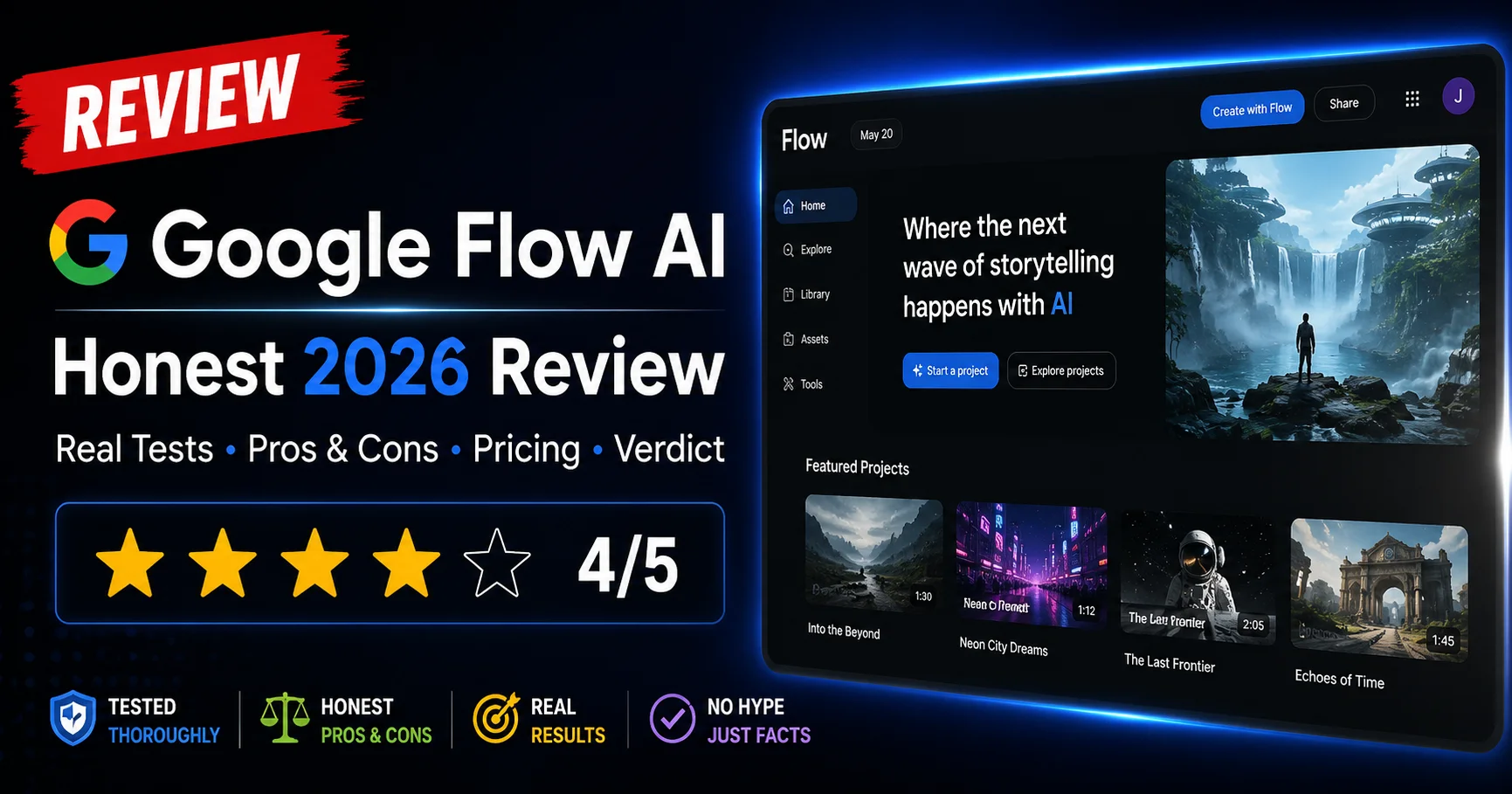
For a complete breakdown of what each plan includes and its commercial rights, see our Google Flow AI Review 2026.
Frequently Asked Questions
Q: How do I remove the Veo watermark from Google Flow videos?
The legitimate methods are: upgrade to Google AI Ultra ($249.99/month) which removes the visible watermark within Flow, use the Gemini API or Vertex AI directly (no visible watermark, ~$0.15/video), or use Google AI Studio. Third-party removal tools exist but removing visible watermarks from free-tier content may violate Google’s terms of service.
Q: Why does the Veo watermark appear sometimes and not other times?
Most commonly because you’re accessing Veo through different channels (Flow vs Gemini app vs API) which have different watermark policies, or because of a recent subscription tier change that hasn’t fully propagated to your session. Sign out and back in if your watermark behavior seems inconsistent.
Q: Can I crop out the Veo watermark?
The watermark is semi-transparent and appears in multiple positions throughout the clip — corners, mid-frame edges, and sometimes center. The exact placement changes at regular intervals, making it impossible to remove by cropping alone. You’d need to crop heavily enough to affect your composition.
Q: What is SynthID and does it affect my video quality?
SynthID is an AI content identification technology developed by Google DeepMind. It’s embedded directly into the video data stream, completely invisible to the naked eye. It does not affect visual quality in any way — you cannot see it, and neither can your viewers. It exists purely for content provenance tracking.
Q: Can SynthID be removed?
Because SynthID is designed to remain detectable after common editing operations, there is currently no widely available solution that can reliably remove it. The invisible SynthID fingerprint should be treated as permanent.
Q: Is it illegal to remove the Veo watermark?
Upgrading your plan to legitimately get watermark-free output is completely legal. Removing visible watermarks from free-tier content may violate Google’s terms of service. Under new rules like the COPIED Act, removing watermarks to trick people is against the law and can lead to fines.
Q: Does the Google AI Plus plan remove the Veo watermark?
No — the visible Veo watermark is present on Free, Plus, and Pro plans. Only Google AI Ultra (used within Flow specifically) removes the visible watermark.
Q: Can I use Veo videos with the visible watermark for commercial projects?
Legally yes on paid plans — the watermark doesn’t restrict commercial rights. Practically, the visible logo may look unprofessional for client deliverables. For professional commercial use, Google AI Ultra or API access is the recommended path.
Q: Is Google Flow AI available in Pakistan without watermark issues?
Yes — Google Flow AI is fully accessible in Pakistan. The watermark behavior is the same as everywhere else: visible watermark on Free/Plus/Pro plans, removed on Ultra within Flow. See our Pakistan access guide for subscription details.
Quick Reference — Veo Watermark Situations and Solutions
| Situation | Solution |
|---|---|
| Visible “Veo” logo on free plan | Upgrade to Ultra OR use API access |
| Visible logo on AI Plus | Same — Plus doesn’t remove visible watermark |
| Watermark appearing inconsistently | Check which channel you’re using; sign out and back in |
| Can’t crop out watermark | Expected — it moves. Need subscription upgrade or API |
| SynthID invisible watermark | Accept it — it’s permanent and invisible |
| Need clean video for client | Google AI Ultra or Gemini API |
| Need clean video for YouTube | Ultra within Flow, or API access |
| Watermark legal questions | Use legitimate upgrade paths; don’t use third-party removers on free content |
Final Thoughts — The Simple Version
The Veo watermark situation is simpler than it seems once you understand the two-watermark system:
Visible “Veo” logo: Present on free and standard paid plans, removed on Google AI Ultra (within Flow) and via API access. This is the one most creators are frustrated about.
SynthID invisible fingerprint: On every single Veo output, always, permanently, invisibly. Doesn’t affect quality. Doesn’t affect commercial use. Just exists as a content provenance marker.
If you need watermark-free visible output: upgrade to Ultra or use the API. If you’re on a lower plan and can accept the visible logo: it doesn’t restrict your commercial rights, it just looks less polished.
For Pakistani creators: see our Pakistan access guide for subscription options. For everything else about getting the best from Google Flow AI — visit WhiskAILabs for the complete guide library.
Related Articles on WhiskAILabs:
- Home — WhiskAILabs.net
- Google Flow AI Pricing 2026
- Google Flow AI Review 2026
- What Is Google Flow AI?
- Veo 3.1 Update 2026 — All New Features
- Google Flow AI Tutorial — Step by Step
- Google Flow Generation Failed Fix
- Google Flow Upscaling Failed Fix
- Best Google Flow AI Prompts 2026
- Google Flow AI vs Kling AI 2026
- Google Flow AI vs Runway ML 2026
- Pakistan Access Guide for Google AI
- News & Updates — WhiskAILabs
Official External Sources: