
100+ Best Google Flow AI Prompts 2026 — Copy-Paste Ready for Every Use Case
The difference between a bad AI video and a great one is almost never the tool.
It’s the Best Google Flow AI Prompts 2026.
Same tool. Same model. Same settings. Two different prompts — and one produces something you’re proud of, the other produces generic AI noise that you’d never actually publish.
This guide gives you 100+ tested, ready-to-use prompts for Google Flow AI — organized by use case so you can find exactly what you need, copy it, and start generating in seconds. Every prompt here has been structured around the four elements that actually move the needle in Veo 3.1: Subject, Setting, Lighting, and Camera movement.
Before the prompts — two minutes on how to use them properly. Then we get straight into the list.
The Prompt Formula That Makes Everything Work
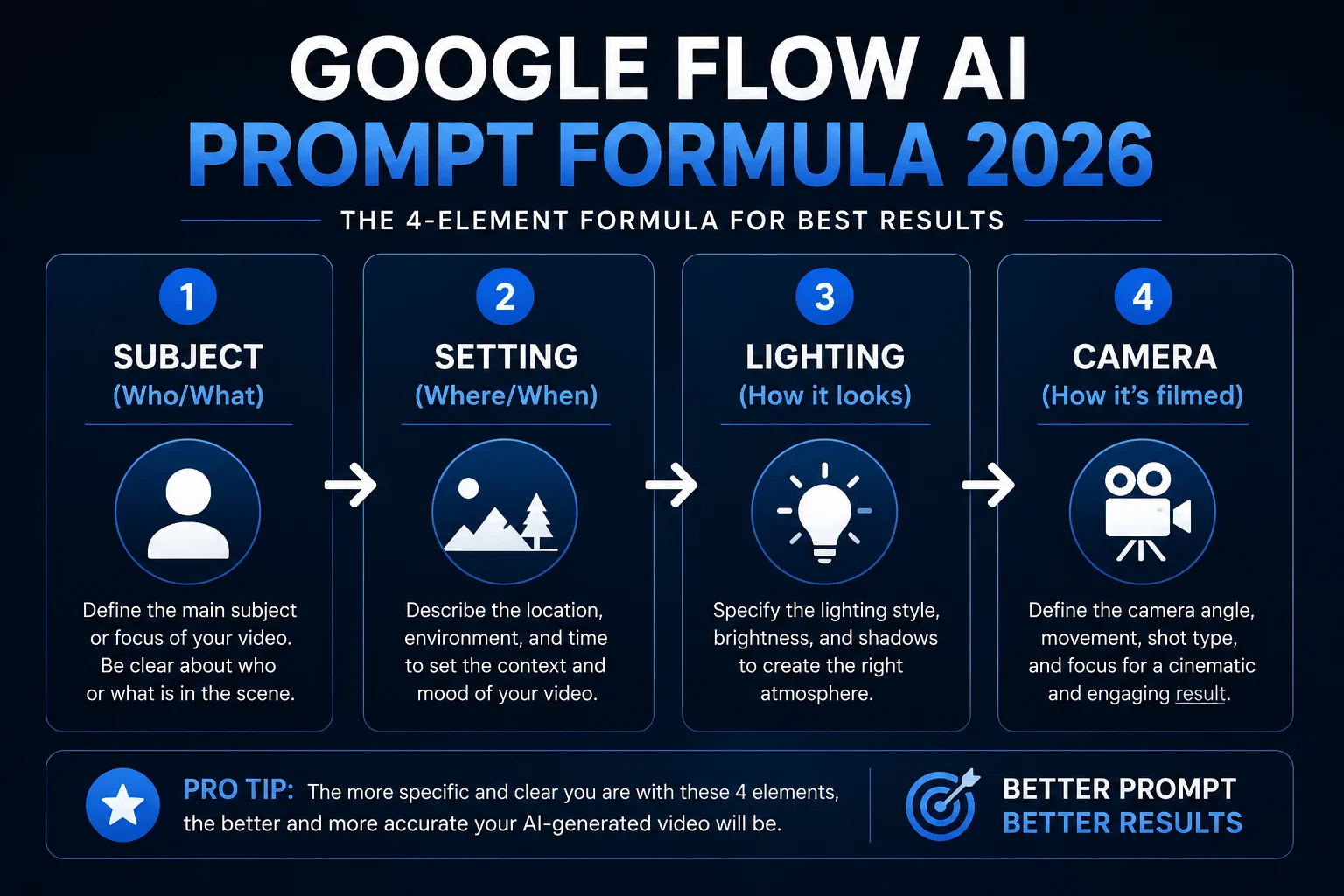
Every great Flow AI prompt has four elements:
1. Subject — Who or what is in the video? Be specific. Not “a woman” — “a 30-year-old woman in a red kurta.” Not “a car” — “a black vintage Mercedes convertible.”
2. Setting — Where is it happening and when? Not “a street” — “a rain-slicked Lahore street at 9pm, neon shop signs reflecting on wet pavement.”
3. Lighting — How does it look? Lighting is the single biggest quality lever in AI video. “Golden hour side lighting,” “overcast soft diffused light,” “dramatic side light from a single lamp” — these change everything.
4. Camera — How is it filmed? “Slow dolly zoom toward the subject,” “handheld following shot,” “wide establishing aerial drone shot slowly descending.” Camera direction gives your video intentionality.
You’ll see this formula in every prompt below. Learn to recognize it — then start building your own.
One more thing for video prompts: Always add your audio intention. Veo 3.1 generates native audio, but it responds to audio cues in your prompt. Add “with ambient street sounds,” “with cinematic orchestral music building,” or “silent room, distant traffic, tense atmosphere” — and the audio will match.
Now let’s get into the prompts.
Cinematic Video Prompts — For Maximum Visual Impact
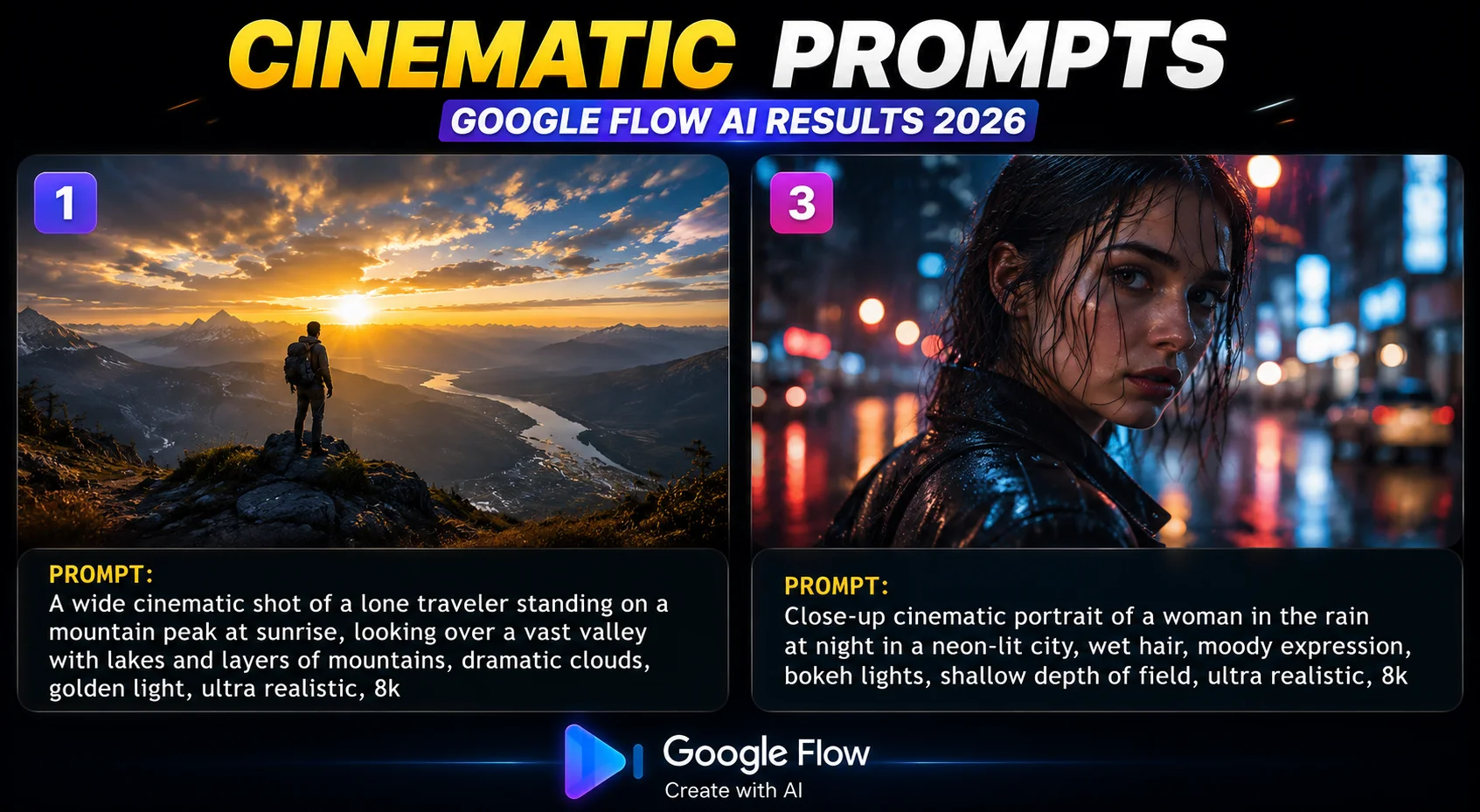
These prompts are designed for maximum visual quality — great for YouTube thumbnails, video intros, portfolio work, and any content where the first impression matters.
1. A lone figure standing at the edge of a cliff overlooking a vast ocean at sunset, silhouette against the burning orange sky, dramatic wide angle shot, slow push in toward the figure, ambient wind sounds and distant waves
2. Slow aerial drone shot descending over a misty mountain valley at dawn, golden light breaking through layers of clouds, pine forest stretching to the horizon, birds flying across frame, with the sound of wind and distant birdsong, 4K cinematic
3. Close-up portrait of an elderly man with weathered face and intense eyes, dramatic rembrandt side lighting from left, shallow depth of field, camera slowly pulling back to reveal he is sitting in an empty theatre, complete silence until a single violin note begins
4. A massive thunderstorm approaching over a flat desert landscape, lightning illuminating purple-black clouds, camera on a tripod slowly panning right, with the sound of wind building and distant thunder rumbling closer
5. Time-lapse of a city skyline from dusk to full night, lights turning on one by one across thousands of buildings, camera locked on a wide establishing shot, ambient city sounds fading as night deepens, cinematic grade
6. Underwater shot looking up at the surface of a tropical ocean, rays of golden sunlight piercing through clear blue water, a sea turtle swimming slowly across frame, with muffled underwater ambient sound, calm and meditative
7. A vintage red train emerging from a tunnel through a mountain, steam and sparks, camera shooting from trackside at ground level, dramatic wide angle, the sound of the train’s whistle echoing off the mountain walls, cinematic slow motion
8. An astronaut floating in zero gravity inside a space station, Earth visible through a circular window behind them, golden interior light, camera orbiting slowly around the figure, complete silence broken only by faint mechanical hums
Social Media Prompts — YouTube Shorts, Reels, TikTok
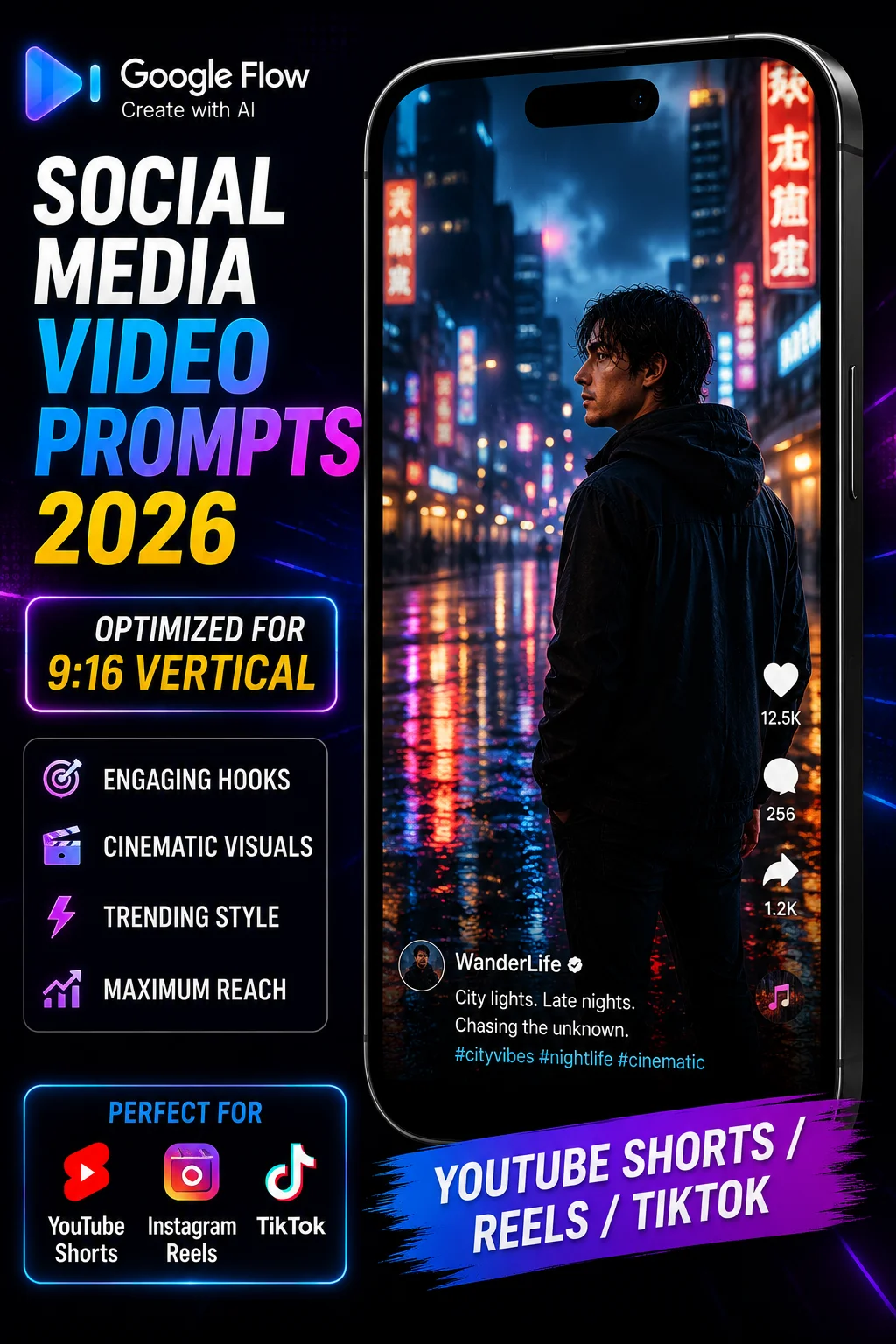
Important: For all social media prompts, set your aspect ratio to 9:16 (vertical) in Flow AI settings before generating. These prompts are written specifically for vertical format.
9. A young woman in casual streetwear walks slowly toward the camera through a sunlit urban alley, warm afternoon light, slight breeze moving her hair, camera holds at eye level, with ambient city sounds and light indie music building in background — [vertical 9:16]
10. Extreme close-up of hands making latte art in a coffee cup, dark roasted espresso swirling into steamed milk, warm café lighting from above, camera slowly pulling back to reveal the barista’s proud expression, with the sounds of a busy café — [vertical 9:16]
11. A colorful bookshelf filling the entire frame, camera slowly panning left to right across the spines, warm library lighting, with the sound of pages turning and ambient reading room quiet — [vertical 9:16]
12. Timelapse of a sunrise seen from a mountain peak, clouds rolling below like an ocean, colors shifting from deep purple to orange to gold, camera locked on tripod, with wind sounds and distant bird calls — [vertical 9:16]
13. A plate of steaming biryani being placed on a wooden table, steam rising beautifully, warm restaurant lighting from above, garnish of fried onions and fresh coriander visible, camera slowly pushing in, with sizzling sounds and ambient restaurant noise — [vertical 9:16]
14. A hand writing calligraphy on white paper with a fine ink pen, overhead flat lay shot, soft diffused natural light, camera holding steady, with the gentle scratching of pen on paper — [vertical 9:16]
15. A cat sitting on a sunny windowsill looking outside, dust motes floating in the light beam, camera at window height shooting from inside, with birds chirping outside and gentle indoor quiet — [vertical 9:16]
16. A person opening a beautifully wrapped gift box in slow motion, excitement on their face, warm home lighting, ribbons flying, camera at medium close up, with the sound of paper rustling and a gasp of delight — [vertical 9:16]
Business and Marketing Video Prompts


17. A woman in professional business attire sits at a clean modern desk reviewing documents on a laptop, natural window light from the left, bookshelf visible in background, camera on a slow push in from medium to close-up, with quiet office ambient sound
18. A luxury skincare product bottle rotating slowly on a white marble surface, golden hour side lighting creating warm highlights on the glass, shallow depth of field with soft bokeh background, camera holds steady, with subtle ambient tone
19. An architect reviews blueprints spread across a large table, modern open-plan office, natural light flooding in through floor-to-ceiling windows, colleagues visible but blurred in background, camera slowly circling the table, with office ambient sounds
20. A new smartphone being unboxed in extreme slow motion, white box opening, phone lifting out, light catching the screen surface, clean white product photography lighting, camera at medium close up holding steady, with crisp packaging sounds
21. A team of four diverse professionals gathered around a conference table, animated discussion, one person pointing at a whiteboard, bright corporate lighting, camera shooting from a corner wide angle slowly zooming in, with meeting ambient sounds
22. A chef in a professional kitchen plating a dish with precision, stainless steel surfaces, overhead restaurant lighting, close-up of hands adding final garnish, camera holding at close-up, with the sounds of a busy commercial kitchen
23. A delivery driver hands over a package to a smiling customer at a front door, sunny suburban setting, camera shooting from street level, warm daylight, with doorbell chime and door opening sounds
24. A laptop opening on a clean desk to reveal a bright startup landing page, modern home office setting, morning light from window, camera on a slow dolly push in toward the screen, with keyboard click sounds and morning ambience
🇵🇰 Pakistan-Specific Prompts — Local Content That Resonates
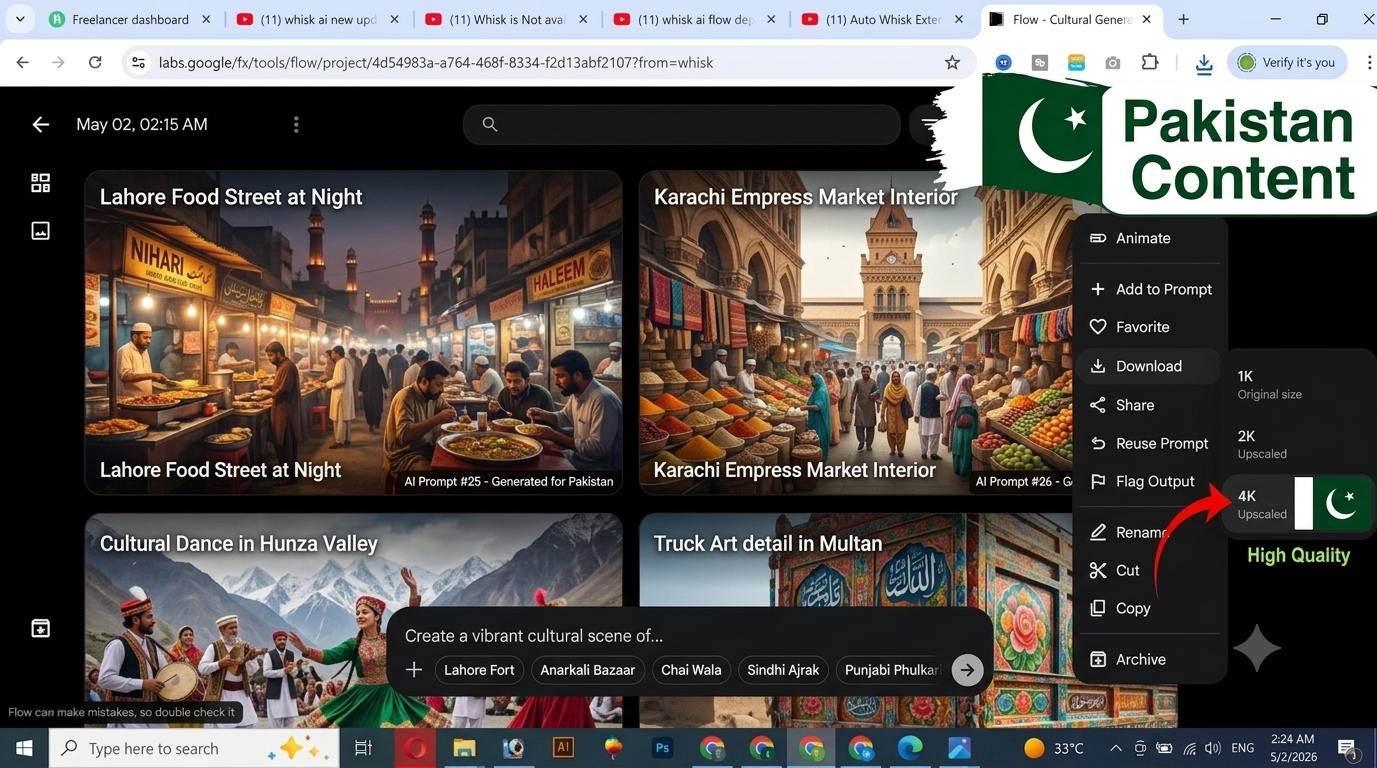
These prompts are specifically designed for Pakistani creators making content for local audiences — use them for travel content, cultural documentation, food channels, and social media.
25. A crowded bazaar in old Lahore at dusk, spice stalls overflowing with color, lanterns and string lights turning on, vendors calling out to customers, camera pushing slowly through the crowd from behind, with ambient bazaar sounds, Urdu conversation audible in background
26. The Badshahi Mosque at golden hour, the courtyard nearly empty, late sunlight warming the red brick, a single figure walking slowly across the vast marble courtyard, drone shot slowly descending, with azan echoing softly in the distance
27. A chai dhaba at dawn, a man pouring tea in a long arc between two glasses, steam rising, worn wooden benches, early morning light just beginning, camera at eye level holding on the pouring motion, with clinking glasses and early morning street sounds
28. Aerial shot of Karachi’s coastline at sunset, the Arabian Sea glittering gold, city stretching endlessly inland, traffic on the coastal highway visible below, camera slowly panning along the coast, with wind sounds and distant city hum
29. A traditional Pakistani kitchen, hands rolling out roti dough on a wooden chakla, clay tawa heating on a gas flame, warm kitchen light, camera at close-up level watching the hands work, with the sound of dough slapping and flame hissing
30. A fruit and vegetable vendor arranging his stall in the early morning, colorful produce glistening with water drops, soft diffused dawn light, camera shooting from low angle, with morning bird sounds and early market activity
31. The Faisal Mosque in Islamabad at night, dramatically lit against a deep blue sky, the Margalla Hills visible in the background, camera on a slow wide pull back, with peaceful ambient sounds and distant city noise
32. A group of children in school uniforms running through a park, laughing and playing, warm afternoon sunlight filtering through trees, camera shooting from a low angle tracking alongside them, with children’s laughter and leaves rustling
Nature and Landscape Prompts
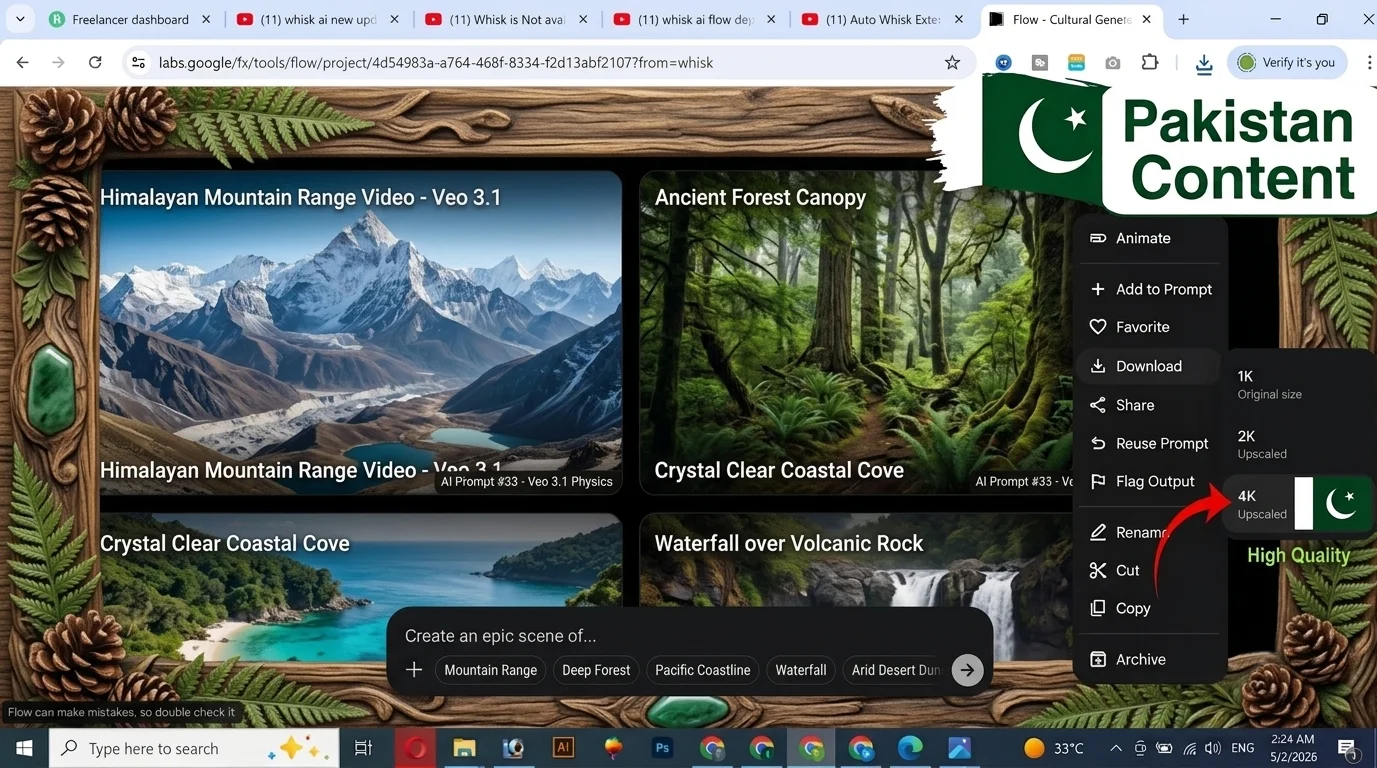
Nature scenes are where Veo 3.1’s physics training gives it a real advantage. Water, wind, fire, and natural light all respond remarkably well to these prompts.
33. Extreme close-up of raindrops falling on a still forest pool, each drop creating perfect expanding ripples that intersect, soft overcast diffused light, camera completely still, with the sound of gentle rain in a quiet forest
34. A wildfire at night viewed from a safe distance, orange flames dancing against a black sky, embers floating upward, camera on a slow tracking shot moving left, with the sound of crackling fire and wind
35. Cherry blossom petals falling in slow motion from a tree, pale pink against a soft blue sky, gentle spring breeze, camera shooting upward from beneath the tree, with petals falling toward the lens, with birdsong and light wind
36. The Northern Lights dancing over a frozen lake in Iceland, reflections shimmering in the ice, a person standing at the shore watching, camera on a wide locked shot, with wind sounds and the deep silence of the arctic night
37. Ocean waves in super slow motion crashing against dark volcanic rocks, spray exploding into the air, golden sunset light hitting the water from the side, camera at rock level shooting into the wave, with the deep sound of water impact
38. A field of wheat rippling in waves in a summer wind, golden afternoon light, a farmhouse visible in the far distance, camera shooting from ground level through the wheat, with wind sounds and rustling grain
39. A waterfall in a tropical jungle, mist rising, green ferns surrounding the pool below, shaft of light breaking through the canopy above, camera slowly panning upward from the pool to the top of the falls, with rushing water sounds and jungle birds
40. Snow falling gently on a pine forest at night, moonlight illuminating the falling flakes, camera holding still as snow accumulates on branches, complete silence except for the barely audible sound of snow settling
Image Prompts — For Free Tier Users
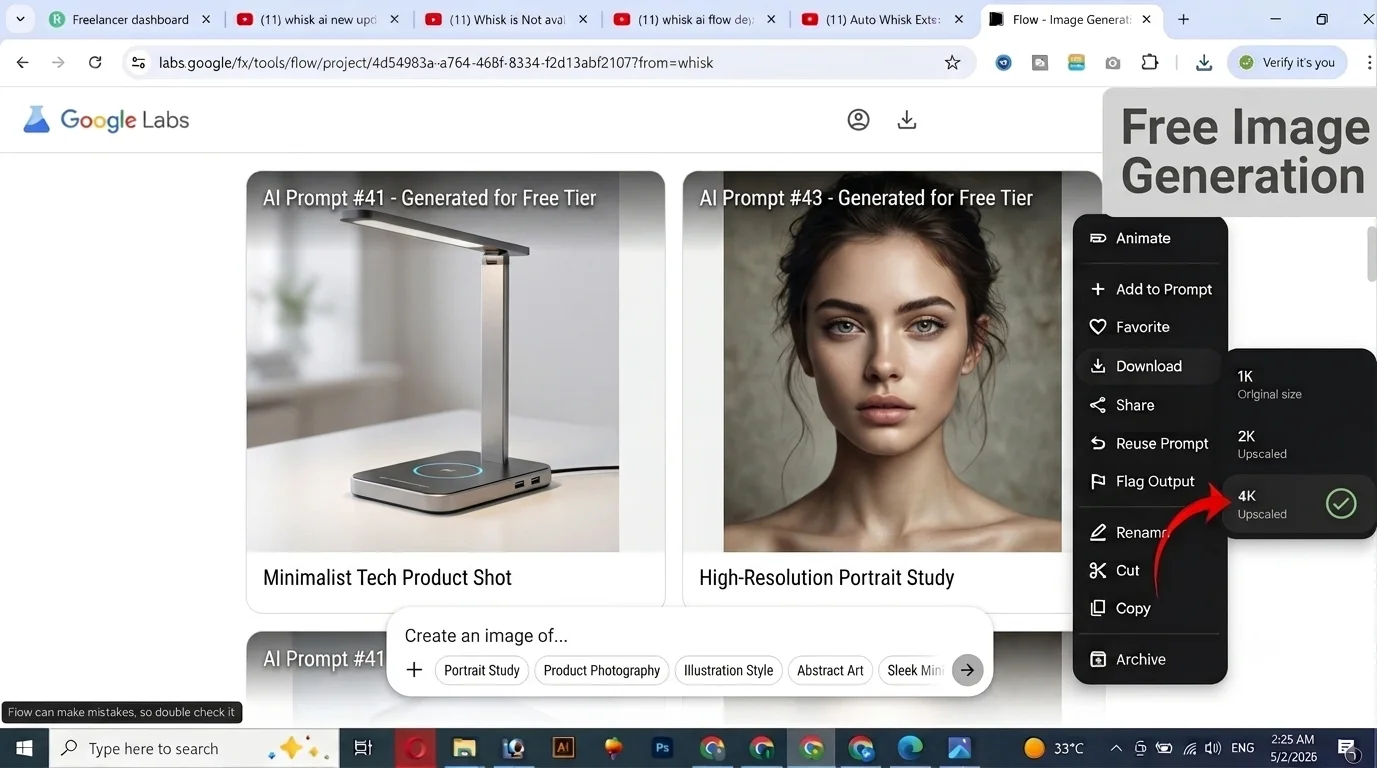
These prompts are for image generation — which is completely free in Google Flow AI with no daily limit. Use Imagen 4 for stunning results without any subscription.
41. Portrait of a 25-year-old Pakistani woman in a deep teal shalwar kameez with intricate gold embroidery, soft natural window light from the left, shallow depth of field, warm skin tones, editorial photography style
42. A minimalist product photo of a transparent glass perfume bottle on a white marble surface, single dramatic side light creating a shadow, reflection visible in the marble, studio photography
43. An oil painting of a crowded Istanbul bazaar, merchants and tourists in flowing movement, rich warm colors, impressionist brushstrokes, late afternoon light streaming through arched windows, museum quality
44. A futuristic city at night, flying vehicles weaving between glass skyscrapers, neon holograms advertising in Urdu and English, rain-slicked streets below reflecting all the lights, cyberpunk aesthetic, ultra detailed
45. A children’s book illustration of a small brown bear sitting at a kitchen table eating honey from a jar, warm cozy interior, a window showing snow outside, soft watercolor style, gentle and inviting
46. Flat lay product photography of an Arabic coffee set — dallah pot, small cups, dates, and cardamom pods on a dark wooden surface, warm soft side lighting, overhead shot, commercial quality
47. A manga-style illustration of a young female astronaut floating in space, Earth visible below, expressive large eyes, dynamic pose, black and white with dramatic screen tones, professional manga quality
48. A hyperrealistic photo of fresh biryani in a traditional copper serving pot, steam rising, garnished with fried onions, fresh mint, and sliced lemon, overhead food photography lighting, magazine quality
Sticker and Illustration Style Prompts
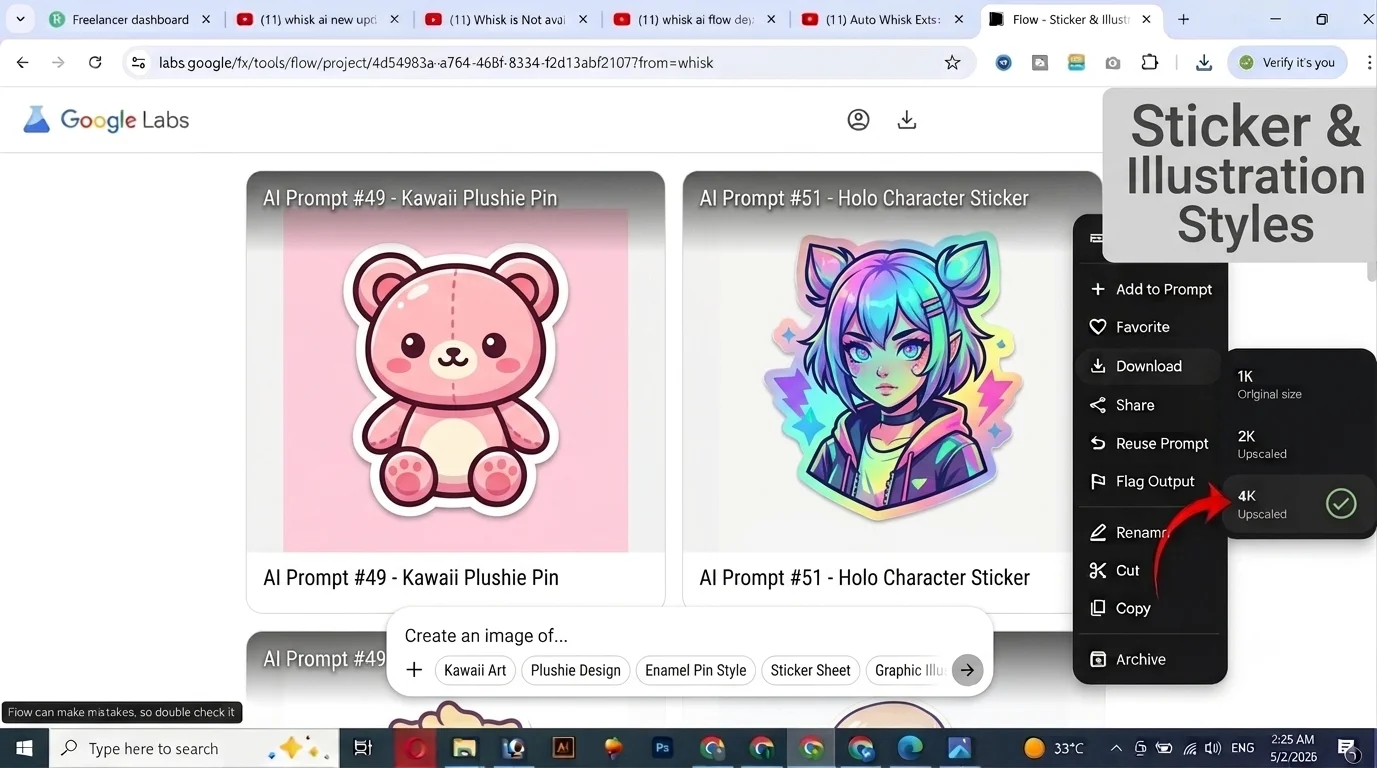
These prompts replace the old Whisk AI one-click style buttons that were removed when the tool moved to Google Flow AI. Use the exact language below — it works precisely as the old buttons did.
49. Sticker Style: [Your subject here], die-cut sticker design, bold black outline with white border, flat saturated colors, kawaii aesthetic, vinyl sticker finish, clean white background, professional sticker design
50. Plushie Style: [Your subject here], soft felt plushie toy, hand-stitched detail visible, button eyes, safety stitch seams, even studio light from front, white product background, artisan handmade quality
51. Enamel Pin Style: [Your subject here], hard enamel pin design, thick black metal outline, flat bold color fills, glossy finish, pin clasp visible at bottom, white background, collectible pin aesthetic
52. Watercolor Illustration: [Your subject here], loose watercolor illustration, soft edges bleeding into white paper, visible brushstrokes and water pooling, warm palette, editorial illustration quality
53. Pixel Art: [Your subject here], 16-bit pixel art style, limited color palette, clean pixel edges, retro video game aesthetic, square pixels visible, isometric or front-facing view
54. Ink Wash: [Your subject here], traditional East Asian ink wash painting, minimal brushstrokes, empty white space, soft grey gradients, rice paper texture visible, zen aesthetic
Advanced Video Prompts — For Experienced Creators
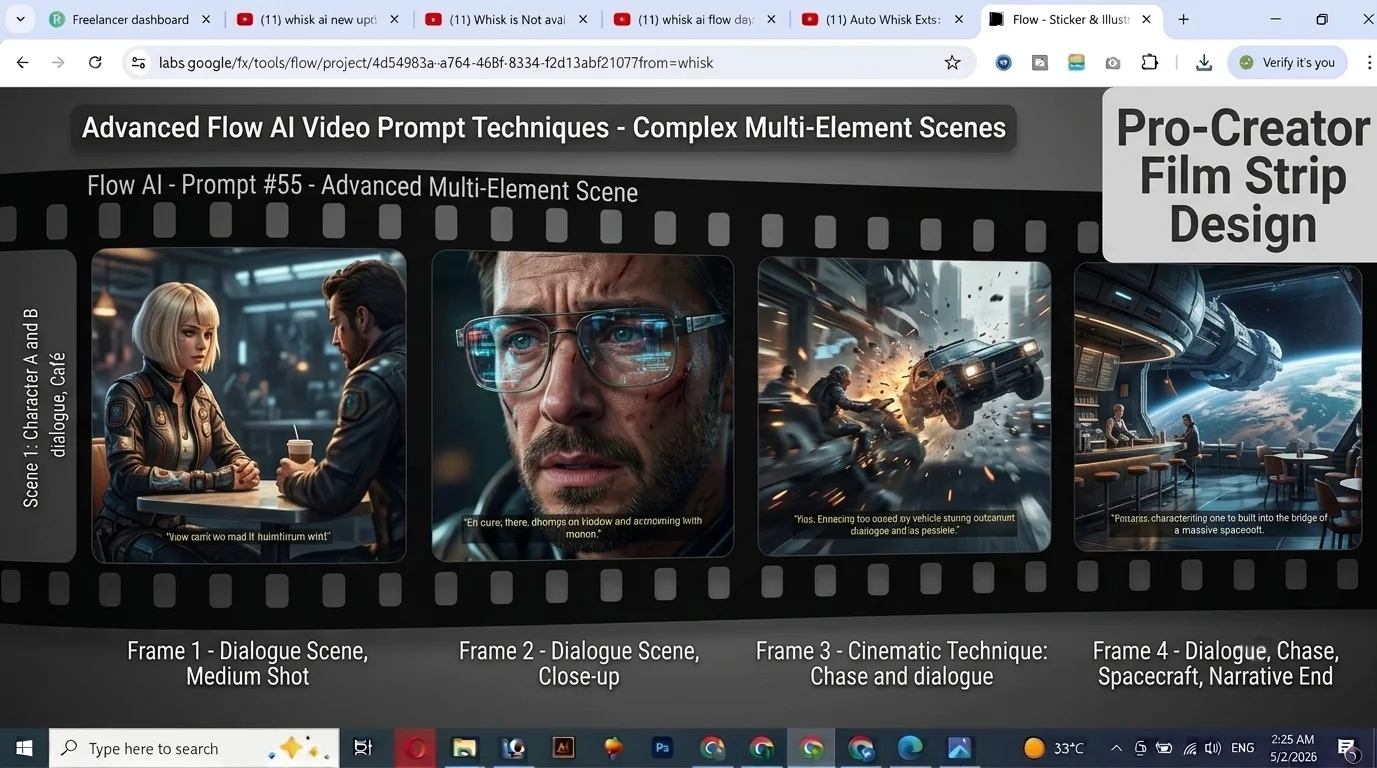
These prompts use advanced techniques — dialogue, complex camera movements, multi-element scenes, and audio-specific direction. They require more generation attempts but produce the most impressive results.
55. Dialogue prompt: A young woman in her 30s sits across a café table from an empty chair, speaking directly to the camera as if in conversation: “I never thought it would end this way,” she says quietly, warm amber café lighting, camera holds at medium close up, ambient café background noise, her voice clear and emotional
56. POV shot: First-person POV walking through a crowded Tokyo train station, commuters rushing past in both directions, fluorescent station lights above, camera at eye level moving with the flow of people, with station announcement sounds and crowd noise
57. Macro world: Extreme macro close-up of a bee collecting pollen from a yellow flower, fur detail visible on the bee’s body, pollen grains falling in slow motion, soft overcast outdoor light, camera holding at macro distance, with the gentle buzz of wings
58. Split timeline: Left half of frame: a city street in 1960s black and white, horse-drawn cart and old cars, right half of frame: the same street today in color, modern traffic and glass buildings, the dividing line sharp in the center, camera holding still, with audio shifting between eras
59. Transformation: A dry cracked desert ground, close-up looking down, slowly zooming out as rain begins to fall and within seconds tiny green shoots begin to emerge from the cracks, time is accelerated, with rain sounds building and then birdsong beginning
60. Architecture reveal: Camera begins inside a dark tunnel, slowly moving forward, gradually a circle of light grows at the end, emerging to reveal a stunning mountain valley, the contrast from dark to blinding light is extreme, with echoing tunnel sounds giving way to open air and wind
Prompt Templates — Fill in the Blanks
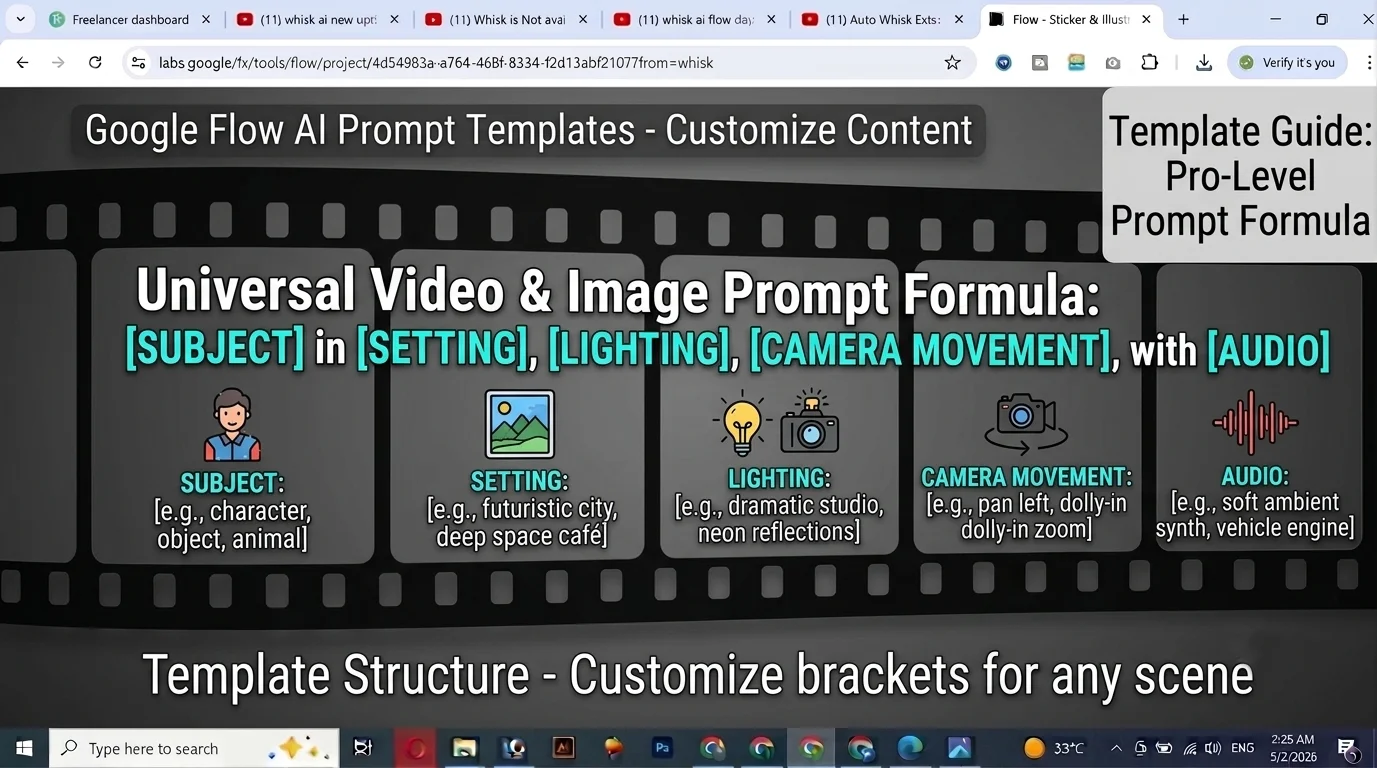
Use these templates to build your own prompts quickly. Replace the bracketed sections with your specific details.
Video Template 1 — Standard Shot: A [SUBJECT DESCRIPTION] in [SETTING + TIME OF DAY], [LIGHTING DESCRIPTION], [CAMERA MOVEMENT AND ANGLE], with [AUDIO DESCRIPTION]
Example: A young mother reading to her child in a cozy living room at night, warm lamp light, camera slowly pushing in from medium to close-up on the child’s face, with the soft sound of the mother’s voice and rain outside
Video Template 2 — Product Showcase: [PRODUCT NAME] on [SURFACE] in [SETTING], [LIGHTING], [CAMERA MOVEMENT], [AUDIO]
Example: A handmade ceramic mug on weathered oak wood in a morning kitchen, soft diffused natural window light, camera slowly orbiting the mug from left to right, with morning bird sounds and distant traffic
Video Template 3 — Person-Focused: A [AGE + GENDER + CLOTHING] [ACTION] in [SETTING], [TIME OF DAY], [LIGHTING], [CAMERA], [AUDIO]
Example: A 45-year-old man in traditional shalwar kameez writing in a leather journal at a wooden desk, evening, a single warm desk lamp, camera holding at medium shot slowly zooming in to the journal pages, with the scratching of pen and evening call to prayer distant in the background
Image Template — Portrait: Portrait of a [SUBJECT DESCRIPTION], [LIGHTING], [DEPTH OF FIELD], [STYLE REFERENCE], [QUALITY DESCRIPTOR]
Example: Portrait of a Pakistani grandmother in her 70s with silver hair and kind eyes, soft diffused window light from the right, shallow depth of field, editorial photography style, warm skin tones, National Geographic quality
Image Template — Product: [PRODUCT] on [SURFACE], [LIGHTING], [CAMERA ANGLE], [STYLE DESCRIPTOR], [QUALITY LEVEL]
Example: A traditional Pakistani clay teapot on a hand-woven kilim rug, warm afternoon side light from left, overhead flat lay angle, editorial lifestyle photography style, commercial quality
Common Prompt Mistakes — And How to Fix Them
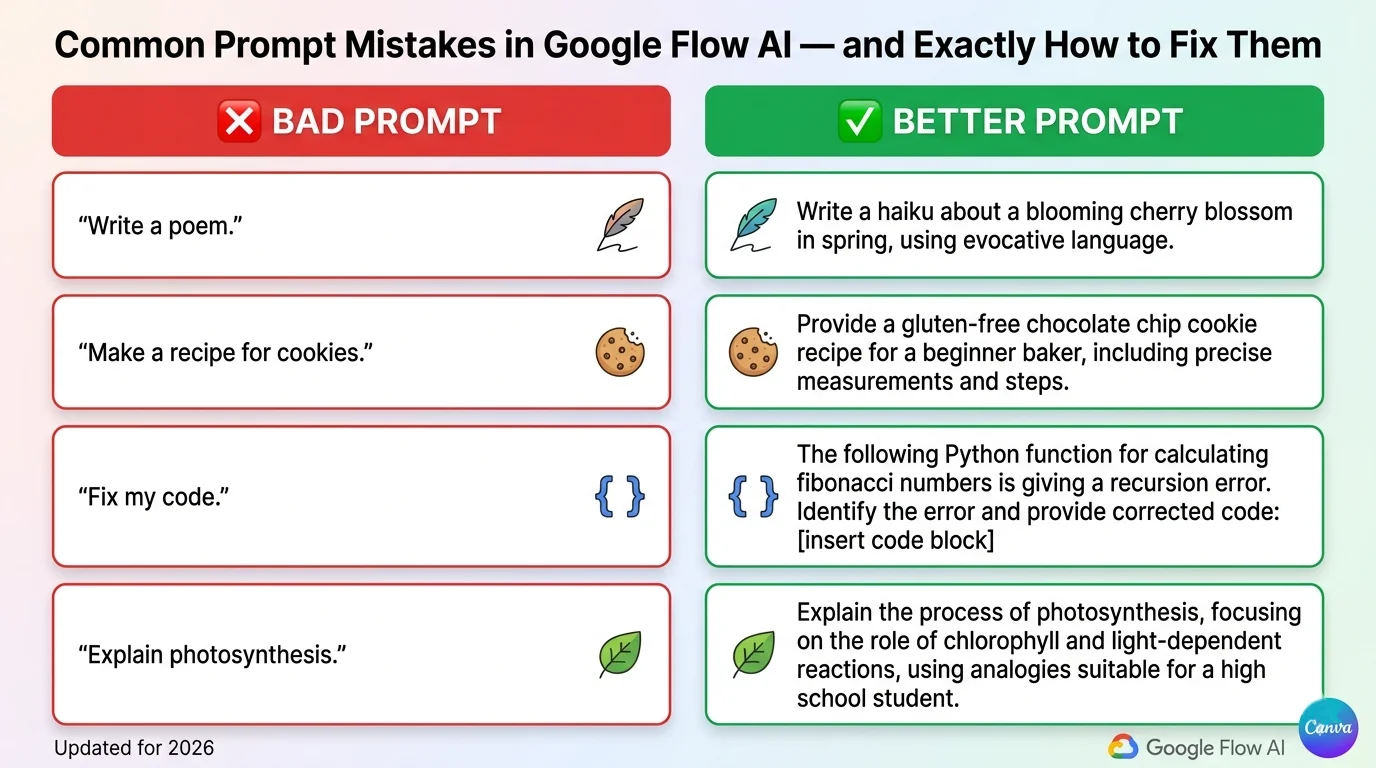
Mistake 1 — Too vague: ❌ “A person walking in a city” ✅ “A young woman in a yellow raincoat walking through rain-slicked London streets at night, neon reflections on the pavement, camera following behind at medium distance, with rain sounds and distant traffic”
Mistake 2 — No lighting: ❌ “A mountain at sunrise” ✅ “A snow-capped mountain peak at golden hour, the summit catching the first rays of orange light while the valley below remains in blue shadow, dramatic wide establishing shot from a drone slowly ascending”
Mistake 3 — No camera direction: ❌ “A chef cooking in a kitchen” ✅ “A chef in a white coat carefully plating a dish, professional kitchen, overhead lighting, camera at counter level shooting from the side slowly pushing in to the plate, with kitchen sounds and sizzling”
Mistake 4 — Forgetting audio for video: ❌ “A waterfall in a jungle” ✅ “A waterfall cascading into a jungle pool, tropical vegetation surrounding it, shaft of light from above, camera slowly panning up from the pool to the top of the falls, with the rush of water, tropical birds, and morning mist sounds”
Mistake 5 — No age specification for people: ❌ “A girl playing piano” ✅ “A 10-year-old girl in a blue dress playing piano in a sunlit music room, afternoon light streaming through lace curtains, camera at piano level shooting from the side, with the sound of the piano melody filling the room”
Mistake 6 — Trying to do too much: ❌ “A busy city scene with cars and people and shops and food stalls and music and rain and sunshine and children playing and old men drinking tea” ✅ “A busy outdoor market in the rain, vendors covering their stalls with tarps, shoppers hurrying under umbrellas, camera shooting from a covered position looking out at the activity, with rain sounds and market noise”
Quick Reference — Prompt Words That Work
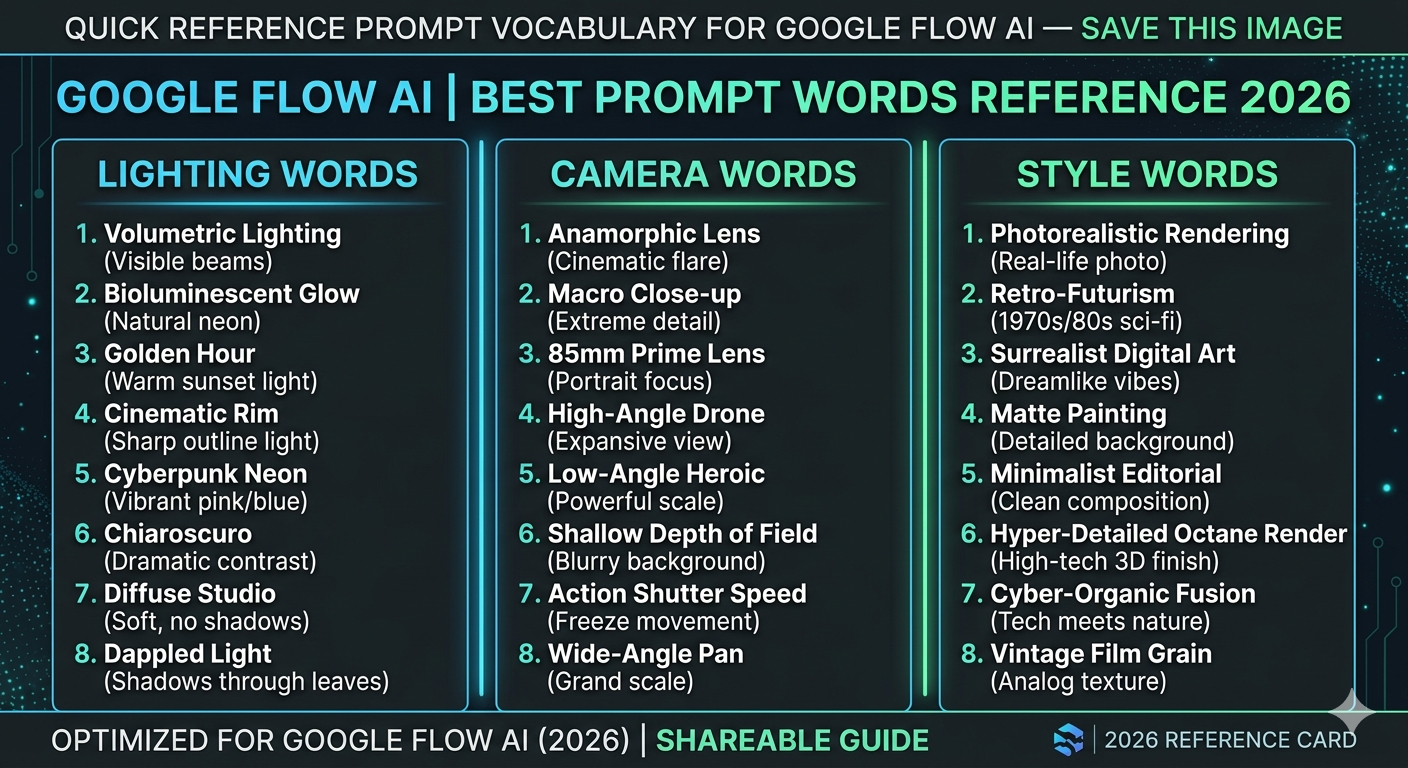
Lighting words that work: Golden hour | Rembrandt lighting | Soft diffused | Dramatic side light | Overcast | Neon reflected | Backlit | Candlelit | Studio three-point | Early morning blue | Magic hour | Harsh midday | Single lamp | Tungsten warm
Camera movement words: Slow dolly push in | Pull back reveal | Orbital | Handheld following | Drone descending | Pan left/right | Tilt up/down | Locked static | Whip pan | Tracking shot | Crane rising | POV walking | Zoom in | Pull focus
Style words: Cinematic | Photorealistic | Documentary | Editorial | Commercial | Film grain | 4K | Slow motion | Time-lapse | Macro | Aerial | Street photography | Studio | Vintage | Contemporary
Audio words for video: Ambient sound | Silence | Building score | Natural sound | Crowd noise | Environmental audio | Distant traffic | Voice over | Dialogue | Sound design | Foley sounds | Music building | White noise | Natural quiet
Frequently Asked Questions
Q: How do I use these prompts in Google Flow AI?
Go to flow.google, sign in with your Google Gmail account. For image prompts — paste directly into the image generation box and click Generate. For video prompts — switch to Video mode, select Veo 3.1 in the model picker, paste your prompt, and generate. Video requires Google AI Plus ($19.99/month). Our Google Flow AI Tutorial walks through every step.
Q: Do I need to use the exact prompt or can I change it?
Change them freely. These prompts are templates and starting points, not magic formulas. Replace any element with your specific subject, setting, or style. The four-element structure (Subject, Setting, Lighting, Camera) is what matters — the specific words are yours to customize.
Q: Why is my video coming out silent even with these prompts?
Make sure you have selected Veo 3.1 in the model picker inside Flow AI — not Veo 2 or any other model. Audio generation requires Veo 3.1. Also check that audio is toggled ON in your generation settings. Full details in our Veo 3.1 update guide.
Q: How do I use these with the Ingredients system?
For Ingredients to Video, your text prompt adds to (not replaces) what the ingredient images provide. Focus your Ingredients prompt on what you want to HAPPEN in the video — the action, camera movement, and audio. The visual appearance comes from your uploaded Subject, Scene, and Style images. Full guide at Ingredients to Video with Audio.
Q: What is the best prompt length for Flow AI?
1-3 sentences works best for most generations. Include Subject, Setting, Lighting, Camera, and Audio. More than 4-5 sentences often leads to the model ignoring some elements. If your concept is complex, break it into multiple shorter clips rather than one very long prompt.
Q: Can I use these prompts for commercial content?
Yes — all content generated in Google Flow AI on paid plans can be used commercially. Always check Google’s current terms of service for the most accurate guidance, especially for large-scale commercial use.
Q: Why does my generation fail with some of these prompts?
Safety filters may trigger on specific words even in innocent contexts. If a prompt fails, try replacing words like “battle,” “weapon,” “explosion,” or age-ambiguous descriptions of people. See our Google Flow generation failed fix guide for every cause and solution.
Q: Are these prompts different from the ones on the whiskailabs.net/google-flow-ai-prompts page?
Yes — this guide focuses on use-case specific categories, Pakistan-specific prompts, template frameworks, and the mistake/fix section. Our main prompts page has a different set of prompts focused on general generation.
Final Thoughts — Save This Page, Use It Daily
Prompt writing is a skill — and like any skill, it gets faster and more intuitive with practice. Save this page, bookmark it, screenshot the quick reference card.
Start with the templates. Fill in the brackets with your specific content. Generate. See what comes back. Adjust one element at a time. Within a few sessions, you’ll develop a clear sense of what Veo 3.1 responds to and what it doesn’t — and you’ll start building your own prompts from scratch with confidence.
For more on how each Flow AI feature works — from Ingredients to Video to Gemini Avatar to Veo 3.1’s audio capabilities — visit WhiskAILabs for the complete guide library. And if you run into any errors while generating, our Google Flow generation failed fix guide and upscaling failed guide cover every common problem.
Now go generate something worth publishing.
Related Articles on WhiskAILabs:
- Home — WhiskAILabs.net
- Google Flow AI Prompts — 50 Best
- Whisk AI Prompts — 100+ Tested
- Advanced Prompts Guide
- Veo 3.1 Update 2026 — Audio & New Features
- Ingredients to Video with Audio Guide
- Gemini Avatar in Google Flow AI
- Google Flow AI Tutorial — Step by Step
- What Is Google Flow AI?
- What Is Google Whisk AI?
- Google Flow Generation Failed Fix
- Google Flow Upscaling Failed Fix
- Google Flow AI vs Kling AI 2026
- Google Flow AI vs Runway ML 2026
- Pakistan Access Guide for Google AI
- News & Updates — WhiskAILabs
Official External Sources:















