
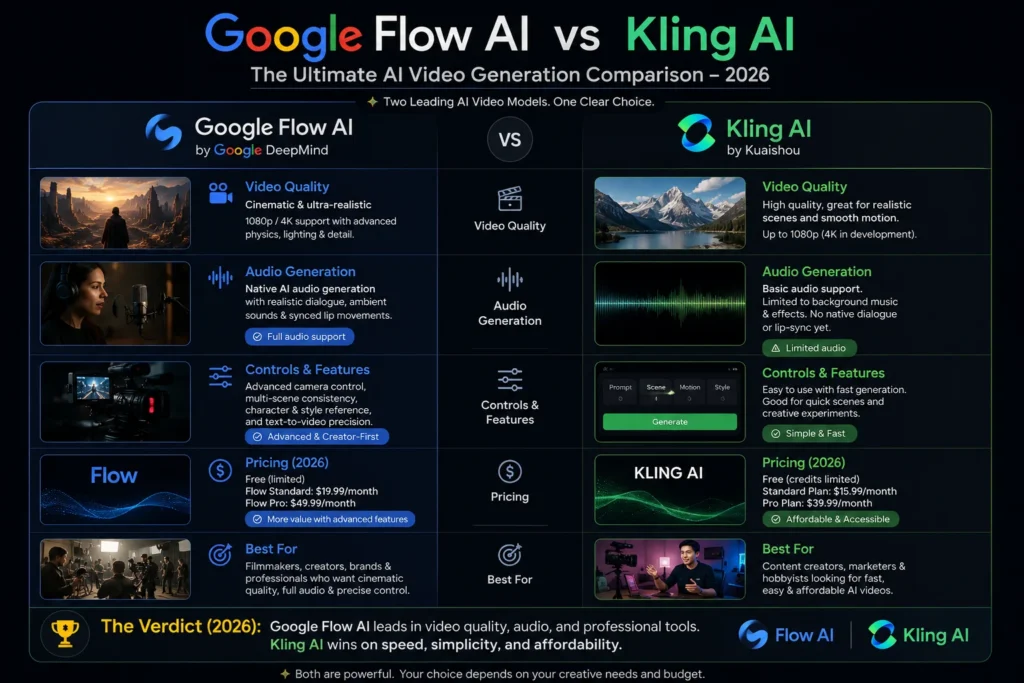
Google Flow AI vs Kling AI 2026 — Honest Comparison That Tells You Which One to Actually Use
If you’ve been trying to figure out whether to use Google Flow AI or Kling AI for your videos in 2026 — you’re asking exactly the right question.
Both tools are genuinely impressive. Both can produce video quality that would have seemed impossible two years ago. But they work differently, cost differently, and produce noticeably different results depending on what you’re making.
This guide gives you the complete, honest comparison — no hype, no vague statements like “both are great.” By the time you finish reading, you’ll know exactly which tool fits your situation.
We cover: video quality, audio, clip length, pricing (including Pakistan), ease of use, and specific use cases where each tool wins. Let’s go.
Quick Answer — Which Is Better?
Before the full breakdown, here’s the one-line answer for each type of creator:
Choose Google Flow AI if: You want the best audio quality, cinematic look, free image generation, and tight integration with Google tools.
Choose Kling AI if: You want longer clips, 4K output, more camera control, lower per-video cost, and a free tier for video.
Now let’s understand why.
What Is Google Flow AI?
Google Flow AI is Google’s unified AI creative studio, available at flow.google. It replaced Google Whisk AI in April 2026 and now handles both image and video generation in one platform.
The video engine powering Flow AI is Veo 3.1 — Google DeepMind’s most advanced video model. Veo 3.1’s standout ability is generating native audio alongside video — meaning background sounds, dialogue, and environmental noise all come built into your video clip in a single step.
What makes Flow AI unique:
- Native audio in every video generation — no separate step
- The Ingredients to Video system — upload a Subject, Scene, and Style to create personalized videos
- Gemini Avatar — generate videos featuring your own face and voice
- Free unlimited image generation (Imagen 4)
- Editing tools — Add Object, Remove Object, Scene Extension
What it costs:
- Images: Free (no limit)
- Video: Google AI Plus — $19.99/month (Rs. 1,400/month in Pakistan)
- Available in Pakistan: ✅ Yes
What Is Kling AI?
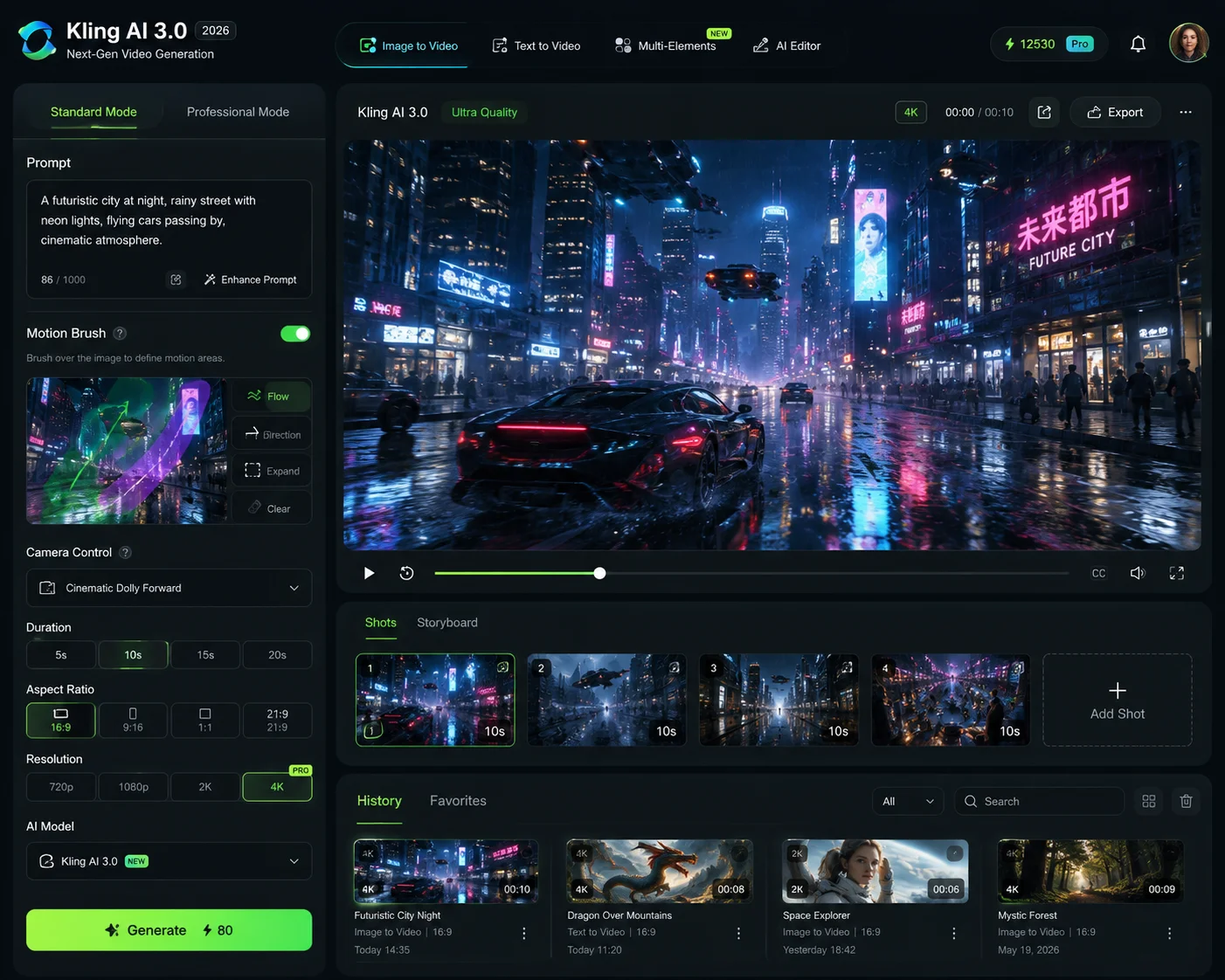
Kling AI is an AI video generation platform developed by Kuaishou Technology — one of China’s largest technology companies (creators of the Kwai short-video app). Kling AI launched in 2024 and quickly became one of Google’s most serious competitors.
Kling 3.0 — released February 5, 2026 — is the current flagship version and represents a massive leap over earlier versions.
What makes Kling AI unique:
- 4K resolution output — one of the few consumer AI video tools offering genuine 4K
- Motion Brush — paint specific objects in a frame and define their movement direction
- Multi-shot storytelling — maintain consistent characters across multiple connected scenes
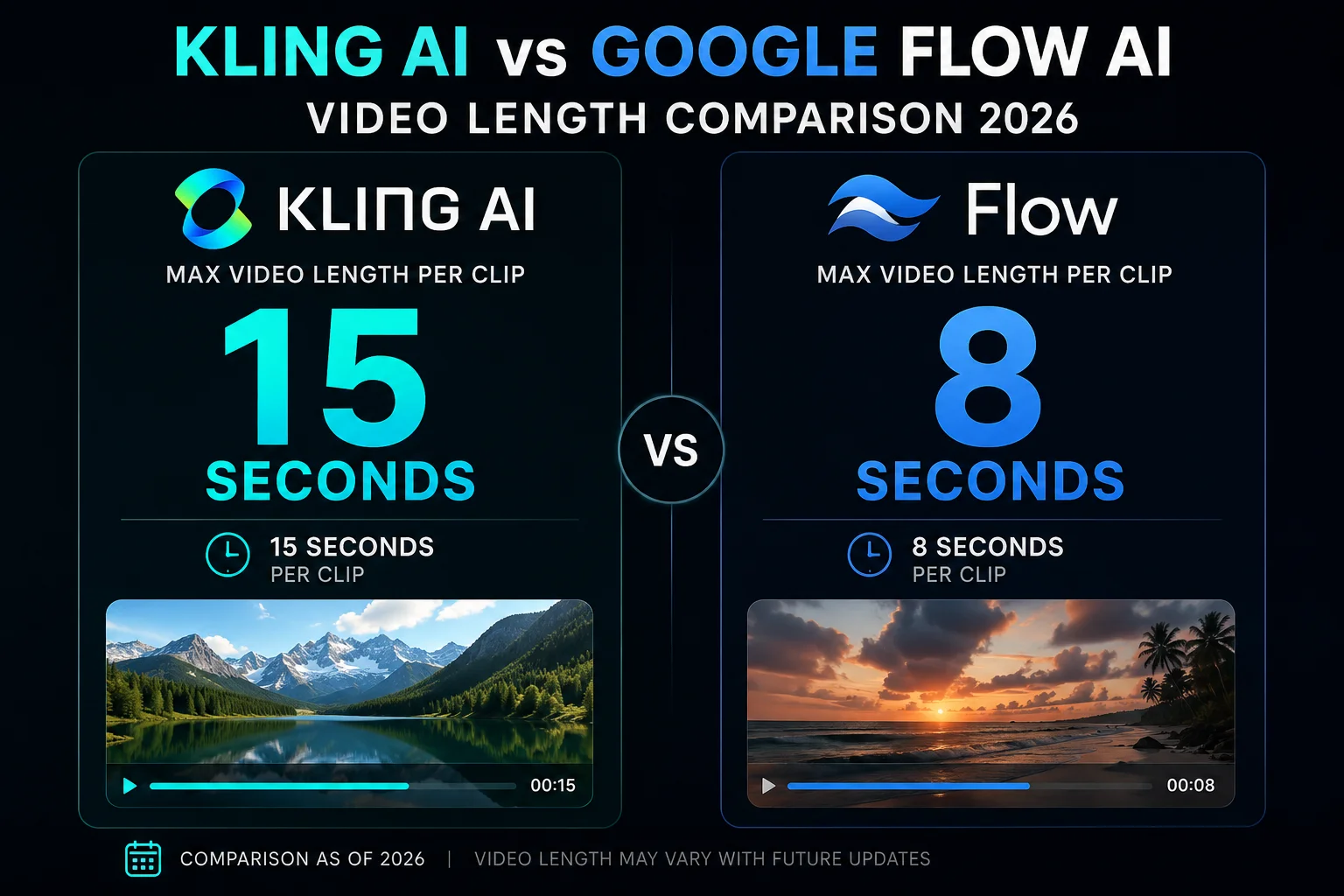
- Longer clips — up to 15 seconds per generation (vs 8-10 seconds in Flow AI)
- Cheaper per-video cost — approximately 2-5x less expensive than Veo 3.1 for equivalent video
- Free tier available — 66 credits/month (approximately 10-15 standard video clips)
What it costs:
- Free tier: ~10-15 video clips per month
- Paid plans: Starting from approximately $8-15/month
- Available in Pakistan: ✅ Yes (web access at klingai.com)
Head-to-Head Comparison — Every Category That Matters
1. Video Quality and Realism
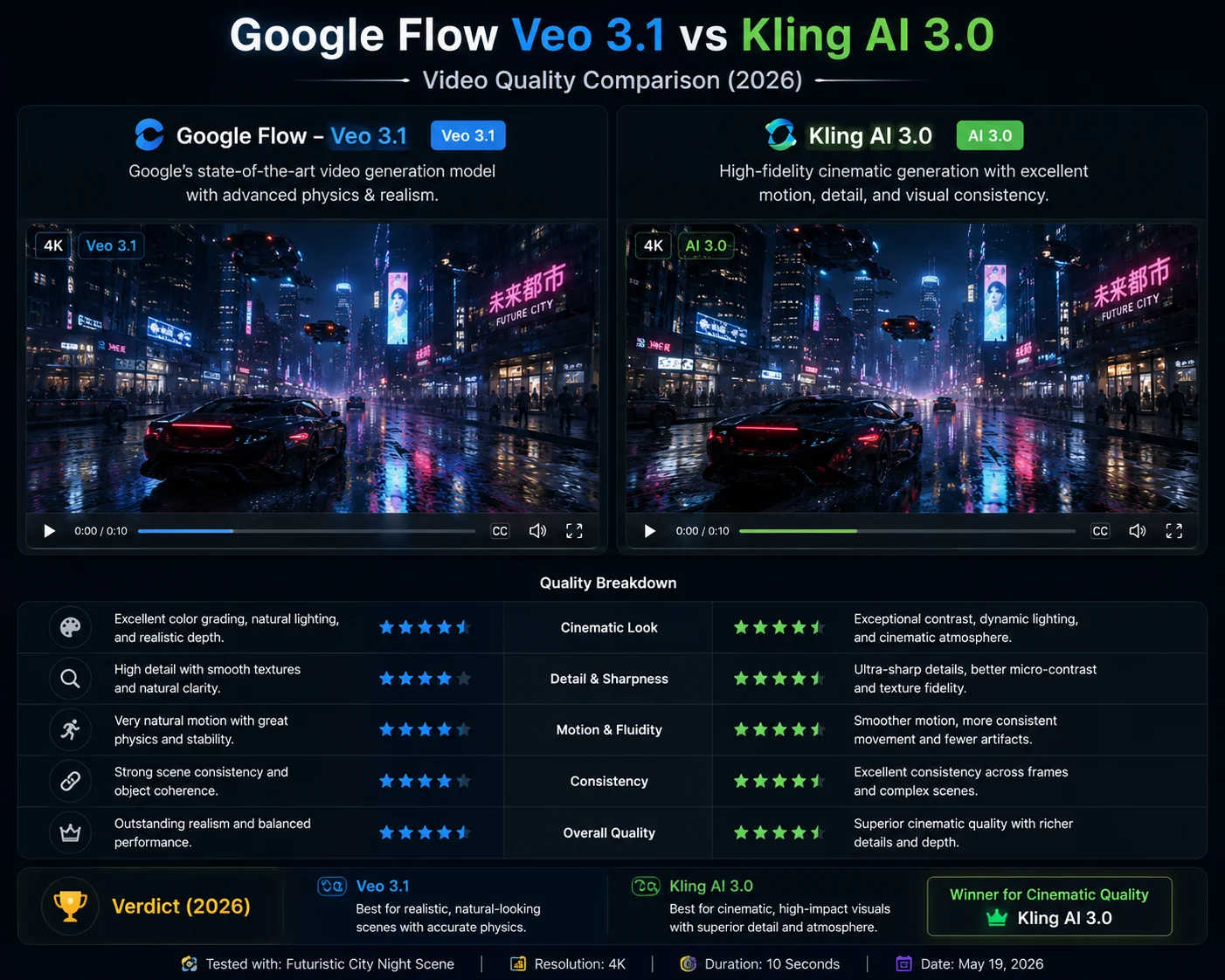
Google Flow AI (Veo 3.1): Produces footage that independent tests describe as “cinematographer quality” — meaning it looks like it was planned, lit, and shot by a professional rather than generated by a computer. Textures are detailed. Lighting responds realistically to the environment. Skin tones are accurate. The overall feel is polished and production-ready.
Where Veo 3.1 particularly excels:
- Photorealistic human faces and expressions
- Accurate light behavior (reflections, shadows, caustics)
- Professional camera movement that feels intentional
- Prompt adherence — it does what you ask reliably
Kling AI 3.0: Kling 3.0’s visual quality is genuinely impressive and competitive with Veo 3.1 in most scenarios. Where it distinguishes itself is in motion quality — objects and characters move with more energy and dynamism than Veo 3.1’s sometimes more measured outputs.
Kling 3.0 particularly excels at:
- Fast, energetic motion scenes
- Multi-shot action sequences
- Consistent character appearance across scenes
- Aerial and drone-style camera movements
Independent benchmark results (February–April 2026): In ELO ranking tests across 100+ prompts, Kling 3.0 Pro holds the #1 overall position. Veo 3.1 ranks #5 overall but leads specifically in audio-related categories.
Verdict: Near tie for overall quality. Kling 3.0 edges ahead on motion and action scenes. Veo 3.1 edges ahead on cinematic realism and prompt precision.
2. Audio Generation
This is where the comparison becomes most clear-cut.
Google Flow AI (Veo 3.1): Native audio is Veo 3.1’s single biggest differentiator from every competitor. When you generate a video in Flow AI, audio comes with it automatically — environmental sounds, dialogue, ambient noise, music mood — all synchronized frame-by-frame with what’s happening on screen.
The audio quality is described by independent testers as “industry-leading for audiovisual sync.” This is 48kHz audio generated in a single pass alongside the video — not added separately.
Thanks to the Veo 3.1 update, audio now works across ALL generation modes — text-to-video, Ingredients to Video, First and Last Frame, Scene Extension, and Extend.
Kling AI 3.0: Kling 3.0 has improved its audio capabilities significantly — the 2.6 update introduced native audio synchronization and narrowed the gap with Veo 3.1 considerably. However, as of mid-2026, Kling’s audio generation is still generally considered a step behind Veo 3.1 in quality and reliability.
Some sources report that Kling 3.0 generates video-only output by default, with audio as an additional step depending on which platform you use to access it.
Verdict: Google Flow AI wins clearly. If your video needs great audio — dialogue, environmental sound, music — Veo 3.1 inside Flow AI is the better choice. This is the category where the gap between the two tools is most significant.
3. Video Length
| Tool | Single Clip Length | Extension Available |
|---|---|---|
| Google Flow AI (Veo 3.1) | 5-10 seconds | ✅ Scene Extension |
| Kling AI 3.0 | 3-15 seconds | ✅ Yes |
Kling AI’s advantage in clip length is meaningful for storytelling. Being able to generate a 15-second clip in one shot — showing a complete scene with a beginning, middle, and end — requires less effort than chaining multiple shorter Flow AI clips together.
For longer videos, both tools require chaining clips. Flow AI’s timeline editor handles this well. Kling AI’s multi-shot system maintains character consistency across connected clips naturally.
Verdict: Kling AI wins on single-clip length. For storytelling that requires longer continuous scenes, Kling gives you more to work with per generation.
4. Resolution — 4K vs 1080p
Google Flow AI: Maximum output of 1080p for AI Plus subscribers, 4K for AI Ultra subscribers. Standard generations start at 720p with upscaling available.
Kling AI 3.0: Native 4K output is available on paid Kling plans — making Kling one of the few consumer-facing AI video tools offering genuine 4K resolution without needing a top-tier subscription.
For creators publishing to YouTube at 4K, Kling’s resolution advantage is real and meaningful. For creators publishing to Instagram Reels, TikTok, or YouTube Shorts — 1080p from Flow AI is perfectly sufficient.
Verdict: Kling AI wins on resolution at equivalent price points. If 4K output is a requirement, Kling is the more accessible path.
5. Pricing — Which Is Cheaper?
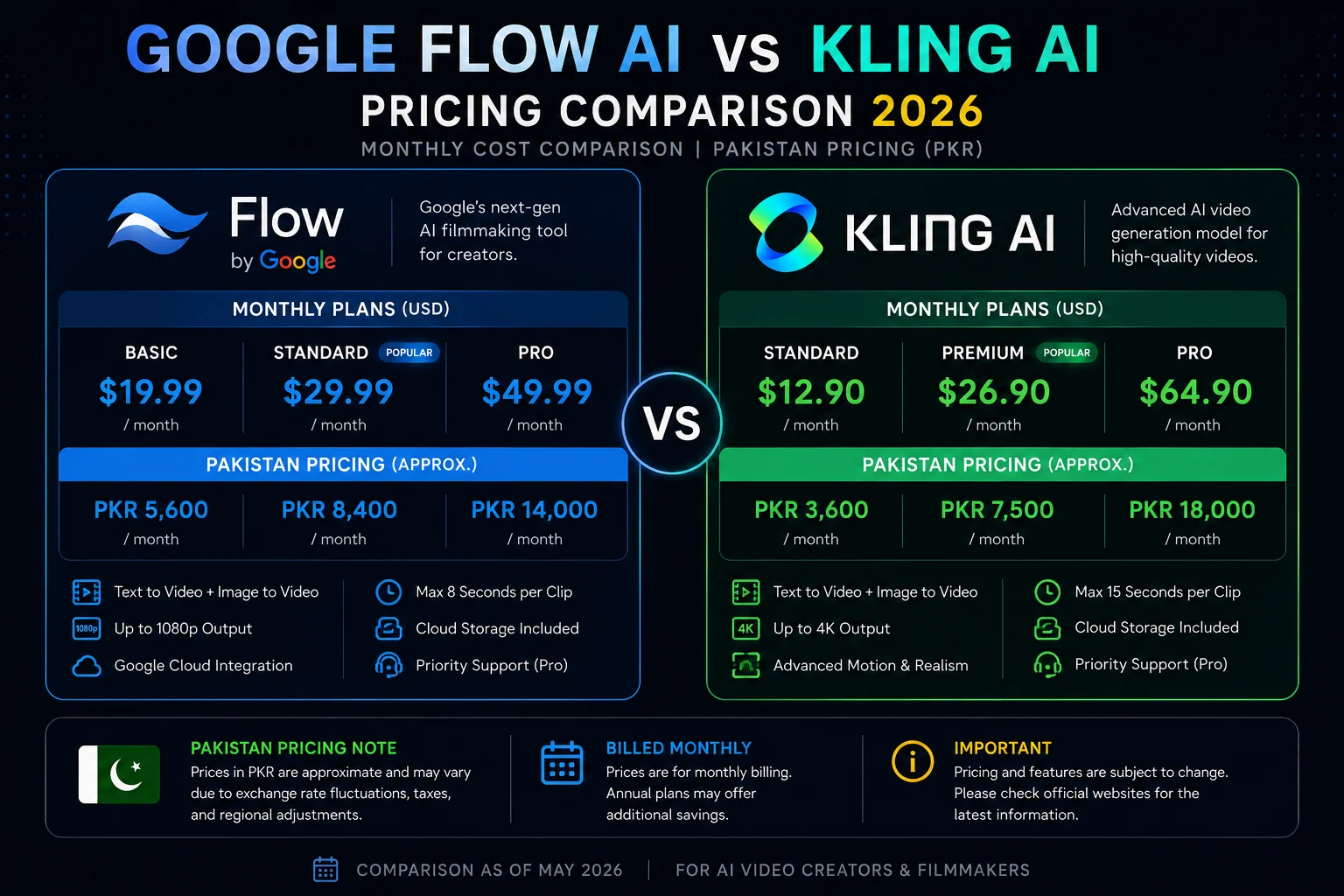
| Google Flow AI | Kling AI | |
|---|---|---|
| Free tier images | ✅ Unlimited | Limited |
| Free tier video | ❌ No | ✅ ~10-15 clips/month |
| Paid plan (base) | $19.99/month | ~$8-15/month |
| Pakistan price | Rs. 1,400/month | Rs. 600-1,100/month (approx) |
| Per-video cost | $0.10-0.40/second | ~$0.07/second |
| 4K output | Ultra tier only | Available on paid plans |
| Images free | ✅ Yes | ❌ Limited |
Key observations:
Kling AI is 2-5x cheaper per video than Veo 3.1 in Google Flow AI. For creators producing high volumes of video content, this difference is significant.
Google Flow AI’s free image generation has real value — especially if you use both images and video in your workflow. Kling’s free tier is video-only and limited.
Free video access: Kling’s free tier giving you actual video clips (limited quantity) is a genuine advantage for creators who want to test before paying.
Verdict: Kling AI wins on price. For video-only workflows at high volume, Kling is significantly more cost-effective. For mixed image + video workflows, Flow AI’s free image tier changes the calculation.
6. Ease of Use
Google Flow AI: Flow AI’s interface is clean and well-organized but has more complexity than Kling — primarily because it does more. The Ingredients system, model selector, aspect ratio options, audio settings, and editing tools all require some learning time.
That said, generating a first video is genuinely simple: type a prompt, click generate. The deeper features reveal themselves as you explore. Our Google Flow AI Tutorial walks through every feature for beginners.
Kling AI: Kling AI’s interface is focused and purpose-built for video generation. Many users find it more immediately intuitive than Flow AI — the Motion Brush, aspect ratio selector, and style presets are clearly labeled and easy to find.
The Kling platform also offers more preset style options — cinematic, anime, realistic, watercolor — as one-click selections that don’t require prompt engineering knowledge.
Verdict: Kling AI is slightly easier for video-only beginners. Google Flow AI has more features but takes a bit longer to learn fully.
7. Unique Features — What Each Tool Has That the Other Doesn’t
Google Flow AI exclusive features:
- Gemini Avatar — scan your face and voice, put yourself in any AI video
- Ingredients to Video with Audio — upload 3 reference photos, get a video with audio
- Free unlimited image generation — Imagen 4 with no daily limit
- Add Object / Remove Object — edit specific elements in generated clips
- Flow Agent — AI assistant that handles multi-step creative tasks
- Google ecosystem integration — works with Gemini, Google Workspace, Vertex AI
- Flow Music — AI music generation alongside video (Lyria 3 Pro)
Kling AI exclusive features:
- Motion Brush — paint movement direction onto specific objects in a frame
- 4K output on standard paid plans
- Longer clips (up to 15 seconds)
- Multi-shot storyboard — define and generate connected scenes in one batch
- Lower per-video cost — meaningful for high-volume production
- Free video tier — test with real video clips before paying
- Style presets — one-click visual style selections without prompt engineering
8. Pakistan Access
Both tools are accessible in Pakistan, but with different setups:
Google Flow AI in Pakistan: Fully available. Go to flow.google, sign in with personal Gmail, start with free image generation immediately. Video requires Google AI Plus at Rs. 1,400/month. No VPN needed. Our Pakistan access guide covers any access issues.
Kling AI in Pakistan: Available via web browser at klingai.com. The free tier with limited monthly video credits works without a paid subscription. Some users in Pakistan report needing a VPN for consistent access — US or Singapore servers work well. Payment can be made with international cards.
Verdict: Google Flow AI is more straightforward for Pakistan access. No VPN required, payments via standard methods, full Pakistani rupee pricing available.
Side-by-Side Results — Same Prompt, Both Tools
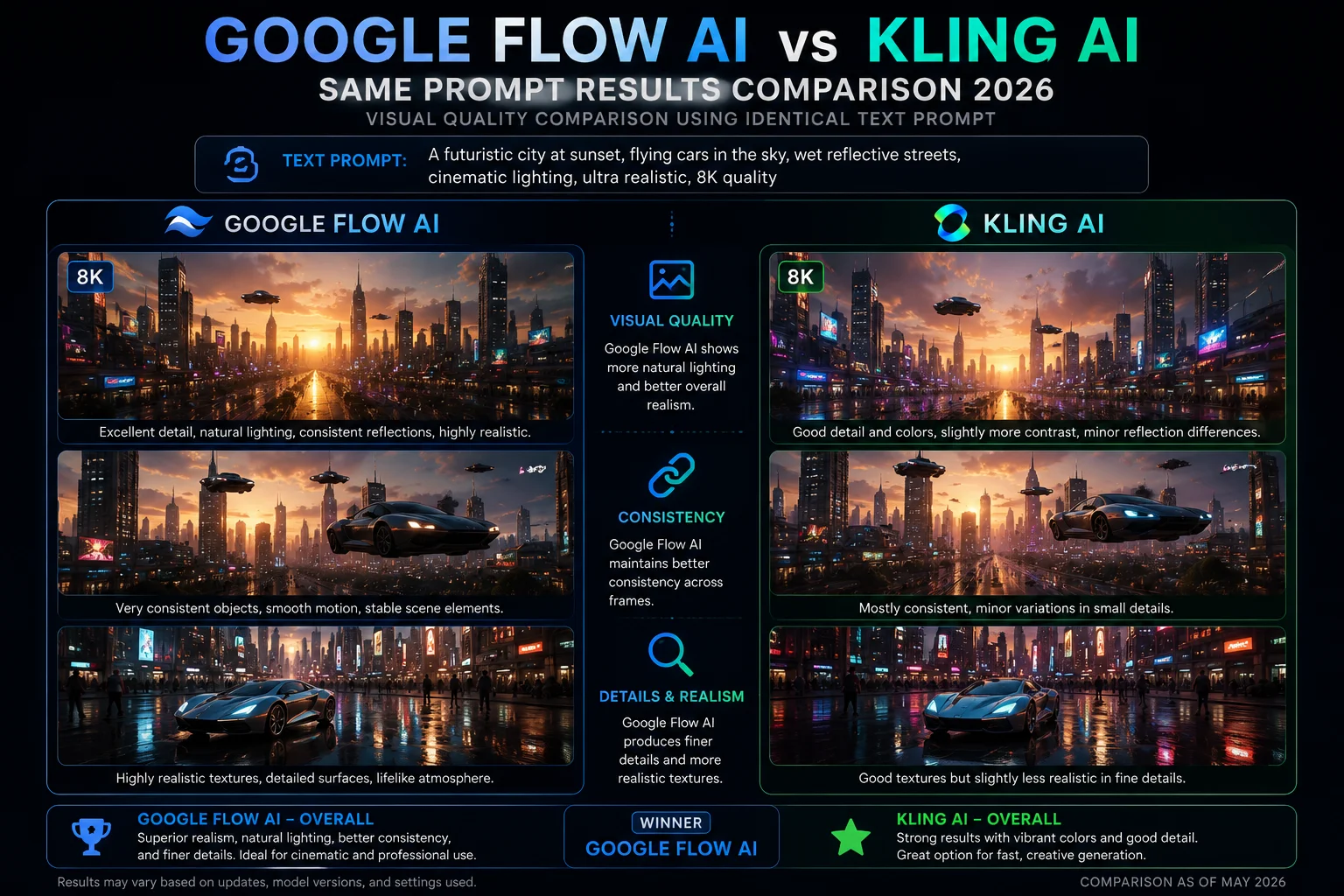
We tested both tools with the same prompts to give you a real-world picture of the differences. Here’s what we found:
Prompt: “A golden retriever running through a sunlit park, slow motion, cinematic, natural lighting”
- Flow AI result: Smooth slow-motion footage with warm, accurate lighting. The dog’s fur texture was exceptional. Audio included natural ambient park sounds — birds, light breeze, distant children — without any additional configuration.
- Kling AI result: More energetic motion, slightly faster feel even in slow motion. Sharp detail. No audio by default.
Prompt: “Aerial drone shot rising above Tokyo at night, neon city lights, 4K cinematic”
- Flow AI result: Beautiful cinematic quality, accurate neon light reflections. Output at 1080p. Audio: city ambience, faint traffic sounds.
- Kling AI result: Stunning 4K detail, slightly more dynamic camera movement feel. More vivid color treatment of the neon lights. No audio by default.
Prompt: “A chef preparing pasta in a rustic Italian kitchen, close-up shots, warm atmosphere”
- Flow AI result: Excellent lighting and texture detail. Sizzling sounds, clanking utensils, ambient kitchen noise — all generated automatically.
- Kling AI result: Good visual quality, strong attention to food texture detail. Required separate audio if needed.
Pattern: Flow AI consistently wins on audio. Kling AI consistently wins on detail at 4K and motion energy. Both are visually excellent.
Who Should Use Google Flow AI?
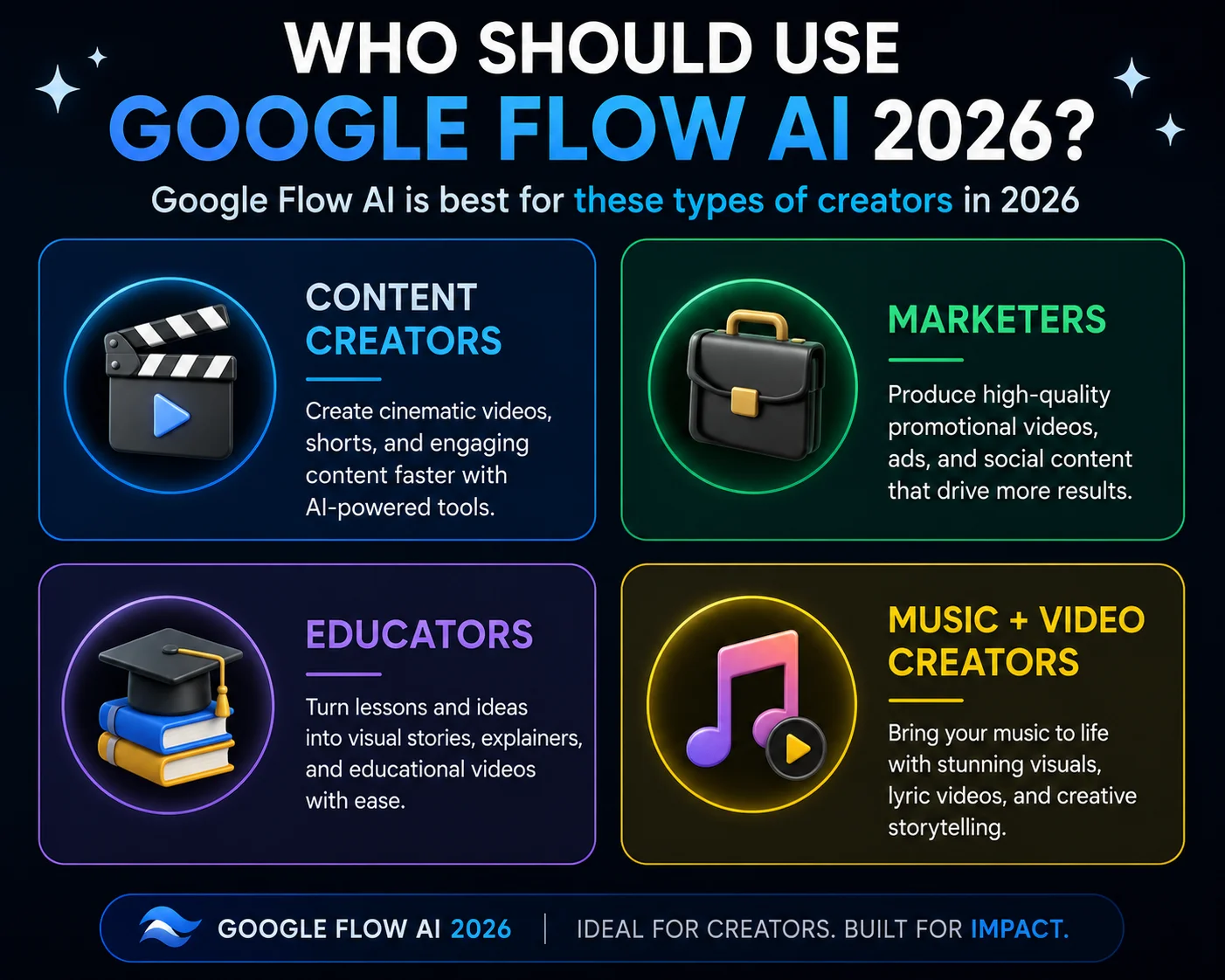
Google Flow AI is the better choice if you:
- Need high-quality audio in your videos without a separate step
- Want free unlimited image generation alongside video
- Use or plan to use Google Workspace or Gemini in your workflow
- Want to put yourself in AI videos (Gemini Avatar)
- Need the Ingredients to Video system for personalized character-based videos
- Are in Pakistan and want the simplest access path
- Want AI music generation (Flow Music + Lyria 3 Pro) integrated with video
- Are creating branded content that needs a cinematic, polished look
- Are new to AI video and want comprehensive tutorials and documentation
Specific use cases where Flow AI wins:
- YouTube videos and Shorts with dialogue or narration
- Social media marketing clips that need background music
- Educational content with voiceover
- Personal branding videos featuring yourself (Avatar)
- Product showcase videos with ambient sound
- Multi-tool creative projects mixing images, videos, and music
Who Should Use Kling AI?
Kling AI is the better choice if you:
- Need 4K output without paying for the highest subscription tier
- Are making longer scenes (10-15 second clips) without chaining
- Do high-volume video production where cost per video matters
- Want to try AI video for free before committing to a paid plan
- Need precise Motion Brush control over how specific objects move
- Are building multi-shot storyboards with consistent characters
- Create action or energy-driven content where dynamic motion matters
- Are comfortable without native audio (or using separate audio tools)
- Need lower per-video costs for commercial production at scale
Specific use cases where Kling AI wins:
- Short films and narrative storytelling (15-second scenes)
- Action sequences and dynamic movement content
- High-volume social media content production (cost efficiency)
- 4K content for large-screen display or premium YouTube
- E-commerce product videos at scale (2-5x cheaper than Flow AI)
- Creators who prefer preset style options over prompt engineering
Can You Use Both Together?
Yes — and professional creators increasingly do.
A practical two-tool workflow:
Step 1 — Use Google Flow AI to generate the initial cinematic clip with native audio. Let Veo 3.1 handle the visual quality and sound.
Step 2 — Use Kling AI to adapt and create variations of that clip for different markets or platforms. Kling’s reference-based editing is excellent for creating variants from an existing video.
This combination gives you Veo 3.1’s audio quality and cinematic output as a foundation, and Kling’s cost-efficient adaptation capabilities for scaling that content.
The Honest Verdict
| Category | Winner |
|---|---|
| Video quality (overall) | 🤝 Tie |
| Cinematic realism | ✅ Google Flow AI |
| Motion and action | ✅ Kling AI |
| Audio generation | ✅ Google Flow AI (clear win) |
| Clip length | ✅ Kling AI |
| Resolution (4K) | ✅ Kling AI |
| Pricing | ✅ Kling AI |
| Free video tier | ✅ Kling AI |
| Free image generation | ✅ Google Flow AI |
| Ease of use | ✅ Kling AI (slight edge) |
| Pakistan access | ✅ Google Flow AI |
| Ecosystem integration | ✅ Google Flow AI |
| Unique features | 🤝 Different strengths |
| Future stability | ✅ Google Flow AI |
Overall for most Pakistani and South Asian creators: Google Flow AI.
The combination of free image generation, native audio in all video modes, simpler Pakistan access, Google ecosystem integration, and the Gemini Avatar feature makes Flow AI the more complete and practical tool for most creators in this region.
For high-volume video production where cost is the priority: Kling AI.
If you’re producing dozens of videos per month and audio quality is not your primary concern, Kling’s 2-5x lower per-video cost makes a real difference to your budget.
Frequently Asked Questions
Q: Is Kling AI better than Google Flow AI?
Neither is universally better — they’re better at different things. Kling AI wins on price, clip length, and 4K resolution. Google Flow AI wins on audio quality, image generation, and ecosystem integration. The right choice depends on what you’re making and what your budget is.
Q: Can I use Kling AI for free?
Yes. Kling AI offers a free tier with approximately 66 credits per month — enough for around 10-15 standard video clips. Google Flow AI’s free tier covers unlimited image generation but no video.
Q: Is Google Flow AI available in Pakistan?
Yes, fully available. Image generation is free with a personal Gmail account. Video generation requires Google AI Plus at Rs. 1,400/month. Our Pakistan access guide has details.
Q: Does Kling AI generate audio like Flow AI?
Kling AI has been improving its audio capabilities but is generally considered behind Veo 3.1 in audio quality and integration. Veo 3.1 generates synchronized audio automatically in every video generation — Kling’s audio is available but less consistent.
Q: Which tool is better for YouTube Shorts or Instagram Reels?
Both work well for short-form content. Google Flow AI produces better audio for Reels and Shorts that include dialogue or narration. Kling AI’s free tier lets you test without paying, which is useful for creators just starting out.
Q: What is Kling AI’s pricing in Pakistan?
Kling AI doesn’t have a specific Pakistan pricing page, but international plans start from approximately $8-15/month paid with an international card. In rupee terms, that’s approximately Rs. 2,200-4,200/month — more expensive than Flow AI at Rs. 1,400/month for the base plan.
Q: Can I switch from Google Flow AI to Kling AI easily?
Yes. Both tools work independently and don’t lock you into any specific workflow. Many creators use both — Veo 3.1 for audio-important content and Kling for high-volume or 4K work.
Q: Is Kling AI safe to use? It’s from a Chinese company.
Kling AI is developed by Kuaishou, a publicly listed Chinese company. It complies with standard international data practices for its global platform. That said, as with any AI tool, review the privacy policy before uploading sensitive personal images or using commercially sensitive content.
Final Thoughts — The Decision Is Simpler Than It Looks
After comparing every dimension of Google Flow AI and Kling AI, the decision framework is actually straightforward:
Audio matters → Google Flow AI. If your video content includes spoken word, environmental sound, music, or any audio component — Veo 3.1’s native audio generation is the most capable in the industry right now.
Cost matters at scale → Kling AI. If you’re producing high volumes of video and audio quality is handled separately, Kling’s 2-5x lower cost per video makes a real difference.
For most Pakistani creators starting out → Google Flow AI. Free image generation, simpler access, Rs. 1,400/month pricing, comprehensive documentation, and the full Google ecosystem make Flow AI the more accessible starting point for creators in Pakistan.
Start at flow.google — the free image tier requires no payment. Explore what Veo 3.1 can do for video once you’re comfortable. Then consider whether Kling AI’s specific advantages justify adding it to your workflow.
For everything about getting the most from Google Flow AI — visit WhiskAILabs for guides on Veo 3.1, Ingredients to Video, Gemini Avatar, and every other Flow AI feature.
Related Articles on WhiskAILabs:
- Home — WhiskAILabs.net
- Google Flow AI vs Runway ML 2026
- Veo 3.1 vs Sora 2 Comparison 2026
- Veo 3.1 Update 2026 — All New Features
- Google Flow AI Tutorial — Step by Step
- What Is Google Flow AI?
- Ingredients to Video with Audio Guide
- Gemini Avatar in Google Flow AI
- Flow AI vs Midjourney Comparison
- Best Google Flow AI Prompts 2026
- Pakistan Access Guide for Google AI
- Google Flow Not Available In Your Country Fix
- News & Updates — WhiskAILabs
Official External Sources:















