
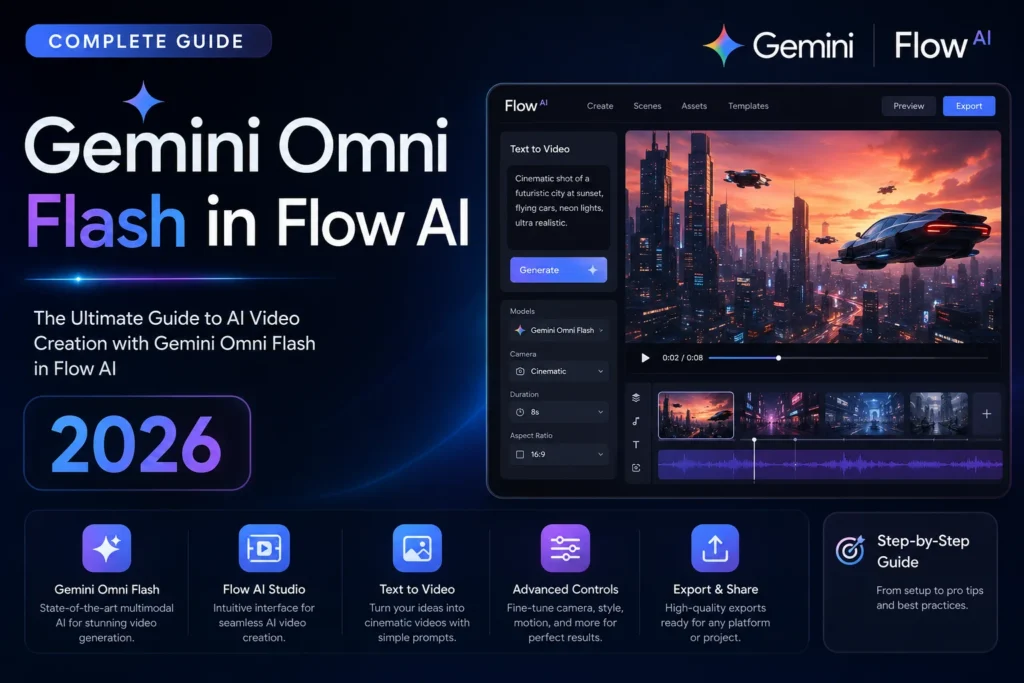
Gemini Omni Flash in Flow AI | The Complete Honest Guide (2026)
Most people heard “Gemini Omni Flash” at Google I/O 2026 and immediately forgot about it. There were too many announcements, too many names, too many things happening at once. This guide covers everything about Gemini Omni Flash in Flow AI — from how it works to whether it is worth paying for.
That was a mistake.
Gemini Omni Flash is not just another AI model getting dropped into Google’s growing list of tools. It is the single biggest change to how video generation works inside Google Flow AI since the platform launched — and understanding what it actually does explains why Google built it in the first place, why it sits alongside Veo 3.1 rather than replacing it, and whether you need a paid subscription to use it or not.
This guide covers everything from the ground up. What Gemini Omni Flash is, how it works inside Google Flow, what makes it fundamentally different from every other video tool you have used before, what its real limitations are, and exactly who this is for.
The One-Line Answer: Gemini Omni Flash is a new AI model inside Google Flow that lets you create and edit video through natural conversation — feeding it text, images, video clips, and audio all at once — and refine the result by talking to it, without starting over each time.
What Is Gemini Omni Flash — Starting From Zero
Before Google I/O 2026, Google Flow AI used Veo 3.1 as its video generation engine. You typed a prompt, Flow generated a video clip, you reviewed it, you typed a new prompt if you wanted changes, and it generated a new clip from scratch.
That was the whole process. One prompt, one output, reset, repeat.
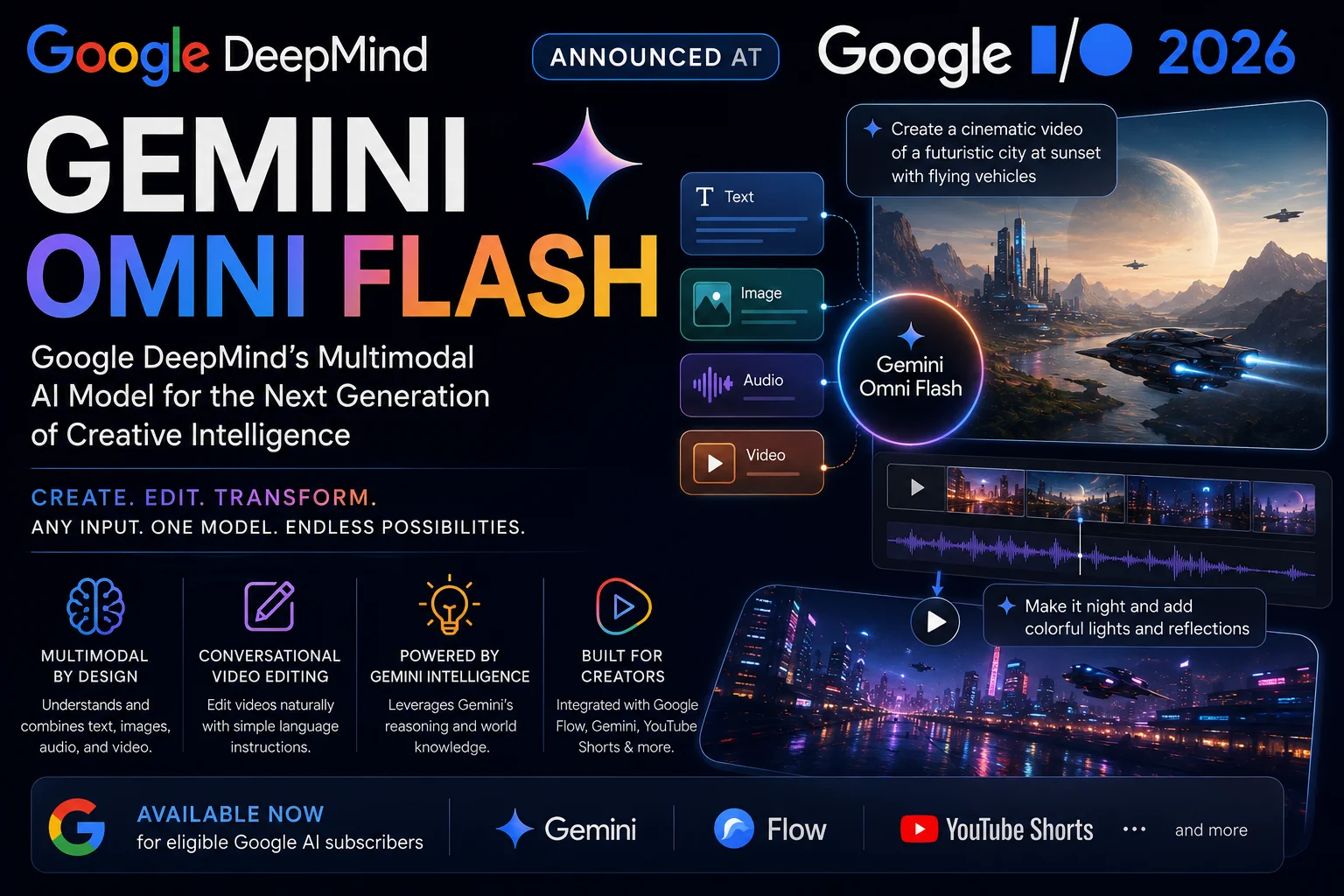
Gemini Omni Flash changes that process at a fundamental level. It was built by Google DeepMind and announced on May 19, 2026 as the first model in a new Gemini Omni family. Google’s CTO of DeepMind, Koray Kavukcuoglu, described it as the point “where Gemini’s ability to reason meets the ability to create.”
That description is worth unpacking, because it is actually the key to understanding what makes Omni Flash different.
Veo 3.1 is a specialist. It was trained specifically and almost entirely on video data, with every part of its design optimized for one job: take a prompt, generate a high-quality video clip. It is very good at that one job.
Gemini Omni Flash is a generalist. It was trained across all four input types — text, images, video, and audio — simultaneously, within a single unified model architecture. It does not hand off between separate systems. The same model that understands your written description also understands the photo you uploaded, the reference video you attached, and the voiceover you recorded. It reasons across all of them together and produces a video output that reflects all of that input at once.
This is not a small distinction. It is the architectural difference that makes conversational editing possible — which is the headline capability of Gemini Omni Flash.
How Gemini Omni Flash Actually Works Inside Google Flow
Here is the practical picture of what happens when you use Gemini Omni Flash in Google Flow AI.
You start with whatever you have. That could be a text description, a photo from your camera roll, a short video clip, a voice note, or any combination of those things at the same time. Omni Flash accepts all of them as input together — it does not require you to choose one format and stick to it.
The model then generates a video output — currently up to 10 seconds with synchronized audio — based on everything you gave it.
Here is where things change from the old process: you do not start over if you want something different. You talk to it.
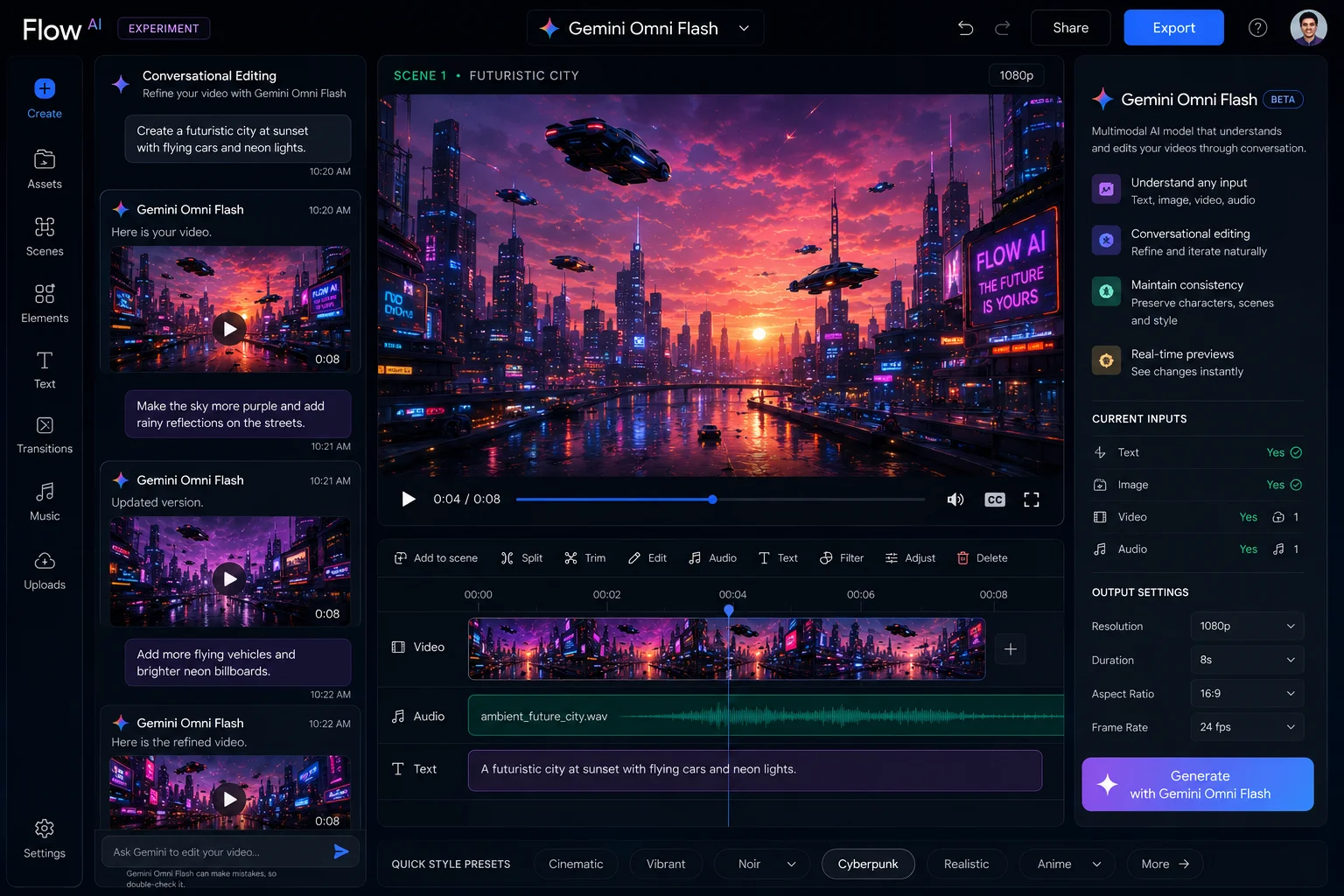
You can say “make the background sunset instead of overcast.” The model does not regenerate the entire clip from a fresh prompt. It understands what already exists in the scene, re-reasons the physical relationship between your subject and a sunset sky, and adjusts the output accordingly — preserving what was working and changing only what you asked to change.
You can say “the character’s jacket should be darker.” It adjusts the jacket. Not the whole scene.
You can say “slow this down slightly, it feels rushed.” It adjusts the pacing.
This back-and-forth — where each instruction builds on the previous output in an ongoing conversation — is what Google calls “conversational multi-turn editing.” It is the feature that no other Google video model has, and it is what makes Omni Flash feel more like working with a video editor than firing off prompts at a generator.
The 6 Things Gemini Omni Flash Can Do in Flow AI
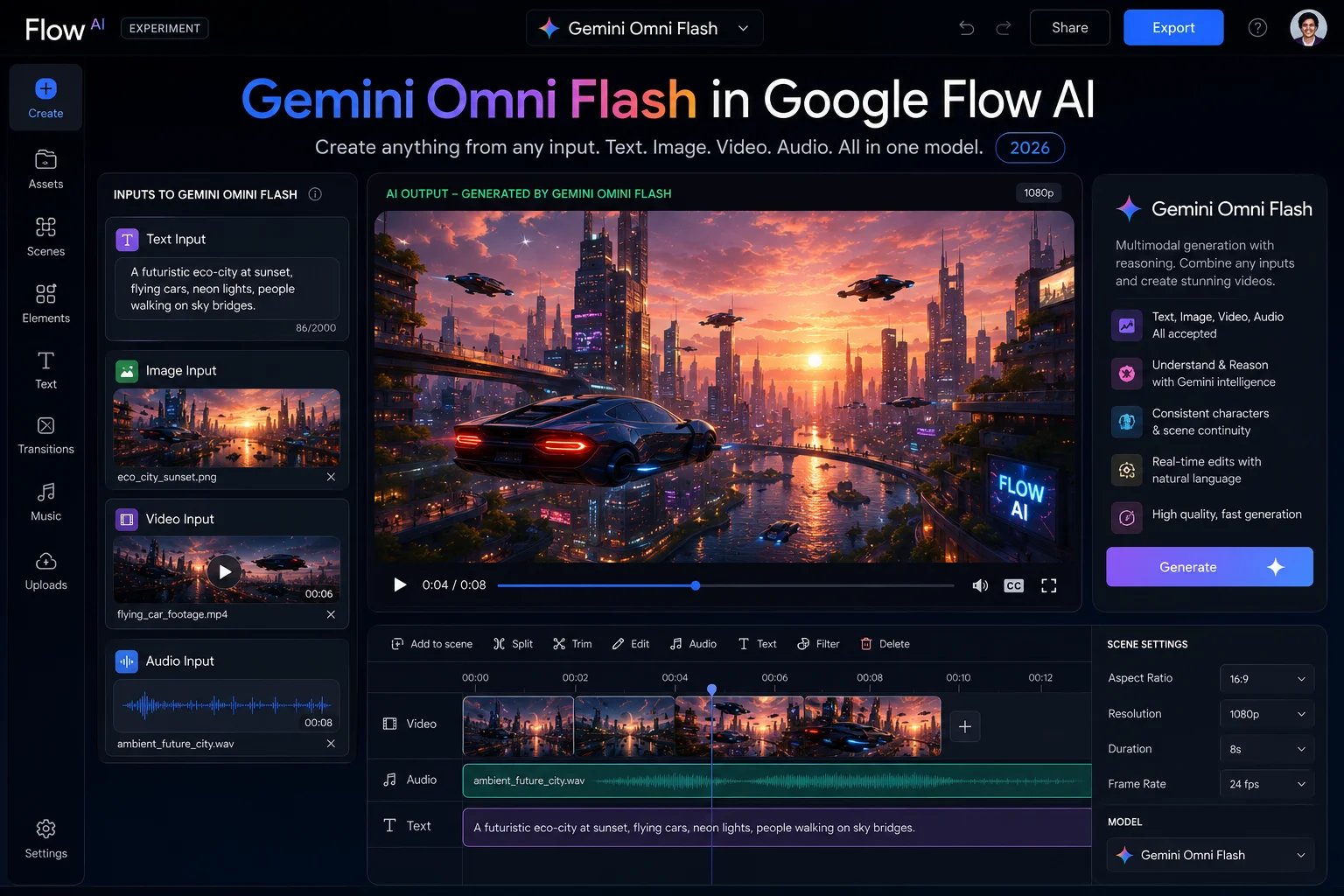
Here is every confirmed capability of Gemini Omni Flash as it works inside Google Flow AI right now:
1. Accept Any Input Format — All At Once
Most AI video tools accept one type of input. Text prompt or image reference — pick one. Omni Flash accepts all four simultaneously:
- Text — written descriptions, dialogue, scene instructions
- Images — photos, illustrations, reference visuals from your camera roll
- Video clips — existing footage, AI-generated clips, reference scenes
- Voice/Audio — voice references for character voices (more audio types coming soon)
You can feed it a photo of a real location, a written description of what should happen there, and a voice recording of how the main character should sound — all in one instruction. The model processes all of it together.
2. Conversational Multi-Turn Editing
This is the defining feature. Instead of generating and discarding, you generate and refine through conversation.
Each message you send after the first generation builds on what came before. You are not issuing new prompts to a blank slate — you are having an ongoing creative conversation where the model remembers the full context of what you have been building.
Change the lighting. Adjust the character. Extend the scene. Fix the pacing. Each instruction adds to the last. Nothing is lost unless you specifically ask to change it.
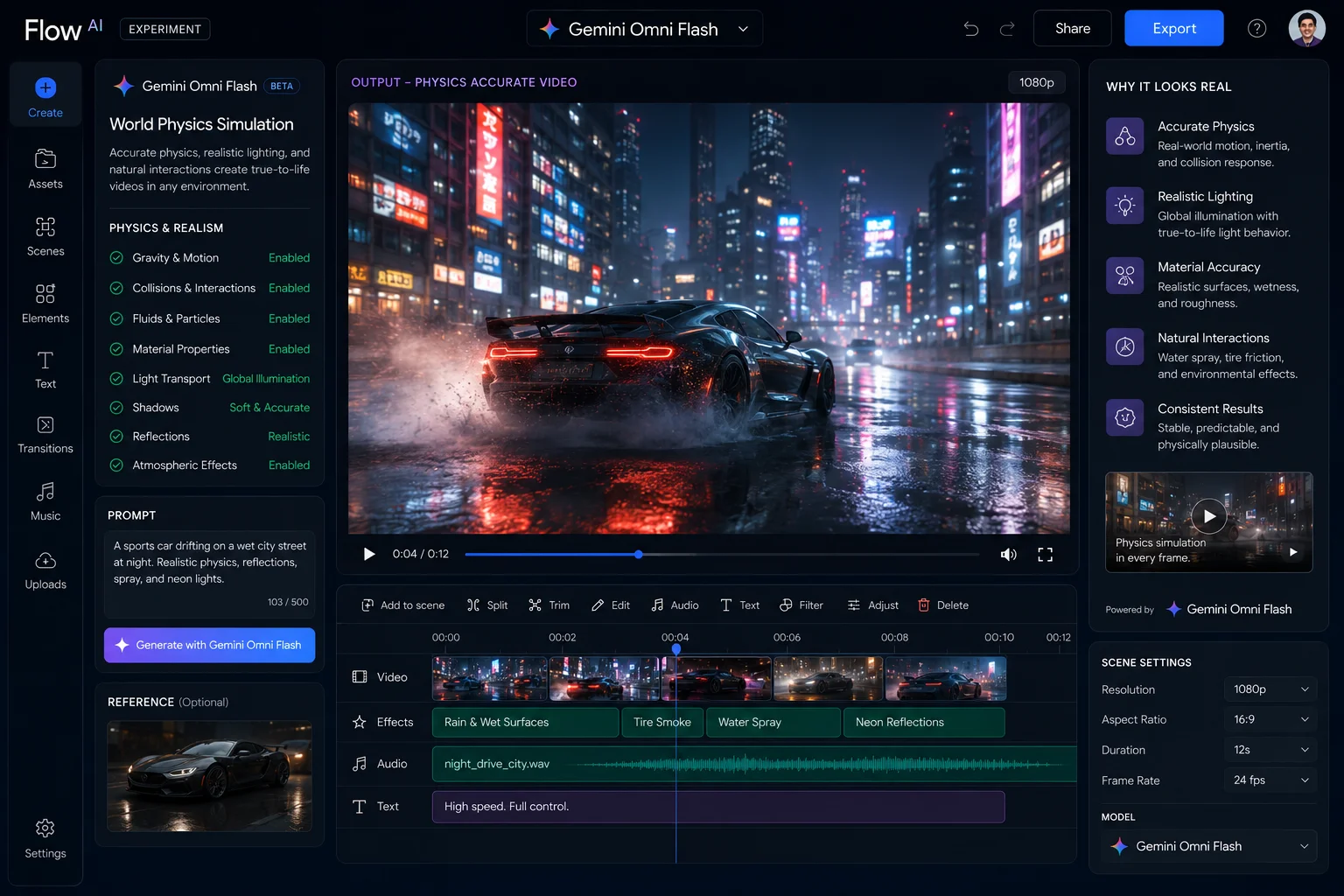
3. World Physics Understanding
This one goes deeper than most people realize, and it is worth explaining because it is the thing that makes Omni Flash outputs look more believably real than standard AI video.
Most AI video models learned by studying what videos look like. They got very good at reproducing the visual patterns of the physical world — the way light reflects, the way objects cast shadows, the way fabric moves.
But they never learned that physics actually exists. They learned the appearance of physics, not the rules behind it. The result is AI video that looks almost right but has subtle wrongness — a marble rolling uphill, hair floating against gravity, a liquid behaving like it has no viscosity.
Omni Flash was built on top of Gemini’s full world knowledge. It does not just know what things look like — it knows what they are and how they actually behave. When a ball rolls across a wooden table toward the edge in an Omni Flash generation, it follows the physics of what a ball on a wooden table actually does. Not because the model saw enough videos of balls on tables — because it understands what gravity, friction, and momentum mean.
Google demonstrated this during the I/O 2026 keynote by generating a scientifically accurate claymation explainer of protein folding. The model produced the correct biochemical behavior, not just a visually plausible guess at it.
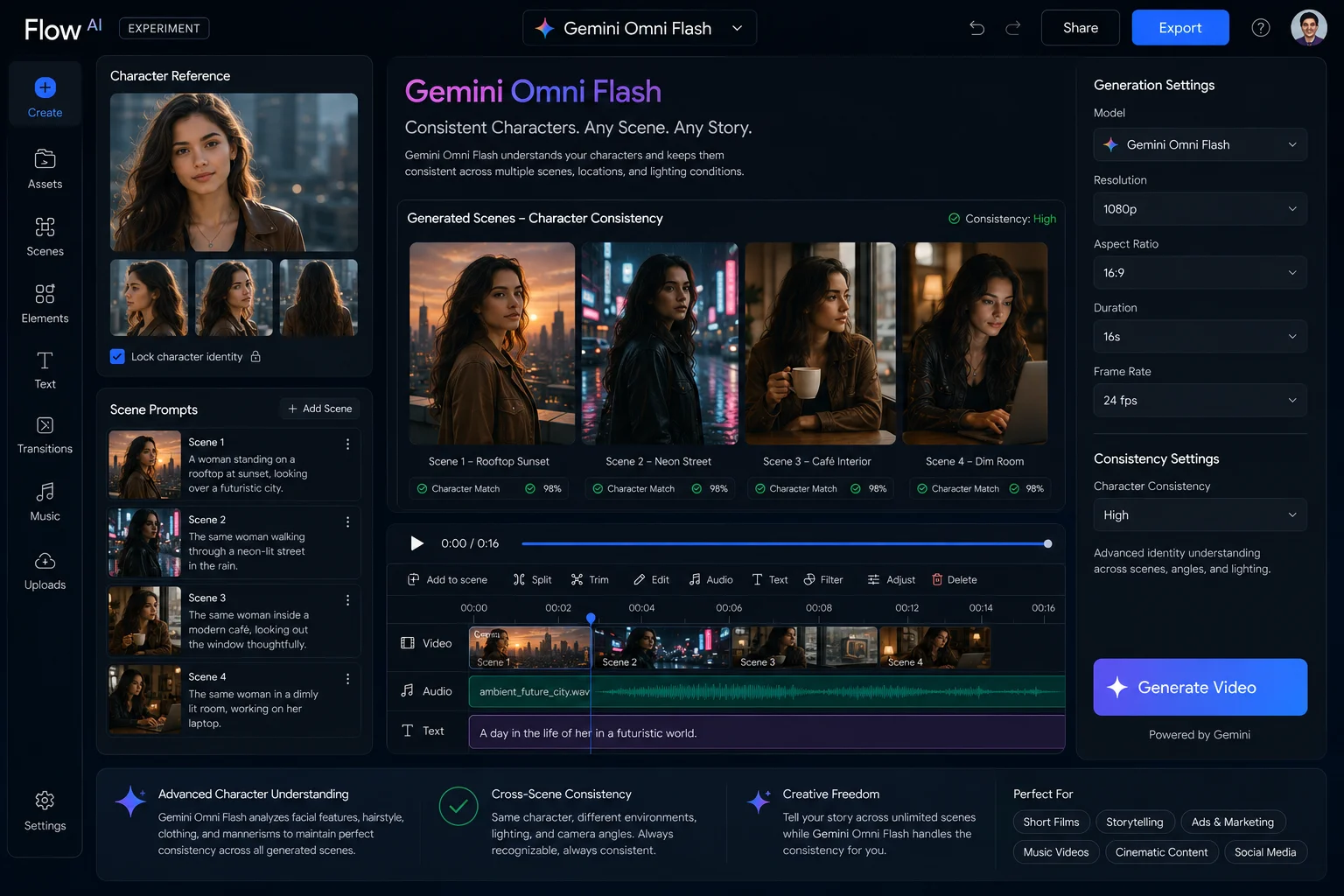
4. Character and Voice Consistency Across Scenes
Before Omni Flash, one of the most persistent frustrations in AI video generation was character inconsistency. You would generate Scene 1 with a main character, generate Scene 2 with the same character name and description, and end up with what looked like a completely different person. Same name. Different face, different build, different voice.
Omni Flash addresses this with a dedicated consistency layer that maintains character identity — appearance and voice — across multiple scenes within the same project. If your lead character has a specific look in Scene 1, that same look carries through Scene 7 without you manually re-specifying every detail.
This is not perfect yet — early users report occasional drift in longer projects — but it is meaningfully better than anything Google Flow AI had before Omni Flash arrived.
5. Blend Real-World Footage with Generated Content
Omni Flash makes it significantly easier to mix material from the real world with AI-generated content in a single coherent scene.
You can upload a real photo or video clip and use it as a foundation for generated elements. A real photograph of a street corner in Lahore can become the setting for an AI-generated scene where characters interact with that real environment. The model understands the real-world spatial relationships, lighting conditions, and physical context of your uploaded material and builds generated content around it — rather than just placing AI elements on top like a compositing tool.
6. AI Avatar Creation
Omni Flash in the Gemini app — and coming to Google Flow — supports creating a custom AI avatar that looks and sounds like you based on uploaded reference material. You can then use that avatar as a character in your generated scenes, place it in AI-generated environments, and generate video featuring it without needing any camera setup or recording equipment.
Gemini Omni Flash vs Veo 3.1 — What Is Actually Different
This is the question that confuses most people: if Google already had Veo 3.1 inside Flow AI, why add Omni Flash? Are they the same thing? Does one replace the other?
Short answer: No. They are different tools built for different parts of the creative process. Google Flow AI uses both.
Here is the honest comparison:
| Gemini Omni Flash | Veo 3.1 | |
|---|---|---|
| Primary Strength | Conversational editing, iteration, multimodal input | Cinematic quality, high-fidelity output |
| Max Resolution | 1080p | 4K native |
| Max Video Length | 10 seconds per generation | Up to 60 seconds (with extension) |
| Input Types | Text + Image + Video + Audio | Text + Image |
| Editing Style | Conversational multi-turn — build on previous output | One-shot generation — each prompt starts fresh |
| Multi-Turn Editing | ✅ Yes — core feature | ❌ No |
| Physics Understanding | Deep world knowledge from Gemini training | Visual pattern-based |
| Character Consistency | Built-in consistency layer | Via Ingredients system |
| Best For | Iteration, exploration, education, multi-scene projects | Final renders, polished outputs, premium quality |
| Available In Flow | ✅ Yes (paid subscribers) | ✅ Yes (paid subscribers) |
The practical way to think about them:
Use Gemini Omni Flash when you are figuring out what you want — exploring directions, iterating on characters, building multi-scene sequences through conversation, or creating educational content where accuracy matters as much as quality.
Use Veo 3.1 when you know exactly what you want and need the highest possible quality output — a hero clip for a campaign, a final polished scene, anything destined for a large screen.
Many creators are already using both in the same project: Omni Flash to develop and refine scenes through conversation, Veo 3.1 to render the final versions of the scenes that made the cut.
Who Can Access Gemini Omni Flash — Free vs Paid
This is where it gets specific, and it is worth being precise because there are different tiers with different access levels.
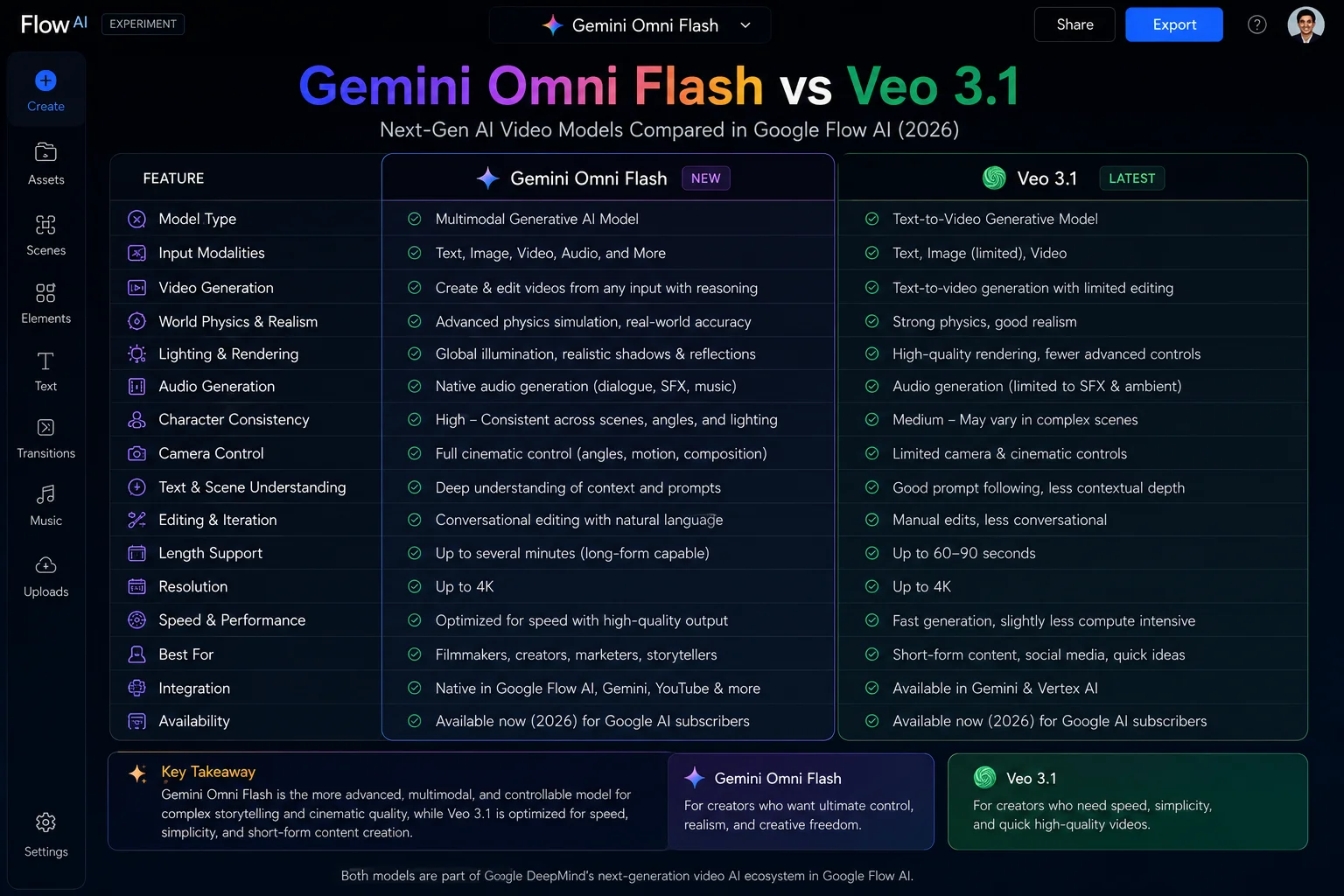
Free Access — YouTube Only
Gemini Omni Flash is available completely free in two places:
- YouTube Shorts Remix — apply Omni Flash to remix existing YouTube Shorts
- YouTube Create app — use Omni Flash for video editing and creation
Both are available to users aged 18 and above at no cost. Generated videos include a SynthID watermark and metadata indicating AI generation, with a link back to the original video where applicable.
Important note: This is not the same as full Omni Flash access in Google Flow. YouTube access is scoped to specific remix and editing workflows within YouTube’s ecosystem. The full conversational creation capabilities, the multimodal input system, and the Google Flow integration require a paid plan.
Paid Access — Google Flow AI and Gemini App
Full Gemini Omni Flash access in Google Flow AI requires one of these plans:
Getting full access to Gemini Omni Flash in Flow AI requires a Google AI subscription — here is exactly what each plan unlocks.
| Plan | Monthly Cost | Omni Flash in Flow | Monthly Credits |
|---|---|---|---|
| Google AI Plus | $9.99 | ✅ Full access | 200 credits |
| Google AI Pro | $19.99 | ✅ Full access | 1,000 credits |
| Google AI Ultra | $100 | ✅ Full access | 12,500 credits |
Video generation with Omni Flash uses the same credit system as Veo 3.1 — approximately 20 credits per video generation in Flow.
What Gemini Omni Flash Cannot Do Yet — Being Honest
Every capability has limits, and knowing them before you subscribe saves frustration later.
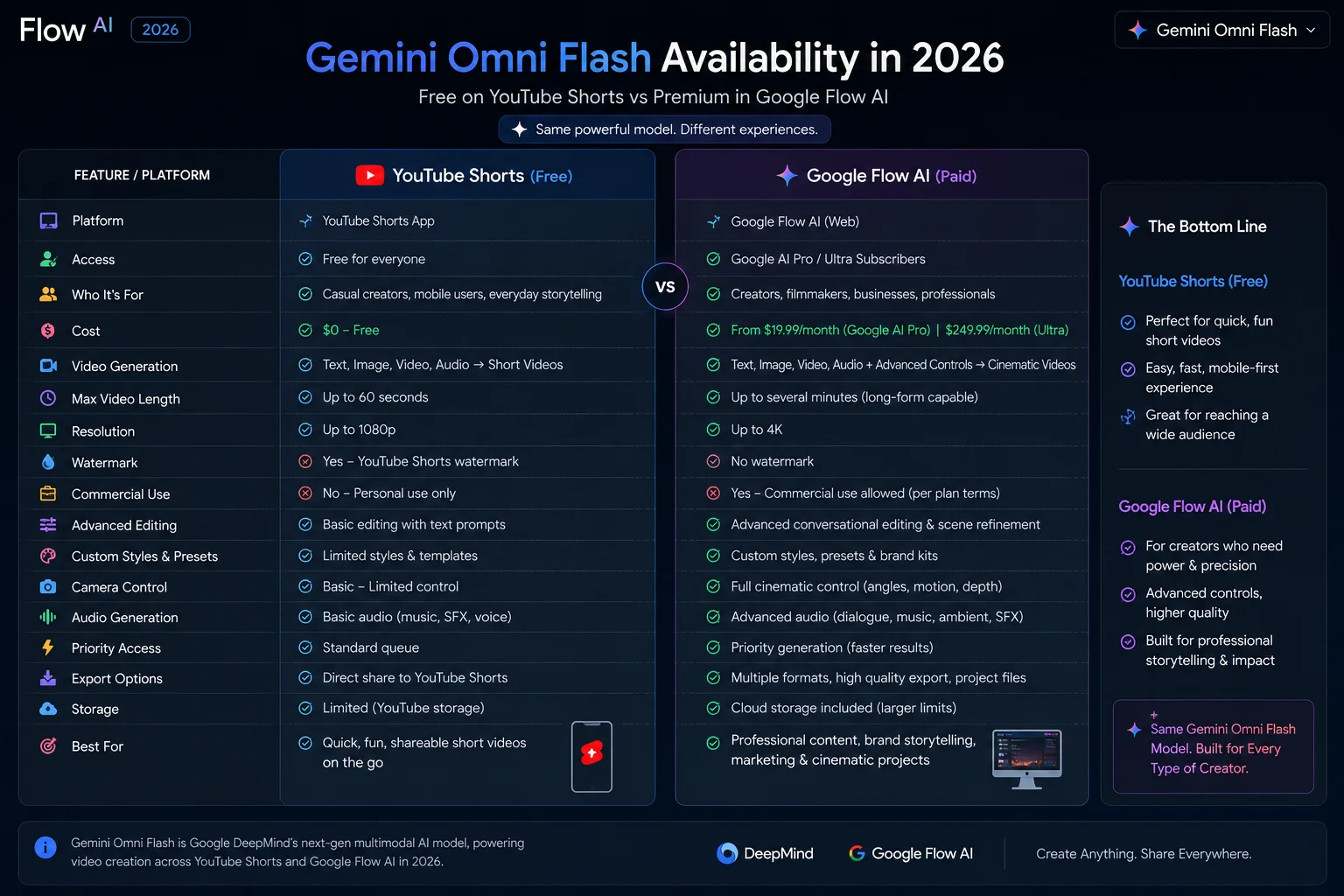
Resolution cap at 1080p Omni Flash generates at a maximum of 1080p. Veo 3.1 generates at up to 4K native. For projects where output quality on a large screen is critical — broadcast, premium ads, anything displayed at full cinema resolution — Veo 3.1 is still the better choice.
10-second video limit per generation Each Omni Flash generation produces up to 10 seconds of video. Veo 3.1 can produce up to 60 seconds with its extension feature. For longer-form content, you still need to generate and assemble multiple clips — Omni Flash does not change that.
Audio input is voice-reference only at launch Currently, Omni Flash accepts voice references as audio input but not other audio types (music tracks, ambient sound as input reference). Google confirmed that additional audio input types are coming, but they were not available at launch on May 19, 2026.
No public API yet As of June 2026, Gemini Omni Flash does not have a standalone public API listing for developers. Veo 3.1 has clear, documented API access through the Gemini API and Vertex AI. Google said developer and enterprise API access for Omni Flash is coming in the weeks after launch — but if you are a developer building a product, do not plan around it until the official documentation is published.
Character consistency is improved but not perfect The consistency layer is significantly better than the old Veo-only approach, but early users report occasional drift in longer projects with many scenes. For a 3-scene short, consistency is reliable. For a 20-scene project, expect to periodically reinforce character details.
Content moderation applies strictly Google Flow applies content policies to all Omni Flash generations. Some creative directions will hit limits that are not always predictable before you try them. This is not specific to Omni Flash — it applies to all Flow AI generation — but it is worth knowing going in.
Real Use Cases — Who Is This Actually For
Enough with the spec sheet. Here is who Gemini Omni Flash in Google Flow AI is genuinely useful for right now:
Social media content creators Short-form video for Instagram Reels, TikTok, and YouTube Shorts is exactly what Omni Flash was built for. 10-second clips at 1080p with synchronized audio, refined through conversation until they match the brief. For creators producing multiple pieces of content per week, the conversational iteration workflow saves significant time.
Educational content producers Omni Flash’s world knowledge makes it particularly strong for explainer content. If you are creating educational videos about science, history, geography, or any knowledge-intensive topic, the model’s understanding of how things actually work produces more accurate results than visual pattern-matching models. The claymation protein folding demo from I/O 2026 is the clearest example of this.
Small business owners without video production budgets Product demonstrations, brand storytelling, promotional clips — Omni Flash makes these accessible without a production team. You can upload a real photo of your product and describe the scene you want around it. The model builds the scene while preserving the real product accurately.
Filmmakers and video creators in pre-production Storyboarding and scene development through conversation is a legitimate workflow before moving to Veo 3.1 for final renders. Directors can develop and iterate on scene concepts quickly without burning high-credit generations on early drafts.
Developers building creative tools (once the API is live) Once the public API arrives, Omni Flash’s conversational editing capability opens up a new category of interactive creative applications that were not possible with one-shot generation models.
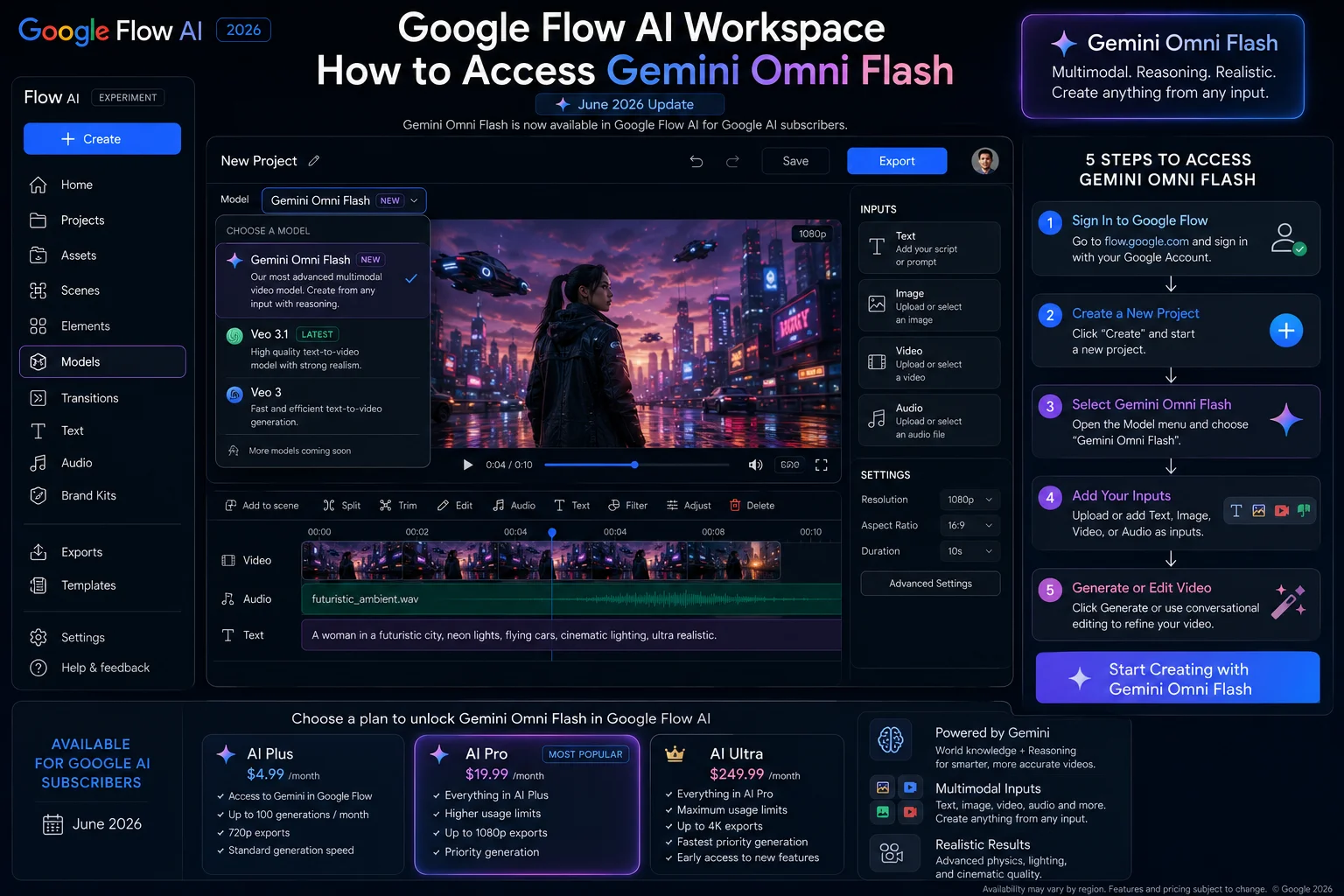
How to Access Gemini Omni Flash in Google Flow Today
If you have a Google AI subscription, here is how to start using Omni Flash in Flow:
Step 1: Go to flow.google.com and sign in with the Google account linked to your subscription.
Step 2: Create a new project or open an existing one.
Step 3: In the generation panel, look for the model selector — it should show Gemini Omni Flash as an available option alongside Veo 3.1. If you do not see it immediately, the rollout may still be completing in your region. Check back in 24–48 hours.
Step 4: Select Omni Flash and add your inputs — text, image, video, or voice reference.
Step 5: Generate your first output. Once you have a result, continue in conversation — refine, adjust, and build on it through natural language rather than starting a new generation from scratch.
Step 6: When you have a scene you are happy with, switch to Veo 3.1 for the final high-quality render if you need 4K output or clips longer than 10 seconds.
If you are new to Google Flow AI entirely and have not set up your workspace yet, our Google Flow AI Tutorial for Beginners walks through the complete setup from scratch.
Gemini Omni Flash in the Broader Google AI Picture
One thing worth understanding is where Omni Flash sits in Google’s overall AI strategy — because it explains why this model exists and where it is going.
Google has been building toward a unified AI model that can handle everything in a single pass, rather than routing between specialist tools. Omni Flash is the first public expression of that in the creative space — a single model that takes any input type, applies Gemini’s world reasoning, and produces video output with the ability to refine it conversationally.
The Omni family is not finished. Google confirmed that Gemini Omni Pro — a higher-capability version — is planned for later release. Omni Pro is expected to push beyond Flash’s current limits, including potentially closing the resolution gap with Veo 3.1. No confirmed date or full specification has been published yet.
For developers, the public API access will be the next significant milestone. Once Omni Flash has a documented API path through Gemini API or Vertex AI, the range of applications built on it will expand significantly.
For everyday Google Flow users, the trajectory is straightforward: the conversational editing experience will get better over time, the resolution limits will likely increase, and the audio input types will expand beyond voice references.
if you create short-form video, educational content, or multi-scene projects where iteration is most of the work — this model changes your workflow in a meaningful way.
Frequently Asked Questions
Is Gemini Omni Flash free? Partially. It is free on YouTube Shorts Remix and the YouTube Create app for users 18 and above. Full access in Google Flow AI and the Gemini app requires a Google AI Plus, Pro, or Ultra subscription starting at $9.99/month.
Is Gemini Omni Flash in Flow AI better than Veo 3.1?
They solve different problems. Gemini Omni Flash in Flow AI is built for conversational, iterative editing where you refine through natural conversation. Veo 3.1 is built for high-fidelity, cinematic one-shot generation at up to 4K resolution. Most serious creators use both in the same project.
Does Gemini Omni Flash replace Veo 3.1 in Google Flow?
No. Both models are available in Google Flow AI. Omni Flash handles conversational, iterative video creation with multimodal inputs. Veo 3.1 handles high-fidelity, high-resolution one-shot generation. They complement each other rather than one replacing the other.
What is the maximum video length with Omni Flash?
10 seconds per generation. Veo 3.1 supports up to 60 seconds with its extension feature. For longer content, Veo 3.1 remains the better choice in terms of clip length.
Can I use Omni Flash with a free Google account?
In Google Flow AI — no. You need a paid Google AI subscription. On YouTube Shorts Remix and YouTube Create — yes, free for users aged 18 and above.
Why is Omni Flash better for educational content than Veo 3.1?
Omni Flash was trained on Gemini’s full world knowledge — science, history, physics, and real-world facts — not just visual patterns from video data. For topics where accuracy matters (science explainers, historical recreations, educational animations), Omni Flash produces more factually correct results.
Will Gemini Omni Flash get 4K support?
Not confirmed yet. Omni Flash currently caps at 1080p. The upcoming Gemini Omni Pro model may address resolution, but Google has not confirmed a release date or full specification for it.
Is Omni Flash available in Pakistan?
Yes. Google confirmed Omni Flash is rolling out globally to all 140+ countries where Google Flow AI is available, including Pakistan, for all Google AI subscribers.
How much does it cost per video generation in Flow?
Approximately 20 AI credits per video generation — same as Veo 3.1. At Google AI Pro ($19.99/month), you receive 1,000 credits per month, giving you roughly 50 video generations monthly.
Can I use images from my phone camera as inputs to Omni Flash in Flow?
Yes. Omni Flash accepts photos uploaded from your device as reference inputs. You can use a real photograph as the visual foundation for a generated scene.
Related Guides on WhiskAILabs
- Google Flow AI Agent Launch — What Free Users Get
- Google Flow AI Free vs Paid — Is $19.99 Worth It?
- What Is Google Flow AI? — Complete 2026 Guide
- Google Flow AI Tutorial for Beginners
- Google Flow AI Prompts — 50 Tested Prompts
- Google Flow AI Not Working? — Every Fix
- Google Flow AI Blank Screen Fix















