
Google Flow AI Free vs Paid — Is the $19.99 Upgrade Actually Worth It? (2026 Honest Review)
Here is the honest truth that most reviews skip: Google Flow AI gives you a genuinely useful free tier. You can generate real images, experiment with the interface, and get a feel for what the tool does — all without spending a single rupee.
But the moment you want to generate a video? You hit a wall.
That one limitation is what this entire free vs paid conversation is really about. This guide breaks down exactly what you get on the free plan, what unlocks when you pay, whether the $19.99 per month Google AI Pro plan makes sense for you specifically, and what most people do not realize until after they subscribe.
No padding. No vague conclusions. Just a straight answer by the end.
Quick Answer: Free is genuinely useful for image generation. Paid is necessary for video. Whether $19.99 is worth it depends entirely on whether you need Veo 3.1 video generation — and how often.
What Is Google Flow AI, Briefly
Google Flow AI is Google’s unified creative studio for AI-generated images and videos. It launched in its current form in February 2026 when Google merged Whisk AI, ImageFX, and the original Flow tool into one workspace.
Three AI models power it:
- Veo 3.1 — generates cinematic videos with synchronized audio
- Imagen 4 (Nano Banana) — generates still images
- Gemini Omni Flash — understands your text prompts and coordinates everything
The free tier and paid tiers both use the same interface at flow.google.com. What changes between plans is which features are active and how many generations you can do.
For a full introduction to what Google Flow AI is and how it works, our complete Google Flow AI guide covers everything from scratch.
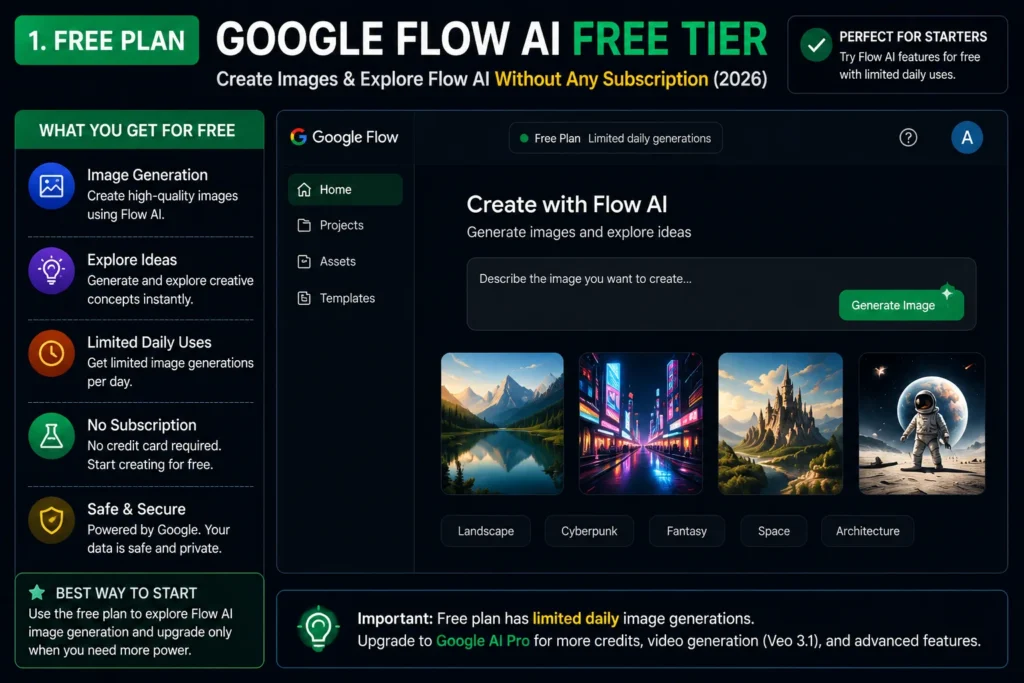
What You Get on Google Flow AI Free
Let us be specific about this — because “free” is not the same as “useless.”
What the free plan includes:
- Image generation with Imagen 4 (standard) — fully functional, no subscription needed
- Basic editing tools — adjust, vary, and remix existing generations
- Ingredients system — save characters, styles, and scenes for consistency across generations
- Access to the full Flow interface — the same workspace paid users see
- Google Labs access — no separate sign-up needed beyond a regular Google account
What is limited or locked on free:
- Veo 3.1 video generation — requires a paid plan
- Nano Banana Pro image model — upgraded image model requires Google AI Plus or Pro
- AI credits — free users get a small monthly allowance; heavy use hits limits quickly
- Generation speed during peak hours — paid users get priority; free users wait longer
The honest takeaway: if your use case is image generation for social media posts, design concepts, creative exploration, or learning how the tool works — the free plan is genuinely sufficient. Many regular users never need to pay.
What Changes When You Pay — The Three Paid Tiers
Google currently offers three paid subscription tiers. Here is what each one actually means for your Google Flow AI experience:
Google AI Plus — $9.99/month
This is the entry-level paid plan. It was recently added as an affordable step between free and Pro.
What it adds for Flow AI:
- Access to video generation in Flow (Veo 3.1)
- 200 AI credits per month
- Nano Banana Pro image model
- 200GB of Google One storage
The credit math: Video generation costs 20 AI credits per generation. At 200 credits per month, that is 10 videos per month. Image generations cost 1–2 credits each, so heavy image users will burn through credits faster than expected.
For casual creators who want to test video generation or make a handful of videos per month, Plus is a reasonable starting point.
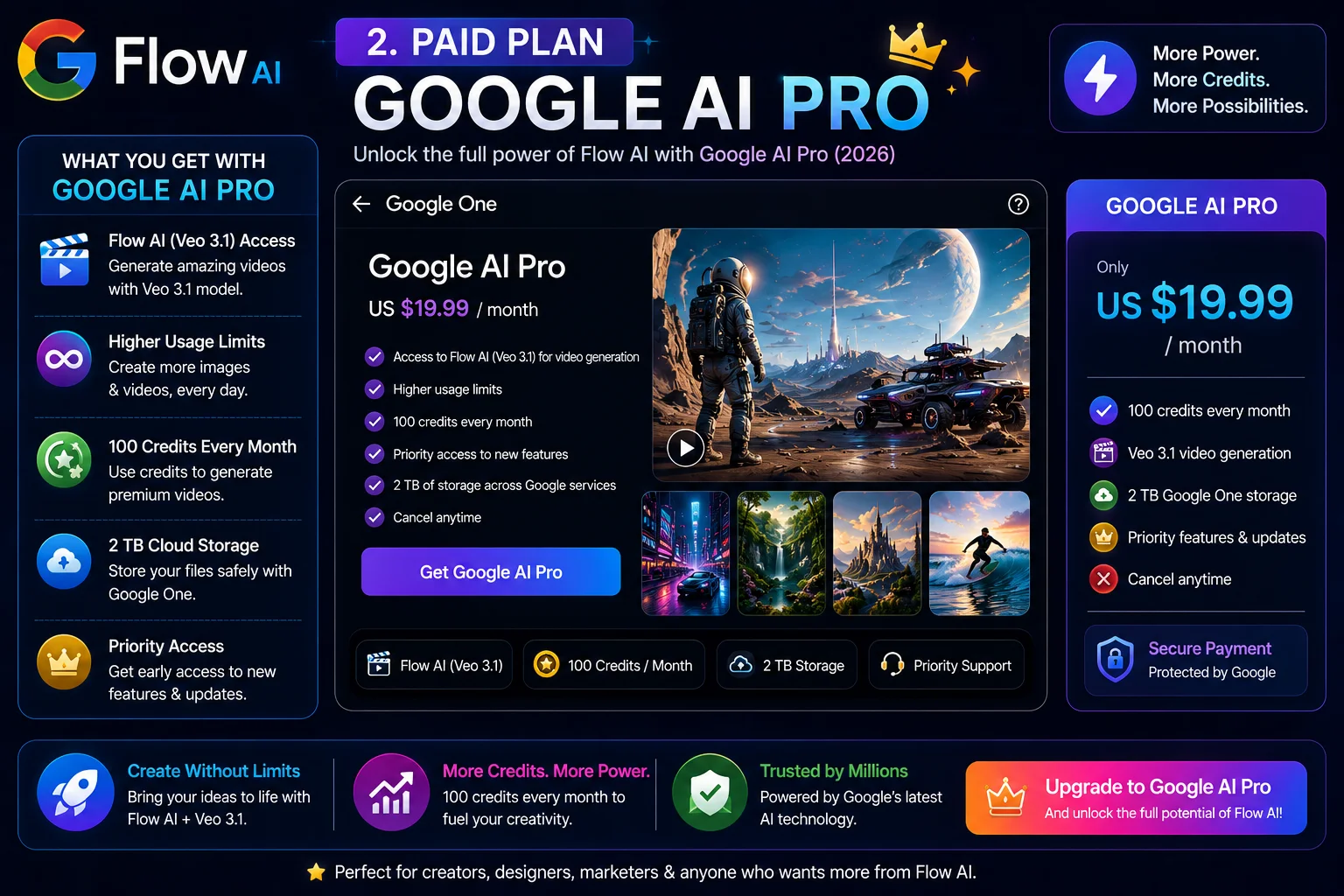
Google AI Pro — $19.99/month
This is the plan most people are asking about. It is the sweet spot in Google’s lineup and the one that makes sense for regular Flow users.
What it adds for Flow AI:
- Everything in Plus, plus higher usage limits
- 1,000 AI credits per month (vs 200 in Plus)
- Priority generation speed
- Full access to Gemini 3.1 Pro across Google’s apps
- NotebookLM expanded access
- 2TB Google One storage
The credit math at Pro: 1,000 credits ÷ 20 credits per video = 50 videos per month. For anyone creating content regularly — social media, YouTube, client work — this is actually a practical number.
Image generation at 1–2 credits each means hundreds of image generations on top of that, with credits left over.
Google AI Ultra — $100/month
This is the developer and power-user tier, announced at Google I/O 2026.
What it adds for Flow AI:
- 12,500 AI credits per month
- 5x higher usage limits than Pro
- Priority access to new models and features before general release
- Gemini 3.5 Flash for developer workflows
- 20TB cloud storage
- YouTube Premium included
Unless you are generating AI video professionally at high volume, Ultra is more than most people need. The jump from Pro ($19.99) to Ultra ($100) is only worth it if you are hitting Pro’s limits consistently.
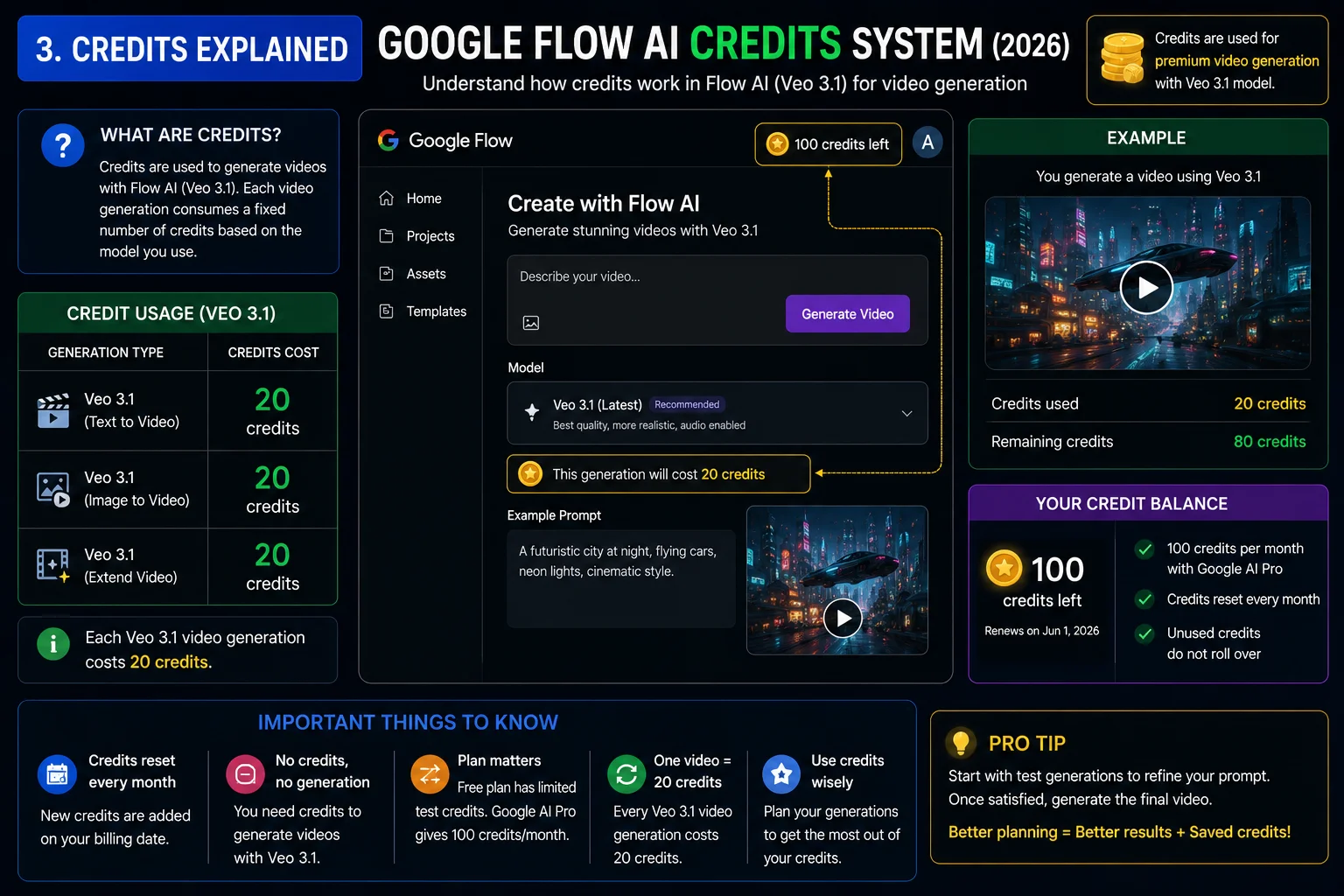
The Full Comparison Table
| Feature | Free | AI Plus ($9.99) | AI Pro ($19.99) | AI Ultra ($100) |
|---|---|---|---|---|
| Image generation (Imagen 4) | ✅ Yes | ✅ Yes | ✅ Yes | ✅ Yes |
| Nano Banana Pro image model | ❌ No | ✅ Yes | ✅ Yes | ✅ Yes |
| Video generation (Veo 3.1) | ❌ No | ✅ Yes | ✅ Yes | ✅ Yes |
| Monthly AI credits | Limited | 200 | 1,000 | 12,500 |
| Videos per month (at 20 credits each) | 0 | ~10 | ~50 | ~625 |
| Generation speed priority | Low | Standard | High | Highest |
| Google One storage | 15GB | 200GB | 2TB | 20TB |
| NotebookLM expanded access | ❌ No | Basic | ✅ Yes | ✅ Yes |
| Gemini 3.1 Pro access | Limited | Limited | ✅ Full | ✅ Full |
| YouTube Premium | ❌ No | ❌ No | ❌ No | ✅ Yes |
The Credit System — What Most People Miss
The AI credits system is the thing that surprises people most after subscribing. It is worth understanding clearly before you decide.
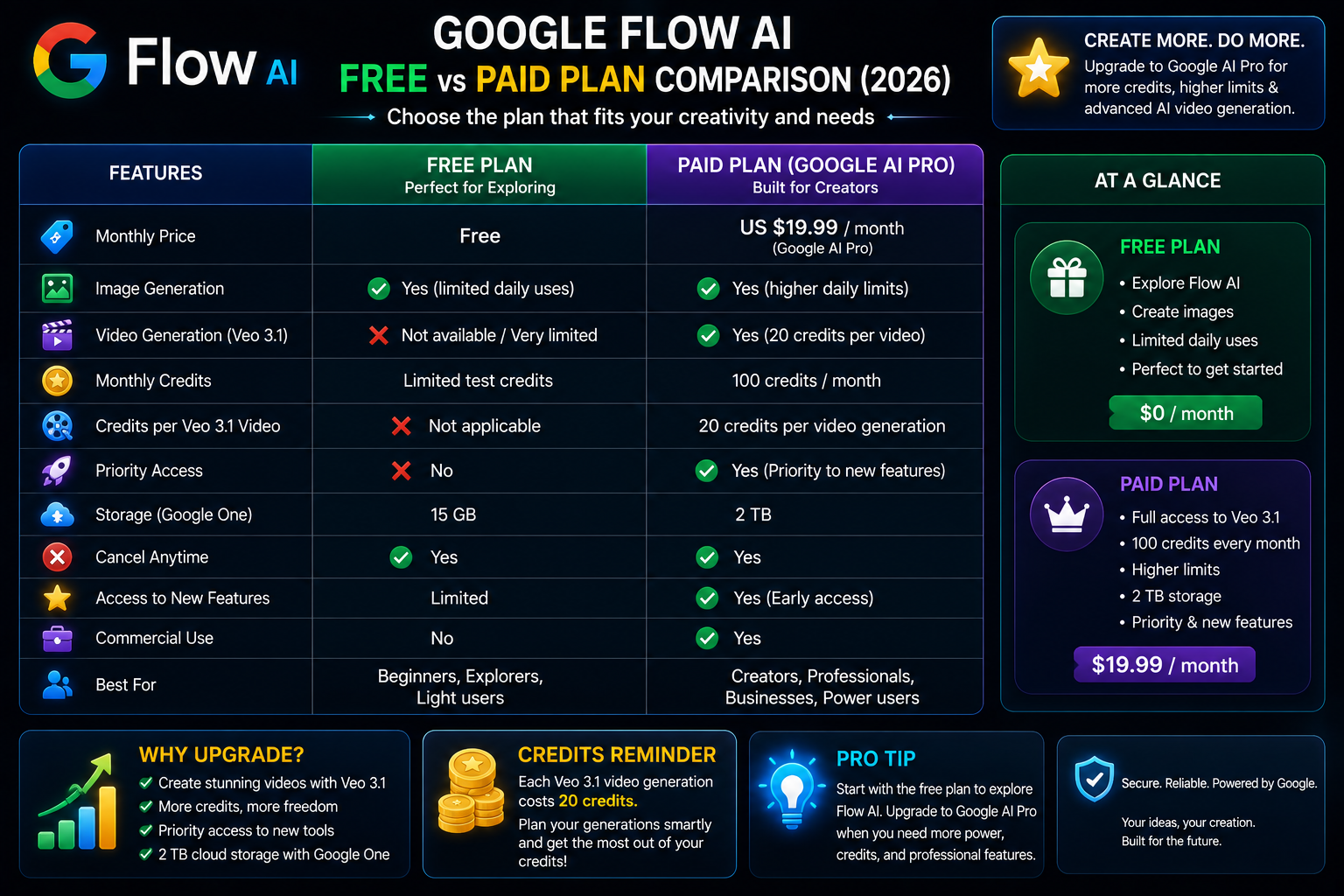
Google Flow AI uses a credit system for compute-heavy tasks. Not every action costs credits — basic browsing of the interface and simple operations are free. But generation tasks, especially video, consume credits at a fixed rate.
Current credit costs in Flow AI (June 2026):
- Veo 3.1 video generation — 20 credits per video
- Imagen 4 standard image — 1 credit per generation
- Nano Banana Pro image (high-res) — 1–2 credits per generation
What this means practically:
If you subscribe to Google AI Pro and get 1,000 credits per month, and you use Flow AI only for video generation, you get roughly 50 videos per month. That sounds like a lot — but if you are iterating on a project, trying different prompts, and regenerating until you get the right result, 50 generations can disappear in a week.
If you mix image and video generation (which most people do), your credits stretch further because images cost far less per generation.
Google also introduced a new “compute-based” usage model at I/O 2026 — your usage limits reset every 5 hours throughout the day, up to a weekly maximum. This is different from the older “daily hard cap” model and gives creators more flexibility about when they generate content.
For a deep dive into how prompts affect your generation quality and credit efficiency, our Google Flow AI prompts guide covers how to get better results in fewer generations — which directly saves your credits.
Pakistan Pricing — What Does $19.99 Actually Cost?
This is a practical question for Pakistani users, and it is worth addressing directly.
Google AI Pro at $19.99/month converts to approximately PKR 5,500–5,800 per month depending on current exchange rates (as of June 2026). Google charges in USD for Pakistani accounts, so your bank or card provider applies the current conversion rate plus any foreign transaction fee.
Is that reasonable? For reference:
- A local mid-tier Netflix subscription costs around PKR 800–1,100/month
- Adobe Creative Cloud (single app) costs around PKR 5,000–6,000/month
- Canva Pro costs around PKR 2,500/month
At PKR 5,500–5,800 for Google AI Pro, you get image generation, video generation, upgraded AI models, NotebookLM, Gemini Pro access, and 2TB storage bundled together. If you use more than one of those features regularly, the per-feature cost becomes reasonable.
If you only want Google Flow AI and nothing else in the bundle, the value calculation is tighter. Video generation specifically — 50 videos per month — is the main reason to pay.
Honest Verdict — Should You Upgrade?
Here is a straightforward decision guide based on how you actually use Flow AI:
Stay on Free if:
- You generate images only (no video)
- You are exploring Flow AI for the first time
- You use it occasionally — once or twice a week
- You are a student, hobbyist, or testing for a project
The free tier handles all of this well. There is no reason to pay unless you have hit a specific limit that is stopping your work.
Upgrade to Google AI Plus ($9.99) if:
- You want to try video generation without a big commitment
- You need about 10 videos per month — social posts, short reels, experiments
- You want the Nano Banana Pro image model for higher quality images
- Budget is a consideration and you do not want to start at $19.99
Plus is the right plan for casual video creators and people upgrading from free for the first time.
Upgrade to Google AI Pro ($19.99) if:
- You create content regularly — YouTube, Instagram, client work, business use
- You need more than 10 videos per month
- You use Gemini Pro in other Google apps and want the combined value
- You are doing professional or commercial AI creative work
Pro is the plan that makes sense for most serious Flow AI users. The jump from Plus to Pro costs $10 more per month and triples your credit allowance from 200 to 1,000 — that is a significant difference for regular creators.
Consider Google AI Ultra ($100) only if:
- You generate AI video at professional volume — daily, multiple projects
- You hit Pro’s limits regularly
- You need early access to new models for a competitive or professional advantage
Ultra is not for most people. The gap between Pro ($19.99) and Ultra ($100) is large, and the extra credits and limits only matter at high-volume professional use.
What You Do NOT Get With Any Paid Plan
A few things worth knowing before subscribing — these are not advertised clearly.
Regional restrictions still apply. Even on a paid plan, Google Flow AI is not available in EU and UK regions due to regulatory requirements. A paid subscription does not override a geographic block. For users in restricted regions, see our Google Flow AI not working guide for the workaround.
Credits do not roll over. Unused AI credits at the end of the month do not carry forward to the next month. If you subscribe and only use half your credits one month, the other half disappear.
Video length is limited. Veo 3.1 generates short clips — typically 5–8 seconds per generation. Longer videos require multiple generations and manual assembly on the timeline. This is not a limitation of the paid plan specifically — it is how the technology currently works.
Gemini Workspace integration (Docs, Gmail, Sheets) requires a separate Google Workspace subscription — AI Pro alone does not unlock those integrations for existing Workspace accounts.
Frequently Asked Questions
Can I try video generation before paying? Not currently. Veo 3.1 video generation requires at minimum a Google AI Plus subscription. There is no free trial video generation available as of June 2026.
Does the free plan ever hit a usage limit for images? Yes. Free users have a limited AI credits allowance per month. Light users may never notice the limit — but if you generate images frequently throughout the day, you may hit a slowdown or temporary pause. Paid plans remove that constraint for the most part.
Can I cancel the subscription anytime? Yes. Google AI plans are monthly subscriptions. You can cancel through one.google.com at any time. Your access continues until the end of the billing period you have already paid for.
Is Google AI Pro the same as Google One AI Premium? They refer to the same plan. Google has gone through several naming updates. If you see “Google One AI Premium” mentioned elsewhere, that is the older name for what is now called Google AI Pro.
What happens to my Flow AI access if I cancel? You revert to the free tier. Your projects and generated content stay in your account — you do not lose anything you have already made. You lose access to video generation and the higher credit limits.
Is Google AI Plus available in Pakistan? As of June 2026, Google AI Pro ($19.99) is the primary paid tier available in Pakistan. Availability of AI Plus at $9.99 in Pakistan specifically — check gemini.google/subscriptions for the most current pricing shown in your region.
Do the credits reset every month? Yes. AI credits reset at the start of each billing cycle. They do not accumulate — unused credits from the previous month do not carry over.
Related Guides on Whiskailabs
- What Is Google Flow AI? — Complete 2026 Guide
- Google Flow AI Tutorial for Beginners
- Google Flow AI Prompts — 50 Best Tested Prompts
- Google Flow AI Not Working? — Every Fix Explained
- Google Flow AI vs Midjourney — Which Is Better?
- Google Flow AI Mobile App — Android & iOS Guide
Official External Resources
- Google AI Subscriptions Official Page — current pricing and plan details
- Google Flow Help Center
- Google One Account Management — manage your subscription
- Google Flow AI — try the free tier first















