
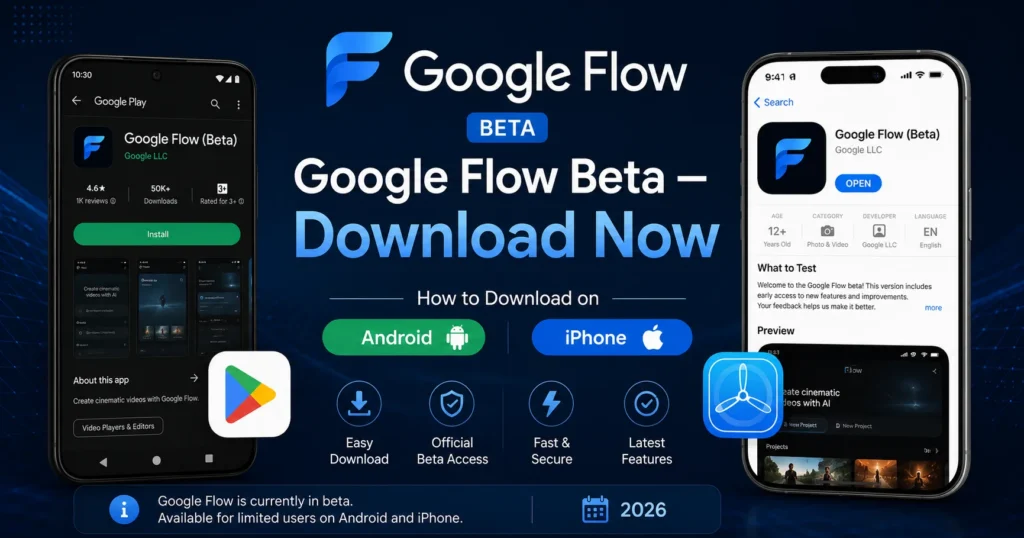
Google Flow Beta Download — How to Install on Android and iPhone (2026 Complete Guide)
Google Flow AI is one of the most exciting AI creative tools of 2026 — generating videos with native audio, creating images from photos you upload, and now running as a dedicated mobile app right on your phone.
The app is called Google Flow Beta, and it’s available right now for both Android and iPhone — completely free to download.
If you’ve been using Google Flow AI on your desktop browser and wondering how to get it on your phone — this is the guide. And if you’re brand new to Flow AI entirely, this is the perfect starting point because the mobile app is the easiest way to start experimenting.
This guide covers exactly where to download the Google Flow Beta app, how to install it on both Android and iPhone, what’s in the current version, what works on free versus paid plans, and the few things you should know before you start.
Let’s go.
What Is Google Flow Beta?
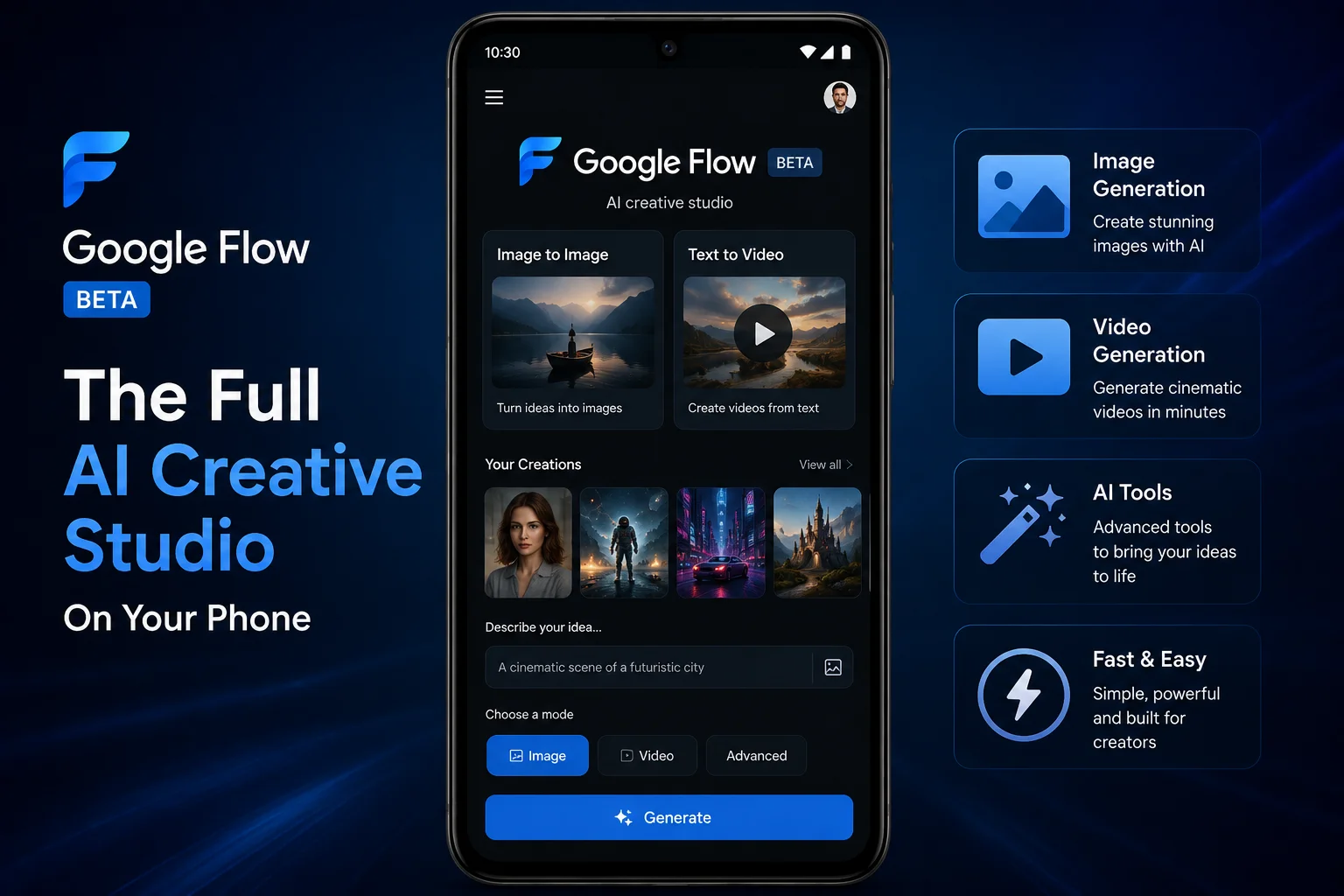
Google Flow Beta is the official mobile app for Google Flow AI — Google’s AI creative studio powered by Veo 3.1 and Imagen 4.
The word “Beta” means the app is in active development. Google releases it as a beta so real users can test features, report bugs, and help shape the final version before a full public release. Being a beta doesn’t mean it’s broken or unstable — in fact, Google Flow Beta has been downloaded over 1.5 million times and receives approximately 55,000 downloads every single day.
The app launched in beta on the Google Play Store in May 2026, with an iOS TestFlight beta following shortly after at Google I/O 2026. It was last updated on June 15, 2026 — making it very actively maintained.
What the app does:
- Generate AI images from text descriptions — free, no limits
- Generate AI videos with native audio using Veo 3.1 — requires paid plan
- Upload photos from your camera roll to use as generation references
- Take live camera photos and use them directly in generations
- Access all your projects and assets from your desktop Flow AI account
- Run multiple generations in the background and get notifications when done
- Download finished images and videos directly to your phone
For everything about what Google Flow AI can do, see our complete Google Flow AI guide.
Google Flow Beta Download — Android (Google Play Store)
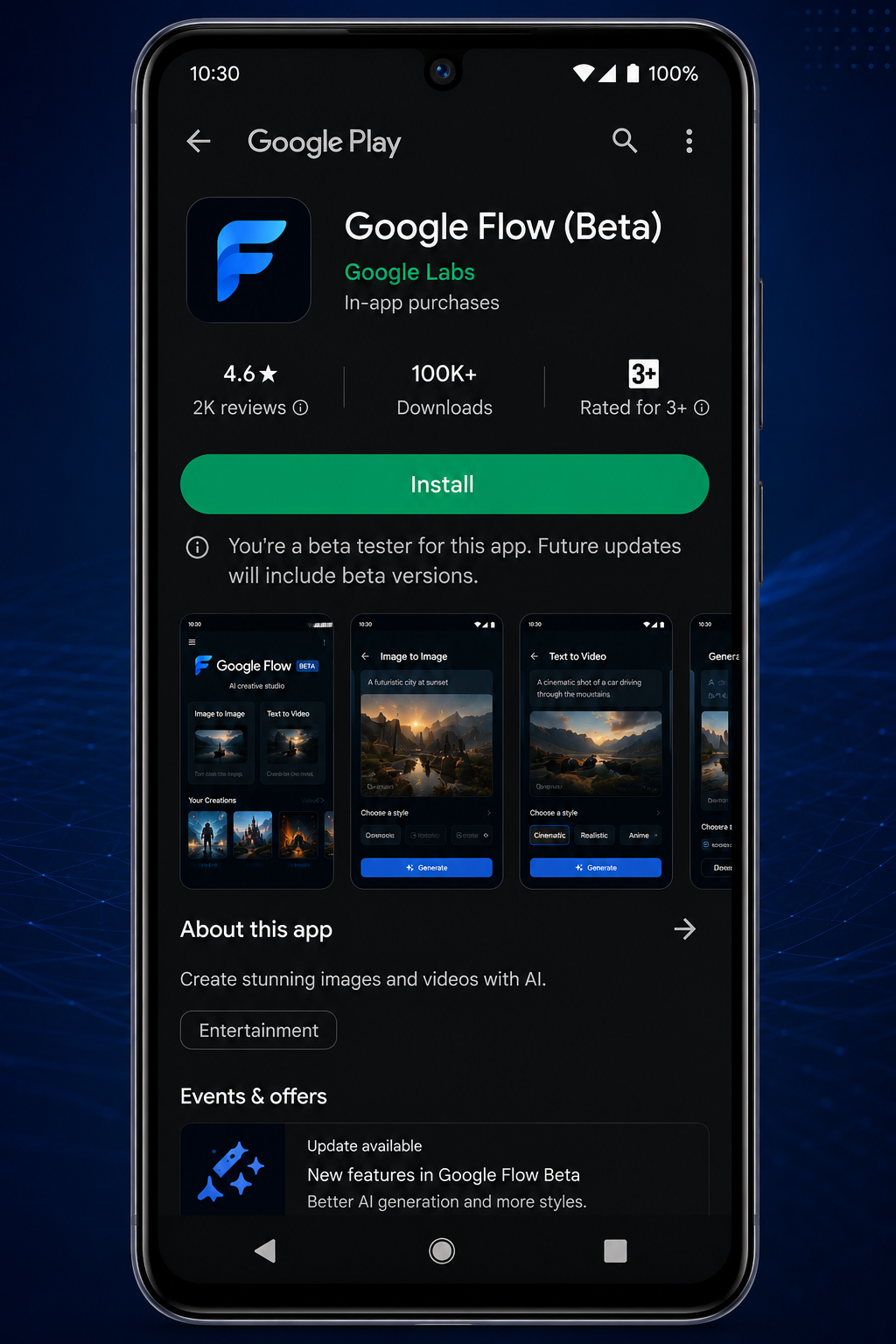
App details:
- App name: Google Flow Beta
- Developer: Google Labs
- Size: 20.91 MB
- Latest version: 1.459.0 (updated June 10, 2026)
- Price: Free to download
- Requires: Android 12L or higher
- Play Store link: play.google.com/store/apps/details?id=com.google.android.apps.labs.whisk
Step-by-step Android download:
Step 1: Open the Google Play Store on your Android phone.
Step 2: Tap the search bar at the top and type “Google Flow Beta” — make sure to include the word “Beta” because there are other Google Flow apps.
Step 3: Look for the app by Google Labs in the results. The icon is the Google Flow logo (a stylized “F” shape with colorful gradient). Tap on it.
Step 4: Tap the green “Install” button. The app is 20.91 MB — it downloads in seconds on any decent connection.
Step 5: Once installed, tap “Open” or find the Google Flow app icon on your home screen.
Step 6: Sign in with your personal Google Gmail account. Use a personal account — not a school or work Google Workspace account, as those may have access restrictions.
Step 7: You’re in. The app will sync with your existing Flow AI projects if you’ve used flow.google on desktop before.
Pakistan users: The app is available in Pakistan on the Play Store without any VPN or special setup. Just search and install normally.
Google Flow Beta Download — iPhone and iPad (TestFlight)
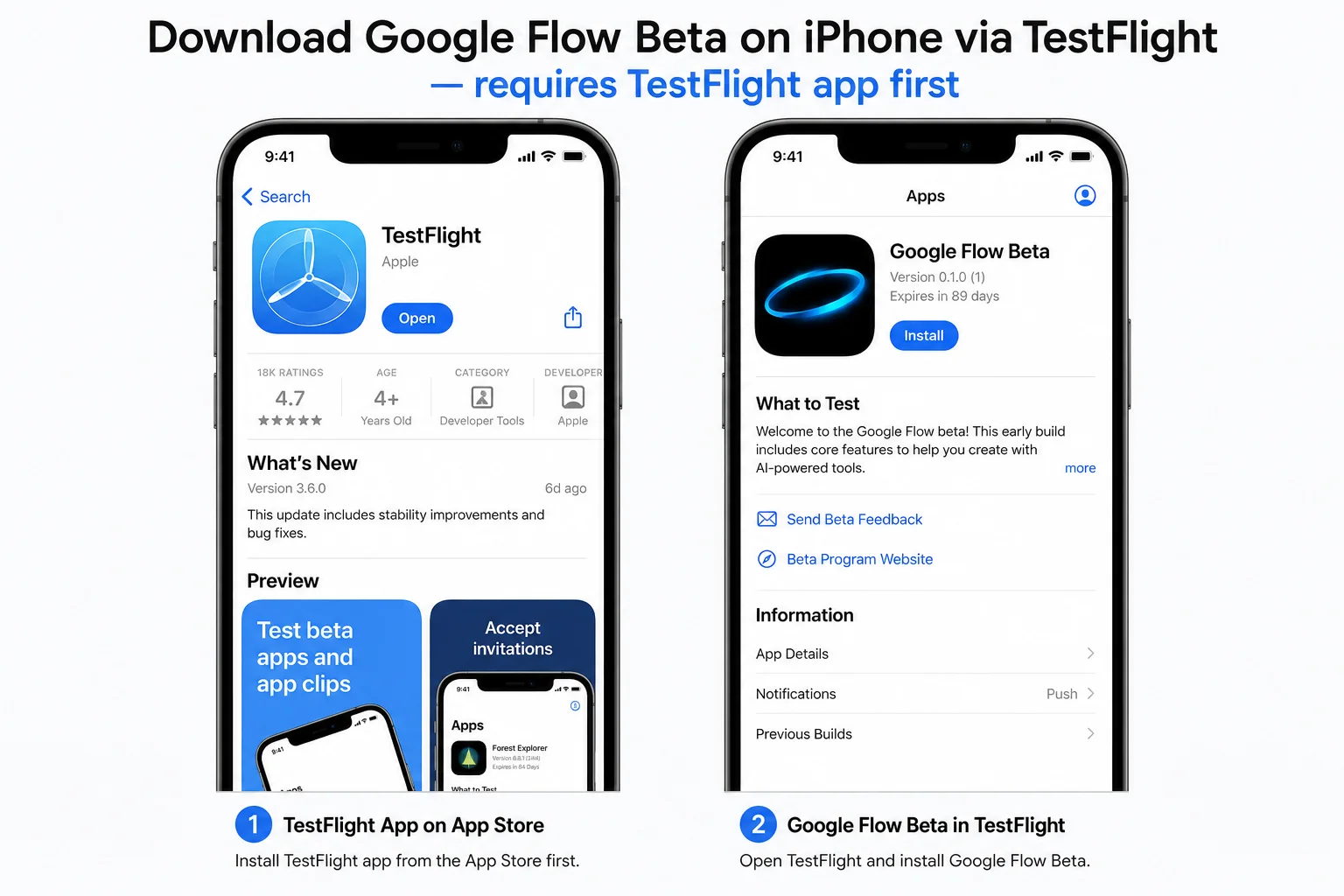
The iPhone and iPad version of Google Flow Beta works differently from Android — it’s distributed through Apple’s TestFlight platform rather than the regular App Store.
TestFlight is Apple’s official system for distributing beta apps before they’re ready for the main App Store. It’s completely safe and official.
Step-by-step iPhone/iPad download:
Step 1: First, you need the TestFlight app itself. Open the App Store on your iPhone and search for “TestFlight.” Download and install it — it’s free and made by Apple.
Step 2: Once TestFlight is installed, you need to join the Google Flow Beta program. Open your Safari browser on your iPhone and go to this link: testflight.apple.com/join/zWNZTE2X
Step 3: The link will open in TestFlight automatically. Tap “Accept” to join the Google Flow Beta program.
Step 4: Tap “Install” to download Google Flow Beta to your iPhone.
Step 5: Once installed, open the app and sign in with your personal Google account.
Important notes for iPhone users:
- If the TestFlight link shows “This beta is full” — Google has reached the maximum number of beta testers for that slot. Check back in a few days as Google regularly opens new slots.
- The TestFlight link is a public beta invite — no special code or invitation email is required.
- Beta apps on TestFlight expire and need to be updated periodically — TestFlight will notify you when an update is available.
iOS status as of June 2026: The Google Flow Beta iOS version is actively maintained. Google Flow Music (Lyria 3 Pro for AI music generation) is also available for iPhone through the App Store separately. Our Google Flow AI Mobile App guide has the latest iOS availability details.
What’s Inside the Google Flow Beta App
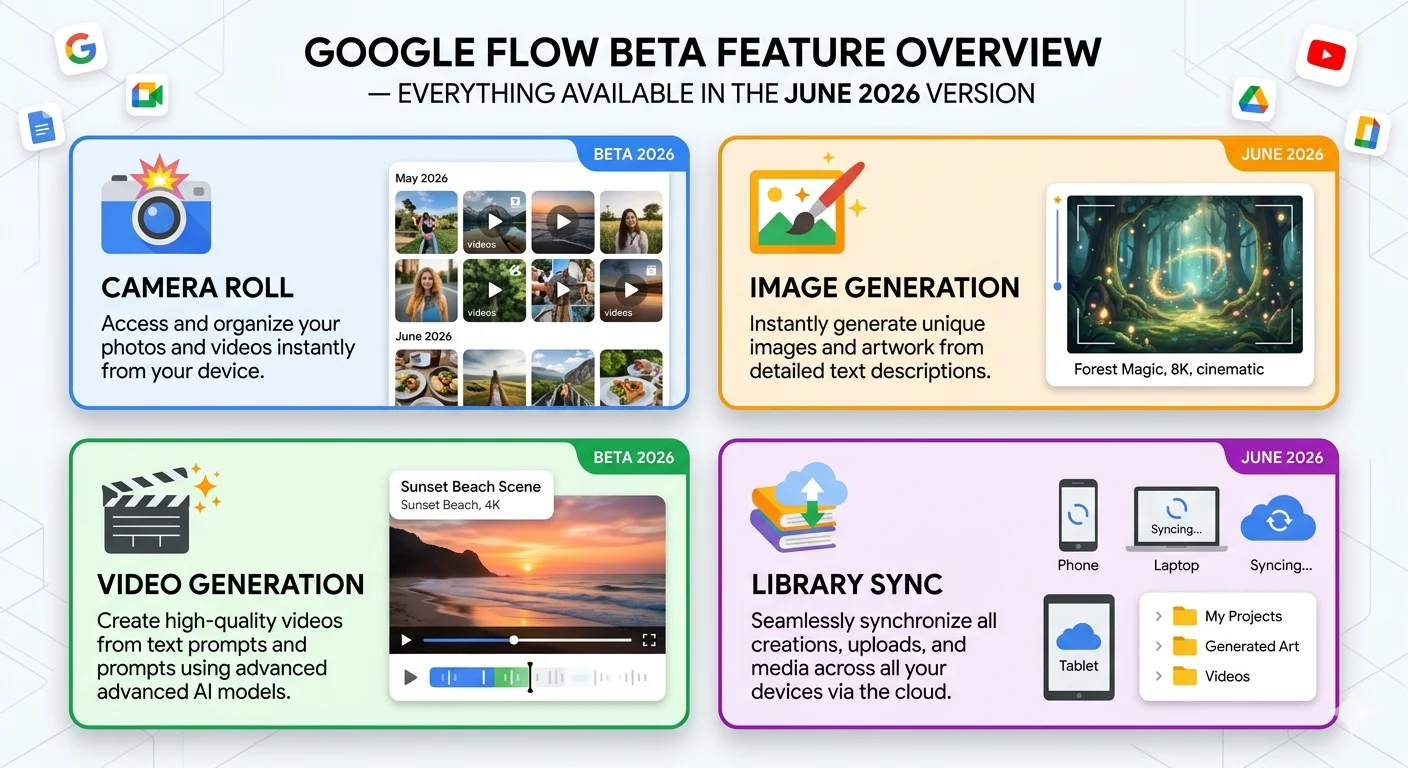
Here’s what’s available in the current Google Flow Beta (version 1.459.0, June 2026):
Camera Roll and Live Camera: This is the feature that makes the mobile app genuinely different from the desktop experience. You can upload photos directly from your phone’s camera roll as reference inputs — or take a live photo with your camera and use it immediately in a generation. This is perfect for the Ingredients to Video workflow — take a photo of yourself or a subject, then instantly use it as a generation input.
Image Generation — Free: Full Imagen 4 image generation from text prompts, completely free with no daily limit. Type a description, get four image variations. Same quality as the desktop version.
Video Generation — Requires AI Plus: Full Veo 3.1 video generation with native audio. Same models, same quality as desktop. Requires Google AI Plus subscription ($19.99/month, approximately Rs. 1,400/month in Pakistan).
Unified Library: All your generated images and videos sync between the app and your desktop Flow AI account. Start a project on your laptop, continue it on your phone. Everything stays in one place.
Background Generation with Notifications: Start a video generation, close the app, and do something else. When the generation finishes, you get a push notification. This is genuinely useful — video generation can take 1-2 minutes, and the app lets you move on instead of waiting.
Download and Share: Download any generated image or video directly to your phone’s camera roll with one tap. Share instantly to WhatsApp, Instagram, TikTok, or any other app.
Free vs Paid — What You Can Do Without Paying
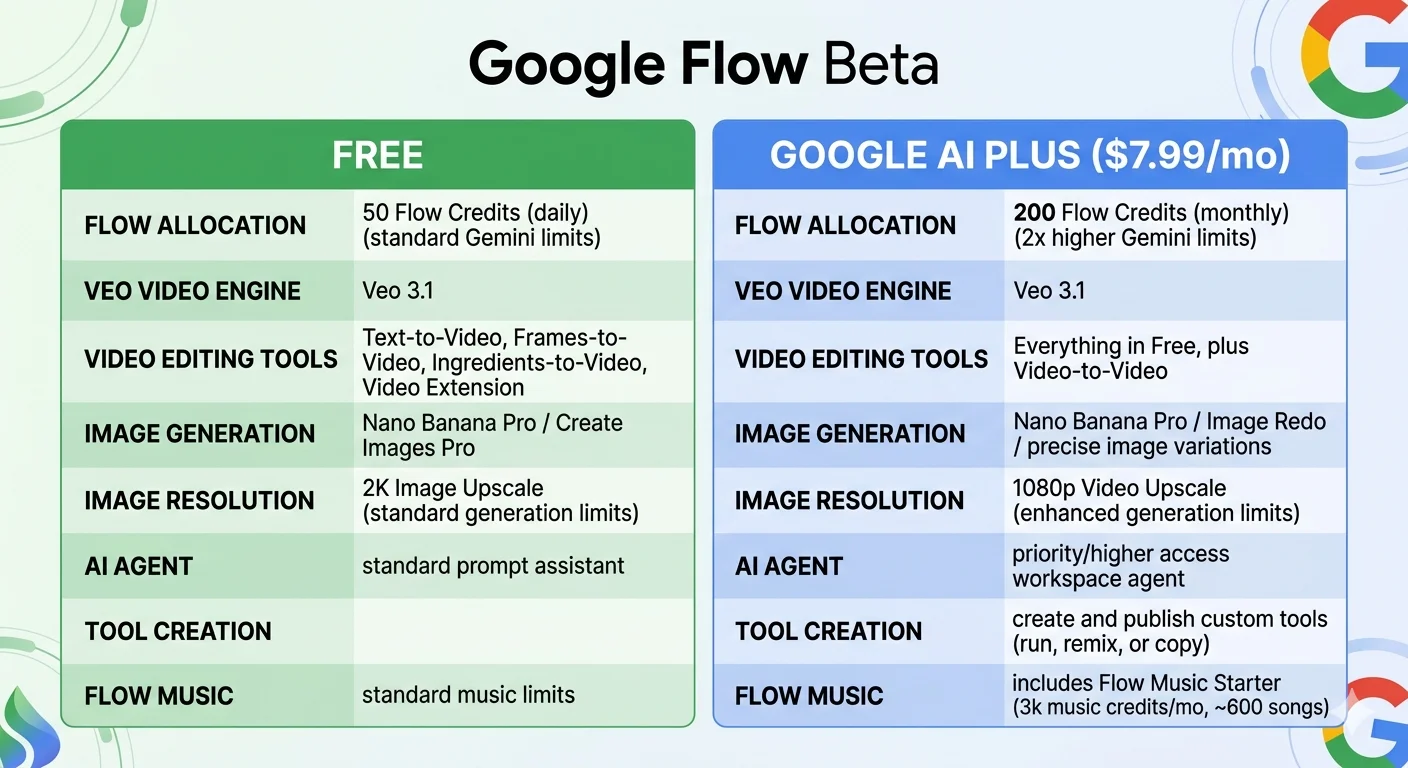
| Feature | Free | Google AI Plus ($19.99/mo) |
|---|---|---|
| Download the app | ✅ Free | ✅ |
| Image generation (Imagen 4) | ✅ Unlimited | ✅ Unlimited |
| Camera roll uploads | ✅ | ✅ |
| Live camera capture | ✅ | ✅ |
| Library sync with desktop | ✅ | ✅ |
| Background notifications | ✅ | ✅ |
| Video generation (Veo 3.1) | ❌ | ✅ |
| Video with native audio | ❌ | ✅ |
| Ingredients to Video | ❌ | ✅ |
| Gemini Avatar | ❌ | ✅ |
| Flow Agent | Basic | ✅ Full |
| Veo 3.1 Lite (low priority) | ✅ Limited | ✅ |
Bottom line: The free version of the Google Flow Beta app is genuinely useful. Unlimited image generation from your phone — plus the ability to use your camera roll as input — is a real workflow. You don’t need to pay anything to start experimenting.
For video generation, you need Google AI Plus. For Pakistan payment options, see our Pakistan access and pricing guide.
How to Use Google Flow Beta — First 10 Minutes
You’ve downloaded the app. Here’s what to do in your first 10 minutes to get comfortable:
Minute 1-2: Generate your first image Open the app. Tap the image generation option. Type a simple description: “A cup of chai on a wooden table, morning light, warm tones, photorealistic” Tap Generate. Watch Imagen 4 create four variations in about 15 seconds. Tap any one to download it.
Minute 3-4: Use a photo from your camera roll Tap the camera roll icon in the generation area. Select a photo of something you find interesting — your hand, a plant, a product, anything. Add a style description like “watercolor illustration, soft edges” and generate. See how Imagen 4 interprets your real photo in a new style.
Minute 5-6: Try the live camera Tap the live camera option. Point your phone at something in front of you. Take the photo. Add a prompt and generate. You’ve just gone from real world → AI image in under a minute.
Minute 7-8: Check your library Tap the Library section. See all your generated images organized by session. If you’ve used Flow AI on desktop before, those generations should sync here too.
Minute 9-10: Download and share Long-press or tap any image in your library. Tap Download to save it to your camera roll. Then share it directly to WhatsApp, Instagram Stories, or any other app.
That’s the core workflow. Once you’re comfortable with images, upgrading to AI Plus for video opens up the full Veo 3.1 experience including native audio generation.
For a complete walkthrough of every Flow AI feature — including the Ingredients to Video system and Gemini Avatar — see our Google Flow AI Tutorial.
Troubleshooting — Common App Problems and Fixes
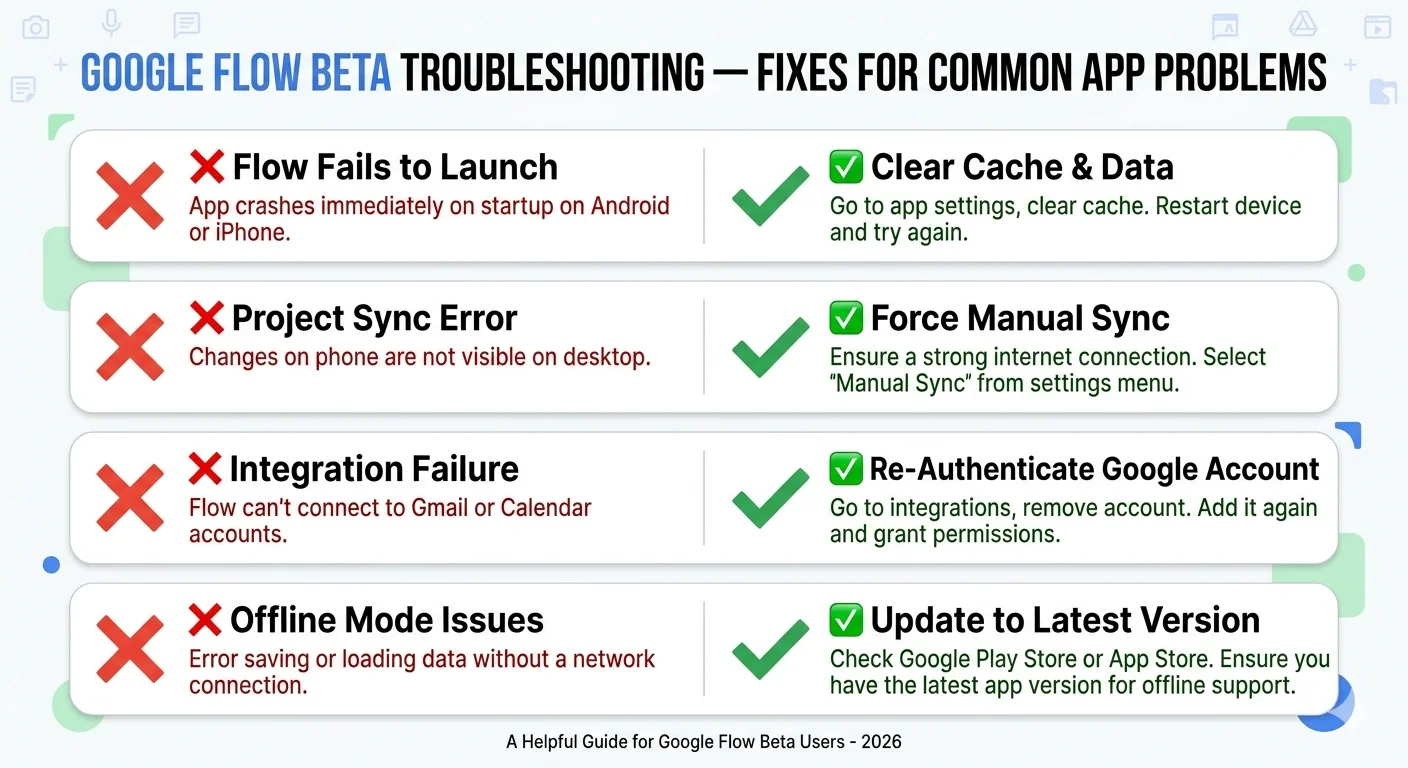
Problem: App not showing in Play Store search The app may not appear in all regions or on older Android versions. Try searching for the exact package name: com.google.android.apps.labs.whisk in your Play Store browser. Alternatively, access the direct Play Store link from your phone’s browser.
Problem: “This beta is full” on TestFlight (iPhone) Google limits the number of beta testers at any given time. When slots fill up, the TestFlight link shows this message. Check back after 2-3 days — Google regularly opens new slots as existing testers leave or as the beta expands.
Problem: App crashes on opening Make sure your Android is version 12L or higher. Go to Settings → About Phone → Android Version to check. If your Android is older than 12, the app won’t run stably.
Problem: Signed in but can’t generate anything Make sure you’re signed in with a personal Gmail account, not a Google Workspace (school/work) account. Sign out from the app settings, then sign back in with your personal account.
Problem: Generation fails immediately Check your credit balance in the app settings. If credits are at zero, video generation will fail. Switch to Veo 3.1 Lite (zero credits) or wait for your monthly credit refresh. Full details in our Google Flow generation failed fix guide.
Problem: App very slow or lagging Close other heavy apps running in the background. Make sure you have a stable internet connection — video generation requires a consistent connection. Try switching from WiFi to mobile data or vice versa if one is slow.
Problem: Library not syncing with desktop Make sure you’re signed into the same Google account on both the app and at flow.google on desktop. Pull down to refresh the library screen. If sync still fails, sign out and back in on the app.
Is Google Flow Beta Safe? What Does Beta Mean?
A common question — especially from users who have never downloaded a beta app before.
“Beta” means the app is in active testing, not that it’s unsafe. Google has published this app officially on the Google Play Store and Apple TestFlight — both of which require apps to meet strict security standards before being listed.
The Google Flow Beta app is:
- Published by Google Labs — the official Google research division
- Listed on the official Google Play Store — not a third-party APK site
- Available on Apple TestFlight — Apple’s official beta distribution platform
- Downloaded over 1.5 million times as of June 2026
What “beta” actually means for you:
- Features may change or be added/removed as Google updates the app
- You may encounter occasional bugs that wouldn’t exist in a final release
- The app updates frequently — check for updates regularly in your Play Store
- Feedback from beta users shapes the final version — if you find a bug, Google wants to know
Should you avoid APK downloads? Some sites offer Google Flow Beta as an APK download (Android Package file) that you install directly without going through the Play Store. We strongly recommend avoiding these. The official Play Store version is always safer — verified by Google and automatically updated. The APK on APKMirror (version 1.434.9) is already outdated compared to the latest Play Store version (1.459.0).
Always download from the official sources:
- Android: Google Play Store
- iPhone: TestFlight
Google Flow Beta vs Desktop Flow AI — What’s Different?
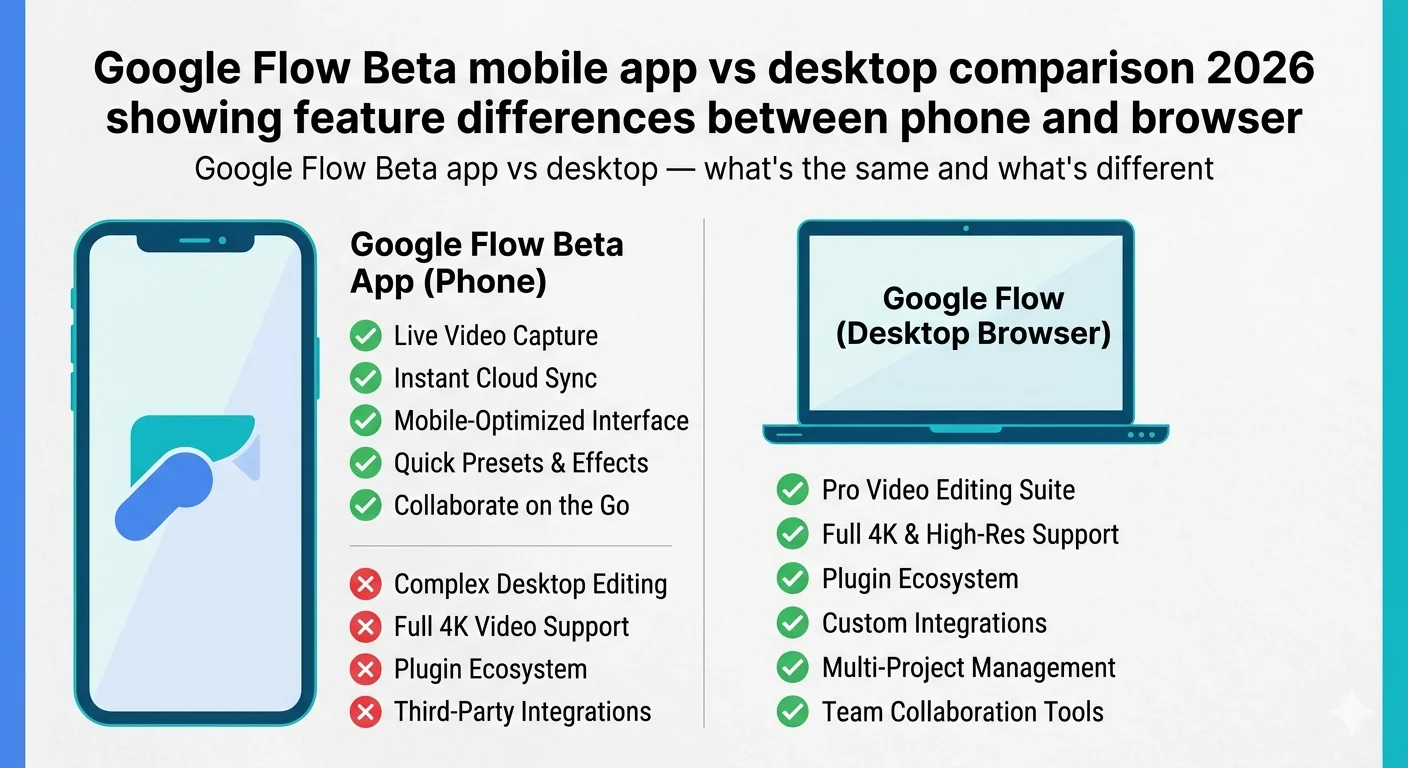
| Feature | Mobile App (Beta) | Desktop (flow.google) |
|---|---|---|
| Image generation | ✅ | ✅ |
| Video generation | ✅ | ✅ |
| Camera roll upload | ✅ Mobile only | ❌ (upload file instead) |
| Live camera capture | ✅ Mobile only | ❌ |
| Ingredients to Video | ✅ | ✅ |
| Scene Extension | Limited | ✅ Full |
| Add/Remove Object | Limited | ✅ Full |
| Gemini Avatar setup | ✅ (face scan on phone) | Limited |
| Flow Agent | ✅ | ✅ |
| Flow Music | Separate app | ✅ |
| Video timeline editor | Limited | ✅ Full |
| Background notifications | ✅ Mobile only | ❌ |
| Upscaling | Limited | ✅ Full |
The mobile advantage: Camera roll integration and live camera capture are genuinely mobile-exclusive features that change your workflow. Taking a photo of yourself or something around you and immediately using it in a generation is a workflow that doesn’t exist on desktop.
The desktop advantage: The full editing suite — Scene Extension, Add/Remove Object, video timeline, upscaling — is more complete on desktop. For serious production work, desktop remains the primary environment.
The ideal setup: use the mobile app for quick experiments, ideas, and camera-based inputs. Use desktop for refined production work on larger projects.
Frequently Asked Questions
Q: Is Google Flow Beta free to download?
Yes, completely free to download on both Android (Play Store) and iPhone (TestFlight). Image generation inside the app is also free with no daily limit. Video generation requires Google AI Plus at $19.99/month.
Q: What Android version do I need for Google Flow Beta?
Android 12L or higher. Check your Android version in Settings → About Phone → Android Version.
Q: Is Google Flow Beta available in Pakistan?
Yes. The app is available in Pakistan on the Google Play Store without any VPN or special requirements. Search “Google Flow Beta” and install directly.
Q: How do I download Google Flow Beta on iPhone?
You need the TestFlight app first (free on App Store). Then visit testflight.apple.com/join/zWNZTE2X on your iPhone to join the beta and install the app.
Q: What is the difference between Google Flow Beta and the regular Google Flow app?
Currently, the mobile app is only available as a Beta version. There is no separate “regular” (non-beta) mobile app yet — the Beta is the current mobile release. The desktop version at flow.google is the full release.
Q: Can I use the app without a Google AI Plus subscription?
Yes. Free users get unlimited image generation, camera roll uploads, and library sync. Video generation requires a paid subscription.
Q: Is it safe to download the Google Flow Beta APK from third-party sites?
We strongly recommend avoiding third-party APK downloads. The official Play Store version is always safer, more current, and automatically updated. The APKMirror version available is already outdated.
Q: My phone says “not compatible with your device.” What do I do?
This usually means your Android version is below 12L, or your device’s processor architecture isn’t supported (the app requires arm64-v8a or arm-v7a). If your phone is more than 4-5 years old, it may not meet the requirements.
Q: Will Google Flow Beta become a permanent app or will it stay beta?
Google hasn’t announced a specific timeline for moving from Beta to full release. Given the 1.5 million downloads and active June 2026 updates, the app is clearly a priority. We’ll cover any announcements on our News & Updates page.
Q: Does Google Flow Beta work in the background?
Yes — this is one of the app’s key features. You can start a generation, minimize the app, and do something else. The app sends a push notification when your image or video is ready.
Final Thoughts — Download It Now, It’s Free
There’s genuinely no reason to delay downloading Google Flow Beta. It’s free, it’s safe, it’s from Google, and the free image generation alone is worth having on your phone.
The camera roll integration changes how you think about AI generation. Instead of describing everything in text, you can photograph the real world around you and let Imagen 4 interpret it — faster, more personal, and more interesting than starting from a blank prompt every time.
Download it right now:
Android: Search “Google Flow Beta” in the Play Store, or use the direct link: play.google.com/store/apps/details?id=com.google.android.apps.labs.whisk
iPhone: Install TestFlight first, then join the beta: testflight.apple.com/join/zWNZTE2X
And when you’re ready to explore everything Google Flow AI can do beyond the app — from Veo 3.1 video with audio to Ingredients to Video to Gemini Avatar — WhiskAILabs has the complete guide for every feature.
Related Articles on WhiskAILabs:
- Home — WhiskAILabs.net
- Google Flow AI Mobile App Complete Guide
- What Is Google Flow AI?
- Google Flow AI Tutorial — Step by Step
- Veo 3.1 Update 2026 — All New Features
- Ingredients to Video with Audio Guide
- Gemini Avatar in Google Flow AI
- Google Flow AI I/O 2026 Update
- Google Flow Generation Failed Fix
- Google Flow Not Available In Your Country Fix
- Pakistan Access Guide for Google AI
- Best Google Flow AI Prompts 2026
- Google Flow AI Pricing 2026
- News & Updates — WhiskAILabs
Official External Sources:















