
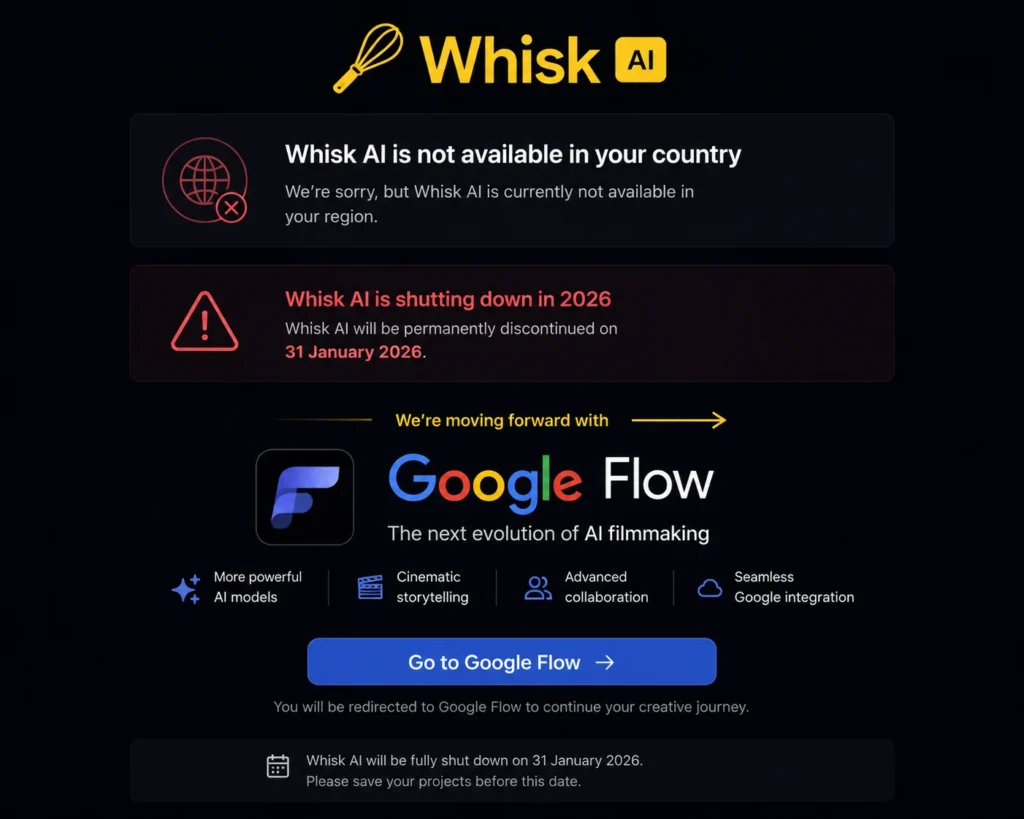
Whisk AI Not Available In Your Country — The Real Reason in 2026 (And What to Do Now)
“Whisk isn’t available in your country yet.”
Or maybe a blank page. Or a redirect that goes nowhere. Or an error that no amount of cache clearing seems to fix.
Before you spend the next hour trying VPNs and browser tricks — there’s something important you need to know first.
Google Whisk AI permanently shut down on April 30, 2026.
The “not available in your country” message you’re seeing isn’t a geographic block that a VPN can fix. The tool itself no longer exists. No browser fix, no VPN, no account trick will bring Whisk AI back — because the servers have been turned off and the service has ended.
But here’s the good news: everything Whisk AI could do now lives inside Google Flow AI — and in most cases it works better than Whisk ever did. This guide explains exactly what happened, why you’re seeing this error, and the precise steps to get back to creating right now.
What Actually Happened to Google Whisk AI?
Google Whisk AI launched in December 2024 as an experimental tool inside Google Labs. It became instantly popular for its unique Ingredients system — where you uploaded a Subject, Scene, and Style image and the AI blended them into something new. Millions of creators used it for portraits, illustrations, product images, and creative experiments.
Then came the announcement.
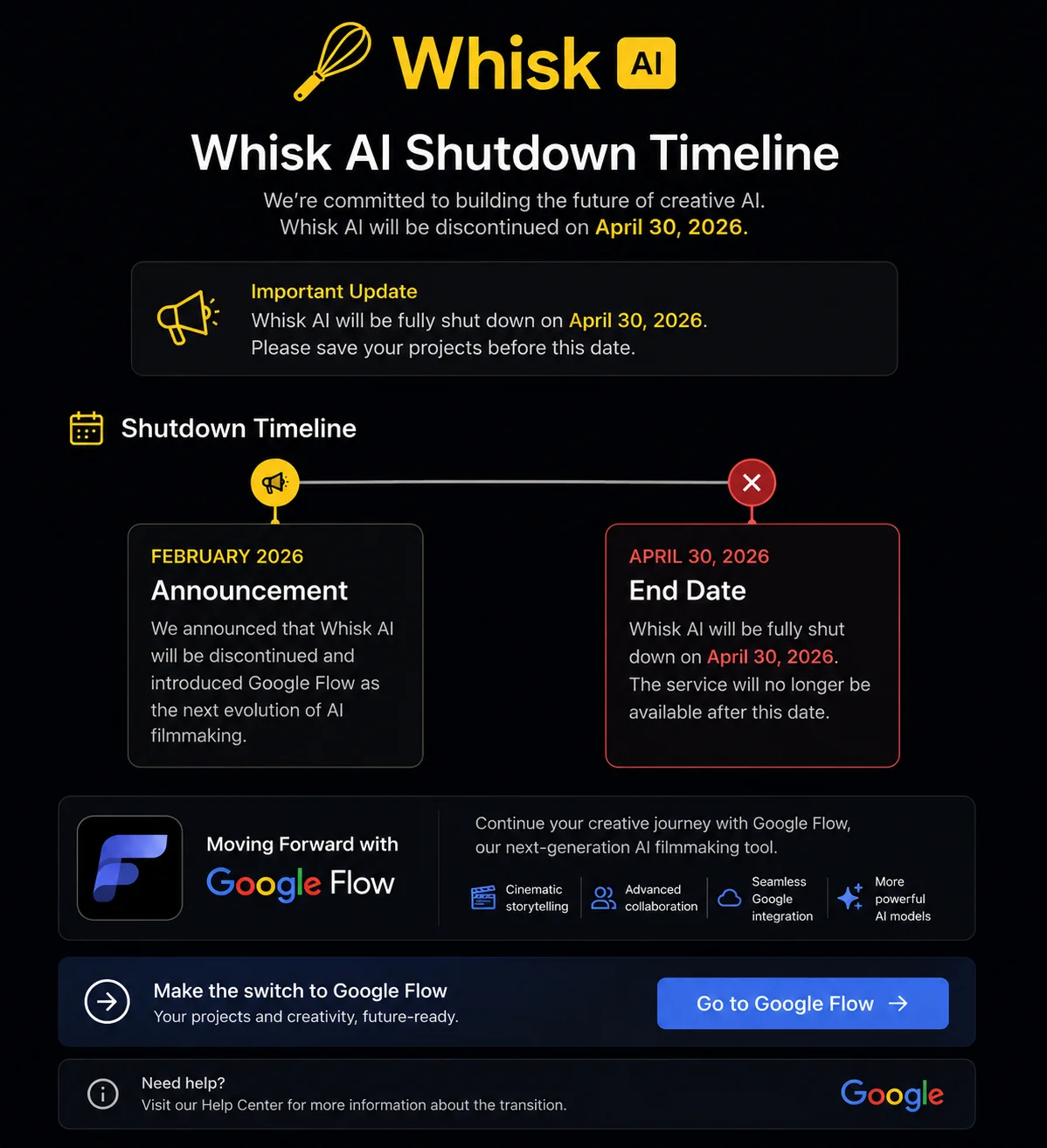
On February 25, 2026, Google Labs officially announced that Whisk AI, ImageFX, and Google Flow would all merge into a single unified creative platform. The standalone Whisk tool would be retired.
The shutdown happened in stages:
- February 25, 2026 — Shutdown announced. Migration path opened.
- March 2026 — Google allowed users to migrate their Whisk projects to Flow.
- Early April 2026 — New image generation in Whisk was disabled. Existing images could still be viewed and downloaded.
- April 30, 2026 — Whisk AI fully shut down. The URL stopped working. All images not previously downloaded were permanently deleted.
- May 1, 2026 — The labs.google/whisk URL began redirecting to Flow AI for users in supported countries and showing a service-ended message for everyone else.
Today, visiting any Whisk AI URL shows either a redirect to flow.google or an error message. This is not a fixable technical problem. It is a permanent shutdown.
Why Does It Say “Not Available In Your Country” Instead of “Shut Down”?
This is the part that confuses most people — and the reason this article exists.
When Whisk AI shut down, it didn’t replace itself with a single universal “this tool is closed” page. Instead, it shows different messages depending on where you are:
If you’re in a Flow AI supported country (Pakistan, India, US, and 146+ others): The old Whisk URL redirects you to flow.google. You may see a brief message about Whisk closing before being redirected.
If you’re in a country where Flow AI isn’t available (most EU countries, and some others): You see the “not available in your country” message — because the redirect destination (Flow AI) isn’t accessible to you, and the old Whisk tool no longer exists. You’re effectively seeing a dead end.
If you have an old cached page: Your browser may still be showing the Whisk “not available” page it cached from a previous visit — even if your situation has changed.
So the error message is technically accurate: Whisk AI is not available in your country — or anywhere else, for that matter. It’s just that most people see this and assume it’s a geographic restriction they can bypass, when actually the tool is simply gone for everyone.
Can a VPN Fix the Whisk AI “Not Available” Error?
No. And this is worth being very clear about.
A VPN helps when a tool exists but is blocked in your geographic region. It routes your traffic through a different country so the tool’s servers see a different location and grant you access.
Whisk AI’s servers are offline. There’s no destination to route your traffic to. A VPN connecting you to a US server would simply hit the same dead end with a US IP address instead of your real one.
No VPN, cache clearing, or browser fix will bring Whisk back because the tool no longer exists as a standalone product.
If you see anyone online claiming a VPN fix for Whisk AI in 2026 — that information is outdated, written before the April 30 shutdown. It no longer applies.
What You Should Do Instead — The Complete Solution
The complete solution is to move to Google Flow AI at flow.google. This is not a workaround or a compromise — it’s where Google intentionally moved everything Whisk AI offered, plus significantly more.
Here’s exactly how to get started.
Step 1: Go to Google Flow AI
Open your browser and go to flow.google. This is the direct URL — bookmark it, because this is your new home for everything Whisk AI used to do.
Do not use any variation of the old labs.google/whisk URL. Those URLs either redirect to Flow or show error pages. Always use flow.google directly.
If you see a “not available in your country” message at flow.google itself, scroll down to the Country Access section of this article — that’s a separate issue we cover there.
Step 2: Sign In With Your Personal Google Account
Sign into your personal Gmail account — the same one you used for Whisk AI. If you used a school or work Google Workspace account for Whisk, try switching to a personal @gmail.com account instead, as Workspace accounts sometimes have restrictions on Google Labs tools.
Step 3: Find the Ingredients Feature in Flow AI
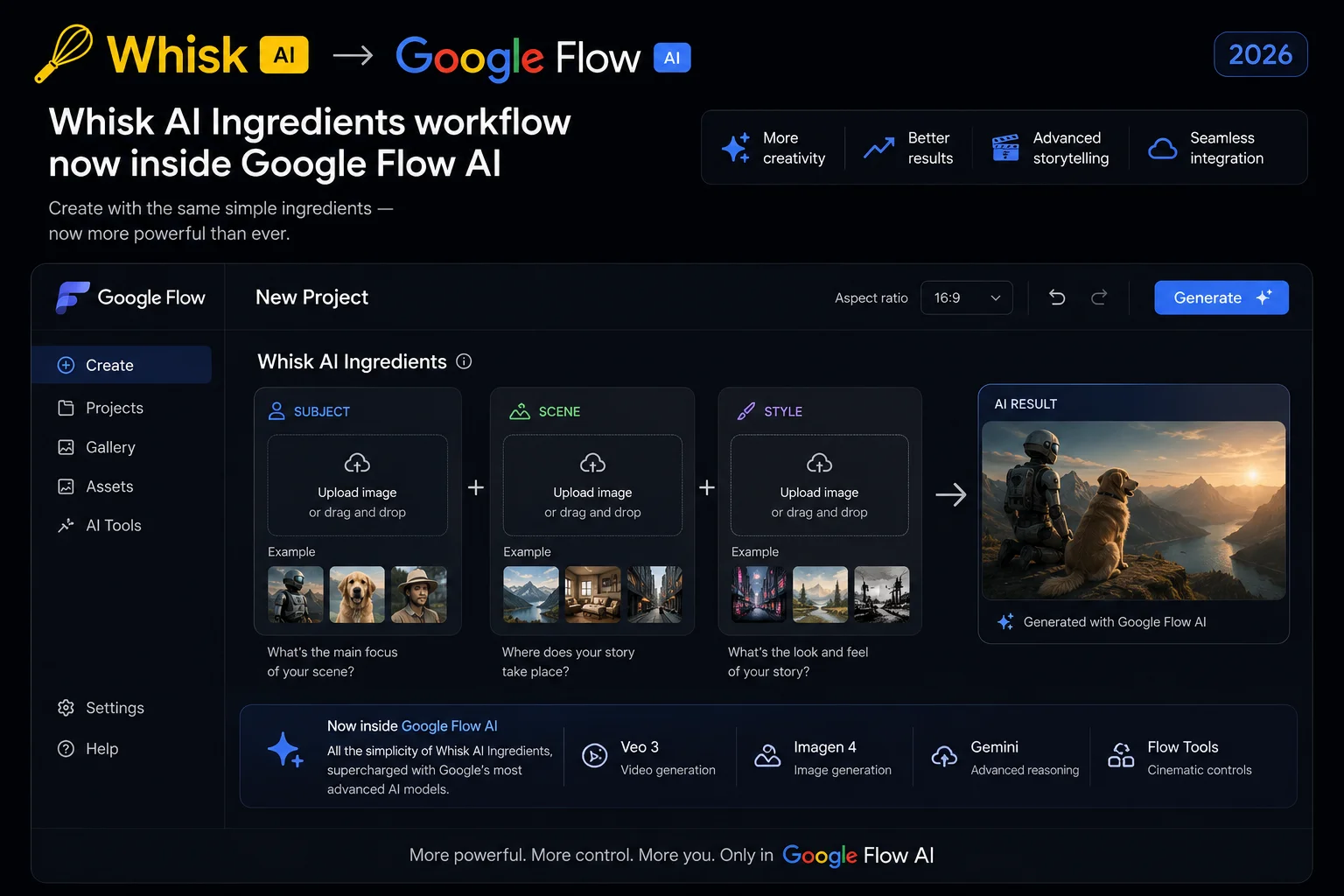
The feature that made Whisk AI special — the Ingredients system where you upload a Subject, Scene, and Style — is alive and fully functional inside Google Flow AI. Here’s where to find it:
In the Flow AI interface, look for the Ingredients panel. It appears in the sidebar or as a section within the image creation area. You’ll see the familiar three-slot upload system: Subject, Scene, and Style.
Click each slot to upload your reference images, then click Generate. The result is created by Imagen 4 — an upgraded version of the model that powered Whisk AI — so the output quality is actually better than what Whisk produced.
For a complete walkthrough of the Ingredients system inside Flow AI, see our What Is Google Whisk AI guide which covers how the workflow translates into Flow AI.
Step 4: Understand What’s New (And What’s Different)
Flow AI inherited everything from Whisk and added more. Here’s a side-by-side comparison so you know what changed:
| Feature | Whisk AI (Gone) | Google Flow AI (Now) |
|---|---|---|
| Subject + Scene + Style | ✅ Yes | ✅ Yes — same system |
| Image generation (Imagen) | Imagen 3 | ✅ Imagen 4 — better quality |
| Sticker / Plushie presets | ✅ One-click buttons | Type in prompt instead |
| Video generation | Limited | ✅ Full Veo 3.1 with audio |
| Ingredients to Video | ❌ No | ✅ Yes — with audio |
| Editing tools | ❌ No | ✅ Add/Remove object, extend |
| Gemini Avatar | ❌ No | ✅ Yes |
| Free image generation | ✅ Yes | ✅ Yes — unlimited |
| URL | labs.google/whisk | flow.google |
The one thing that genuinely changed is the one-click style preset buttons — Sticker, Plushie, Enamel Pin, and similar options that Whisk had as dedicated buttons don’t exist as buttons in Flow AI. But the underlying styles still work perfectly — you just add the style description to your text prompt:
- “sticker style with white border and bold outline”
- “soft plushie texture, cute character design”
- “enamel pin with thick black outline and flat colors”
- “watercolor illustration style, soft edges”
The Imagen 4 model inside Flow AI handles all of these styles accurately. Our Whisk AI prompts guide has 100+ tested prompts that work directly in Flow AI.
Step 5: Recover Your Old Whisk AI Images (If You Haven’t Already)
If you had images saved in Whisk AI that you didn’t download before April 30, 2026 — we have to be honest with you: those images are permanently gone.
All media not migrated or downloaded before the deadline have been permanently deleted from the servers, with no possibility of later recovery.
No support ticket, no account recovery process, and no third-party service can retrieve them. Anyone claiming to offer “post-shutdown Whisk AI recovery” is running a scam — treat those claims with extreme skepticism.
The only path forward is to recreate your content inside Google Flow AI using the same prompts and ingredient combinations you remember, or new ones. The Imagen 4 model in Flow AI will produce similar or better quality than what you had in Whisk.
If You’re in a Country Where Flow AI Also Isn’t Available
This is the situation Google’s own announcement warned about before the shutdown — users in countries where Flow AI isn’t available who depended on Whisk AI.
Google’s own announcement states it plainly: “Flow is not yet available in all countries. Users in unsupported regions will lose access to Whisk on April 30, 2026 without a migration path.”
If you’re in an EU country, UK, or another region where Flow AI has geographic restrictions, you have two options:
Option A: Use a VPN to access Google Flow AI. Unlike Whisk AI (which is permanently gone and can’t be VPN-accessed), Google Flow AI still exists and is genuinely accessible via VPN. Connect to a US server using any reputable VPN (ProtonVPN has a free tier), then go to flow.google. Our Google Flow not available in your country fix guide has the full step-by-step process.
Option B: Use Google ImageFX as a free alternative. Google ImageFX at labs.google/fx is available in more countries than Flow AI — including the UK — and is completely free. It doesn’t have the full Ingredients system but produces excellent image quality from text prompts using Imagen 4. Our ImageFX not available fix guide covers access issues for ImageFX.
Option C: Use a Whisk AI alternative tool. Several third-party tools offer similar functionality to what Whisk AI provided. Our Whisk AI alternatives guide covers the best options available globally, including tools that work in EU countries without a VPN.
What About My Whisk AI Account and Credits?
Your Google account: Your Google account itself is unchanged. Whisk AI was a tool you accessed with your account, not a separate account — your Gmail continues to work normally.
Your AI credits: Google AI credits transferred automatically to Google Flow AI. If you had a Google AI Plus or Ultra subscription that included Whisk AI access, your subscription now covers Flow AI access at the same tier. Log into flow.google with the same Google account and your credits should be reflected.
Your subscription: If you were paying for a Google AI subscription that included Whisk AI, that subscription continues — now covering Google Flow AI and all its features. The pricing didn’t change with the migration.
If you have billing questions or notice a discrepancy in your credits after the migration, contact Google Support through your Google account settings.
Frequently Asked Questions
Q: Is Whisk AI coming back?
No. The shutdown is permanent. The servers have been turned off and the data has been deleted. Google has confirmed there is no legacy version, no snapshot, and no planned return of the standalone Whisk tool.
Q: Will a VPN bring back Whisk AI?
No. Whisk AI’s servers are offline. A VPN cannot connect you to a server that no longer exists. VPNs only help when a service exists but is blocked in your region — Whisk AI is not blocked, it is shut down.
Q: Where do I go now instead of Whisk AI?
Go to flow.google. The Ingredients system (Subject + Scene + Style), image generation, and all other Whisk features are there — powered by a newer model and with significantly more capabilities added.
Q: Is Google Flow AI free like Whisk AI was?
Image generation in Google Flow AI is completely free with no daily limit restrictions — the same as Whisk AI was. Video generation requires Google AI Plus ($19.99/month). So if you only used Whisk AI for images, your workflow in Flow AI costs nothing.
Q: Can I still make Sticker and Plushie images in Flow AI?
Yes — just not with one-click buttons. Add the style to your text prompt: “sticker style with white border,” “soft plushie texture,” etc. The Imagen 4 model handles these styles accurately. See our Whisk AI prompts guide for exact prompts that work.
Q: I’m in the EU and Whisk AI worked before. Why doesn’t Flow AI work now?
Whisk AI had broader geographic availability than Google Flow AI. When Whisk shut down and everything moved to Flow, EU users who previously had Whisk access lost access because Flow has stricter geographic restrictions in Europe. Use a VPN (Fix 4 in our Flow AI country fix guide) or try Google ImageFX as a partial alternative.
Q: My old Whisk AI bookmarks just show a blank page. Is this fixable?
The blank page appears because the old URL (labs.google/whisk) no longer has a destination. Clear your browser cache — press Ctrl+Shift+Delete, select all options, clear — and then navigate directly to flow.google. Update your bookmarks to the new URL.
Q: What happened to my Whisk AI images?
All images not downloaded before April 30, 2026 were permanently deleted. There is no recovery option. Google confirmed this clearly before and after the shutdown. See our Whisk AI shutdown complete guide for the full story.
Q: Is Google Flow AI better than Whisk AI was?
Objectively, yes — in almost every way. Imagen 4 produces better image quality than Imagen 3. The Ingredients workflow is the same but with video capability added. New features like Veo 3.1 video generation, Gemini Avatar, Flow Agent, and audio generation didn’t exist in Whisk. The main thing missing is the one-click style preset buttons — everything else is better or equal.
The Whisk AI Features You Loved — Where to Find Them in Flow AI
If you came to this article from a “Whisk AI not available” search, you probably want to know exactly where your favorite Whisk features live now. Here’s the complete map:
Ingredients (Subject + Scene + Style) → Flow AI → Ingredients panel in the image creation area
Image generation from text prompt → Flow AI → Main prompt bar in Image mode
Sticker style → Flow AI → Add “sticker style with white border and bold black outline” to your prompt
Plushie style → Flow AI → Add “soft plushie texture, cute stuffed animal aesthetic” to your prompt
Enamel Pin style → Flow AI → Add “enamel pin design, thick black outline, flat bold colors” to your prompt
Watercolor style → Flow AI → Add “watercolor illustration, soft flowing edges, painterly” to your prompt
Downloading images → Flow AI → Click any generated image → download icon (same as Whisk)
Video from Ingredients → Flow AI → Switch to Video mode with Ingredients → NEW feature Whisk never had
For a full guide on recreating your Whisk AI workflow inside Flow AI, our Whisk AI to Flow AI migration guide covers every step in detail.
Final Thoughts — Whisk Is Gone, But You Haven’t Lost Anything
Losing a tool you loved is genuinely frustrating — especially when you had a creative workflow built around it and it disappears without warning. If that’s where you are right now, that frustration is completely valid.
But the honest truth about this particular situation is that the replacement is better. Google Flow AI at flow.google does everything Whisk AI did, with improved image quality from Imagen 4, and adds a long list of capabilities — video generation, audio, character consistency, Gemini Avatar — that Whisk never had.
The “not available in your country” error you landed on is either a cached old page, a redirect from the dead Whisk URL, or a genuine Flow AI geographic restriction if you’re in the EU. Work through the steps in this guide based on your situation and you’ll be generating in minutes.
Go to flow.google. Sign in with your personal Gmail. Find the Ingredients panel. Upload your Subject, Scene, and Style. The workflow you remember starts there.
Related Articles on WhiskAILabs:
- Whisk AI Shutdown — Full Story and Timeline
- Whisk AI to Flow AI — Complete Migration Guide
- What Is Google Whisk AI? — Ingredients Explained
- Google Flow Not Available In Your Country Fix
- ImageFX Not Available In Your Country Fix
- Whisk AI Prompts — 100+ That Work in Flow AI
- Whisk AI Alternatives 2026
- Google Flow AI Tutorial — Step by Step
- What Is Google Flow AI?
- Google ImageFX Complete Guide
- Pakistan Access Guide for Google AI
- News & Updates — WhiskAILabs
Official External Sources:















