
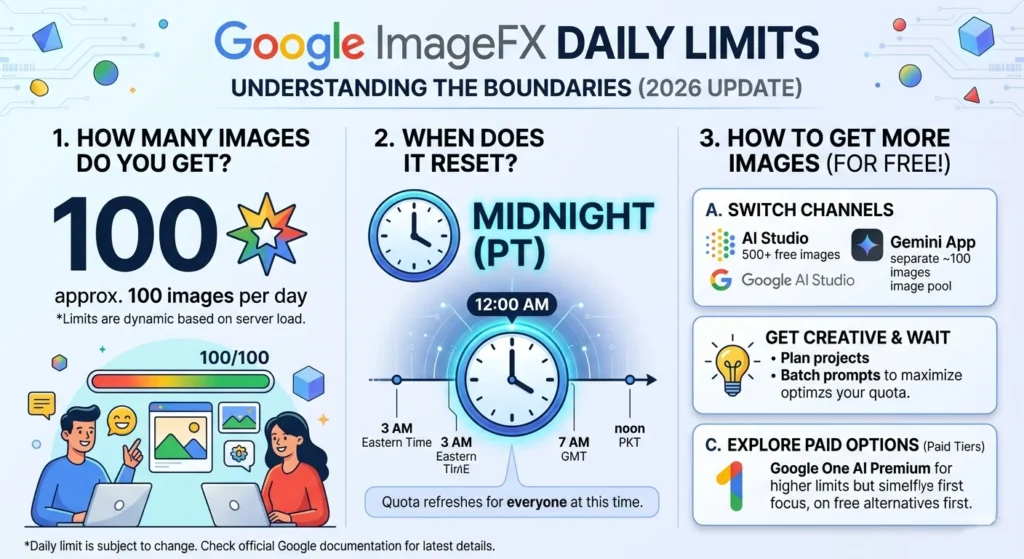
ImageFX Daily Limit Explained | How Many Images, Reset Time & How to Get More 2026
“You’ve reached your daily generation limit.”
Now you’re wondering: how many images do you actually get per day? When exactly does the limit reset? And is there any way to get more generations without waiting?
All of those questions have answers, and this guide covers every single one of them.
The honest truth upfront: Google hasn’t published an exact official number for the ImageFX daily limit. But based on extensive user testing, community reports, and our own experience at WhiskAILabs, we have a very clear picture of what the limits actually are, how they work, and how to make the most of them.
Let’s get into it.
What Is Google ImageFX? (Quick Refresher)
If you landed here directly from a search, here’s a quick one-paragraph background.
Google ImageFX is a free AI image generator from Google Labs, available at labs.google/fx. It’s powered by Imagen 4 — the same image model used inside Google Flow AI — and produces high-quality images from text descriptions with no subscription, no credit card, and no watermarks on downloads.
It’s completely free, which is exactly why the daily limit question comes up so much — people love the tool and want to use it as much as possible.
For a complete overview of everything ImageFX can do, see our Google ImageFX complete guide. And if you’re having trouble accessing ImageFX at all, our ImageFX not available in your country fix guide covers every access issue.
The ImageFX Daily Limit — Exact Numbers for 2026
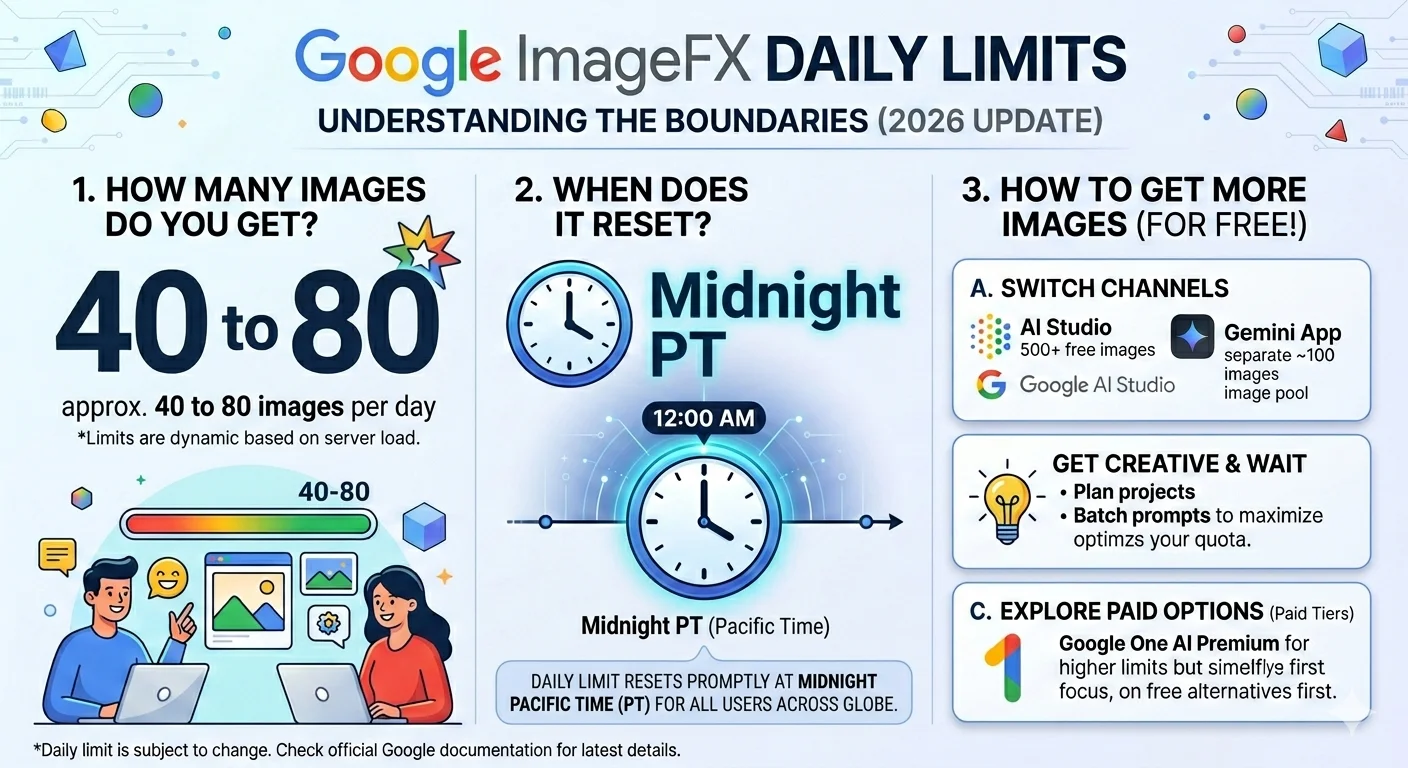
Here’s what the ImageFX daily limit actually looks like based on real-world testing:
Free tier — approximately 40 to 80 images per day.
That range exists because Google doesn’t enforce a single fixed number. The exact limit varies based on:
- Server load — During peak usage hours, Google throttles generation limits more aggressively. During off-peak hours, users often get more generations.
- Account age and history — Older, established Google accounts sometimes receive slightly higher limits than brand-new accounts.
- Region — Some regions report consistently higher limits than others, likely due to regional server capacity.
Here’s the key thing to understand about how ImageFX counts:
Each time you type a prompt and click Generate, ImageFX returns 4 images at once — all four are variations of your prompt. Each prompt counts as one generation request, but it produces 4 images.
So in practical terms:
- 5-7 prompt submissions before hitting the limit at the lower end (20-28 images)
- 10-20 prompt submissions before hitting the limit at the higher end (40-80 images)
Most casual users never hit the limit in a normal day of creative work. The limit becomes noticeable when you’re doing intensive work — generating dozens of product images, experimenting with many prompt variations, or running creative sessions for extended periods.
When Does the ImageFX Daily Limit Reset?
This is the second most common question after “how many images do I get” — and the answer requires a bit of explanation because different sources say different things.
The most consistent finding from user reports: the limit resets every 24 hours at midnight UTC.
Here’s what midnight UTC means in Pakistani Standard Time and other common timezones:
| Location | ImageFX Limit Reset Time |
|---|---|
| 🇵🇰 Pakistan (PKT, UTC+5) | 5:00 AM Pakistan time |
| 🇮🇳 India (IST, UTC+5:30) | 5:30 AM India time |
| 🇦🇪 UAE (GST, UTC+4) | 4:00 AM UAE time |
| 🇸🇦 Saudi Arabia (AST, UTC+3) | 3:00 AM Saudi time |
| 🇬🇧 United Kingdom (GMT, UTC+0) | Midnight UK time |
| 🇺🇸 US Eastern (EST, UTC-5) | 7:00 PM Eastern time |
| 🇺🇸 US Pacific (PST, UTC-8) | 4:00 PM Pacific time |
Important note: Some users report that their limit resets 24 hours after their first generation of the day rather than at a fixed midnight UTC time. This rolling reset behavior has been observed by some users, particularly on newer accounts. If your limit resets at an unexpected time, this rolling model may explain it.
The safest approach: if you hit the limit, try again after 5:00 AM Pakistan time (midnight UTC). In most cases you’ll have a fresh allocation.
Why Does Google Have a Daily Limit on a Free Tool?
Completely reasonable question — and understanding the answer helps you use ImageFX more strategically.
Generating AI images is computationally expensive. Each time you submit a prompt to ImageFX, Google’s servers run the Imagen 4 model — a large neural network that requires significant GPU processing power — to create your four image variations. At scale, with millions of users worldwide, this adds up to enormous infrastructure costs.
The daily limit is how Google balances two things: keeping ImageFX genuinely free and accessible for the vast majority of users, while preventing a small number of very heavy users (or automated scripts) from consuming resources that would impact the experience for everyone else.
For the average creator doing personal or professional image generation, the 40-80 image limit is more than enough. The limit primarily affects:
- Automated workflows trying to generate hundreds of images per session
- Commercial operations using ImageFX for large-scale content production
- Power users doing intensive comparative testing across many prompt variations
If you fall into one of these categories, the solutions below are specifically for you.
“You’ve Reached Your Daily Generation Limit” — What the Error Looks Like
When you hit the ImageFX daily limit, you’ll see a message like:
“You’ve reached your daily generation limit. Come back tomorrow to generate more images.”
Or a variation of that message. The exact wording changes occasionally as Google updates the interface.
When you see this:
- The Generate button will be greyed out or disabled
- Typing a new prompt and clicking Generate will show the same error
- Refreshing the page does NOT reset your limit (the limit is tracked server-side, not in your browser)
- Switching browsers does NOT reset your limit (the limit is tied to your Google account)
- Clearing your cache does NOT reset your limit
The only things that actually reset your limit are covered in the next section.
How to Get More ImageFX Generations — Every Working Method
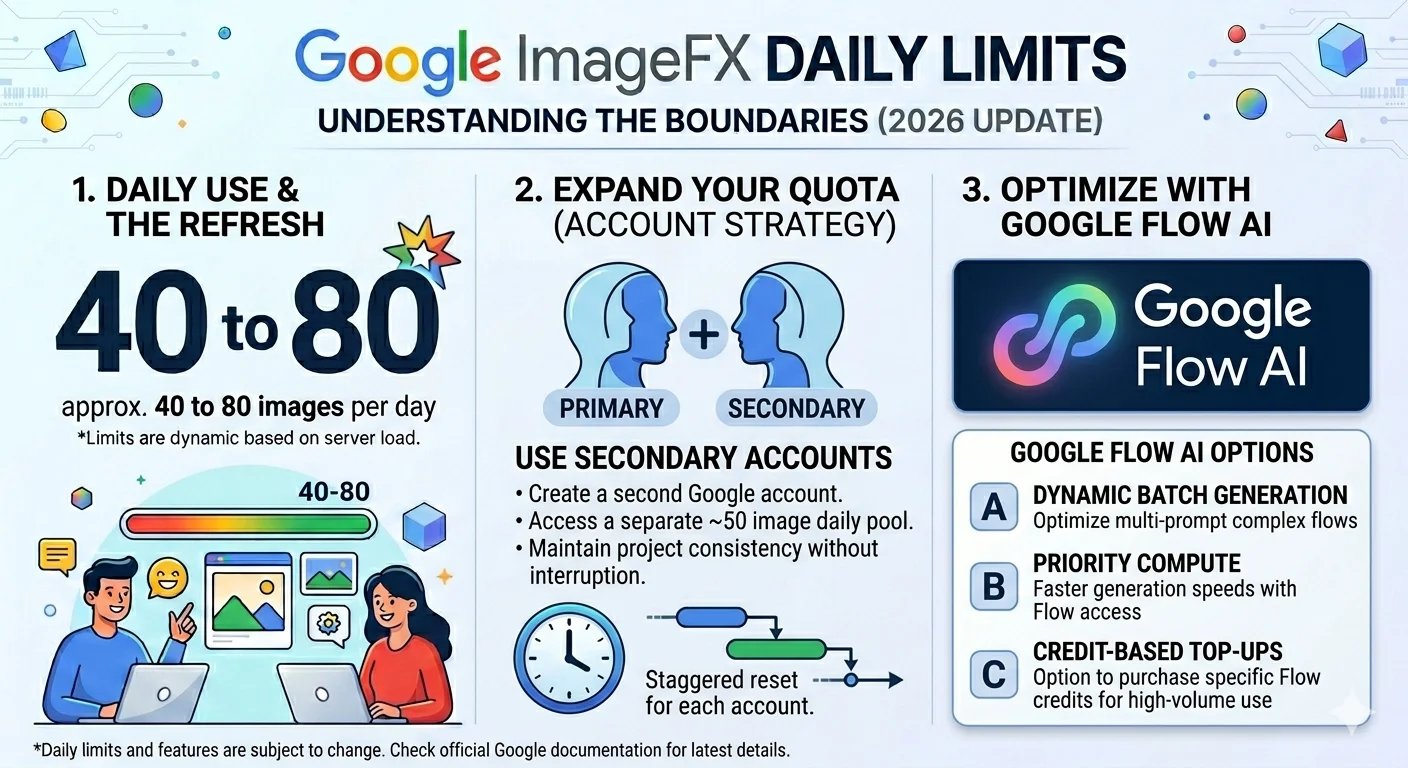
Here are every method that genuinely works for getting more ImageFX generations when you’ve hit your daily limit.
Method 1 — Wait for the Reset (Free, Always Works)
The simplest solution. Wait until midnight UTC (5:00 AM Pakistan time) and your generation count resets. If you started your session early in the day and hit the limit by mid-afternoon, you typically have your next allocation available by early morning the next day.
Best for: Anyone who can plan their creative work around the reset time and doesn’t need images immediately.
Method 2 — Use a Secondary Google Account (Free)
The daily limit is per Google account. If you create a second personal Gmail account, it comes with its own fresh daily limit.
How to do it:
- Go to accounts.google.com and create a new free Gmail account
- Sign into your browser with the new account
- Go to labs.google/fx and start generating
Important: Use a genuine secondary account — not the same account in a different browser, not incognito mode with the same account. The limit is tracked by Google account, not by device or browser. A different browser with the same Google account gives you the same limit.
Best for: Creators who regularly need more than 80 images per day and don’t want to pay for a subscription.
Method 3 — Switch to Google Flow AI (Free Image Generation)
Google Flow AI at flow.google uses the same Imagen 4 model as ImageFX for image generation — and has a separate daily allocation from your ImageFX limit.
This means if you’ve hit your ImageFX limit, you can switch to Google Flow AI and keep generating images there without waiting for a reset.
Flow AI’s image generation is also free — no subscription needed for images. The interface is slightly different from ImageFX (Flow AI has more features, including the Ingredients system), but the underlying image quality is the same.
Best for: Anyone who wants more free image generations without paying anything. This is the most practical “get more images now” solution.
Method 4 — Upgrade to Google AI Plus ($19.99/month)
A Google AI Plus subscription gives you significantly higher daily image generation limits in ImageFX — typically 3-5x more than the free tier based on user reports.
It also unlocks:
- Full Veo 3.1 video generation with audio in Google Flow AI
- Ingredients to Video with Audio — the most powerful feature in Flow AI
- Gemini Avatar — AI clone of yourself for video
- Flow Agent — multi-step creative task automation
- Gemini Omni Flash model access
At $19.99/month (approximately Rs. 1,400/month in Pakistan), it’s worth it if image and video generation are part of your regular creative or professional workflow. For help subscribing from Pakistan, see our Pakistan access and payment guide.
Best for: Professional creators, marketers, and business owners who use AI image generation daily as part of their work.
Method 5 — Use Google AI Studio (Different Limit Pool)
Google AI Studio is Google’s developer-focused interface for accessing Google’s AI models. It has a separate image generation limit from ImageFX — using the Imagen 4 API with its own daily quota.
Free AI Studio accounts can generate a significant number of images per day (the exact number varies — generally 500 to 1,000 image generations per day) because it’s designed for developers testing and building applications.
The interface is more technical than ImageFX and less polished, but the image quality is the same since it uses the same underlying model.
Best for: Developers and technical users comfortable with a more complex interface who need very high image generation volumes.
Method 6 — Generate at Off-Peak Hours
Since the ImageFX limit can vary based on server load, generating during off-peak hours sometimes gives you more total images before hitting the limit.
Off-peak hours for ImageFX (when US users are less active):
- Early morning in Pakistan time (4:00 AM – 8:00 AM PKT) coincides with late night / early morning in the US — lower overall server load
- Pakistani midday (12:00 PM – 2:00 PM PKT) is early morning in the US — also relatively lower load
This isn’t guaranteed, but many users report noticeably higher effective limits when generating at these times versus peak hours (evenings in the US, which are 1:00 AM – 5:00 AM PKT).
Best for: Flexible creators who can schedule their generation sessions.
Making the Most of Your Daily Limit — Smart Usage Tips
Since you have a finite number of generations per day, here’s how to get maximum value from each one.
Write better prompts before generating. The biggest waste of ImageFX daily limit is generating with a vague prompt, getting results you don’t like, and then generating again with a slightly different prompt. Spend 2-3 minutes writing a detailed, specific prompt before you click generate. Our Whisk AI prompts guide and advanced prompt engineering guide have hundreds of tested examples.
Use all four variations before regenerating. ImageFX gives you 4 images per prompt. Look carefully at all four before deciding to regenerate — often one of the four is usable or close to what you want, and you can describe refinements in a new prompt rather than starting over.
Use the Style and Aspect Ratio options. ImageFX lets you select a style category (photo, illustration, vector, etc.) and aspect ratio before generating. Using these options means your prompt doesn’t have to do all the work — the style selector guides the model and often produces better results with fewer attempts.
Save prompts that work. Keep a simple document where you store prompts that produced great results. You’ll use them again, and building a personal library of effective prompts means you don’t waste limit testing the same approaches repeatedly.
Plan your sessions around the reset time. If you know you need a lot of images, start your session just after midnight UTC (5:00 AM Pakistan time) so you have the full day’s allocation available from the start.
ImageFX vs Google Flow AI vs Gemini — Which Gives More Free Images?
A question we get asked a lot: if you have multiple Google tools available, which one gives you the most free image generations?
| Tool | Free Daily Images | Model | Best For |
|---|---|---|---|
| ImageFX (labs.google/fx) | ~40-80 images | Imagen 4 | Quick single images, clean interface |
| Google Flow AI (flow.google) | Separate allocation | Imagen 4 | Ingredients, video, full creative suite |
| Gemini App (gemini.google.com) | ~20-100 images | Nano Banana 2 / Pro | Conversational image generation |
| Google AI Studio (aistudio.google.com) | 500-1000+ | Imagen 4 API | Developer/technical use |
The smart strategy: Use ImageFX for focused image sessions. When you hit the limit, switch to Google Flow AI — same model, separate limit, more features. Between the two free tools, most creators never actually run out of free daily generations.
For a full comparison of ImageFX vs Google Flow AI, our Whisk AI vs ImageFX guide covers every difference in detail.
ImageFX Daily Limit by Account Type — Summary Table
| Account Type | Daily Image Limit | Reset Time | Cost |
|---|---|---|---|
| Free Google account | ~40-80 images | Midnight UTC | Free |
| Google AI Plus | Higher (3-5x free tier) | Midnight UTC | $19.99/mo |
| Google AI Ultra | Highest limits | Midnight UTC | Higher tier |
| Multiple free accounts | ~40-80 per account | Per account | Free |
Frequently Asked Questions
Q: What is the Google ImageFX daily limit in 2026?
Free accounts can generate approximately 40 to 80 images per day. The exact number varies by server load, account age, and region. Each prompt generates 4 images, so you get roughly 10-20 prompt submissions per day.
Q: When does the ImageFX daily limit reset?
The limit resets every 24 hours at midnight UTC. In Pakistan, that’s 5:00 AM Pakistan Standard Time. In India, it’s 5:30 AM IST.
Q: Does refreshing the page reset the ImageFX limit?
No. The limit is tracked server-side by your Google account. Refreshing, clearing cache, switching browsers, or using incognito mode with the same account will not reset your limit.
Q: Can I use a VPN to bypass the ImageFX daily limit?
No. The daily limit is tied to your Google account, not your IP address. Connecting through a different VPN server doesn’t give you a fresh limit.
Q: What’s the fastest free way to get more ImageFX generations today?
Two options: (1) Switch to Google Flow AI at flow.google — same model, separate daily limit, still free. (2) Create a second personal Gmail account and use that.
Q: Does Google AI Plus give more ImageFX generations?
Yes. Google AI Plus subscribers receive significantly higher daily generation limits — approximately 3-5x the free tier. It also unlocks video generation in Flow AI and many other features.
Q: Why do some people say they get 20 images per day and others say 80?
Both can be true. The limit varies based on server load, account type, account age, and region. There’s no single fixed number — Google uses a dynamic limit system. 40-80 is the typical range for most free users.
Q: Is the ImageFX limit per device or per account?
Per Google account. The device, browser, and location don’t affect which account’s limit is being used. Sign in with a different Google account to access a different limit.
Q: What happens to my unfinished generation if I hit the limit?
Any generation that completes before the limit is hit will be fine. Hitting the limit only affects new generation requests — existing completed images are yours to keep and download.
Q: I generated fewer than 40 images but still hit the limit. Why?
Server load throttling. During peak usage hours, Google may apply stricter limits — sometimes as low as 20-30 images. Try generating during off-peak hours (early morning in Pakistan time) for more consistent higher limits.
Final Thoughts — Work Smarter, Not Harder With Your Daily Limit
The ImageFX daily limit sounds more restrictive than it actually is for most users. 40-80 images per day — even at the lower end — is a meaningful creative output. Most people doing personal or professional creative work don’t hit this limit in a normal session.
When you do hit it, the smartest move isn’t frustration — it’s switching to Google Flow AI at flow.google, which has a separate daily allocation with the same Imagen 4 quality. Between ImageFX and Flow AI, you’re unlikely to run out of free image generations unless you’re doing very intensive commercial work.
And if intensive commercial work is exactly what you’re doing — Google AI Plus at $19.99/month gives you the higher limits, video generation, and the full Google Flow AI creative suite that makes the subscription genuinely worthwhile.
Visit WhiskAILabs for the latest guides on everything Google Flow AI, ImageFX, and Veo 3.1. We update our content as Google changes limits and features — so bookmark us and check back whenever something changes.
Related Articles on WhiskAILabs:
- Home — WhiskAILabs.net
- Google ImageFX Complete Guide 2026
- ImageFX Not Available In Your Country Fix
- ImageFX Supported Countries 2026
- Whisk AI vs ImageFX — Full Comparison
- Google Flow AI Complete Guide
- Google Flow AI Tutorial — Step by Step
- Google Flow Not Available In Your Country Fix
- Whisk AI Not Available In Your Country Fix
- Whisk AI Prompts — 100+ Best Prompts
- Advanced Prompt Engineering Guide
- Ingredients to Video with Audio Guide
- Gemini Avatar in Google Flow AI
- Pakistan Access Guide for Google AI
- News & Updates — WhiskAILabs
Official External Sources:















