

Google Flow AI Prompts | 50 Best Prompts for Images, Videos and Cinematic Scenes That Actually Work 2026
Here is something nobody tells you when you first open Google Flow AI.
The tool is only as good as what you type into it.
You can have the most powerful AI model on the planet sitting behind a text box — and if what you put in that box is vague, rushed, or missing key details, what comes back will be equally vague and forgettable. That gap between “I tried it and it was okay” and “this is genuinely incredible” almost always comes down to the words you used.
We have spent months inside Google Flow AI — generating images, testing video prompts, running the same descriptions through Veo 3.1 dozens of times, adjusting one element at a time to see what moved the needle and what did nothing. The 50 Google Flow AI prompts in this guide are the ones that came out the other side of that process. Not curated from other lists. Not generated by asking an AI to suggest prompts. Actually tested, actually refined, actually working.
Use them as they are or take them apart and rebuild them for your own projects. Either way, you will get better results from them than from starting blank.
Why Google Flow AI Prompts Work Differently {#how-prompts-work}
If you came from Whisk AI, your muscle memory for creating visuals is probably image-based. You dragged in three photos and let the tool figure out the words. Google Flow AI keeps that option through its Ingredients system — but its real power lives in text prompts, and they follow different rules than most tools you have used before.
The foundation of a great AI-generated result in Flow lies in the quality of the prompt. Simple prompts can yield impressive results, but detailed descriptions provide greater creative control.
That line from Google’s own guidance tells you something important. Flow does not need complexity for the sake of complexity. It needs specificity. There is a difference. A long rambling prompt with ten directions pulling against each other produces worse results than a short, precise prompt that knows exactly what it wants.
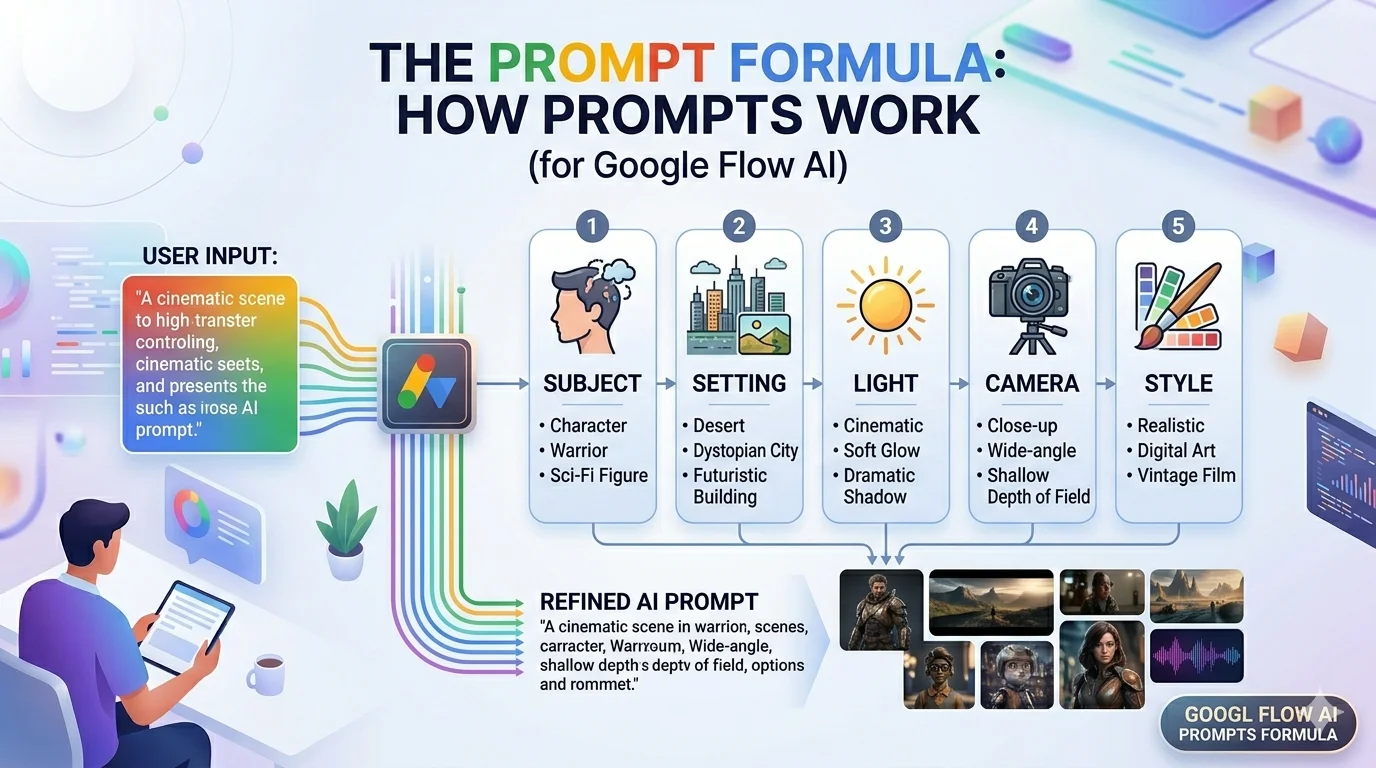
The four things that consistently matter in every Google Flow AI prompt:
Subject and action — Who or what is in the frame, and what are they doing? Be concrete. Not “a person walking” but “a woman in her early thirties, short dark hair, wearing a tan coat, walking away from the camera.”
Setting and atmosphere — Where is this happening and what does it feel like? Not “outdoors” but “a narrow cobblestone street in an old European city, early morning, fog still clinging to the ground.”
Light — This single element changes the mood more than anything else. Golden hour. Blue hour. Harsh midday sun. Soft overcast diffusion. Warm interior lamp. Each one creates a completely different emotional register.
Camera — For video especially, but useful for images too. Wide establishing shot. Tight close-up. Slow push-in. Aerial descent. Handheld tracking. The camera instruction tells Flow how to frame the scene, not just what is in it.
For images, you add a quality anchor — a phrase that sets the standard the output should reach. “Editorial photography quality,” “concept art standard,” “product photography studio lighting.” For videos, you describe the movement and optionally the audio.
Now — the prompts.
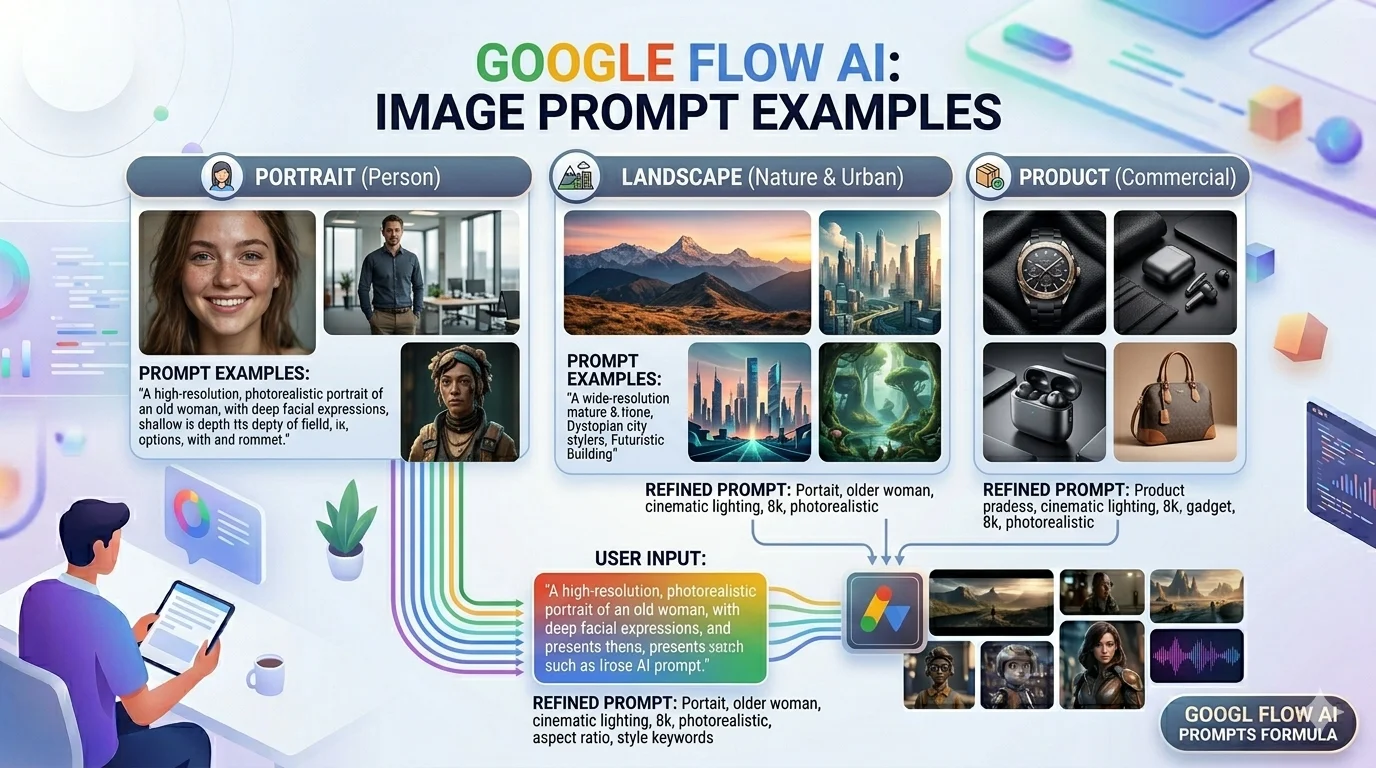
Image Prompts — 20 Best for Every Style {#image-prompts}
These Google Flow AI prompts are for the image generation feature. Copy them directly, swap the specific details for your own, and generate.
Portrait and Character
Prompt 1 — Cinematic Portrait
A close-up portrait of a man in his fifties, salt-and-pepper stubble,
deep-set eyes reflecting quiet intelligence, wearing a worn leather
jacket. Single key light from the left, warm amber tone, shallow
depth of field, soft dark background. Cinematic film photography quality.
Prompt 2 — Fantasy Character Concept
A young woman warrior standing at the edge of an ancient cliff,
wind pulling at her dark braided hair, wearing hand-forged armour
with weathered bronze accents. Dramatic storm light behind her,
rim-lit silhouette, expansive sky. Epic fantasy concept art quality,
highly detailed.
Prompt 3 — Street Portrait
An elderly street vendor in a crowded Asian market, face lined with
character, laughing at something off-frame. Warm late afternoon light,
colourful market stalls blurred behind, handheld photojournalism feel,
authentic candid moment. Documentary photography quality.
Prompt 4 — Studio Character
A professional product model, mid-twenties, wearing a minimalist
white linen outfit, clean studio background, even soft diffused
light from both sides, neutral expression, commercial brand photography
standard. Clean, sharp, professional.
Product and Commercial
Prompt 5 — Luxury Product Shot
A single ceramic coffee mug, matte charcoal finish, placed on a dark
walnut wood surface. Low moody side light, soft shadow falling to
the right, steam rising gently from the mug. Editorial luxury product
photography, shallow depth of field, dark and sophisticated mood.
Prompt 6 — Natural Skincare Product
Three glass skincare bottles arranged on a marble surface surrounded
by fresh botanicals — eucalyptus sprigs, dried flowers, sliced citrus.
Soft natural window light from above, clean and fresh mood,
flat lay composition. Premium skincare brand photography quality.
Prompt 7 — Tech Product
A slim smartphone propped against a dark textured surface, screen
displaying a clean interface, one sharp edge-light catching the
aluminium frame. Minimal background, dark moody studio lighting,
premium tech editorial photography standard.
Prompt 8 — Food Hero Shot
A bowl of ramen in a deep dark ceramic bowl, rich broth, perfectly
arranged toppings, soft steam rising. Overhead top-down shot, dark
wooden table surface, small scattered sesame seeds and green onion
around the bowl. Atmospheric Japanese food photography, moody and warm.
Nature and Landscape
Prompt 9 — Golden Hour Landscape
Rolling green hills in the Scottish Highlands at golden hour,
long shadows stretching across the grass, dramatic clouds above,
a single stone farmhouse in the middle distance. Wide cinematic
landscape shot, warm orange and green palette, epic natural photography.
Prompt 10 — Underwater Scene
A shallow tropical reef, warm clear water, shafts of white sunlight
cutting through from above, colourful coral formations in the
foreground, small fish catching the light. Overhead aerial perspective,
national geographic underwater photography quality.
Prompt 11 — Misty Forest
Ancient towering redwood trees disappearing into morning mist,
soft diffused green light filtering through the canopy,
mossy ground, no people visible. Wide shot looking up toward
the tree tops, peaceful and vast. Fine art nature photography,
muted cool-green palette.
Prompt 12 — Desert at Night
A vast desert under a full moon, the sand silver-blue in the lunar
light, a single dead tree in the left foreground. Crystal clear
star-filled sky, Milky Way visible. Wide landscape shot, cool blue
and silver palette, long exposure photography feel.
Architecture and Interior
Prompt 13 — Cozy Interior
A small independent bookshop interior, warm lamp light, floor-to-ceiling
shelves packed with books, an old leather reading chair in the corner,
dust particles catching the light. Late afternoon, golden and amber
tones, nostalgic and inviting atmosphere. Interior photography,
magazine editorial quality.
Prompt 14 — Modern Architecture
The exterior of a minimalist concrete house at blue hour, warm light
glowing through floor-to-ceiling windows, a reflection pool in the
foreground, surrounding pine trees. Architectural photography,
clean lines, cool exterior blue versus warm interior amber contrast.
Prompt 15 — Japanese Interiors
A traditional Japanese tea room, tatami floors, shoji screens,
a single ceramic tea set arranged on a low table. Soft diffused
natural light from the right, clean and minimal composition,
quiet contemplative mood. Architectural editorial photography.
Illustration and Art Styles
Prompt 16 — Watercolour Style
An illustrated map of a fictional island kingdom, hand-drawn
cartographic style, watercolour washes in muted earth tones,
small illustrated details at landmarks — a castle, a forest,
a harbour town. Aged paper texture, antique map aesthetic,
fantasy world-building illustration quality.
Prompt 17 — Sticker Design Style
A cute illustrated corgi wearing a tiny astronaut helmet,
die-cut sticker design, bold black outline, white background,
flat saturated colours, kawaii aesthetic, glossy vinyl finish.
Clean printable design quality, merchandise-ready.
Prompt 18 — Concept Art Style
A futuristic city built into the side of a massive cliff face,
thousands of stacked habitation pods with glowing windows,
elevated transit lines weaving between them, industrial smoke
mixing with clouds below. Wide establishing shot, cool blue
and orange colour contrast, detailed sci-fi concept art quality.
Prompt 19 — Children’s Illustration
A small fox wearing a yellow raincoat and red boots, jumping
over a puddle on a rainy autumn street, fallen orange leaves
around it, warm lamp glow from a nearby window. Soft rounded
illustration style, warm muted palette, children's picture
book quality, gentle and cheerful mood.
Prompt 20 — Poster Design
A vintage travel poster for a fictional mountain resort,
simplified geometric illustration style, muted 1940s colour
palette of deep blue, cream, and terracotta, bold clean
typography placeholder area at the bottom. Retro graphic
design quality, silk-screen print aesthetic.

Video Prompts — 20 Best for Cinematic Results {#video-prompts}
These Google Flow AI prompts are for Veo 3.1 video generation. Each one specifies subject, setting, light, and camera movement — the four things that separate compelling clips from forgettable ones.
Cinematic and Storytelling
Prompt 21 — Urban Night Walk
A slow tracking shot following a young woman walking through
a rain-slicked Tokyo street at night, neon signs reflected
in the wet pavement, other pedestrians blurred in the background.
The camera moves at her pace slightly behind and to the right,
shallow depth of field keeping her sharp. No dialogue.
Ambient city sound — distant traffic, rain, occasional music
drifting from a bar. Cinematic, moody, 4K quality.
Prompt 22 — Hero Arrival
A wide establishing shot. A lone figure on horseback crests
a hill at golden hour, silhouetted against an enormous
amber sky. The camera holds static as the rider pauses,
surveys the valley below. Wind moves through the tall
dry grass in the foreground. No music — only wind sound
and distant horse breath. Epic, slow, cinematic.
Prompt 23 — Chef at Work
A medium close-up of a chef's hands plating a dish with
practiced precision — tweezers placing microgreens,
a careful pour of sauce. Commercial kitchen background
soft and blurred, warm overhead light sharp on the plate.
The camera holds still, letting the hands do the movement.
Ambient kitchen sounds — sizzling in background,
quiet focus. Food documentary style.
Prompt 24 — Emotional Dialogue Scene
A medium two-shot. Two old friends, both in their sixties,
sitting across from each other at a small cafe table by
a rain-covered window. One speaks quietly, looking down
at their coffee cup: "I should have called. I know that."
The other listens, says nothing. Warm interior light,
cool grey rain outside. Static camera, intimate,
naturalistic acting direction.
Prompt 25 — Time Lapse City
A time-lapse of a city skyline transitioning from late
afternoon to full night. The camera is completely static.
The sun sets behind the buildings, long shadows sweep
across rooftops, city lights begin to blink on,
car headlight trails streak along the streets below.
No music — only ambient city hum that builds slightly
as night deepens. Wide establishing shot, 4K.
Nature and Documentary
Prompt 26 — Flower Bloom
A close-up of a single red rose bud. The camera holds
completely still as the petals slowly and gracefully
unfurl over the course of the shot, revealing vibrant
inner layers. Soft natural diffused light, no wind,
no movement except the opening flower.
Ambient silence with a faint hum of insects.
Nature documentary quality, macro photography feel.
Prompt 27 — Ocean Surface
A slow aerial descent toward the surface of a calm tropical
ocean at mid-morning. The water is crystal clear turquoise,
a coral reef visible below the surface in the foreground,
white sand visible in patches. The camera descends slowly
and smoothly until the water surface fills the frame,
light refracting on the shallow bottom.
Gentle ambient ocean sound. No music. Cinematic drone footage feel.
Prompt 28 — Thunderstorm Approaching
A static wide shot of flat open farmland. Dark storm clouds
rolling in from the left, the sky ahead still clear blue,
the contrast dramatic. Lightning flickers in the distant
clouds. The wind picks up — tall grass in the foreground
bends visibly. Ambient sound: building wind,
distant thunder, birds going quiet. No music.
Documentary weather photography feel.
Prompt 29 — Forest Floor
A slow, very low push-in across a mossy forest floor.
Tiny mushrooms in the left foreground, dew drops on spider
webs catching the early morning light, a beetle moving
across a leaf in the background.
The camera moves at approximately one inch per second.
Macro documentary style, soft natural light,
ambient forest sounds — birds, leaves, distant water.
Product and Brand
Prompt 30 — Product Reveal
A luxury watch placed on a dark stone surface.
The camera begins above and slowly descends toward it in
a straight overhead push-in. As it gets close,
a single shaft of light moves across the watch face,
catching the crystal and the gold hour markers.
No movement from the watch itself — only light and camera.
Ambient silence, one soft musical tone at reveal.
Premium jewellery commercial quality.
Prompt 31 — Coffee Shop Morning
A barista's hands preparing a pour-over coffee at a
wooden counter. Steam rises from the cup as the water
is poured in a slow spiral. Warm amber morning light
from a window to the left. The camera holds static,
medium close-up on the hands and the cup.
Ambient sound — quiet coffee shop background,
the gentle pour of water, distant espresso machine.
Brand lifestyle video quality.
Prompt 32 — Fashion Walk
A slow-motion tracking shot alongside a model wearing
a white linen outfit walking through a sun-drenched
Mediterranean street, whitewashed walls behind.
The camera moves with her at the same speed,
keeping her centred. Golden afternoon light,
slight lens flare as she passes a gap between buildings.
No dialogue. Ambient street sound slowed to match
the slow-motion pace. Fashion editorial video quality.
Abstract and Artistic
Prompt 33 — Ink in Water
A close-up of black ink dropped into clear water in a glass tank.
The camera holds static as the ink disperses in slow motion,
creating organic flowing shapes — dark tendrils reaching
outward and upward, gradually diffusing.
Backlit from behind, the water glowing slightly.
No sound except a single soft musical note that fades.
Abstract fine art video quality.
Prompt 34 — Candle and Shadow
A single thick candle burning on a stone surface in an
otherwise dark room. The camera holds completely static.
The flame dances slightly — shadows on the stone wall
behind move with it. No sound except the faint crackle
of the burning wick. Three to four second hold,
then the flame flickers once and steadies.
Intimate, quiet, atmospheric. Film noir lighting quality.
Prompt 35 — Morphing Landscape
A high aerial shot over a landscape that slowly transitions
between seasons — green summer fields gradually becoming
golden autumn, then white winter, then pale spring green.
The camera holds at the same altitude throughout.
Ambient sound shifts with each season — summer insects,
autumn wind, winter silence, spring birds.
Time-lapse documentary quality.
Social Media and Short Form
Prompt 36 — Motivational Sunrise
A slow-motion wide shot of sunrise over a calm lake.
The orange disc of the sun breaks the horizon line
on the right side of frame, its reflection stretching
across the still water. Mist rising from the surface.
The camera holds completely static.
No music — only ambient birdsong and gentle water sound.
Vertical 9:16 format, social media inspirational content quality.
Prompt 37 — Urban Hyperlapse
A first-person perspective hyperlapse through a busy
city street market — colourful stalls on both sides,
the camera moving through the crowd at slightly
above normal walking speed. Warm afternoon light,
busy but not chaotic, faces of vendors and shoppers
blurred by speed. Ambient market sounds compressed
and energetic. Vertical 9:16 format, travel content creator quality.
Prompt 38 — Minimalist Product Loop
A single product — a perfume bottle on a white surface —
slowly rotating 360 degrees under even studio light.
The camera holds perfectly static as the product completes
one full rotation over eight seconds.
Clean white background, no shadows visible,
glass catching the light at the halfway point of rotation.
No sound. Product advertising quality, loopable clip.
Prompt 39 — Cozy Interior Loop
A static shot of a cozy reading corner —
a lit candle on a side table, an open book face-down,
rain hitting the window behind the armchair,
a knitted blanket draped over the arm.
Nothing moves except the candle flame and the rain.
Ambient rain sound, faint fire crackle from out of frame.
Warm amber tones. Atmospheric lifestyle content quality.
Prompt 40 — Satisfying Pour
A slow-motion close-up of honey being poured from a jar,
the golden liquid catching warm side light,
folding over itself as it lands on a dark wooden surface.
The camera holds static, medium close-up,
keeping the point of landing sharp.
Ambient silence — no music, no background noise,
only the very quiet sound of the honey landing.
Food content creator quality, highly satisfying visual.
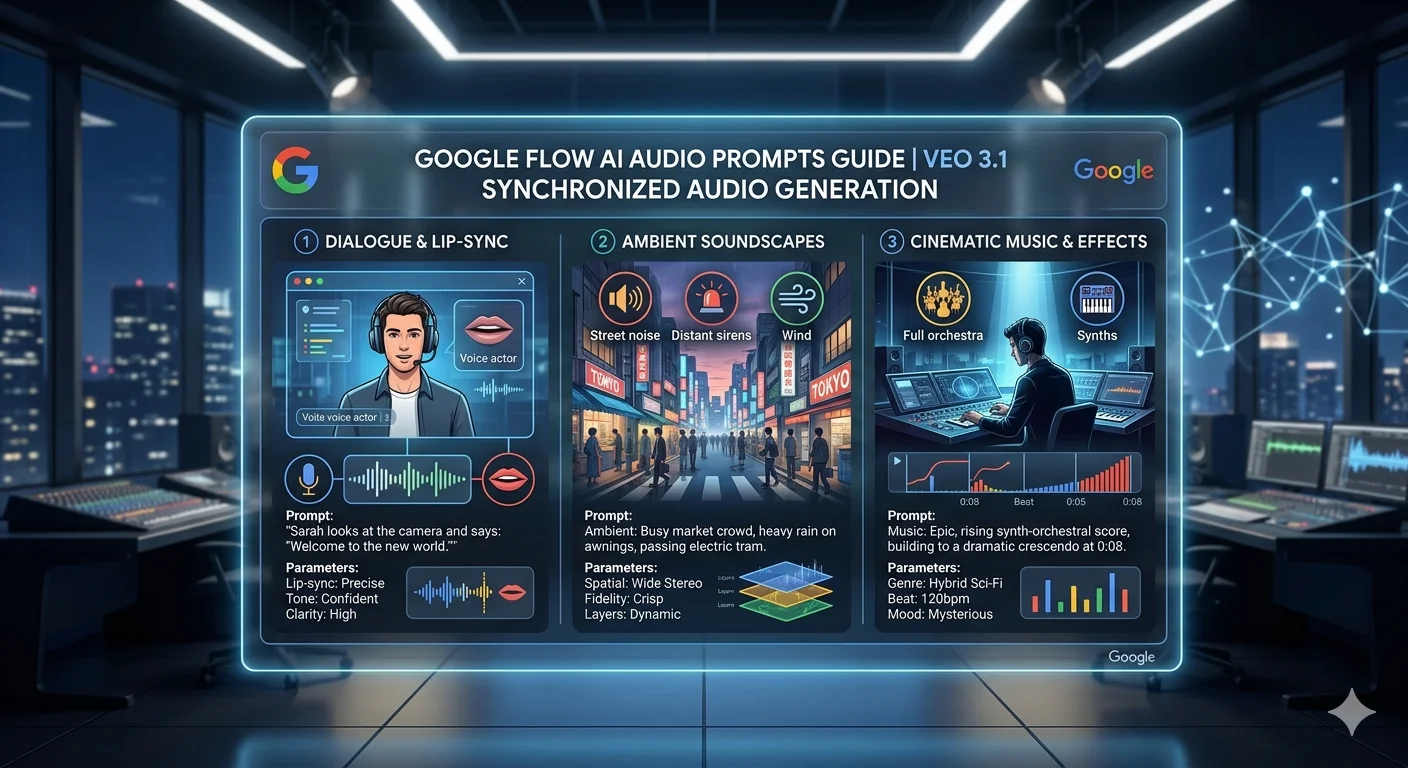
Audio and Dialogue Prompts — 10 Best for Veo 3.1 {#audio-prompts}
Veo 3.1 generates synchronized audio natively — which means you can direct the sound just as deliberately as the image. These Google Flow AI prompts are built specifically around the audio dimension.
Clearly specify if you want audio. Use separate sentences in your prompt to describe the audio. That guidance from Google’s own documentation is worth following precisely — mixing audio direction into the visual description creates confusion. Keep them in separate sentences.
Prompt 41 — Character Monologue
A medium shot of an old sailor, grey beard, worn knit
hat casting shadow over his eyes, standing at a ship's
railing looking at a churning grey sea.
He holds a pipe in one hand and gestures toward the water.
He speaks in a low gravelled voice, slow and deliberate:
"This ocean — she doesn't care about you.
But if you respect her, she'll let you pass."
Ambient sound: ocean wind, distant waves, creaking wood.
Naturalistic acting direction, overcast light.
Prompt 42 — Two Characters, One Line
A medium two-shot in a dimly lit kitchen at night.
A mother stands at the counter with her back to her
teenage daughter sitting at the table.
Neither speaks for a moment.
Then the mother says quietly, without turning around:
"I know you were there."
Ambient sound: refrigerator hum, a clock ticking.
No music. Tension. Still camera.
Prompt 43 — Environmental Sound Focus
An aerial wide shot of a dense rainforest canopy at dawn.
No movement except the slight sway of tree tops in a
gentle breeze. Audio: slowly build from near-silence
to a full chorus of bird calls, frogs, insects —
layered and rich, the way a real dawn chorus sounds.
No music. The sound is the point of this clip.
Prompt 44 — Crowd and Atmosphere
A wide shot of a busy street market at peak afternoon.
Vendors calling out, customers negotiating,
children weaving between stalls.
The camera slowly pans left to right,
taking the whole scene in at a medium distance.
Audio: full market ambience — layered voices,
movement, occasional laughter, the sound of something
sizzling on a nearby grill. Warm afternoon light.
Prompt 45 — Nature and Silence
A wide static shot of snowfall in a pine forest at dusk.
Large slow snowflakes falling. Nothing moves except the snow.
Audio: near-total silence — only the faint soft sound
of snow landing on branches, barely audible,
more felt than heard. No music. Hold this for eight seconds.
The quiet is the mood.
Prompt 46 — Action with Impact Sound
A slow-motion close-up of a ceramic mug being dropped
onto a stone floor from counter height.
The camera holds static as it falls,
hits the stone, and shatters —
the pieces spreading outward in all directions.
Audio: the impact sound in full slow-motion depth —
a deep, resonant crack that reverberates,
each fragment landing audible. No music.
High-speed camera quality.
Prompt 47 — Music Reference Scene
A wide shot of a small jazz band playing in a dimly lit
basement venue — trumpet, upright bass, drums,
a pianist barely visible in the back.
A handful of listeners at small tables in the foreground.
Camera holds static. Audio: live jazz — warm, slightly rough,
the way it sounds when you are actually in the room,
not a recording. Ambient crowd noise underneath.
Film noir lighting quality.
Prompt 48 — Voiceover Scene
A slow aerial shot moving over a quiet suburban
neighbourhood at blue hour — warm house windows glowing,
streets empty, a single dog walker in the distance.
Male voiceover, warm and reflective, speaking as if
remembering: "Every town looks the same at this hour.
Like everyone decided, all at once, to go home."
No other audio except very faint ambient street sound
under the voiceover. Cinematic short film quality.
Prompt 49 — Natural Dialogue in Environment
Two hikers, early twenties, sitting on a rocky viewpoint
looking out over a valley below at sunset.
They speak naturally, without looking at each other,
watching the view. First person: "Do you ever think
about just — staying somewhere? Not going back?"
Second person, after a pause: "Yeah. I do."
Audio: wind, distant birds, the naturalness of
the pause between the lines. Static medium two-shot.
Prompt 50 — Child’s Discovery
A child, around seven years old, kneeling in a garden,
discovering a caterpillar on a leaf.
The child watches it move, completely absorbed.
No dialogue. Audio: garden ambience — birds,
a distant lawnmower, light wind through leaves,
the sound of the child shifting in the grass.
Warm afternoon light, low camera angle at the child's level.
The wonder is in the silence.
The Prompt Formula That Works Every Time {#formula}
After testing all 50 of these Google Flow AI prompts across multiple generations, one structure kept producing the most consistent results. Here it is, stripped down to its clearest form.
For images:
[Subject + specific detail] in/at [setting + atmosphere].
[Light description]. [Camera or composition note].
[Quality anchor].
For videos:
[Camera movement] of [subject + specific detail]
[action] in [setting]. [Light description].
[Audio direction — separate sentence].
[Quality standard].
The key thing to notice: audio gets its own sentence. Visual description and audio direction mixed into the same sentence confuse the model. Keep them separated and you get significantly more deliberate, intentional audio in your video outputs.
One more thing worth knowing: negative prompting works differently in Flow than in tools like Stable Diffusion. Rather than using instructive language or words such as “no” or “don’t” — for example, avoid prompts such as “no walls” — instead describe what you don’t want to see using positive description of what should be there instead.
So instead of “no people in the background” try “empty street, no pedestrians visible.” Instead of “don’t show the ceiling” try “low angle, ceiling out of frame.” You are describing what you want, not what you don’t want.
Common Prompt Mistakes and How to Fix Them {#mistakes}
These are the patterns that consistently produce weak results — and the specific adjustment that fixes each one.
Mistake 1 — No Camera Direction in Video Prompts
Writing “a forest at dawn” for a video prompt gives Veo 3.1 no directorial guidance. It will choose a camera angle on its own, which is often the most generic option.
Fix: Always include a camera instruction. “A slow push-in through a forest at dawn” or “a static wide shot of a forest at dawn” or “a low-angle looking up through forest canopy at dawn.” Same subject, completely different results.
Mistake 2 — Forgetting the Light
Light is mood. A portrait with no lighting direction produces a competent but emotionally flat image. Every prompt — image or video — should include at least one lighting note.
Fix: Add a single lighting sentence. “Warm golden hour side light.” “Cool blue overcast diffusion.” “Single key light from above, everything else in shadow.” One sentence. It changes everything.
Mistake 3 — Piling on Style References
“Cinematic, anime, watercolour, hyper-realistic, impressionist, graphic novel, film noir” — these all pull in different directions. Flow tries to blend them and produces something incoherent.
Fix: Pick one style reference and commit to it. Add a second only if it directly supports the first rather than contradicting it. “Watercolour illustration with fine ink outlines” works. “Watercolour meets photorealism” does not.
Mistake 4 — Describing Feelings Instead of Visuals
“A sad and lonely scene.” Flow cannot generate feelings — it can only generate what those feelings look like visually. Abstract emotional direction produces vague results.
Fix: Translate the feeling into visual specifics. Instead of “sad and lonely,” try “an empty park bench, autumn leaves on the ground, grey overcast sky, no people visible, a single umbrella abandoned against the back of the bench.” That is what sadness looks like. Generate that.
Mistake 5 — Running Out of Credits Too Quickly
Free accounts get 50 daily credits and they do not roll over. Running the same vague prompt fifteen times burns through your allowance without improving results.
Fix: Spend your first generation on a deliberate, specific prompt using the formula above. Run three variations maximum. If the results still are not right, change one specific element — not the whole prompt — and run three more. One targeted change at a time moves results faster than starting completely over.
Frequently Asked Questions {#faq}
Do Google Flow AI prompts work the same for both images and videos?
The core structure is similar — subject, setting, light, quality — but video prompts need camera movement instructions that image prompts don’t require. For videos, you also direct the audio in a separate sentence. Image prompts end with a quality anchor phrase. The building blocks overlap, but the assembly is different.
How long should a Google Flow AI prompt be?
Somewhere between 30 and 80 words for most generations. Short enough that the model can parse all of it clearly. Long enough to be specific about the four key elements — subject, setting, light, camera or quality. The prompts in this guide average around 50–60 words, which is a reliable working range.
Can I use these prompts with Google Veo 3.1 specifically?
Yes — all video prompts in this guide are written for Veo 3.1, which is the default model inside Google Flow as of April 2026. When you generate a video in Flow, select Veo 3.1 in the model picker for the highest quality results and native audio generation.
What is the best way to get Whisk AI sticker or plushie styles in Google Flow?
Since those preset buttons no longer exist in Flow, use the image prompt language directly. For sticker style: add “die-cut sticker design, bold black outline, white background, flat saturated colours, kawaii aesthetic, vinyl finish.” For plushie style: add “soft felt plushie, hand-stitched detail, button eyes, even studio light, white product background, artisan quality.” Our Whisk AI prompts guide has the full list.
Why do my video generations sometimes produce no audio?
Audio generation requires specifically selecting Veo 3.1 in Flow’s model picker. If you are using an older model version, audio may not generate. Also check that your prompt includes explicit audio direction — Flow generates audio more reliably when you describe it rather than leaving it to the model’s judgment. Re-read the audio prompt examples above and add a dedicated audio sentence to your video prompts.
Can I save these prompts inside Google Flow for reuse?
Not natively as saved templates — but you can save them to your Ingredients library as text notes, or simply keep a personal document with the prompts that work best for your specific projects. Many regular Flow users maintain their own prompt library outside the tool for exactly this reason.
Fifty Google Flow AI prompts, tested and explained. What you do with them now is the interesting part.
The best way to learn how Flow responds to your direction is to take one of the video prompts above, generate it, then change exactly one element — the camera movement, the lighting, or the audio direction — and generate again. Comparing two versions that differ by one variable teaches you more about how the tool thinks than reading any guide can.
For the broader creative ecosystem these prompts fit into — including how Flow handles the Ingredients system and how to build multi-clip sequences — our Google Flow AI tutorial covers the complete workflow from access to finished project.
And if you are still carrying prompt habits from Whisk AI into Flow, our complete Whisk AI prompts guide shows exactly how the two systems compare and which techniques transfer directly.
Sources
- Google Labs Flow — Official page
- Google Blog — 5 tips for using Flow
- Google Blog — Flow updates February 2026
- Google Cloud — Ultimate prompting guide for Veo 3.1
- Google DeepMind — How to create effective prompts with Veo 3
- Google Cloud Docs — Veo video generation prompt guide
- Google Flow Help — Creating videos in Flow















