
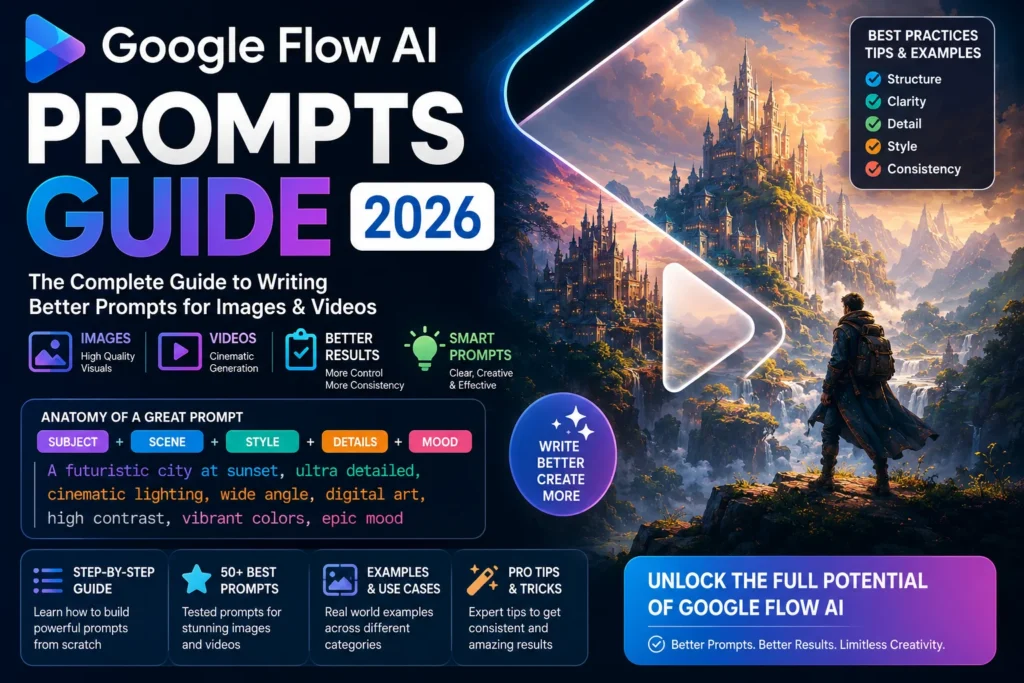
Here is something most people figure out the hard way.
You open Google Flow AI, type something like “a beautiful sunset,” press generate — and what comes back is… fine. Not bad. But not what you pictured. Not the cinematic, detailed, jaw-dropping image you had in your head.
The tool is not broken. The prompt is just not doing enough work.
Google Flow AI is only as good as the instructions you give it. A vague prompt gives you a vague result. A specific, well-built prompt gives you something that looks like it came from a professional studio.
This guide covers two things together: a complete set of ready-to-use prompts you can copy directly, and a full explanation of how to write better prompts yourself. By the end, you will understand exactly why certain prompts work and others do not — and that knowledge will improve every single thing you generate going forward.
Why Prompts Matter So Much in Google Flow AI
Google Flow AI uses different AI models for different tasks:
- Imagen 3 — for image generation
- Veo 3.1 — for video generation with native audio
- Gemini Omni Flash — for the newest editing features (AI Plus subscribers)
Each of these models reads your prompt and tries to understand exactly what you want. The more clearly you communicate, the better the result. That sounds obvious, but most people write prompts the way they would search Google — short keywords — when they should be writing more like a film director giving instructions to a crew.
As Google’s own official tip guide says: “Be specific about the subject, action, environment, lighting, and style.” That is the foundation everything else builds on.
The Google Flow AI Prompt Formula — Learn This Once, Use It Forever
Before the ready-made prompts, understand the formula. Once this clicks, you can build your own prompts for anything.
For Images:
[Subject] + [Action/Pose] + [Environment] + [Lighting] + [Style] + [Detail Level]
For Videos:
[Camera Movement] + [Subject and Action] + [Environment] + [Lighting] + [Style] + [Audio]
That is it. Six elements. Not all six are needed every time — but the more of them you include, the more control you have over the output.
Let us break each one down with examples:
Subject — Who or what is in the image/video?
- Weak: “a person”
- Strong: “a young woman in her 30s with short dark hair”
Action/Pose — What are they doing? How are they positioned?
- Weak: “standing”
- Strong: “standing at a rain-soaked window, looking out with her arms crossed”
Environment — Where is this happening? What does the background look like?
- Weak: “in a city”
- Strong: “in a narrow alley in old Istanbul, cobblestones wet from rain, distant mosque visible through fog”
Lighting — This is the single most overlooked element. Lighting changes everything.
- Weak: nothing mentioned
- Strong: “warm golden hour light coming from the left, soft shadows, slight lens flare”
Style — What should it look like? Photography? Painting? Film?
- Weak: nothing mentioned
- Strong: “cinematic photography, shallow depth of field, Fujifilm color palette”
Detail Level — How sharp and detailed should the result be?
- Weak: nothing mentioned
- Strong: “ultra-detailed, 8K quality, sharp focus on subject”
Camera Movement (for videos only):
- “slow pan left”
- “tracking shot following the subject”
- “static wide shot”
- “aerial drone shot descending slowly”
Audio (for videos only, Veo 3.1):
- “with the sound of rain and distant thunder”
- “soft jazz playing in the background”
- “ambient city noise, car horns, crowd chatter”
10 Common Prompt Mistakes — And How to Fix Them
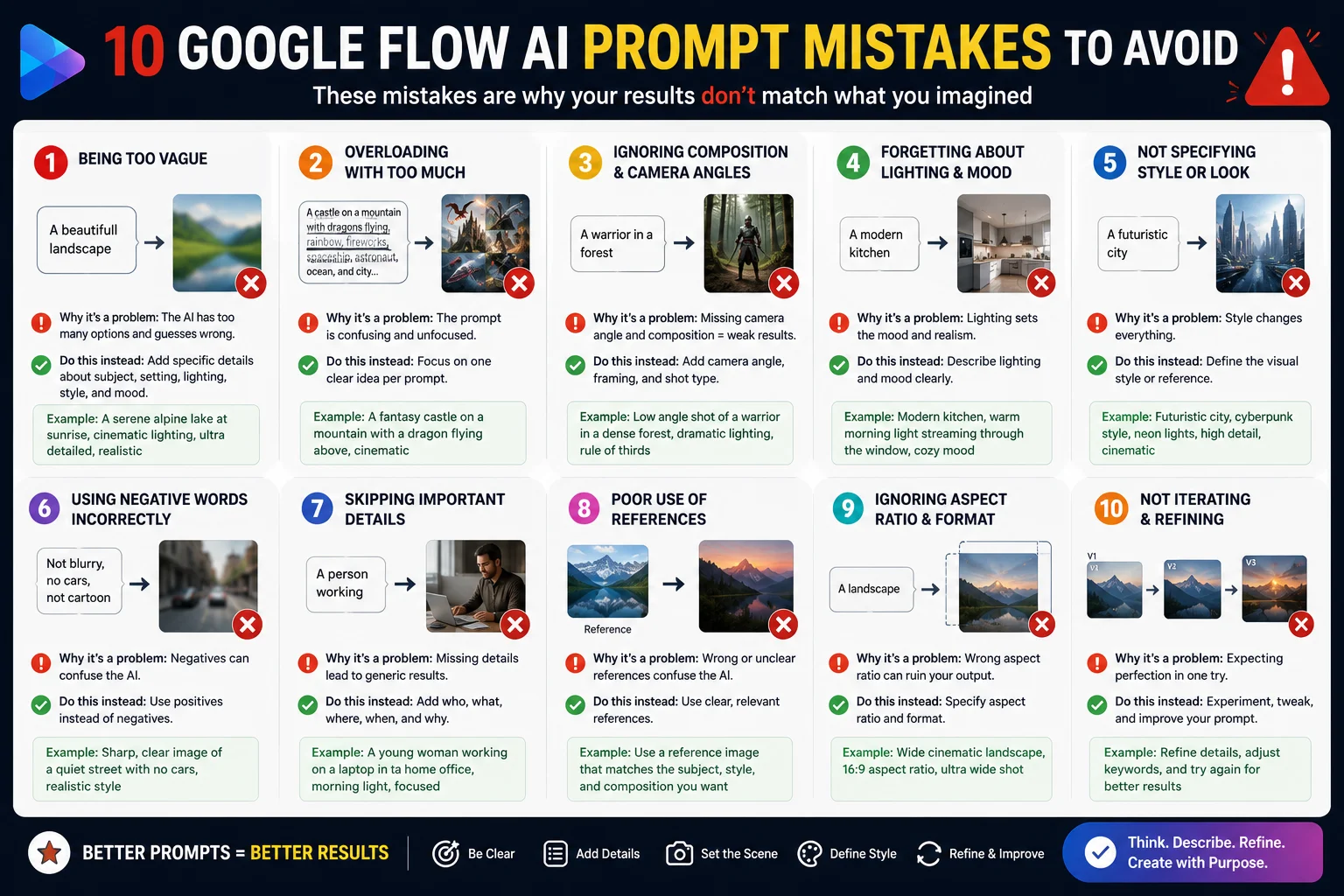
Before the ready-made prompts, quickly understand what goes wrong for most people.
Mistake 1 — Too vague “A nice landscape” gives the model nothing to work with. Nice how? What kind of landscape? What time of day? What style?
Mistake 2 — Contradicting yourself “A dark and bright image with a warm and cool tone” — these instructions cancel each other out. Pick a direction.
Mistake 3 — Forgetting lighting Lighting is what makes professional photography look professional. Most beginners never mention it. Always include it.
Mistake 4 — No style reference Without a style, the model picks one for you. It might not match what you wanted. Always specify: “photorealistic,” “watercolor illustration,” “cinematic film photography,” “anime style,” etc.
Mistake 5 — Writing a novel-length prompt Longer is not always better. Google’s official guidance suggests keeping prompts clear and parseable — around 50-80 words for most generations works reliably. Extremely long prompts confuse the model.
Mistake 6 — Contradicting your visual inputs If you are using the Ingredients panel (Subject + Scene + Style images), your text prompt should complement those images — not describe something completely different. As Google officially states: “Your text prompt should complement, not contradict, your visual inputs.”
Mistake 7 — Not using camera terms for video For Veo 3.1 video generation, camera direction words make a massive difference. “Slow tracking shot” produces very different footage than “static wide shot.” Always include camera direction for video.
Mistake 8 — Forgetting audio for video Veo 3.1 generates native synchronized audio — one of its biggest advantages. If you do not mention audio in your video prompt, you may get silence. Describe the sound environment you want.
Mistake 9 — Accepting the first result The first generation is a starting point, not the final answer. Refine your prompt based on what came back. Add or change one element at a time so you understand what each change does.
Mistake 10 — Never using Gemini for help Google officially recommends using Gemini to help brainstorm and refine prompts. If you are stuck, describe what you want to Gemini in plain language and ask it to build a Flow AI prompt for you.
50+ Best Google Flow AI Prompts — Copy and Paste Ready
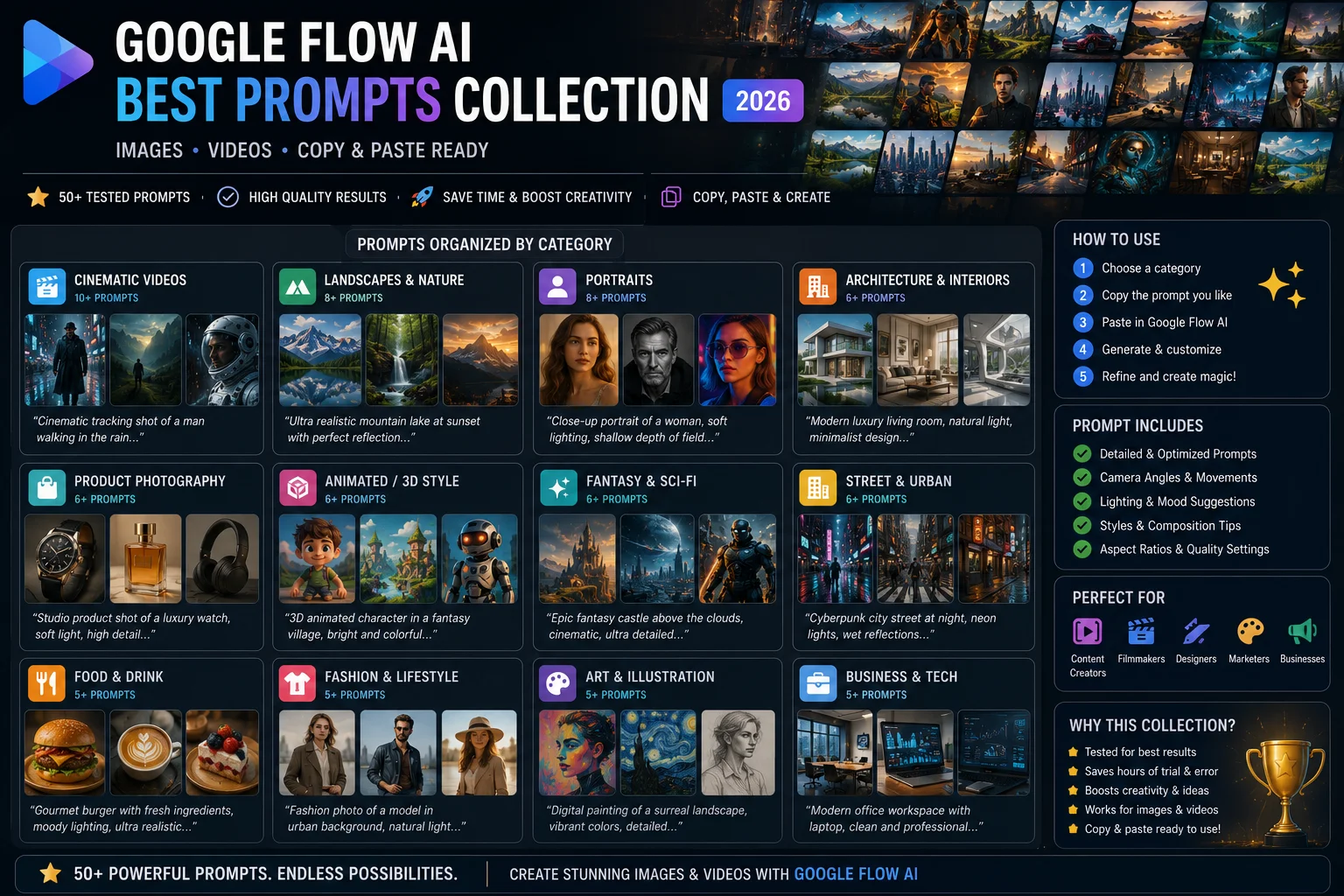
All prompts below are organized by category. For image prompts, paste directly into the image generation box. For video prompts, paste into the video generation box and select Veo 3.1 as your model.
IMAGE PROMPTS — Nature and Landscapes
1. A mist-covered mountain valley at dawn, pine trees emerging from the fog, first light hitting the highest peaks, landscape photography style, ultra-wide angle, 8K resolution
2. An ancient banyan tree with massive aerial roots spreading across a jungle floor, dappled golden afternoon light filtering through the canopy, National Geographic photography style
3. A frozen lake in northern Norway with perfect mirror reflection of the aurora borealis above, long exposure photography, 2 AM blue-green light, no people, absolute stillness
4. Red sand dunes of the Arabian desert at sunset, dramatic shadows cutting across the dunes, a single camel silhouette on the ridge, minimalist composition, golden and orange tones
5. Terraced rice paddies in Bali at sunrise, layers of green stepping down the hillside, morning mist in the valleys, travel photography, warm golden light, birds in flight
IMAGE PROMPTS — Portraits and People
6. Portrait of an elderly Pakistani craftsman working on hand-embroidered cloth, weathered hands holding a needle, natural window light from the left, documentary photography, shallow depth of field, rich warm tones
7. A young woman reading under a large oak tree in an English countryside, soft afternoon light, wearing a light linen dress, photorealistic, Fujifilm color grading, peaceful and quiet mood
8. Street portrait of a chai vendor in Lahore’s old city at dusk, steam rising from the kettle, warm orange shop lights, busy bazaar background slightly blurred, documentary style
9. A scientist in a modern lab holding up a glowing blue vial, clinical white lighting mixed with the blue glow, sharp focus on face and hands, photorealistic, 85mm lens portrait
10. An elderly grandmother teaching a young girl how to make dough in a traditional kitchen, warm natural light, flour-dusted hands, genuine moment of connection, lifestyle photography
IMAGE PROMPTS — Architecture and Urban
11. The interior of a century-old library, floor-to-ceiling wooden bookshelves, a lone reader at a mahogany desk, afternoon light through tall arched windows, dust particles visible in the light beams
12. A futuristic glass skyscraper photographed from below looking up, dramatic perspective, blue sky and clouds reflected in the glass panels, architectural photography, ultra-sharp
13. Old Lahore’s Wazir Khan Mosque courtyard at the blue hour, intricate tilework glowing softly, a few pigeons on the ground, no tourists, serene and historic atmosphere
14. A minimalist Japanese house surrounded by a bamboo garden, late afternoon sun casting long shadows, architectural photography, muted greens and warm wood tones, extreme attention to detail
15. An abandoned European castle at golden hour, overgrown with ivy, broken towers reflected in a still moat, dramatic sky with golden clouds, landscape photography
IMAGE PROMPTS — Food and Products
16. A steaming bowl of karahi on a wooden table in a Pakistani dhaba, deep red oil floating on top, fresh coriander scattered across, warm restaurant lighting, food photography overhead shot
17. Artisan sourdough bread with a perfect scored crust, cut to reveal an open crumb structure, natural light on a linen cloth, food photography, warm tones, shallow depth of field
18. A luxury wristwatch on a black reflective surface, single spotlight from above, water droplets on the crystal, commercial product photography, ultra-sharp, dark and dramatic
19. Colorful macarons arranged in a pyramid on white marble, soft diffused studio light, pastel pinks and greens, upscale patisserie aesthetic, overhead photography
20. A fresh mango lassi in a clay glass with a striped paper straw, condensation on the outside, bright natural light, lifestyle photography, vibrant yellow-orange tones
IMAGE PROMPTS — Fantasy and Creative
21. A massive ancient dragon perched on top of a crumbling fortress at sunset, wings spread wide, dramatic orange and purple sky, epic fantasy digital art, cinematic composition, ultra-detailed scales
22. An underwater city with bioluminescent coral towers, glowing sea creatures swimming between the spires, fantasy concept art, vibrant blues and teals, light shafts from above
23. A tiny wizard’s cottage nestled inside the hollow of a giant mushroom in a fairy forest, warm golden light from the window, moss and fireflies everywhere, storybook illustration style
24. A cyberpunk street market in 2099, holographic signs in Urdu and English, rain-slicked streets reflecting neon, food vendors with steam rising, ultra-detailed, cinematic
25. A lone astronaut sitting on the edge of a lunar crater, Earth rising on the horizon in vivid blue and white, photorealistic space photography, vast emptiness, silent and awe-inspiring
VIDEO PROMPTS — Cinematic and Landscape
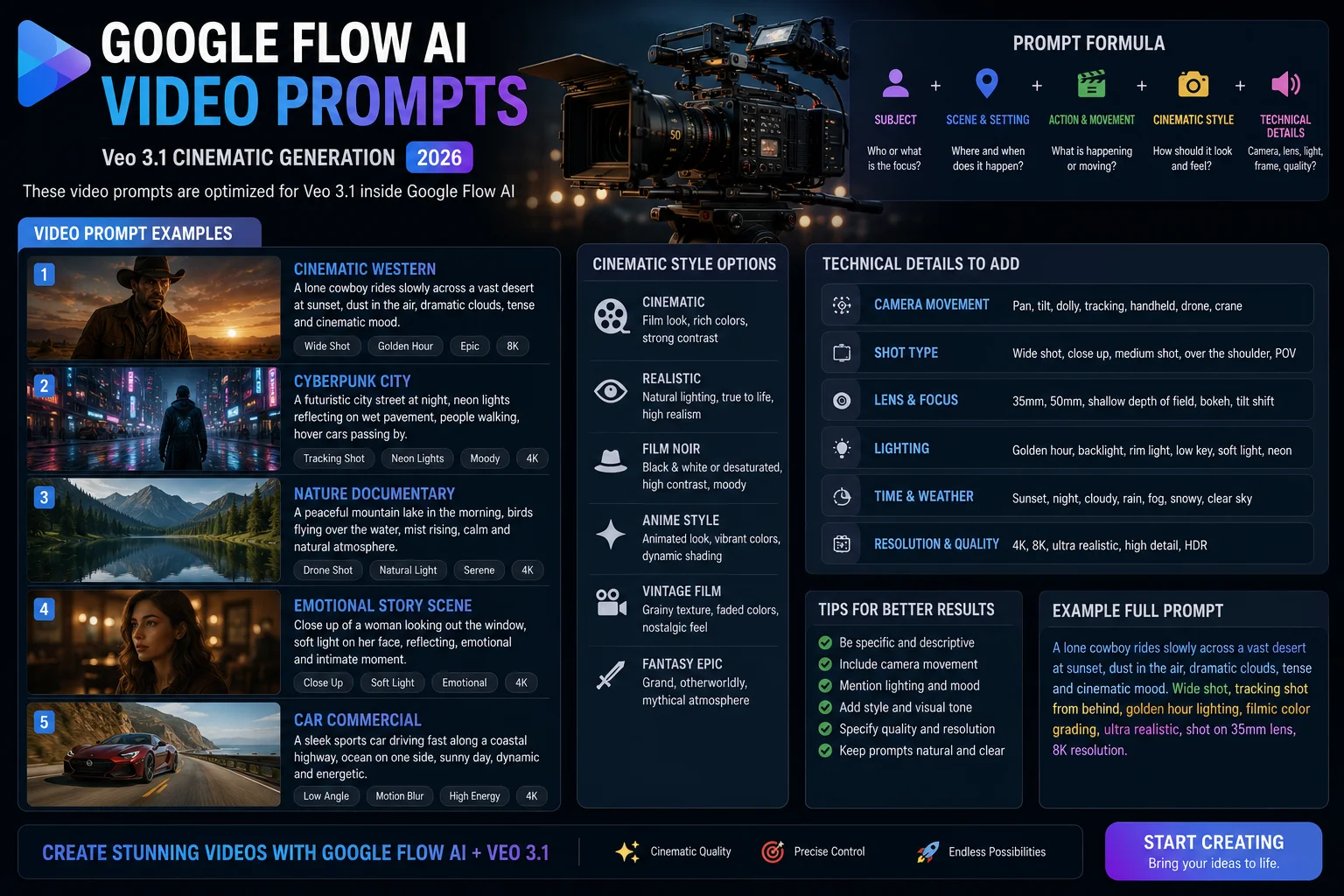
26. Slow aerial drone shot rising above a misty mountain forest at sunrise, golden light breaking through the clouds, birds taking flight from the treetops, with ambient nature sounds and distant birdsong, cinematic 4K
27. Tracking shot following a river from above as it winds through a green valley, late afternoon light, reflections shifting on the water surface, with the sound of flowing water and a gentle wind, drone cinematography
28. A time-lapse of storm clouds building over a desert landscape, lightning in the distance, colors shifting from orange to deep purple, with distant thunder and wind sounds, wide static shot
29. Slow push-in on an ancient stone doorway in a jungle ruin, vines and moss covering the carved figures, shafts of light breaking through the canopy above, with jungle sounds and bird calls, cinematic documentary style
30. Aerial shot descending slowly into the old city of Lahore at dusk, mosques and minarets lit up in warm orange light, the call to prayer audible in the distance, city sounds mixing with the evening breeze
VIDEO PROMPTS — People and Story
31. Close-up of an artisan’s hands carving intricate woodwork, sawdust falling in slow motion in the afternoon light, with the rhythmic sound of chisel on wood, shallow depth of field, documentary style
32. A tracking shot following a child running through a field of sunflowers, golden afternoon light, laughter audible, camera at the child’s eye level moving alongside them, joyful and warm
33. A chef plating a dish in a high-end restaurant kitchen, hands moving precisely, steam rising from the plate, with ambient kitchen sounds — sizzling, clinking, murmured instructions, overhead and close-up cuts
34. Two old friends playing chess in a park on a late autumn afternoon, leaves falling slowly around them, warm conversation audible but words indistinct, static medium shot, warm nostalgic color grade
35. A young woman writing in a journal at a window during heavy rain, coffee cup steaming beside her, rain sounds and distant thunder, soft interior lamp light, slow push-in from outside the window
VIDEO PROMPTS — Urban and Street
36. A slow-motion tracking shot of a woman in a red shalwar kameez walking through a busy Karachi market at night, neon shop signs reflecting on the wet street, crowd sounds and traffic, anamorphic lens flares, cinematic
37. A bird’s-eye view of a busy roundabout in Lahore during rush hour, cars and motorcycles moving in patterns, car horns and city noise, time-lapse style, golden hour light
38. Street food vendor in Islamabad’s F-7 market making paratha, flames visible on the tawa, steam rising, early morning light, with sizzling sounds and distant market noise, documentary style close-up
39. A static wide shot of a train arriving at a busy railway station, passengers rushing to board, steam from the engine, departure whistle, overhead announcement in the background, cinematic black and white
40. A person walking alone through a foggy old European street at night, gas lamps glowing, footsteps on cobblestones audible, slow tracking shot from behind, mystery and quiet, muted color palette
VIDEO PROMPTS — Product and Commercial
41. A luxury perfume bottle rotating slowly on a black reflective surface, a single white light above, water droplets appearing on the glass, deep dramatic shadows, commercial product video, no audio
42. Fresh Pakistani mangoes falling into a bowl of water in slow motion, water splashing in all directions, vibrant yellow and orange colors, natural sunlight, refreshing sound of water splash
43. A smartphone being unboxed in slow motion, packaging lifting, device revealed under studio lighting, satisfying sounds of packaging opening, product launch style, clean white background
44. Coffee being poured from a height into a cup, latte art forming automatically, steam rising, warm cafe lighting, overhead shot, with the sound of gentle cafe background noise and the pour
45. A new car emerging from fog on an empty mountain road at dawn, headlights cutting through the mist, engine sound building as it passes camera, cinematic automotive commercial style
SPECIAL PROMPTS — Using the Ingredients Panel
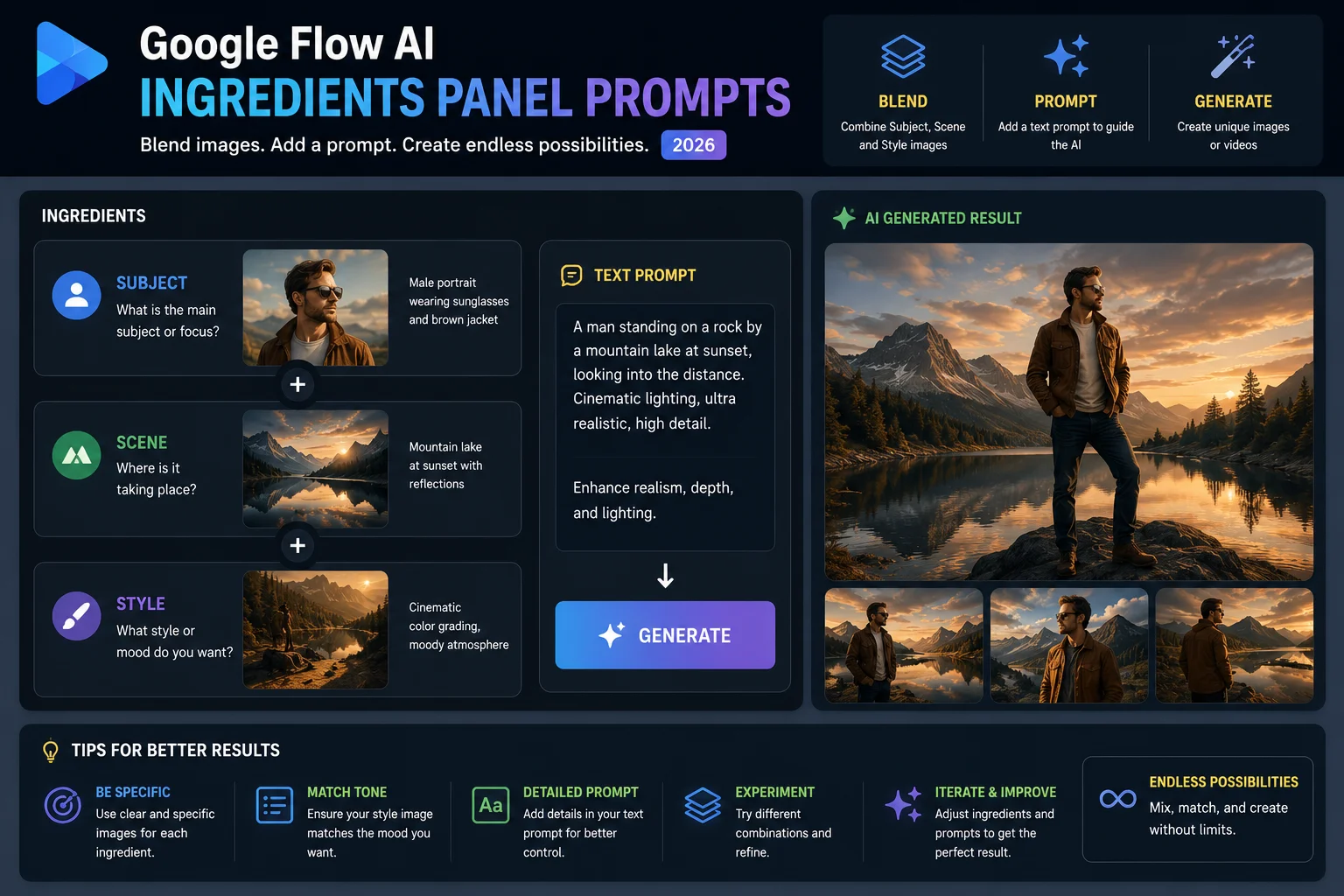
The Ingredients panel is the system Google inherited from Google Whisk AI — it lets you upload a Subject image, a Scene image, and a Style image, then blend them with a text prompt.
When using the Ingredients panel, your text prompt works slightly differently. Google officially advises: provide subject references on a plain or simple background, make sure your text prompt references the ingredients you have uploaded, and keep a consistent look across all three input images.
Here are text prompts designed specifically for use with the Ingredients panel:
46. “The [subject] stands in [scene], rendered entirely in [style]. Soft natural lighting. Ultra-detailed.” (Replace bracketed words with descriptions of your uploaded images)
47. “The [subject from uploaded image] explores the [scene from uploaded image], with the visual style of [style from uploaded image]. Cinematic lighting. Photorealistic quality.”
48. A real example from Google’s official guide: “The woman, whose torso is the lava lamp, walks down the foggy street.” (This is how Google demonstrates creative ingredient blending — your prompt can be imaginative and surreal)
49. “[Subject] sits in the center of [scene], the entire image treated with the color and texture of [style]. Award-winning photography. Natural light.”
50. “[Subject] is the hero of [scene]. The mood, palette, and texture of [style] define the entire visual. Ultra-realistic. 8K quality. No background clutter.”
Advanced Tips for Writing Better Prompts
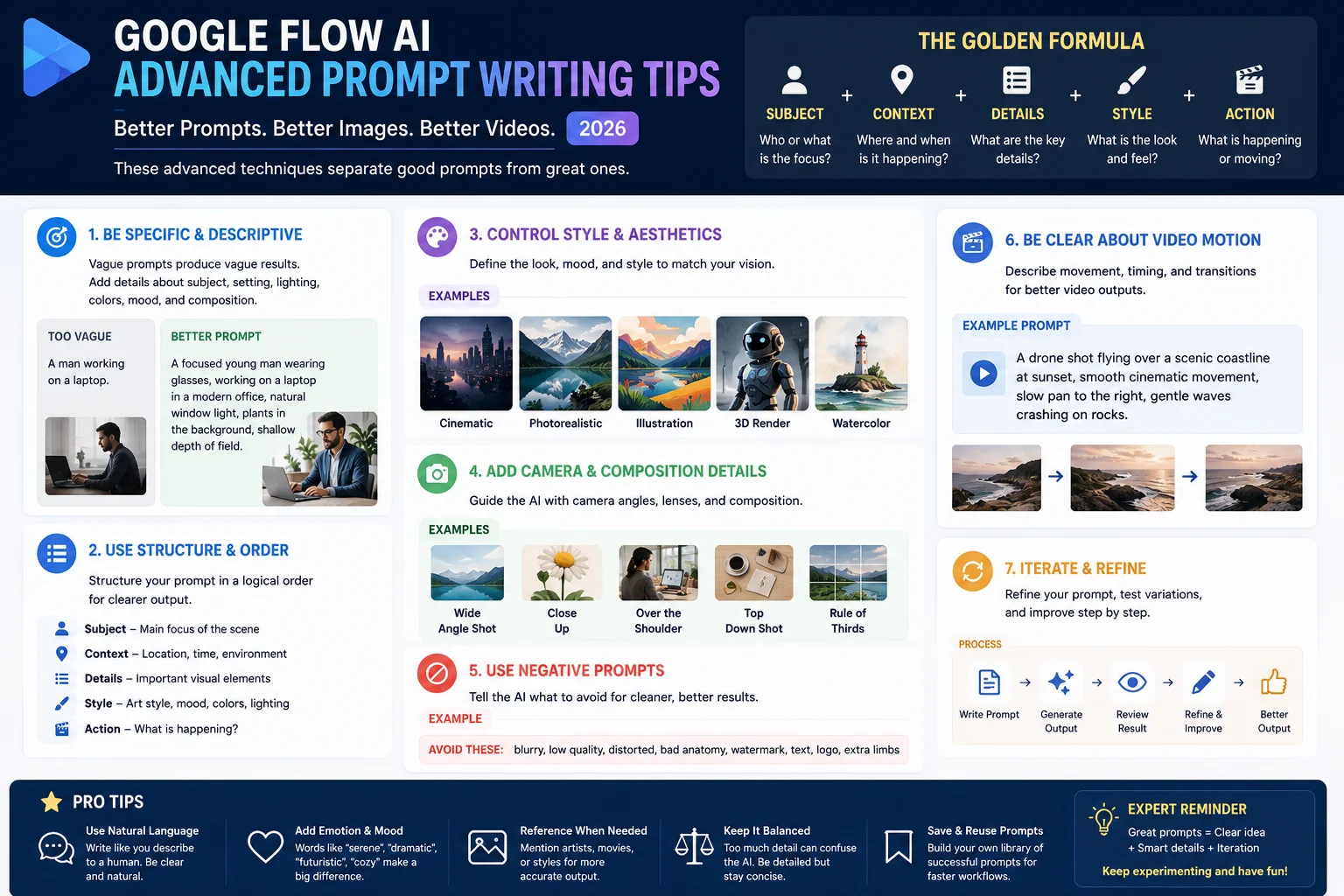
Once you have the basics down, these techniques push your results from good to genuinely impressive.
Use the @ Symbol to Reference Your Assets
Inside Google Flow AI, you can type @ followed by a character or asset name to reference specific elements you have already created in your project. This is especially useful for maintaining character consistency across multiple generations without re-uploading images every time.
Type @me to use your personal avatar inside Google Flow AI.
Let Gemini Write Your First Draft
If you have a clear idea but cannot translate it into a good prompt, open the Gemini assistant inside Flow AI and describe what you want in plain, everyday language. Tell it you need a Google Flow AI prompt for Veo 3.1 (or Imagen 3 for images). Gemini will structure it properly for you. Then adjust based on the result.
As Google officially recommends: “Visit gemini.google.com to help brainstorm.”
Change One Thing at a Time
When refining a prompt, change only one element per iteration. If you change everything at once, you will not know which change made the difference. Systematic refinement is how professional prompt engineers work.
Example: If your image has the right subject but wrong lighting, only change the lighting description and generate again.
Learn Camera Language for Video
The difference between amateur and cinematic Veo 3.1 outputs is usually camera direction. Learn these terms and use them:
| Camera Term | What It Does |
|---|---|
| Tracking shot | Camera moves alongside the subject |
| Dolly in / push in | Camera moves forward toward subject |
| Pan left / pan right | Camera rotates horizontally |
| Tilt up / tilt down | Camera rotates vertically |
| Aerial / drone shot | High elevation view from above |
| Handheld | Slight organic camera movement |
| Static wide shot | No movement, full scene visible |
| Close-up | Tight on subject, background blurred |
| Over-the-shoulder | Behind and slightly above subject |
Use Real Photography and Film Terms
The Imagen 3 and Veo 3.1 models were trained on enormous amounts of real photography and film content. They respond well to real technical terms:
Photography: f/1.8 aperture, 85mm lens, bokeh background, shallow depth of field, golden hour, blue hour, long exposure, macro photography, wide angle
Film/Video: anamorphic lens flares, 24fps cinematic, film grain, color grading, Dutch angle, establishing shot, reaction shot, cutaway
Describe Sound Environments for Video
Veo 3.1 generates native synchronized audio — meaning sound is created alongside the video in a single pass. This is a major technical advantage over most competitors. Use it by being specific about audio:
- “with ambient café noise — espresso machine, soft jazz, murmured conversations”
- “with the rhythmic sound of waves and seagulls, a distant foghorn”
- “with dramatic orchestral music building to a crescendo”
- “with the creak of the wooden floorboards and distant rain against windows”
Read more: Our Google Veo AI complete guide goes deep on video generation including everything Veo 3.1 can do with audio.
Prompts for Specific Creator Types
For Bloggers and Content Creators
Use these for featured images that are completely original and copyright-free:
For technology articles: “A clean, minimalist desktop workspace with a glowing laptop screen, dark background, blue and white accent lighting, product photography style, no visible logos, ultra-sharp”
For lifestyle articles: “A cozy reading corner with an open book, a steaming cup of tea, warm lamp light, soft blanket, wooden floor, lifestyle photography, warm and inviting”
For food blog posts: “Overhead flat lay of [dish name] on a white ceramic plate, wooden background, scattered fresh herbs, natural window light from the left, food photography, ultra-detailed”
For Social Media Creators
Quick-generate scroll-stopping visuals:
Instagram square (1:1): “[Subject] centered in frame, bold colors, strong contrast, minimal busy background, lifestyle photography, vibrant and eye-catching, square composition”
YouTube thumbnail concept: “[Person] with exaggerated surprised expression, bold colors in background, studio lighting, slightly dramatic, high contrast, thumbnail photography style”
Instagram Reels cover: “Vertical portrait format, [subject] in center, gradient background, modern aesthetic, clean and minimal, lifestyle brand style”
For Pakistani Businesses
Generate marketing materials without expensive designers:
Product showcase: “[Product name] on a clean white surface, professional studio lighting, slight shadow underneath, commercial photography, no background distractions, ultra-sharp”
Brand lifestyle: “Happy Pakistani family using [product], warm home setting, natural light, genuine smiles, lifestyle photography, warm color palette”
Festival marketing: “[Product] decorated with Eid-themed elements — crescent, stars, traditional patterns — vibrant greens and golds, festive commercial photography”
Frequently Asked Questions
How long should a Google Flow AI prompt be? For most generations, 50-80 words is a reliable range. Short enough for the model to parse clearly, long enough to be specific about subject, lighting, environment, and style. Avoid going over 150 words — very long prompts can confuse the model.
Do the same prompts work for images and videos? Not exactly. Image prompts focus on composition and visual detail. Video prompts need camera movement direction and audio descriptions added. The core formula is similar, but video prompts need those extra elements to get cinematic results.
Can I use prompts in Urdu? Google Flow AI primarily works best with English prompts. The models were trained predominantly on English language data, so English prompts give more reliable and higher quality results. You can try Urdu, but results may be less precise.
Why does my result not match my prompt? Usually one of three reasons: the prompt is too vague, it contains contradicting instructions, or the request violates content guidelines. Simplify your prompt, remove contradictions, and try again.
How do I make people in my images look realistic? Add specific photography terms: “photorealistic,” “85mm portrait lens,” “natural skin texture,” “studio lighting with soft fill,” “shallow depth of field with sharp focus on face.” Avoid generic terms like “realistic” alone — be specific about what realistic means photographically.
What is the best model for video in Google Flow AI? Veo 3.1 is the current best model for video inside Google Flow AI. It generates native synchronized audio alongside the video. Select Veo 3.1 in the model picker when generating video for the highest quality results.
New to Google Flow AI? Our Google Flow AI Tutorial for Beginners covers the complete platform step by step.















