

Google Flow Error Code 253 Quota Limit Fix | Complete Solution Guide 2026
Google Flow Error Code 253 Quota Limit Fix — You Are Not Alone
You are sitting there, ready to generate your video or image in Google Flow, and instead of your project loading up — you get a cold, unhelpful message sitting in the middle of your screen:
“The number of requests sent exceeds the quota limit. Error code 253.”
And your first thought is probably: What did I even do wrong?
Here is the honest answer — in most cases, nothing. The Google Flow Error Code 253 quota limit is one of the most widely reported problems on the platform right now in May 2026, and a massive portion of people seeing it have not actually exceeded anything. It is hitting Pro subscribers, Ultra subscribers, and free users alike, and there are dozens of active threads on the Google AI Developers Forum right now where people are asking for manual quota resets because the system flagged them incorrectly.
This guide covers what Google Flow Error Code 253 actually is, every real cause behind it, and every working fix — ranked from fastest to most involved. Whether you hit this error five minutes ago or have been locked out for days, this is the Google Flow Error Code 253 quota limit fix you need.
Let’s sort it out.
Note from Whiskailabs: We actively track Google Flow issues reported by real users. The Google Flow Error Code 253 quota limit fix steps in this guide are verified against real user reports from the Google AI Developers Forum, updated as of May 20, 2026. See more at Whiskailabs.
What Is Google Flow Error Code 253?
Before getting into the fixes, it helps to understand what is actually happening when you see this error.
Google Flow Error Code 253 is a security mechanism implemented by Google. When your account or your network sends a large or unusually fast number of requests to Google’s servers, Google interprets this as a potential security threat or automated bot activity. In response, it temporarily blocks your IP address or account from making further requests — this is what the “quota limit” refers to.
In simple terms: Google thinks you — or something on your network — made too many requests too quickly, so it pumped the brakes.
But here is where it gets frustrating. Many users experiencing Error Code 253 are Pro and Ultra subscribers who have not actually exceeded any limits. The error appears to be a known backend sync issue — the system incorrectly flags accounts with a lockout rather than a true over-usage situation. This is why you will find dozens of threads on the Google AI Developers Forum right now with people urgently requesting manual quota resets from Google’s team.
So if you are a paying subscriber and you are seeing this — it is almost certainly not your fault.
What Causes the Google Flow Error Code 253 Quota Limit Error?
The major reasons behind the Google Flow Error Code 253 quota limit error include repeated login or access attempts, use of a VPN, proxy, or shared network, browser extensions or software interference, and in some cases malware or a virus on the device.
But based on real user reports from 2026, here is the full picture of causes:
Cause 1 — True quota exhaustion: You have used up your monthly generative credits for Veo 3.1 or Nano Banana Pro. Workspace users have only 100 credits per month, and even Pro users have caps.
Cause 2 — Backend sync bug: Your account is being incorrectly flagged by Google’s quota tracking system. This is the most common cause for paying subscribers in May 2026.
Cause 3 — Shared network triggering the block: If you are on a university, office, or shared WiFi, other users on the same network may have triggered the limit — and the block applies to the entire IP address.
Cause 4 — VPN or proxy detected: Google Flow’s system sometimes treats VPN traffic as suspicious and applies quota restrictions.
Cause 5 — Rapid repeated refresh attempts: Pressing refresh over and over when Flow is slow is a surprisingly common cause — each refresh counts as a new request.
Cause 6 — Browser extension sending background requests: Certain extensions make automated calls in the background that Flow’s system counts toward your quota.
Cause 7 — Wrong account with no credits: You are signed into a free-tier account instead of your paid account.
Now let us go through every Google Flow Error Code 253 quota limit fix, one by one.
Google Flow Error Code 253 Quota Limit Fix 1 — Stop and Wait First
This is the one fix that nobody wants to hear, but it is also the one that works most reliably when the block is IP-based or session-based.
In many cases, the Google Flow Error Code 253 block is temporary and resolves automatically. You should avoid attempting to access Google Flow from your device or current network for approximately 1 to 2 hours, or until the next day. Once the 24-hour period is over, you can try opening the site again.
The worst thing you can do when you see Error 253 is keep refreshing the page. Every refresh sends another request — and each one pushes the cooldown timer further away from resetting.
What to do:
- Close Google Flow completely — close the tab and stop opening it
- Set a timer for 1 hour minimum, or ideally wait until the next day
- Do not refresh, do not reopen, do not try to access Flow from the same network during this window
- After the wait, try again using the steps in Fix 2 below
If after 24 hours the Google Flow Error Code 253 quota limit error still appears, move to the other fixes below.
Google Flow Error Code 253 Quota Limit Fix 2 — Clear Cache and Cookies
Sometimes temporary blockages caused by the Google Flow Error Code 253 quota limit can be bypassed by clearing the browser’s cache and cookies.
This works because some quota-related session data gets stored locally in your browser. Clearing it forces Flow to start a fresh session when you reload.
In Chrome, Edge, Opera, or Firefox:
Press Ctrl + Shift + Delete (Windows) or Cmd + Shift + Delete (Mac)
Select:
- ✅ Cached images and files
- ✅ Cookies and other site data
Set time range to All time and click Clear Data.
After clearing, close your browser completely — every window — then reopen and go to flow.google.com fresh.
In Safari: Go to Safari → Settings → Privacy → Manage Website Data → Remove All
Google Flow Error Code 253 Quota Limit Fix 3 — Switch to a Different Network
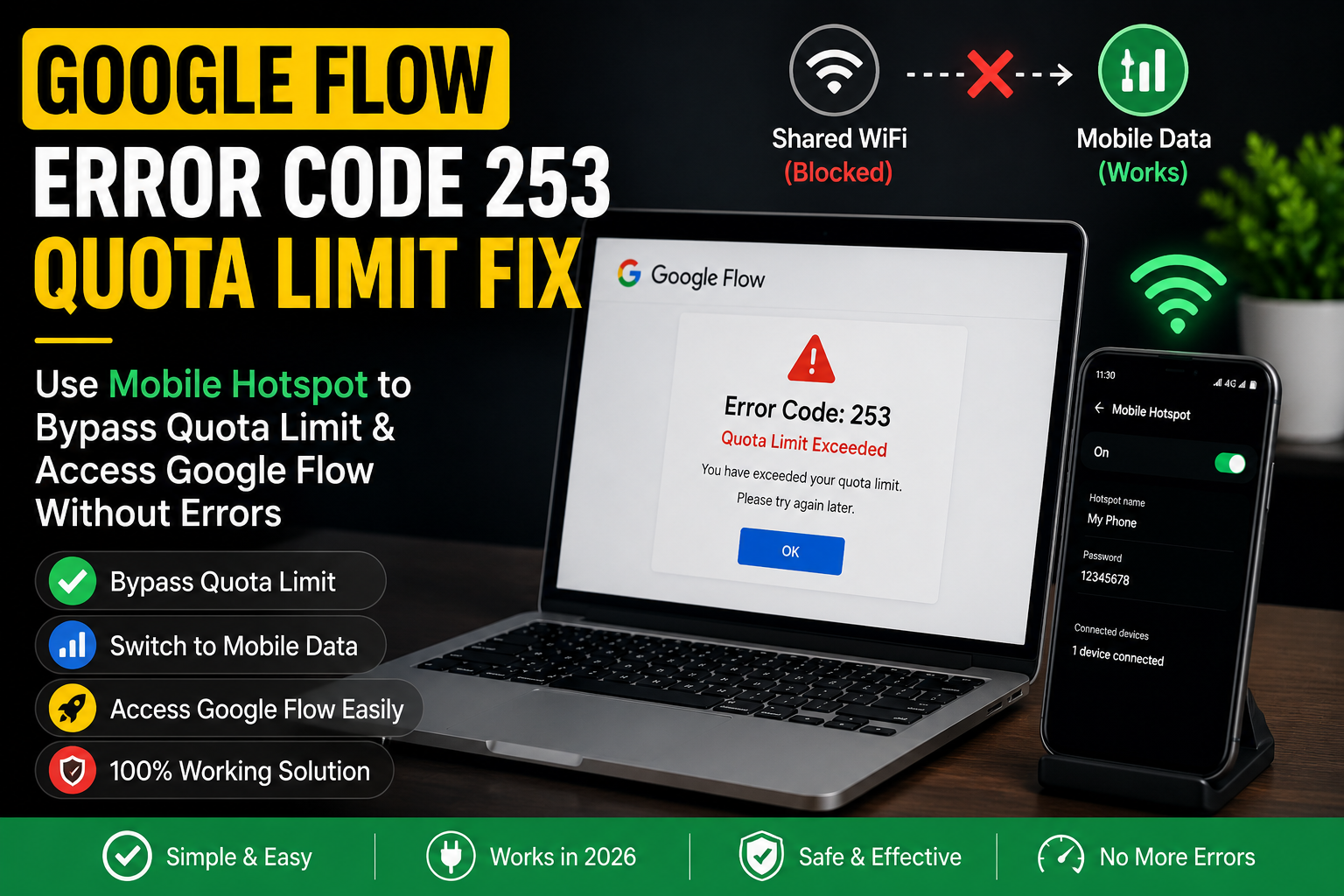
This is one of the fastest Google Flow Error Code 253 quota limit fixes when the block is at the network or IP level rather than the account level.
If you are on a shared WiFi — at a university, office, cafe, or apartment building — someone else on that network may have triggered the quota limit. Because Google applies the block to the entire IP address in some cases, everyone on that connection gets the error even if they personally did nothing.
How to test and fix this:
- Turn on your phone’s mobile hotspot
- Connect your laptop or computer to your phone’s hotspot
- Open Chrome and go directly to flow.google.com
- Sign in with your Google account
If Google Flow loads without the Error Code 253 message, the block was on your previous network — not your account. You can continue working on mobile data, or wait for the block on your WiFi IP to expire naturally.
Google Flow Error Code 253 Quota Limit Fix 4 — Sign Into the Correct Google Account
This one catches more people than you would expect. Google Flow’s credits and quota limits are tied to a specific Google account and subscription. If you are signed into a free-tier account by mistake — especially if you manage multiple Google accounts — the quota will appear exhausted even if your paid account has credits remaining.
How to check:
- Go to flow.google.com
- Click your profile picture in the top-right corner
- Check which Google account is currently active
- If it is not your paid account, click Switch account and select the right one
Also verify your Google AI Pro or Ultra subscription is still active and linked to the correct account at one.google.com.
Google Flow Error Code 253 Quota Limit Fix 5 — Check Your Remaining Credits
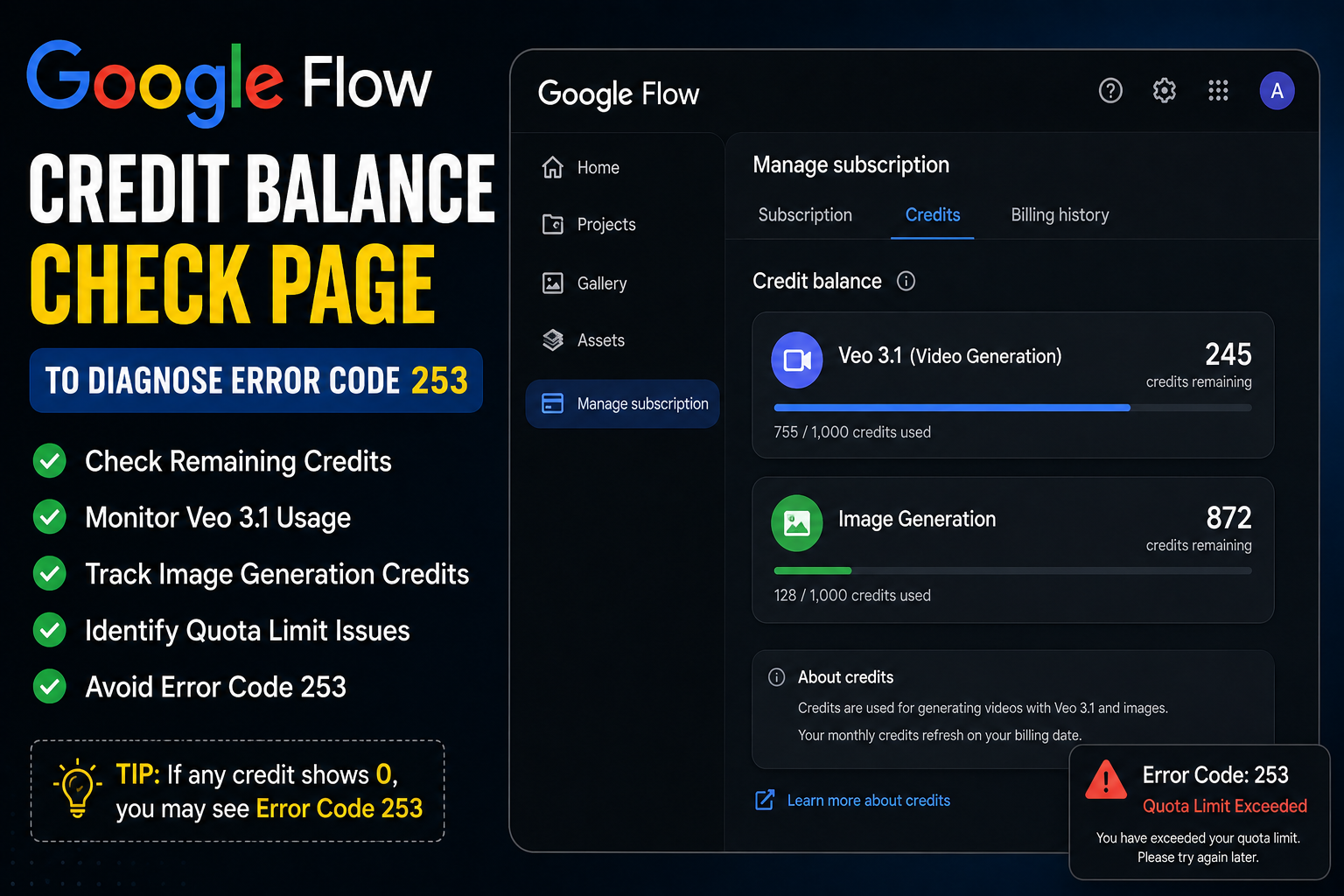
If the Error Code 253 error is legitimate — meaning you genuinely have exhausted your monthly credits — no amount of cache clearing or network switching will bypass it. The fix in that case is either waiting for your credits to reset at the start of the next billing cycle, or upgrading your plan.
How to check your remaining credits:
- Go to flow.google.com
- Click your profile picture or the settings icon
- Look for a Credits or Usage section
- Check how many Veo 3.1 video credits and image generation credits remain
Credit limits by plan (as of May 2026):
| Plan | Monthly Credits | Video Generation |
|---|---|---|
| Free / Google Labs | Limited (shared pool) | Very limited Veo access |
| Google Workspace | ~100 credits/month | Veo 3.1 limited |
| Google AI Pro | Higher cap | Veo 3.1 standard access |
| Google AI Ultra | Highest cap | Veo 3.1 priority access |
If your credits are at zero, the fix is straightforward: wait for your monthly cycle to reset, or upgrade at one.google.com.
Important: Google explicitly states that failed video generations should not permanently consume credits, and that credits from failed generations are re-credited, though they may take time to reappear. So if you lost credits from a generation that failed, check back after a few hours — they should return.
Google Flow Error Code 253 Quota Limit Fix 6 — Disable Browser Extensions
Browser extensions — especially ad blockers, script blockers, and privacy tools — can trigger unusual request patterns that Flow’s system reads as suspicious activity. This can set off the quota limit protection even when you have not genuinely exceeded your credit cap.
How to test:
Open a new Incognito window (Ctrl+Shift+N in Chrome) and try flow.google.com there. Incognito mode disables most extensions by default.
If Flow loads without the Error Code 253 message in Incognito but not in your regular browser, an extension is causing the Google Flow Error Code 253 quota limit trigger.
Fix:
- Go to your browser’s extensions list
- Disable extensions one by one and test Flow after each
- Once Flow loads, the last extension you disabled is the cause
- Add flow.google.com to that extension’s whitelist
Common culprits: uBlock Origin, AdBlock Plus, Privacy Badger, Ghostery, VPN browser extensions.
Google Flow Error Code 253 Quota Limit Fix 7 — Disable Your VPN
Use of a VPN, proxy, or shared network is one of the major reasons behind the Google Flow Error Code 253 quota limit error. Google’s system treats VPN traffic as potentially automated or suspicious, and can apply the quota block to VPN IP addresses even when your account is within limits.
The fix is simple:
- Turn off your VPN completely
- Close your browser — all windows, not just the tab
- Reopen Chrome and go directly to flow.google.com
- Sign in and check if Error 253 is gone
If Flow works fine with the VPN off, your VPN was triggering the quota block. You have a couple of options going forward:
- Use Flow without the VPN
- In your VPN app, use the split tunneling or bypass feature to exclude flow.google.com from the VPN tunnel — this way your VPN protects your other traffic but does not interfere with Flow
Google Flow Error Code 253 Quota Limit Fix 8 — Contact Google Support for Manual Reset
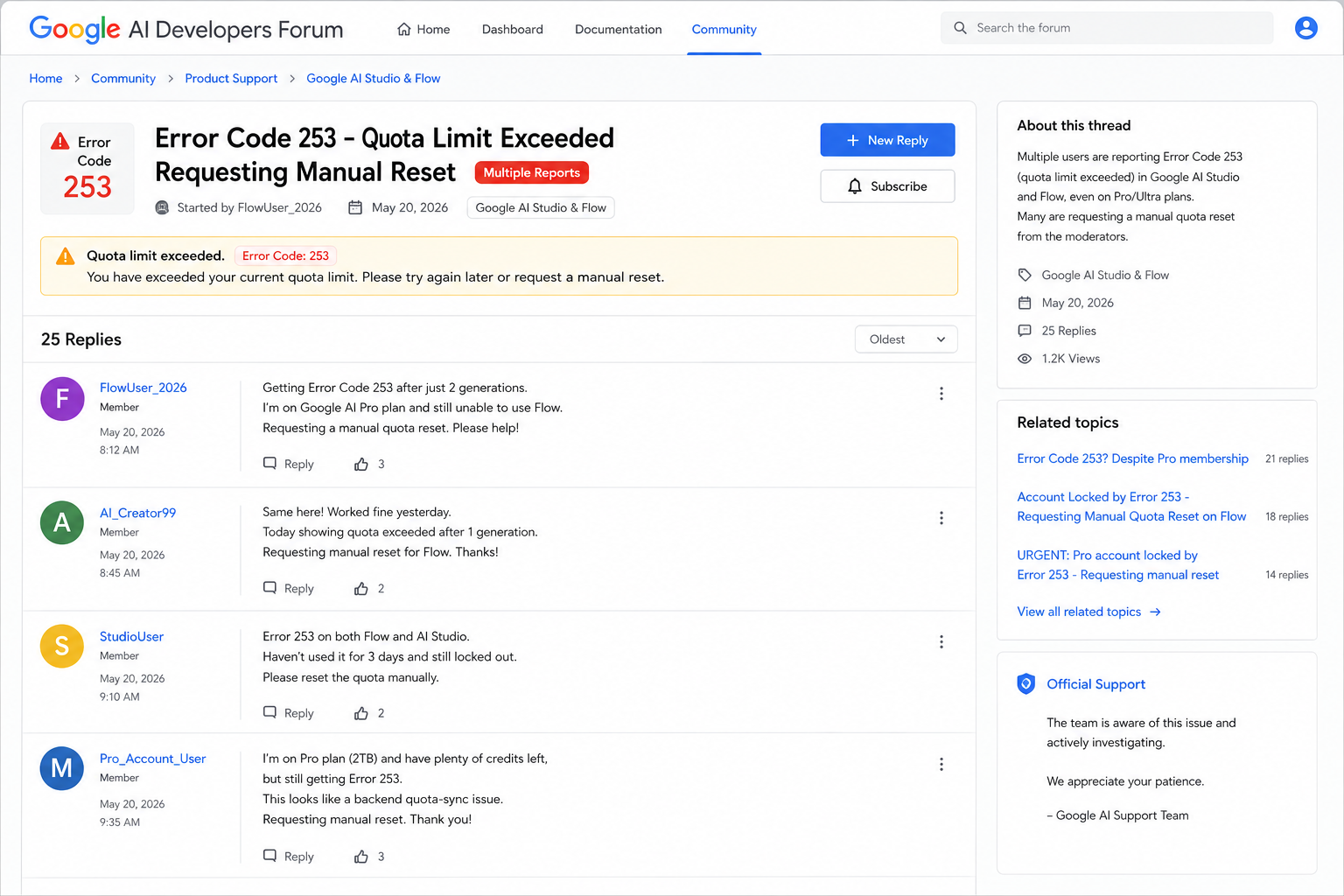
This is the most important fix for Pro and Ultra subscribers who are being incorrectly locked out due to the known backend sync bug.
As a Pro or Ultra subscriber, you should have access to higher limits, but the system is incorrectly flagging accounts with a lockout that prevents completing projects. Since this appears to be a backend sync issue and not true over-usage, manual quota resets from Google’s support team are the most reliable resolution.
How to request a manual quota reset:
Option 1 — Google AI Developers Forum (fastest for visibility):
- Go to discuss.ai.google.dev
- Post a new topic in the relevant category (Google Flow / Gemini API)
- Include this information in your post:
- Your subscription tier (Free / Pro / Ultra / Workspace)
- The exact error message you see
- Your account email (do not post publicly — mention you will share it privately if needed)
- When the error started
- What you were doing when it first appeared
- That you believe it is the known backend sync bug, not true over-usage
Option 2 — Google Flow Help Center: Go to support.google.com/flow and submit a support request. Select “Quota or access issue” as the category.
What to say in your message:
“I am experiencing Error Code 253 (Quota Exceeded) on my [Pro/Ultra] account. I have not exceeded any usage limits. Based on reports in the Google AI Developer community, this appears to be the known backend quota synchronization bug. I am requesting a manual quota reset for my account so I can regain access to Flow.”
Google’s moderation team has been actively responding to these requests on the developer forum in May 2026. Response times vary, but posting on the forum alongside a support ticket tends to get faster attention.
Google Flow Error Code 253 Quota Limit Fix 9 — Try a Different Device
Sometimes the Google Flow Error Code 253 quota limit block is tied to a specific device fingerprint rather than just an IP or account. Trying Flow on a different device — your phone instead of your laptop, or a different computer — can bypass this kind of session-level block.
How to try:
- Open Google Flow on a device you have not used today
- Sign in with the same Google account
- Check if Error 253 appears
If Flow works on the other device, the block was device-specific. Clearing your browser cache and cookies on the original device (Fix 2) should clear it up on that device too.
Google Flow Error Code 253 Quota Limit Fix 10 — Use Flow During Off-Peak Hours
This applies specifically when the Error 253 appears during periods of extremely high demand — not because your personal quota is exhausted, but because Flow’s shared infrastructure is under strain.
Peak traffic hours — US evenings and weekends — are when random failures and quota-related errors spike the most. During these times, Flow’s system may apply temporary rate limits more aggressively to manage server load.
When to use Flow for fewest errors:
- Early morning Pakistan Standard Time (PST) — which is late night or very early morning US time
- Weekday mornings (Monday to Friday) before US business hours begin
- Avoid Saturday and Sunday evenings Pakistan time — that overlaps with US prime time
Simply trying again at a different time of day resolves the Error 253 in a surprising number of cases.
What the Google Flow Error Code 253 Quota Limit Does NOT Mean
Because this error message is confusingly worded, a lot of people assume things that are not true. Let us clear those up.
It does NOT mean your Google account is banned. Error 253 is a temporary rate limit, not a permanent suspension. Your account is fine.
It does NOT mean you have lost your paid subscription. Your Pro or Ultra plan is still active. The error is just blocking access temporarily.
It does NOT mean your generated content is deleted. Everything in your Flow Library is safe in your Google account storage. The error does not touch your existing files.
It does NOT always mean you actually exceeded your quota. Many users experiencing Error Code 253 have not exceeded any limits — it is a known quota synchronization bug.
It does NOT require reinstalling anything. This is a server-side or session-level issue. Reinstalling Chrome or the Flow app will not fix it on its own.
How to Avoid the Google Flow Error Code 253 Quota Limit in Future
Once you are back inside Flow, these habits will help you avoid hitting the quota limit error again.
Do not rapid-refresh when Flow is slow. Every page refresh counts as a request. If Flow is loading slowly, wait — do not keep pressing refresh or reload.
Use credits for Veo 3.1 wisely. Video generation uses credits fast. Test your prompt with image generation first, then commit to video once you are happy with the direction.
Check your credit balance regularly. Before starting a heavy session, check how many credits you have remaining. Do not run a long batch of generations when you are close to the limit.
Avoid using Flow on shared public networks. University WiFi, office networks, and cafe connections are the highest risk for IP-level quota blocks. Use your own internet connection or mobile data when possible.
Keep your browser extensions minimal. Fewer extensions means fewer background requests and fewer chances of triggering Flow’s security detection.
Turn off your VPN before opening Flow. If you use a VPN regularly, make a habit of disabling it specifically for Flow sessions, or set up split tunneling to exclude flow.google.com.
For ongoing Google Flow tips and updates on quota issues as they develop, the Whiskailabs blog covers these regularly.
Is This Error Happening to a Lot of People Right Now?
Yes — and more than usual in May 2026.
Based on activity on the Google AI Developers Forum, there has been a noticeable spike in Error Code 253 reports this month. Multiple threads marked “URGENT” have appeared within the past 24 hours alone, with Pro and Ultra subscribers reporting they are locked out despite not exceeding their usage.
Users are describing being stuck in a known background sync quota lockout and requesting manual resets as soon as possible.
This suggests Google is aware of the issue and is actively working on it. If you are experiencing the error right now, you are far from alone — and a manual reset request to Google’s support team is your most reliable path to a fast resolution.
You can also monitor the Google Workspace Status Dashboard for any active service incidents that might be related.
For the latest community discussion on this error, check the Google AI Developers Forum and filter by recent posts mentioning Error 253.
Full Fix Checklist — Google Flow Error Code 253 Quota Limit Fix at a Glance
| Step | Fix | Time to Try | Works Best For |
|---|---|---|---|
| 1 | Stop accessing Flow and wait 1–24 hours | Immediate | IP-based temporary block |
| 2 | Clear browser cache and cookies fully | 2 minutes | Session-stored quota data |
| 3 | Switch to mobile data / different network | 1 minute | Shared network IP block |
| 4 | Switch to correct Google account | 1 minute | Wrong account (no credits) |
| 5 | Check remaining credits in Flow | 2 minutes | True quota exhaustion |
| 6 | Open in Incognito and disable extensions | 2 minutes | Extension triggering the block |
| 7 | Turn off VPN completely | 30 seconds | VPN-related block |
| 8 | Request manual reset from Google support | 10 minutes | Backend sync bug (paying users) |
| 9 | Try on a different device | 3 minutes | Device-level session block |
| 10 | Use Flow during off-peak hours | N/A | Peak traffic throttling |
Frequently Asked Questions About Google Flow Error Code 253 Quota Limit Fix
What does Google Flow Error Code 253 mean?
Google Flow Error Code 253 means your account or network has been temporarily blocked because Google’s system detected too many requests in a short period. It can also appear due to a backend quota synchronization bug that incorrectly flags paying subscribers without any true over-usage on their part.
How long does Google Flow Error Code 253 last?
In most cases, the Google Flow Error Code 253 quota limit block lifts automatically within 1 to 2 hours. In more persistent cases — especially those tied to the backend sync bug — it may require a manual reset from Google’s support team. Do not keep refreshing the page during the wait, as each refresh extends the cooldown.
I am a Pro subscriber. Why am I getting Google Flow Error Code 253?
You are almost certainly hitting the known backend quota synchronization bug. Pro and Ultra subscribers are reporting being incorrectly locked out in May 2026 despite not exceeding their limits. The fastest path to resolution is posting a manual quota reset request on the Google AI Developers Forum at discuss.ai.google.dev.
Does Error Code 253 delete my Flow projects or credits?
No. Your Google Flow projects, videos, and images saved in your Library are completely safe. Credits from failed generations are re-credited by Google, though this can take a few hours to reflect.
Can clearing cache fix the Google Flow Error Code 253 quota limit error?
Yes, in some cases. If the quota block is session-based and stored in your browser, clearing cache and cookies removes that data and allows Flow to start a fresh session. It does not override a genuine credit exhaustion or a server-side IP block, but it is worth trying before anything more involved.
Will using a VPN fix the Google Flow Error Code 253 error?
Generally no — and it can actually make it worse. VPN traffic is one of the known triggers for the Error 253 quota block. If you have a VPN running, turning it off is more likely to fix the error than turning one on.
Where do I report the Google Flow Error Code 253 quota limit bug to Google?
Go to the Google AI Developers Forum and post a new topic describing your situation — subscription tier, when it started, and that you believe it is the backend sync issue. You can also submit a ticket through support.google.com/flow. For a faster response, do both at the same time.
How many credits does Google Flow give per month?
Credit amounts vary by plan. Workspace users have approximately 100 credits per month. Pro and Ultra subscribers have higher caps. Free users share a limited generative pool. Check your remaining credits in your Flow account settings before starting a heavy session.
Final Thoughts — The Google Flow Error Code 253 Quota Limit Fix Is Within Reach
Google Flow Error Code 253 is annoying. Especially when you are mid-project, on a deadline, or sitting on a paid subscription that should be giving you uninterrupted access.
But here is what the data from May 2026 tells us clearly: this error is almost always temporary, almost always fixable, and — for paying subscribers — almost always not your fault.
Start with the simple steps: wait an hour, clear your cache, switch networks, check you are on the right account. Those four things alone resolve the Google Flow Error Code 253 quota limit error for the majority of users. If you are a Pro or Ultra subscriber being hit by the backend sync bug, a manual reset request on the Google AI Developers Forum gets you back in faster than waiting it out.
For the latest on Google Flow issues, fixes, and platform updates as they happen in 2026, the team at Whiskailabs covers this space closely. Our Google Flow not working guide covers additional errors beyond Error 253 if you need more help.
You will be generating again soon.
Useful Official Resources
- Google Flow Official Site
- Google Flow Help Center
- Google AI Developers Forum — Error 253 Threads
- Google Workspace Status Dashboard
- Google One — Manage Your AI Plan
- Google Account Manager
- Whiskailabs — Google Flow Not Working Full Guide
- Whiskailabs — AI Tools Blog
- Whiskailabs Homepage















