
If you create anything with AI — images, videos, music, or social media content — then May 19, 2026 was a big day for you.
That is the date Google held its annual I/O conference, and Google Flow AI walked away from it as a completely different product. Not a small update. Not one new button. A total transformation — from a great image tool into a full creative studio powered by intelligent AI agents.
I watched every announcement carefully so you do not have to sit through hours of developer talks. This is everything that changed, explained simply, with honest opinions on what actually matters for real creators.
What Is Google I/O — And Why Should Creators Care?
Google I/O is Google’s yearly event where they show the world what they have been building. Think of it like Apple’s launch event, but for everything Google — AI, Android, Search, YouTube, and their Labs tools.
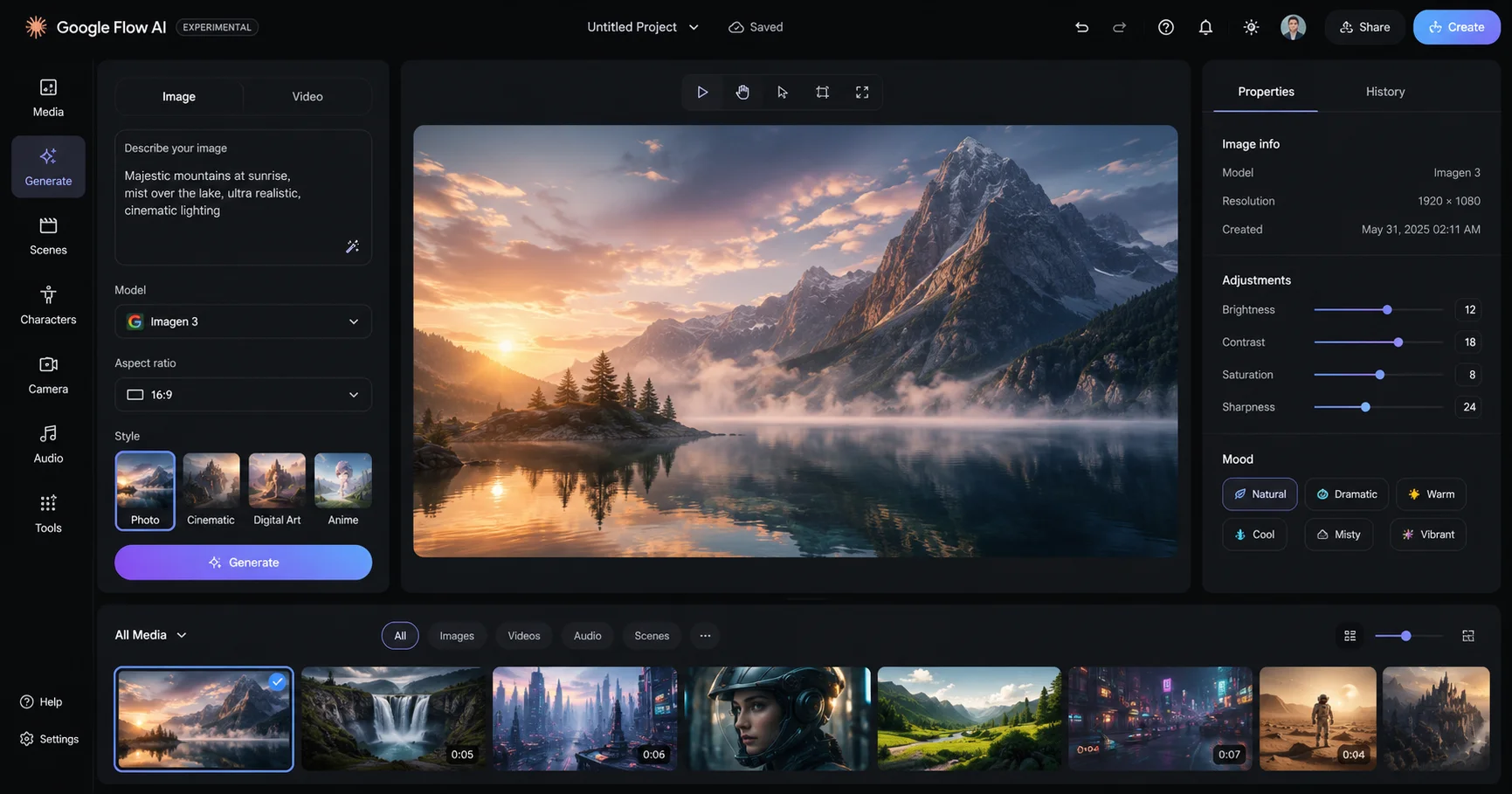
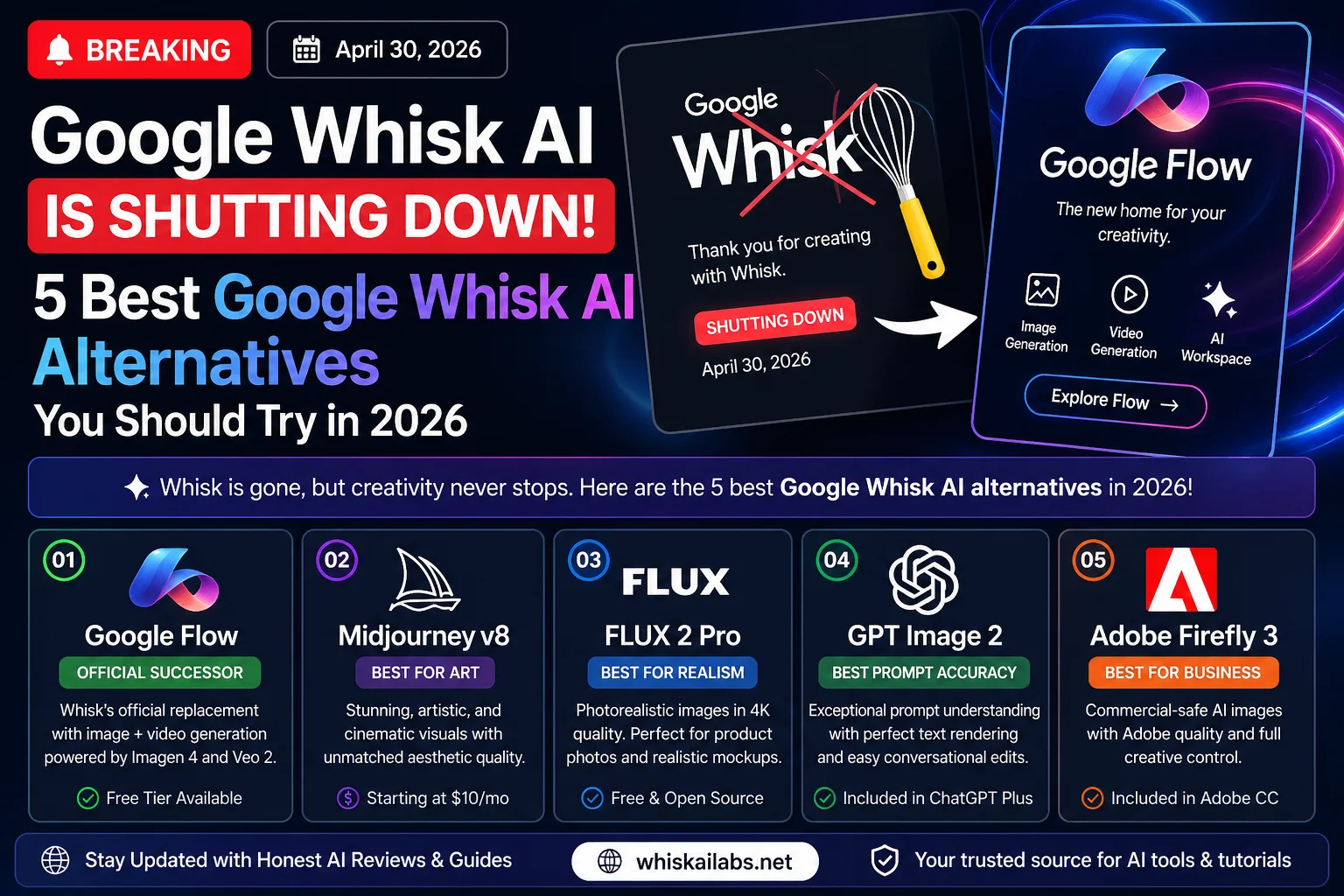
For people who use Google Flow AI (the tool that replaced Google Whisk AI in April 2026), this event matters a lot. Google uses I/O to announce the biggest updates to Flow AI, and this year did not disappoint.
The main theme of Google I/O 2026 was AI agents — software that does not just answer one question, but actually plans, thinks through problems, and takes multiple steps to complete creative tasks. That idea is now built directly into Google Flow AI.
The 5 Big Google Flow AI Announcements at Google I/O 2026
2. Gemini Omni Flash — A New Brain for Flow AI
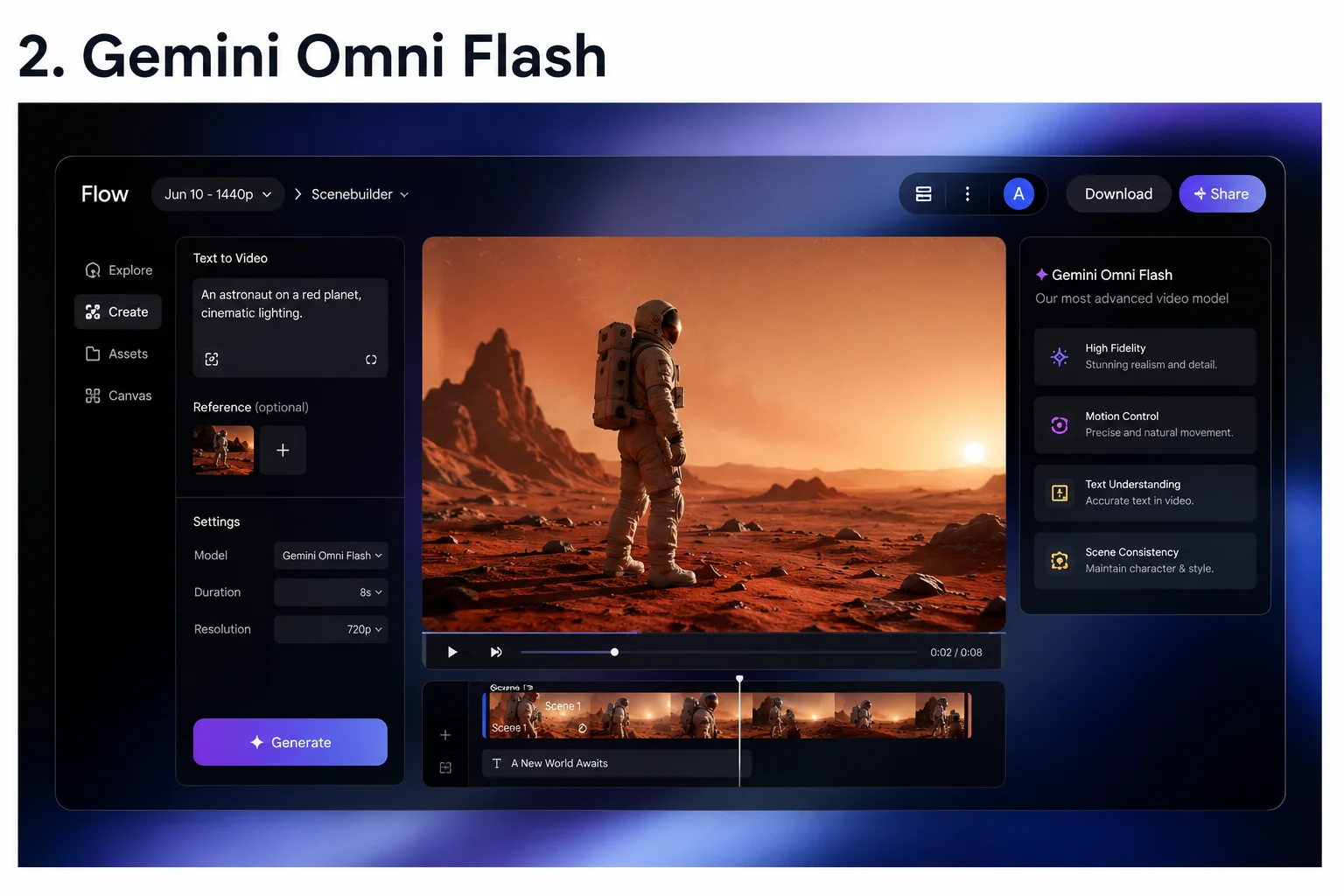
This is the headline. Google introduced a model called Gemini Omni Flash — and it is now inside Google Flow AI for paid subscribers.
What makes Omni different from what was there before? The simplest way to explain it: the old system was good at generating things. Omni is good at understanding things and then generating them.
Here is what that means practically:
Before Omni: You typed a prompt, got a video, did not like something about it, and had to rewrite the whole prompt and start again from zero.
With Omni: You say “the lighting feels too harsh — soften it and warm it up” and it makes that specific change. Same character, same scene, just better lighting. No regenerating from scratch.
That might sound small, but for anyone who has spent an afternoon trying to get one AI video clip just right, it is a genuine relief.
Omni also solves the biggest frustration in AI video — character consistency. If you are creating a story with the same person appearing in multiple scenes, Omni keeps their face, hair, clothes, and voice consistent from one scene to the next. Earlier tools would give you a slightly different-looking person every time, which made storytelling basically impossible.
Who gets it: Google AI Plus, Pro, and Ultra subscribers. Not on the free tier yet.
Official source: Read Google’s full announcement at blog.google — Flow Updates
3. Google Flow Agent — An AI That Actually Helps You Create
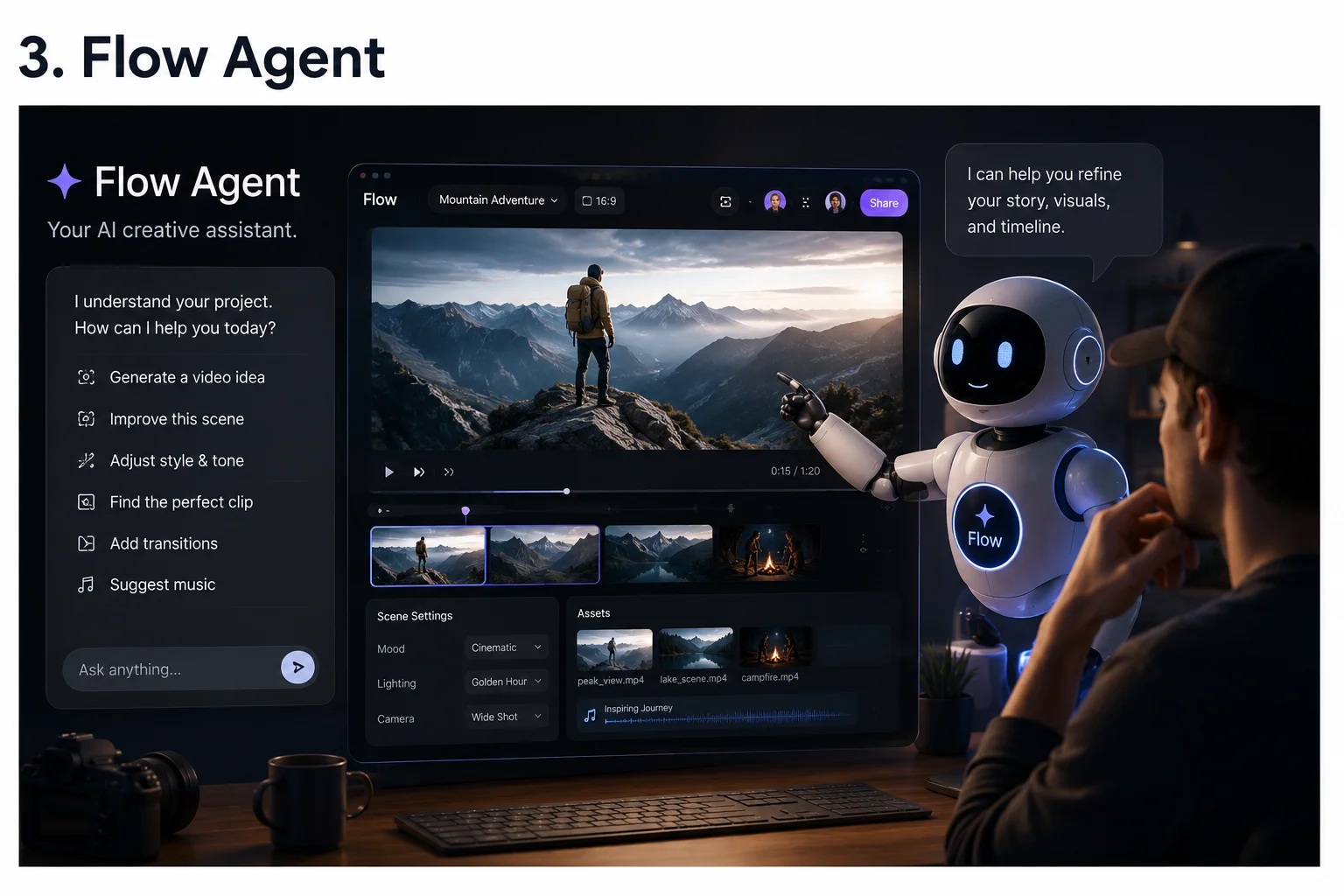
This one is available to everyone, including free users, and it might be the most useful update in the whole event.
Flow Agent is an AI creative assistant that lives inside Google Flow AI and helps you at every stage of a project — not just when you press generate.
Here is the difference. Normally, an AI tool just responds to your prompts one at a time. You ask for an image. It makes an image. You are still doing all the thinking.
Flow Agent is different. It understands your entire project. It knows what characters you have created, what style you are working in, what scenes you have already made. And it uses that understanding to actively help.
Real things Flow Agent can do:
- You are making a short video with a character. Ask Flow Agent to write dialogue for a specific scene. It writes dialogue that fits your character — not generic words.
- You have 40 generated images all named “image_001, image_002” — useless names. Ask Flow Agent to rename everything based on what is actually in each image. Done automatically.
- You decide to change your character’s jacket from blue to red. Instead of redoing every scene, tell Flow Agent. It makes the change across your whole project at once.
- You are stuck creatively. Ask Flow Agent for three different ideas that fit your project tone. Compare them and pick the right one.
None of that was possible before. This is what makes AI agents a genuinely different category of tool.
Who gets it: Everyone — free tier included. Rolling out now globally.
Related reading: Our Google Flow AI Tutorial covers the full platform from scratch if you are new to Flow AI.
4. Flow Tools — Build Your Own Creative Instruments Without Coding
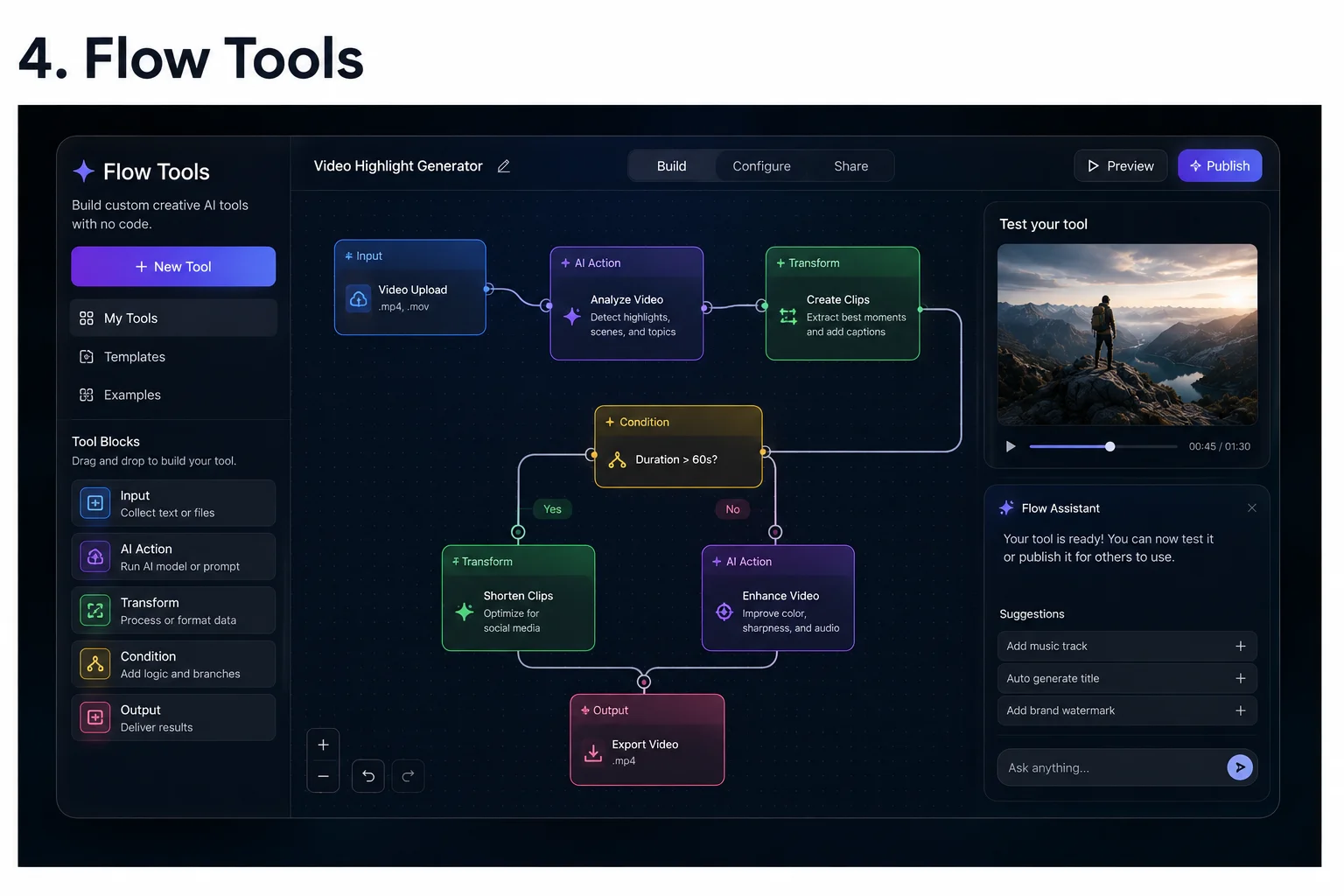
This one takes a minute to appreciate, but once it clicks, it is genuinely exciting.
Flow Tools lets you build your own custom creative tools inside Google Flow AI — using plain English, no coding at all.
What does that mean? Imagine you are a blogger who always wants images with a warm, vintage look. Describe that look to Flow Tools: “Make any image warmer, slightly faded, with a gentle grain texture — like an old photo from the 1980s.” Flow Tools builds that instrument. From then on, one click applies your exact look to any image.
Or imagine you are a social media manager posting to Instagram, YouTube, and LinkedIn. Every time you make a graphic, you have to resize it three different ways. Describe that workflow: “Take one image and automatically create versions sized for Instagram, YouTube thumbnail, and LinkedIn post.” Flow creates that workflow. One click, three exports.
A real example from Google I/O: A creator named László Gaal used Flow Tools to build something called PixelBento — a tool that applies lo-fi, glitchy retro effects to video. He built the entire thing through Flow Tools with no code. Google showcased it at I/O as a proof of concept.
Created tools can be shared with other Flow AI users and remixed into new workflows — creating a growing community toolbox that everyone benefits from.
Who gets it:
- Using existing community tools: Free for all users
- Building and remixing your own tools: Requires Google AI subscription
Also worth reading: Our AI Prompt Engineering Guide will help you write better descriptions when creating Flow Tools.
5. Google Flow App — Finally on Your Phone
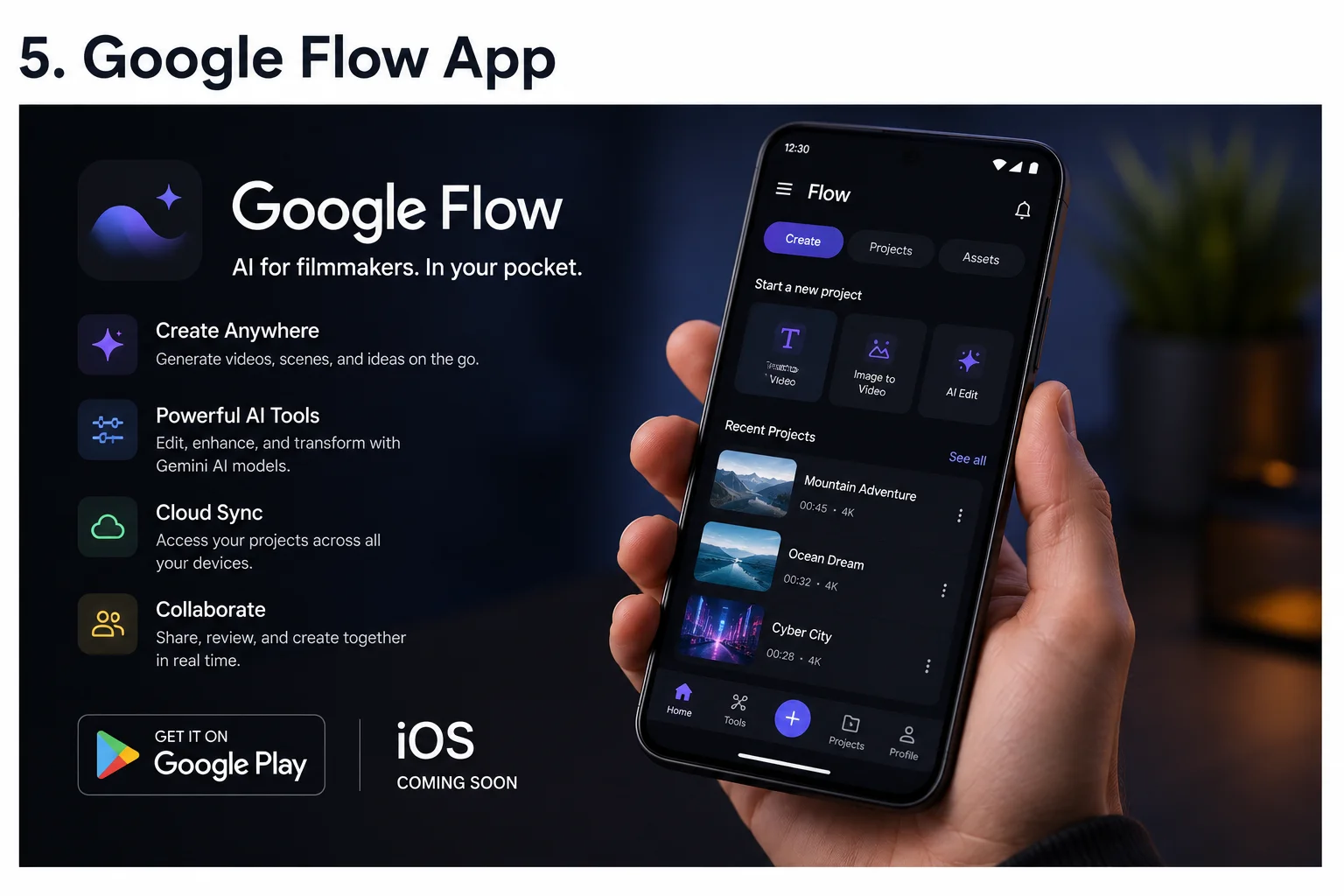
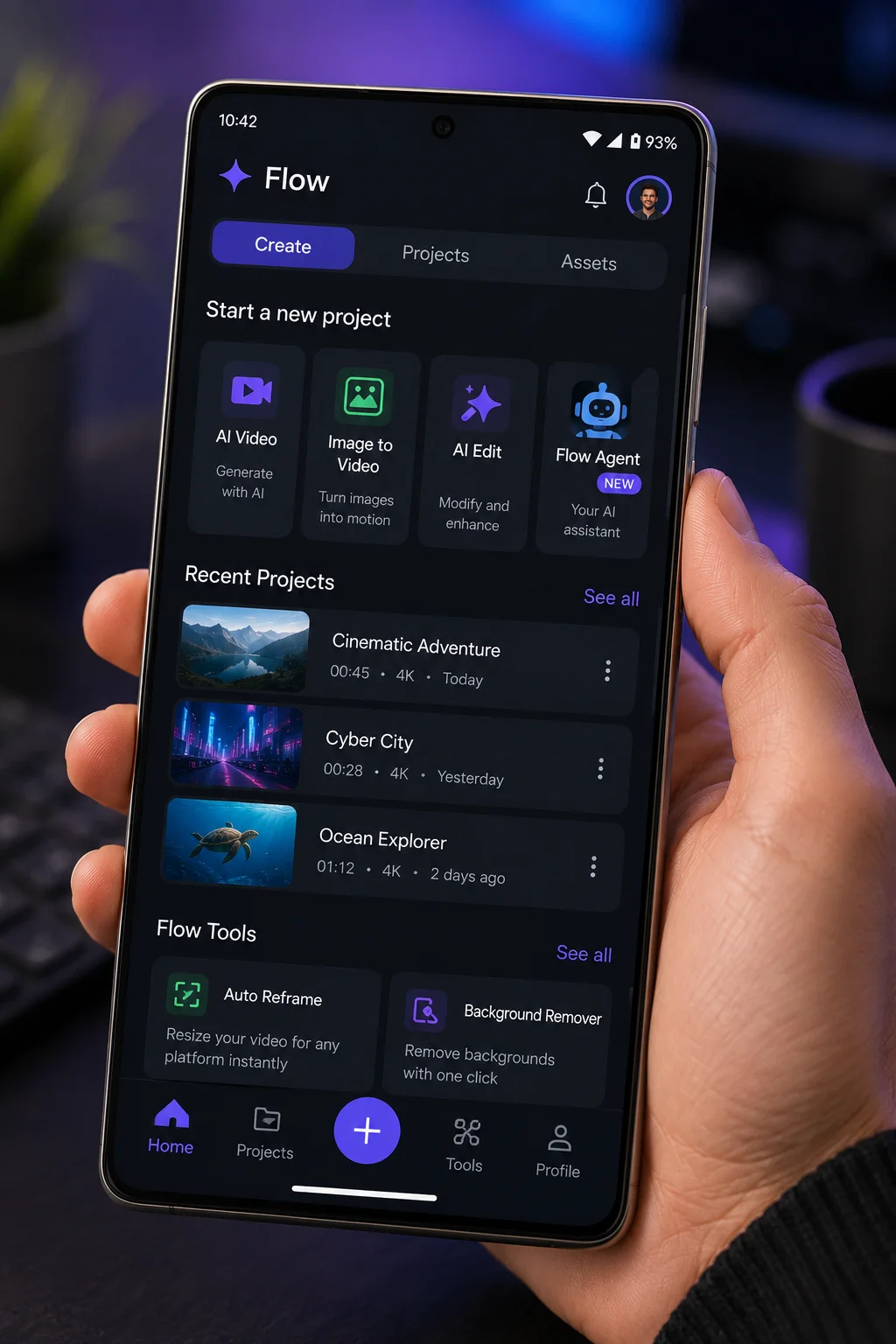
Google Flow AI is now on Android as a dedicated app — and an iPhone version is confirmed to be coming.
Before this, you had to use a browser on your phone, which worked but was not designed for mobile. The dedicated app is properly built for phones, which means:
- Photograph something in the real world and immediately use it as a reference image in Flow AI
- Generated content goes directly to your gallery, ready to share
- Push notifications tell you when a video generation is done — no more watching loading screens
- The whole experience is faster and smoother than the browser version
How to get it: Search “Google Flow” on the Google Play Store. Install the app published by Google LLC. You must be 18 or older for the beta.
iPhone users: The main Flow app is Android-only for now, but it is confirmed to be in development. The Flow Music app is already available on iPhone today.
If you are in Pakistan and having trouble with regional access, our Whisk AI Not Available Fix guide covers the same solutions for Google Flow AI.
6. Google Flow Music Gets Surgical Editing
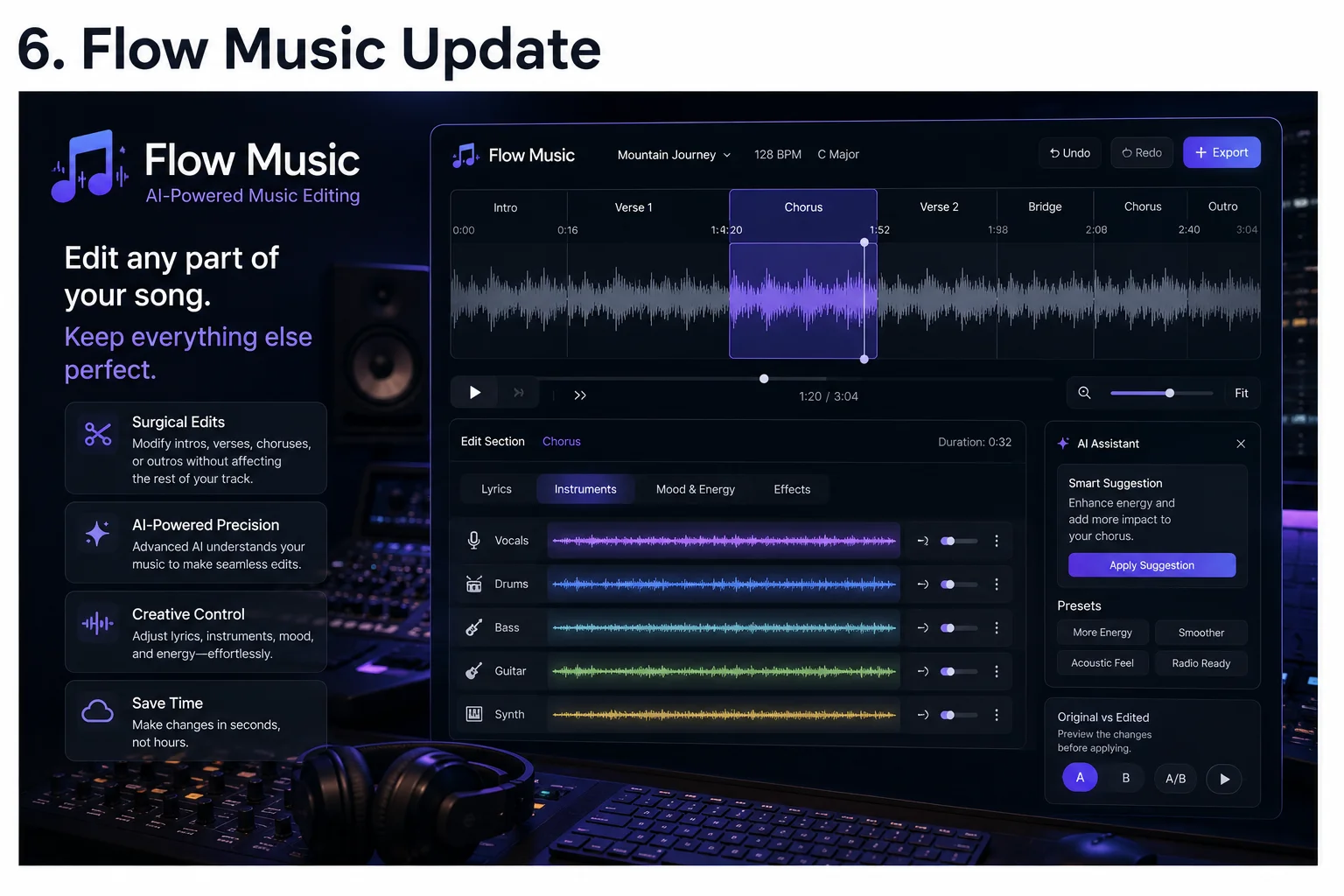
Flow Music — Google’s AI music creation tool — also got serious additions at I/O 2026.
The biggest one is surgical editing. Before this update, if you generated a song and wanted to change the chorus, you had to regenerate the whole thing. Now you can highlight just the section you want to change and edit only that part. The rest of the song stays exactly as it was.
Other new things in Flow Music:
- AI covers: Transform any song’s style completely while keeping the same melody
- Translate lyrics: Change the language without changing the music
- Music videos: Generate visuals for your AI-created songs conversationally
iOS app is live now. Android coming soon.
What This Means If You Are on the Free Tier
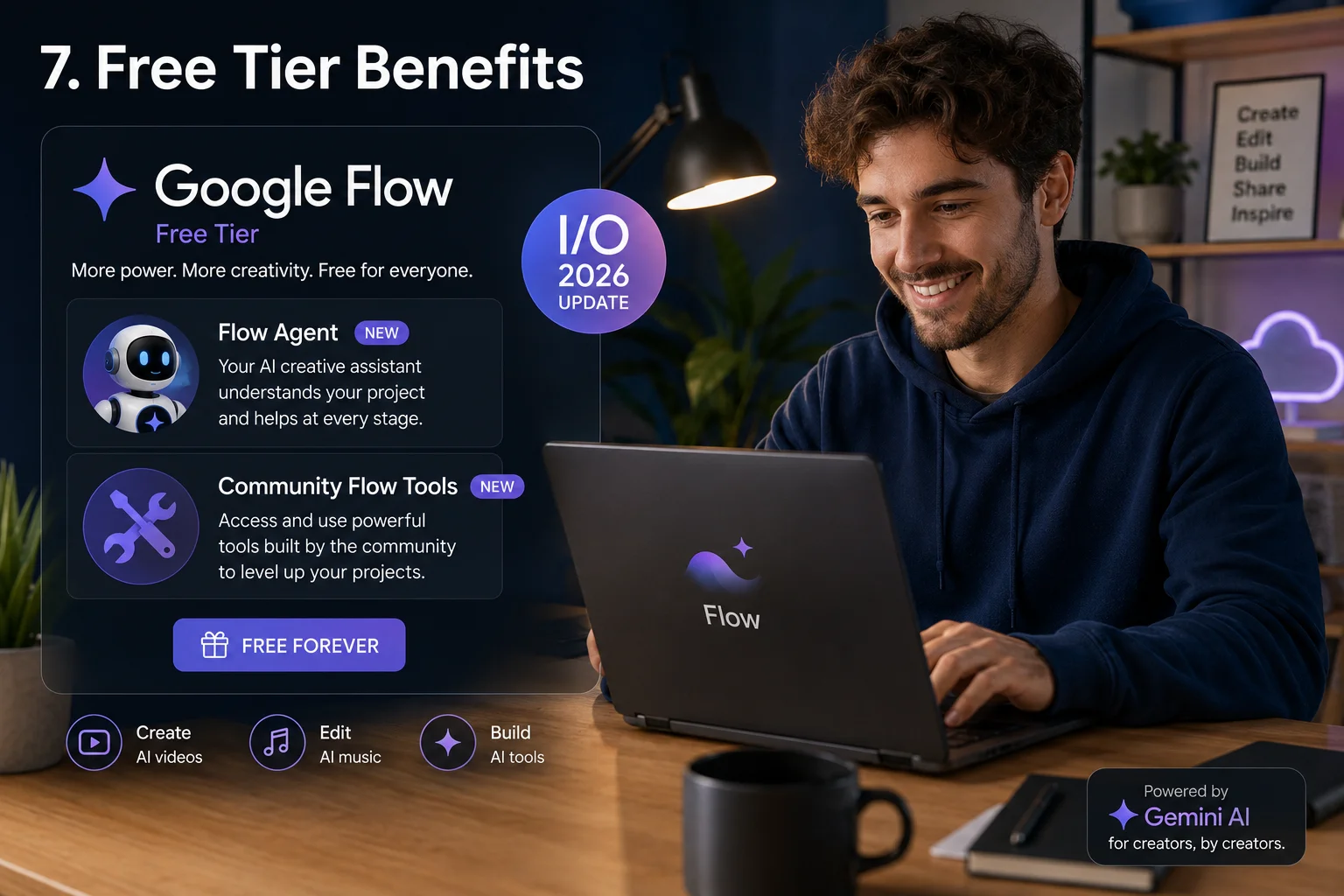
If you use Google Flow AI without paying, here is your honest summary of what you gained from I/O 2026:
You got:
- Flow Agent — genuinely excellent and completely free
- Access to all community-created Flow Tools
- The Google Flow Android app
You did not get:
- Gemini Omni Flash (the video editing upgrade)
- Ability to create your own custom Flow Tools
That is a fair deal. Flow Agent alone is a meaningful addition that makes complex creative projects significantly more manageable without spending a rupee.
Quick Reference — Every Feature at a Glance
| Feature | What It Does | Free? |
|---|---|---|
| Gemini Omni Flash | Precise video editing + character consistency | No — AI Plus only |
| Flow Agent | AI assistant for your whole project | Yes — everyone |
| Flow Tools (use) | Access community-built tools | Yes — everyone |
| Flow Tools (create) | Build your own custom tools | No — AI Plus only |
| Flow Android App | Full Flow AI on Android phone | Yes — Play Store |
| Flow Music Editing | Edit specific song parts only | Yes |
| AI Music Covers | Transform song style, keep melody | Yes |
| Flow Music iOS App | Flow Music on iPhone | Yes |
Three Things You Should Do Right Now
1. Open Google Flow AI and look for Flow Agent. Go to flow.google and sign in. Flow Agent is rolling out to all users now. Describe your project and ask for ideas.
2. Download the Android app. Search “Google Flow” in the Play Store and install it. Having Flow AI on your phone changes how you create.
3. Browse the Flow Tools library. Even on the free tier, community tools are available to everyone. Find one that fits your workflow.
Frequently Asked Questions
Is Google Flow AI still free after I/O 2026? Yes. The free tier remains at flow.google with any personal Gmail. Gemini Omni Flash and custom Flow Tools creation require a paid plan, but the core platform including Flow Agent is still free.
What happened to Google Whisk AI? Google Whisk AI shut down on April 30, 2026. All features now live inside Google Flow AI. The Subject + Scene + Style system is in the Ingredients panel at flow.google.
Is Google Flow AI available in Pakistan after I/O 2026? Yes. Nothing at I/O 2026 changed regional availability. Flow AI works in Pakistan with a personal Gmail. Paid tier is Rs. 1,400/month.
When is the Google Flow iOS app coming? Google confirmed it is coming but did not give a specific date. Flow Music is already on iOS right now.
How is Flow Agent different from the Gemini assistant already in Flow AI? The existing assistant helps write better prompts. Flow Agent understands your entire project, takes batch actions within it, organizes assets, and participates throughout your creative process — not just at the prompt stage.
What is the difference between Gemini Omni Flash and the old Veo system? The old Veo AI generated video from prompts. Gemini Omni Flash adds precise editing of existing generations and maintains character consistency across scenes — a fundamentally more powerful capability for storytelling.

AI tools researcher aur content creator hoon. Google Whisk AI, Google Flow AI aur image generation tools par actively kaam karta hoon. WhiskAILabs.net ka founder hoon jahan AI tools ko simple aur asaan andaaz mein explain kiya jata hai.