
Google Flow vs Adobe Firefly | Which AI Image Tool Is Actually Worth Your Time in 2026?
Introduction: Two Giants, One Question — Which One Wins?
Okay, let me be real with you.
If you’ve been sitting on your laptop or phone lately, trying to make AI-generated images for your business, your YouTube channel, your school project, or just for fun — you’ve probably run into two names over and over again: Google Flow and Adobe Firefly.
And here’s the thing. Both of them look impressive. Both of them claim to be the best. Both of them have flashy demos and big company logos behind them.
But which one actually works for you?
That’s what we’re going to find out today — in plain language, with no technical jargon, no hype, and no sugarcoating. Whether you’re a 9-year-old curious about AI art or a business owner in your 50s trying to figure out which tool saves you the most time and money, this comparison is written for you.
Let’s dig in.
What Is Google Flow? (The Newcomer That Came In Quietly)
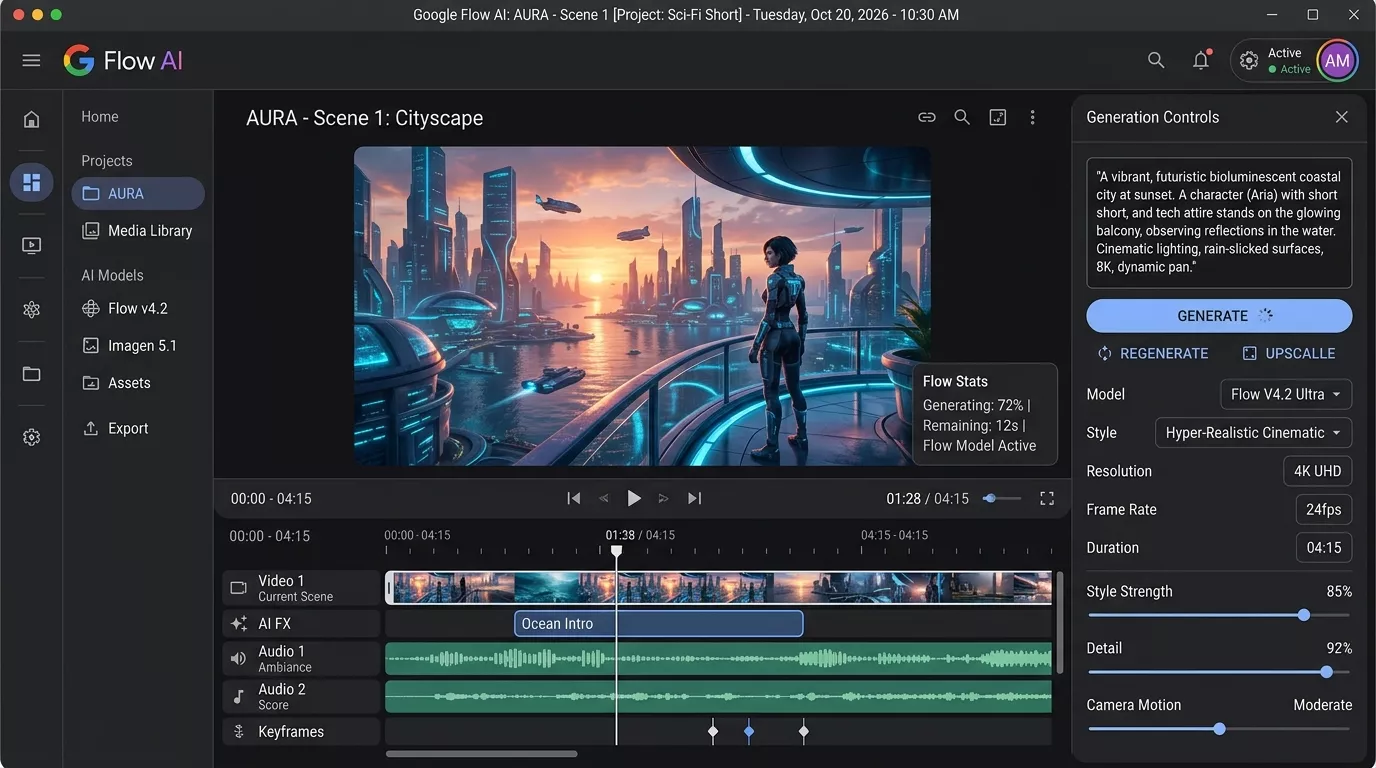
Google Flow is Google’s AI-powered creative tool that came out of their DeepMind and Google Labs work. It’s designed primarily around video generation and storytelling, but it also handles image creation through its Veo 3 and Imagen 4 models underneath.
Think of it like this: if you wanted to tell a visual story — like a short film, an animated explainer, or a creative reel — Google Flow is trying to be the tool that handles all of that from a single prompt.
You type what you want. It generates video clips, scenes, and visual content that feels connected and cinematic.
At Whiskailabs, we’ve been keeping a close eye on how tools like Google Flow are changing the game for creators and businesses. And honestly? It’s moving fast.
Key things Google Flow does:
- Generates AI video from text prompts (via Veo 3)
- Creates still images through Imagen 4
- Lets you build scene-by-scene visual narratives
- Currently available through Google Labs as a limited early-access product
Who is it for?
Filmmakers, content creators, marketers, and anyone who wants to go beyond static images into short AI video content.
Pricing:
As of mid-2026, Google Flow is still in limited access through Google One AI Premium subscribers in the US. Wider rollout is happening gradually. Check the official Google Flow page for current availability.
What Is Adobe Firefly? (The Veteran That Keeps Upgrading)
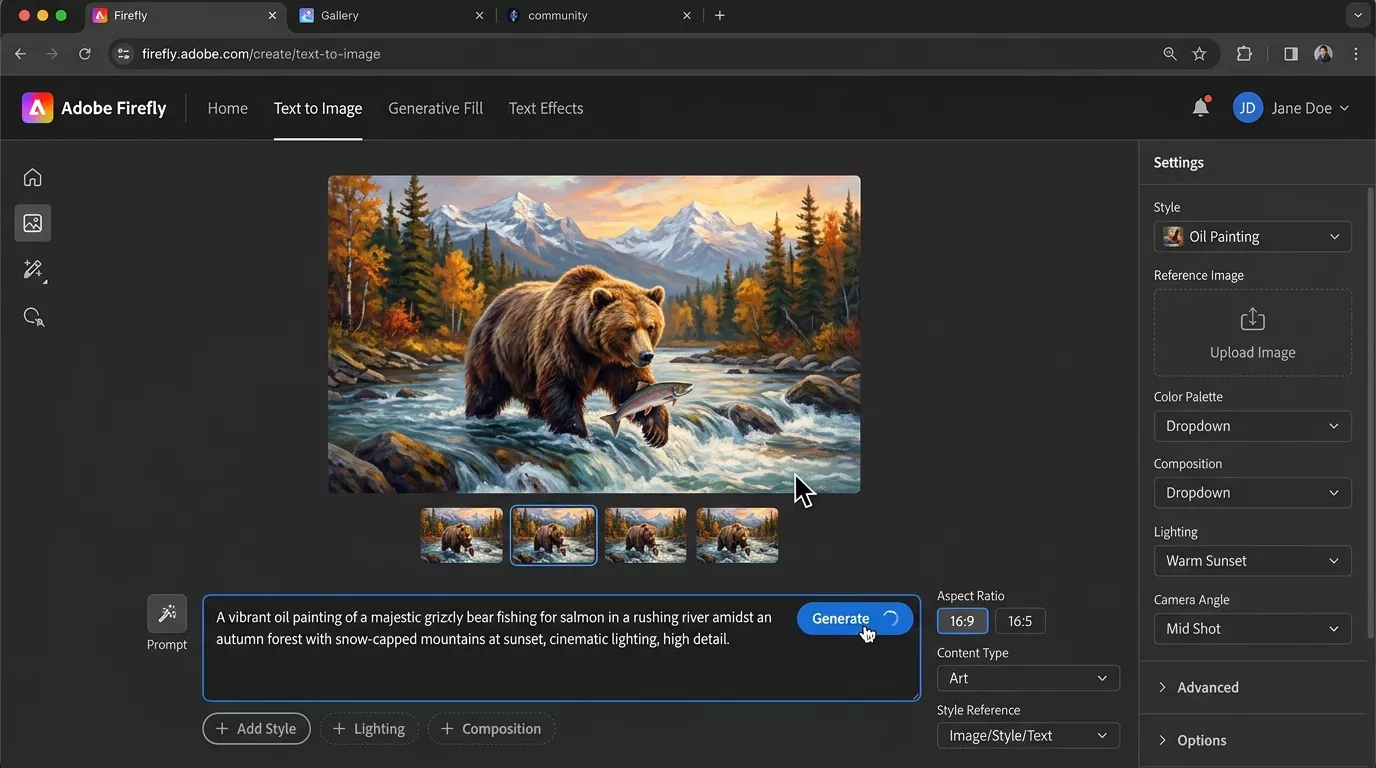
Adobe Firefly is Adobe’s official AI image generation ecosystem — built directly into tools you probably already know, like Photoshop, Illustrator, Adobe Express, and Premiere Pro.
But it’s also a standalone web app at firefly.adobe.com where anyone can go and start generating images for free (with limits).
The biggest thing that makes Adobe Firefly special? It was trained on licensed and Adobe Stock-approved content, which means the images it creates are cleaner from a copyright standpoint. For businesses especially, this matters a lot.
Key things Adobe Firefly does:
- Text to Image generation
- Generative Fill (fill in or remove parts of photos)
- Text Effects (turn words into visual art)
- Generative Expand (extend photos beyond their original edges)
- Structure Reference and Style Reference for more consistent outputs
- Deep integration inside Photoshop, Illustrator, Premiere Pro
Who is it for?
Designers, photographers, marketers, social media managers, small business owners, and anyone working inside Adobe’s existing ecosystem.
Pricing:
Free plan available with limited “generative credits.” Paid plans start with Adobe Creative Cloud subscriptions. Full details on Adobe’s official pricing page.
Google Flow vs Adobe Firefly: Head-to-Head Comparison
Now let’s get into the real comparison. No fluff — just what matters.
1. Image Quality: Which One Looks Better?
This is always the first question. And honestly, both tools produce images that would have seemed impossible just two years ago.
Google Flow (Imagen 4):
The images coming out of Imagen 4 are incredibly photorealistic. Skin textures, lighting, shadows — it handles these with a level of detail that genuinely surprises people. If you need a portrait, a product shot, or a lifestyle image, the quality is top-tier.
However, because Flow is primarily built around video and story sequences, single images sometimes feel like they’re a by-product rather than the main event.
Adobe Firefly:
Firefly’s image quality is excellent, especially after the Firefly Image 4 model update. It handles color vibrancy, artistic styles, and photographic realism very well. Where Firefly really shines is in stylistic consistency — if you need 20 images that all look like they belong to the same brand or visual language, Firefly’s Style Reference feature makes that much easier.
Winner for Image Quality: Honestly, it’s close — but for pure standalone images, Firefly gives you more control over the final look. For cinematic realism, Google Flow’s Imagen 4 pulls ahead.
2. Ease of Use: Which One Won’t Give You a Headache?
Google Flow:
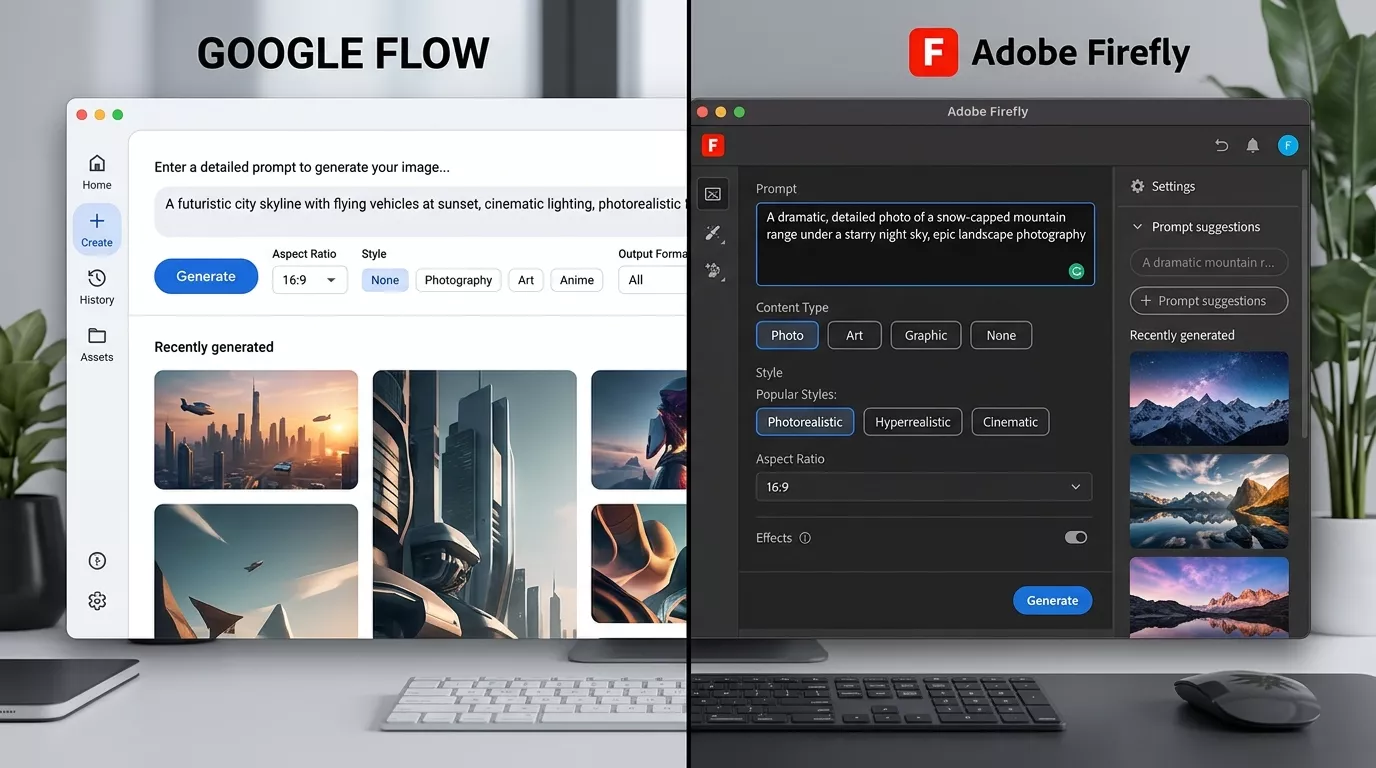
The interface is clean and minimal — very Google. You write a prompt, you get results. But because it’s designed for multi-scene video stories, there’s a learning curve if you’re just trying to make a single image. The workflow assumes you’re building something bigger.
For a beginner, this can feel slightly overwhelming at first.
Adobe Firefly (Web App):
Firefly’s standalone web app is genuinely easy. You go to firefly.adobe.com, type what you want, adjust a few sliders (aspect ratio, style, content type), and hit generate. It’s beginner-friendly in a way that doesn’t insult experienced users.
Inside Photoshop, it’s even better — Generative Fill feels like magic for anyone who’s ever spent 30 minutes trying to remove an unwanted object from a photo.
Winner for Ease of Use: Adobe Firefly, especially for beginners and anyone not specifically building video content.
3. Workflow Integration: Where Does Each Tool Fit?
This is where things get really different between the two.
Google Flow lives inside the Google ecosystem. If you’re a heavy user of Google Workspace, YouTube, or Google Drive — and you’re creating video-first content — Flow slots in naturally. But it doesn’t integrate with design tools the way Adobe does.
Adobe Firefly is woven into the world’s most-used professional design software. If you use Photoshop, you already have Firefly inside it. If you use Premiere Pro, Firefly helps with AI-powered video editing. This kind of deep integration means you don’t have to leave your workflow to use it.
For businesses and professional creators already paying for Adobe Creative Cloud, Firefly isn’t an extra thing — it’s already there.
Winner for Workflow Integration: Adobe Firefly — by a significant margin for anyone already in the Adobe ecosystem.
4. Copyright Safety: Can You Actually Use What You Create?
This is a big one, especially if you’re a business.
Google Flow:
Google has stated that content generated through their AI tools can generally be used commercially, but terms are evolving. The model training data situation is less transparently documented than Adobe’s.
Adobe Firefly:
Adobe has been very clear: Firefly was trained only on Adobe Stock images, openly licensed content, and public domain material. Adobe also offers a commercial indemnification for enterprise users — meaning if a copyright claim ever comes up around Firefly-generated content, Adobe has your back.
For any business creating marketing materials, product images, or branded content, this is an enormous advantage.
External resource: Adobe’s official statement on Firefly training data and copyright
Winner for Copyright Safety: Adobe Firefly — it’s not even close.
5. Video Generation: Google Flow’s Secret Weapon
Here’s where Google Flow genuinely dominates.
Adobe Firefly can do some video work inside Premiere Pro, but it’s not primarily a video generation tool. Google Flow, powered by Veo 3, is specifically built to generate realistic, cinematic video clips from text prompts.
You describe a scene — “a dog running through a sunlit wheat field, slow motion, golden hour lighting” — and Flow generates actual video footage. Not animated GIFs. Not slideshow-style clips. Real, smooth, surprisingly realistic video.
For content creators who need B-roll footage, social media video content, or short brand films without a full production crew, this is genuinely game-changing.
If you want to understand how tools like this are reshaping content creation, the team at Whiskailabs has been tracking this space closely.
Winner for Video Generation: Google Flow — it’s a completely different category.
6. Pricing: What Does It Actually Cost?
Let’s talk money — because that’s always important.
| Feature | Google Flow | Adobe Firefly |
|---|---|---|
| Free Access | Limited (Google Labs / AI Premium) | Yes (with credit limits) |
| Paid Starting Point | Google One AI Premium (~$19.99/mo) | Adobe Express (~$9.99/mo) or CC plans |
| Professional Tier | Google One with Flow access | Adobe Creative Cloud ($54.99/mo) |
| Commercial Use | Yes (check current terms) | Yes (with indemnification on enterprise) |
| Credit System | Generative credits (Veo 3 limited) | Generative credits per plan |
For casual users or students, Adobe Firefly’s free tier is more accessible right now. For serious video creators, Google Flow’s pricing through Google One could represent excellent value once it opens more widely.
Check Google One plans and Adobe Firefly plans for the most current pricing.
Winner for Pricing: Adobe Firefly for accessibility; Google Flow for value if you’re getting video generation alongside.
7. AI Model Transparency: Who’s More Open?
Neither company fully discloses everything about how their models work — that’s standard in the AI industry. But Adobe has published more documentation about Firefly’s training data and ethical sourcing than Google has for Flow/Imagen 4.
For researchers, educators, and anyone who cares about responsible AI use, Adobe’s transparency gives it an edge.
External resource: MIT Technology Review on AI image generator training data practices
Winner for Transparency: Adobe Firefly.
Real-World Use Cases: Who Should Use Which Tool?
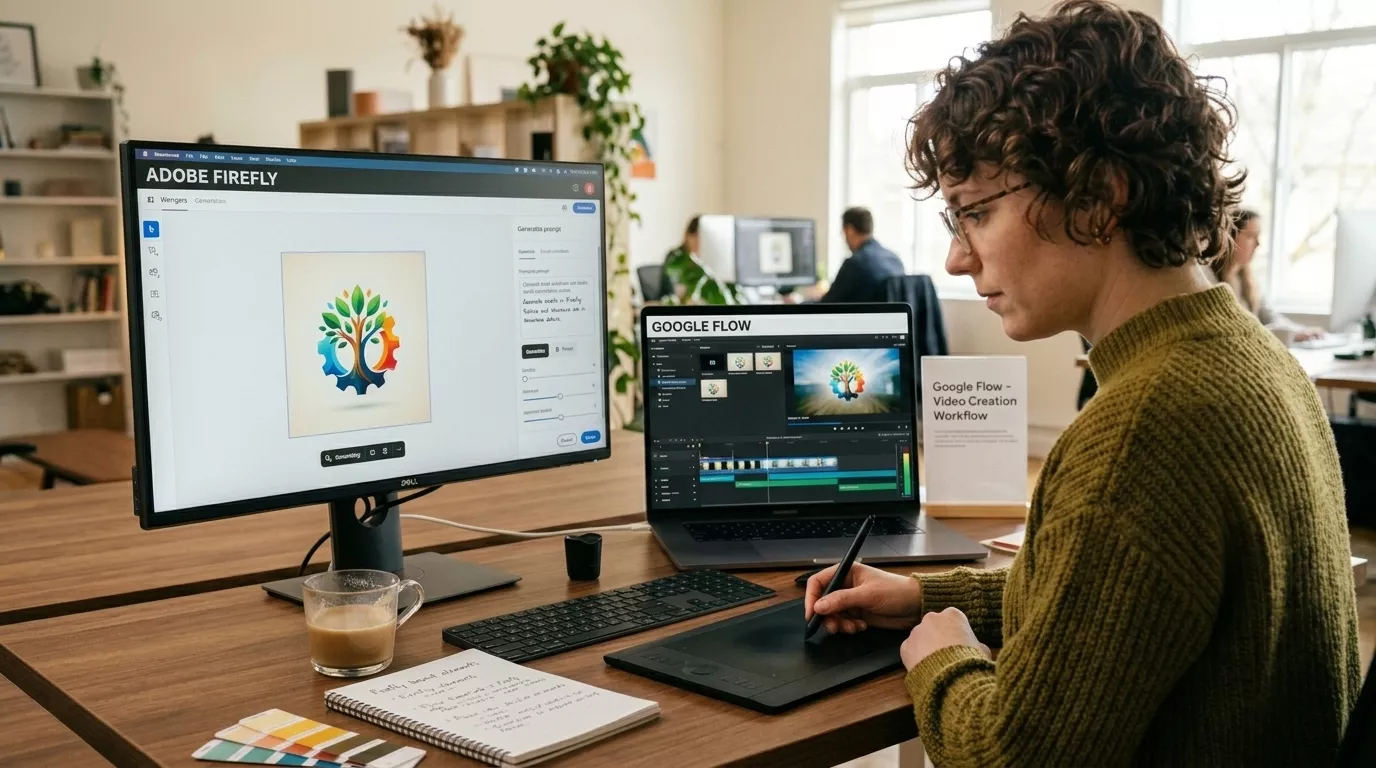
Sometimes the cleanest way to understand a tool is to picture yourself using it.
You’re a small business owner who needs product images:
→ Use Adobe Firefly. The copyright protection, ease of use, and integration with Adobe Express make it perfect.
You’re a YouTuber who needs short cinematic B-roll clips:
→ Use Google Flow. Nothing else at this price point generates video the way Veo 3 does.
You’re a graphic designer working in Photoshop daily:
→ Use Adobe Firefly — it’s already inside Photoshop. Generative Fill will change your life.
You’re a filmmaker or storyteller building a short AI film:
→ Use Google Flow. The scene-to-scene storytelling capability is built for exactly this.
You’re a student or hobbyist just getting started with AI art:
→ Start with Adobe Firefly’s free plan. It’s accessible, easy, and safe.
You’re a marketing agency creating campaigns at scale:
→ Both, honestly. Firefly for static assets, Flow for any video components. Many agencies are already running hybrid workflows.
At Whiskailabs, we work with creators and businesses navigating exactly these decisions — and the answer is almost always “it depends on what you’re making.”
What Google Flow Does Better
To be fair and balanced (and because EEAT matters), let’s be clear about where Google Flow leads:
- Video generation quality — Veo 3 is among the best text-to-video models available publicly
- Cinematic realism — lighting, motion blur, camera angles feel genuinely film-like
- Storytelling workflow — the scene-based structure encourages thinking in sequences
- Speed of iteration — Google’s infrastructure means fast generation even for video
- Future potential — as Google rolls this out more widely, the roadmap looks aggressive
What Adobe Firefly Does Better
And to be equally clear about Firefly’s strengths:
- Commercial copyright safety — clearest legal standing in the industry
- Ecosystem integration — inside Photoshop, Illustrator, Premiere, Express
- Stylistic control — Style Reference and Structure Reference give real precision
- Accessibility — free tier, web app, no waiting list for most users
- Text effects and design-specific tools — built for graphic designers, not just photographers
- Consistency across outputs — crucial for branding and campaign work
- Community and tutorials — massive existing ecosystem of learning resources
Limitations You Should Know About (Honest Section)
No tool is perfect. Here’s what both get wrong.
Google Flow limitations:
- Still in limited access — not available to everyone yet
- Primarily video-focused, so image-only users get less value
- Prompt sensitivity is high — small wording changes produce very different results
- No deep integration with professional design tools yet
- Usage limits on Veo 3 are strict
Adobe Firefly limitations:
- Generative credit system can run out fast on free and low-tier plans
- Sometimes produces “safe” or slightly generic-looking outputs
- Heavy users need Creative Cloud, which isn’t cheap
- Video generation inside Premiere Pro is still catching up to dedicated video AI tools
- Can struggle with very complex scene compositions
The SEO Perspective: Which Tool Helps Content Creators More?
If you’re creating content for a website, blog, or YouTube channel — SEO matters. And the images you use matter for SEO too.
Here’s the practical breakdown:
For blog images and featured images: Adobe Firefly wins. You can quickly generate on-brand, topic-relevant images in the right dimensions, with alt-text-friendly visual clarity.
For YouTube thumbnails: Both work, but Firefly’s ability to maintain consistent character or style across multiple thumbnails makes it better for channel branding.
For video content that keeps viewers watching: Google Flow wins. AI-generated B-roll that feels cinematic keeps watch time up — which is literally a ranking signal on YouTube.
For more on how AI tools fit into a content strategy, the Whiskailabs blog covers this regularly.
External resource: Google’s official documentation on image SEO best practices
Quick Comparison Summary Table
| Factor | Google Flow | Adobe Firefly |
|---|---|---|
| Image Quality | ⭐⭐⭐⭐⭐ | ⭐⭐⭐⭐⭐ |
| Video Generation | ⭐⭐⭐⭐⭐ | ⭐⭐⭐ |
| Ease of Use | ⭐⭐⭐ | ⭐⭐⭐⭐⭐ |
| Copyright Safety | ⭐⭐⭐ | ⭐⭐⭐⭐⭐ |
| Workflow Integration | ⭐⭐⭐ | ⭐⭐⭐⭐⭐ |
| Free Access | ⭐⭐ | ⭐⭐⭐⭐ |
| Future Potential | ⭐⭐⭐⭐⭐ | ⭐⭐⭐⭐ |
| Best For | Video creators, filmmakers | Designers, businesses, marketers |
Frequently Asked Questions
Is Google Flow free to use?
Google Flow is currently accessible through Google One AI Premium subscription and through Google Labs in limited regions. A fully free public version has not launched as of mid-2026. Check flow.google.com for current availability.
Can I use Adobe Firefly images commercially?
Yes. Adobe Firefly is designed with commercial use in mind, and Adobe offers indemnification for enterprise users. Always check the current terms on Adobe’s official site.
Which is better for beginners — Google Flow or Adobe Firefly?
Adobe Firefly is significantly more beginner-friendly right now, largely because its web app is open, free to start, and doesn’t require understanding video workflows.
Can Google Flow create images too, or is it only video?
Google Flow uses Imagen 4 underneath for image generation alongside Veo 3 for video. So yes, it can create still images — but the tool is primarily built around video storytelling.
Is Adobe Firefly inside Photoshop already?
Yes. If you have a current Adobe Creative Cloud subscription that includes Photoshop, Firefly’s Generative Fill and other AI features are already integrated. No separate download needed.
Which tool produces better realistic human faces?
Both are strong, but Google’s Imagen 4 (powering Flow) has been praised for exceptional photorealistic portrait quality. Adobe Firefly has improved significantly too, especially for stylized or artistic portraits.
Final Verdict: So Which One Should YOU Choose?
Here’s the honest truth: this isn’t a “one is better” situation.
Google Flow and Adobe Firefly are built for overlapping but different needs. Choosing between them is less about which is “the best” and more about which one fits your workflow, your budget, and what you’re actually creating.
Choose Google Flow if:
- You create video content (YouTube, TikTok, Instagram Reels, short films)
- You want the most cinematic AI video available right now
- You’re already in the Google ecosystem
- You’re building AI-powered storytelling projects
Choose Adobe Firefly if:
- You need images for business, branding, or marketing
- You’re already using Photoshop or other Adobe tools
- Commercial copyright safety is a priority
- You want something free to start with today
- You need consistent visual style across many outputs
Or, honestly — use both. Many serious creators in 2026 are running hybrid setups: Firefly for design assets, Flow for video moments. There’s no rule that says you pick one forever.
The AI creative tools space is moving fast. What matters most right now is getting started, learning what works for your specific situation, and not getting paralyzed by comparison.















