
What Is Google Flow AI? The Complete Guide to Google’s New Creative Studio (2026)
Google Flow AI is the tool everyone keeps hearing about — and most people still don’t fully understand what it actually does.
That’s not surprising. In the past six months alone, Google has merged three separate products into it, upgraded its core model twice, and positioned it as its answer to Adobe, Sora, and Midjourney all at once. There’s a lot happening under one name.
This guide cuts through the noise. What Google Flow AI actually is, what it can do that nothing else can, how it connects to everything Google was building before it, and whether it’s worth your time right now.
If you used Whisk AI and want to understand what replaced it — this is the place to start.
What Google Flow AI Is — The Plain English Answer {#what-is}
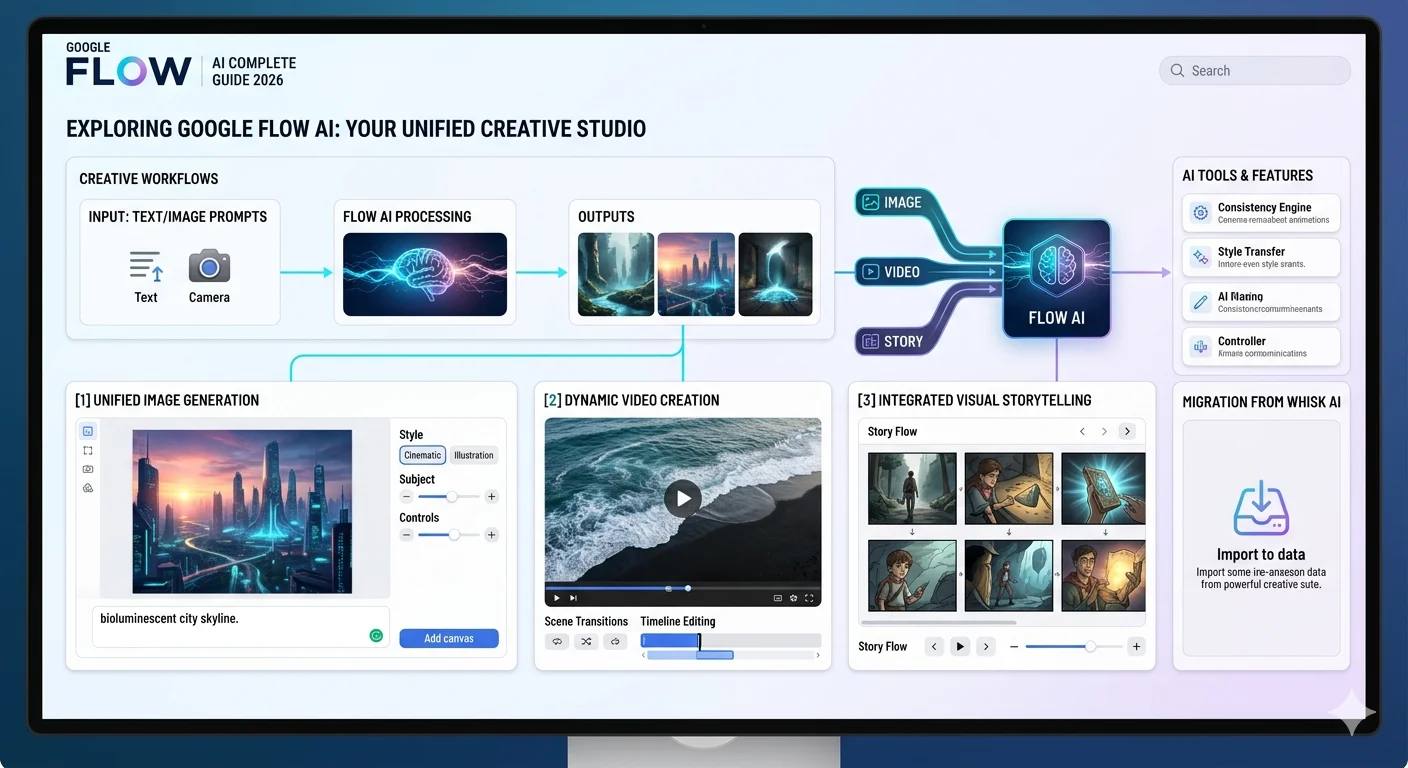
Google Flow AI is Google’s unified creative studio for making images, videos, and visual stories using artificial intelligence.
In practical terms: you describe or show it what you want, and it generates images and video clips. You can animate still images, extend video scenes, swap objects inside frames, add synchronized audio, and manage entire visual projects — all inside one workspace.
It is built by and for creatives, and it is the only AI creative studio custom-designed around Google’s most advanced models — Veo for video, Imagen for images, and Gemini for understanding what you’re asking for in natural language.
The simplest way to understand it: imagine if Whisk AI’s image generation, a professional video editor, and a soundtrack composer all lived in one free app. That’s roughly what Google Flow AI is trying to be.
It lives at labs.google/flow. It’s part of Google Labs. And as of February 2026, it became the home for everything Google was previously doing across three separate tools — Whisk, ImageFX, and the original Flow video tool.
How Google Flow AI Was Built — The History {#history}
Understanding where Google Flow AI came from explains a lot about what it is and why it works the way it does.
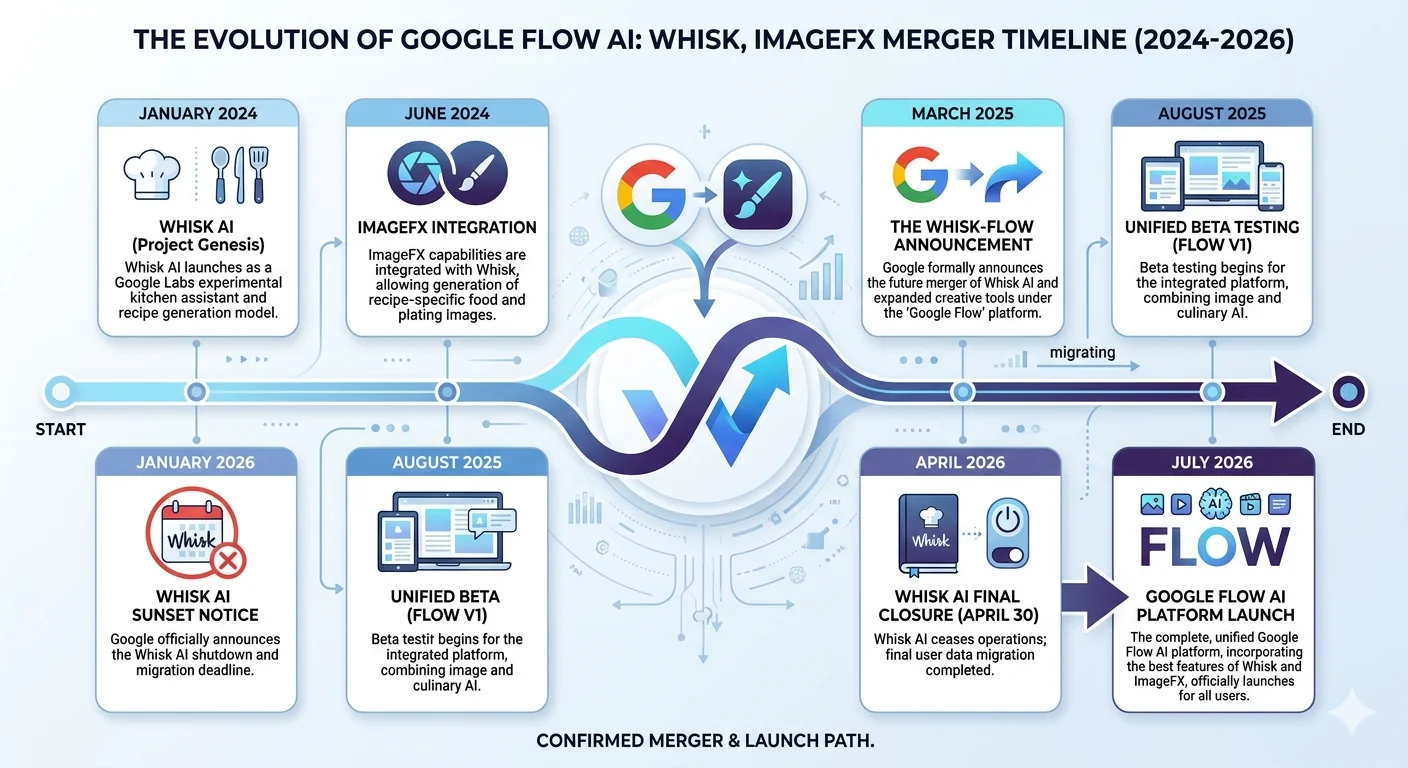
May 2024 — The original Flow launches. Google introduced the first version of Flow as an AI filmmaking tool powered by Veo — Google’s text-to-video model. At that stage, Flow was primarily a video generation tool for filmmakers and content creators. It generated short clips from text descriptions, with cinematic quality that surprised a lot of people who tried it.
December 2024 — Whisk launches separately. While Flow handled video, Google launched Whisk as a separate Labs experiment focused on image generation using visual reference inputs. Whisk quickly became one of the most popular Labs tools Google had ever released.
February 25, 2026 — The big merge. Google merged three previously separate products — Flow (video), Whisk (image remixing), and ImageFX (text-to-image) — into a single interface. This was not a minor update. It fundamentally changed what Google Flow AI was — turning a video tool into a complete creative pipeline covering images, video, editing, and audio in one place.
April 22, 2026 — Veo 3.1 update arrives. Google upgraded the underlying video model to Veo 3.1, bringing richer audio, more narrative control, and enhanced realism to everything Flow generates. Over 275 million videos had been generated in Flow by this point.
April 30, 2026 — Whisk shuts down. With the merge complete and Flow covering everything Whisk did, Google retired Whisk as a standalone tool. All Whisk capabilities had moved into Flow.
What Google Flow AI Can Do — Full Feature Breakdown {#features}
Google Flow AI is built around four core capabilities. Each one is worth understanding on its own.
1. Image Generation
Flow generates high-fidelity images from text descriptions using Google’s Imagen model. You type what you want — a cozy Japanese ramen shop at night, a character in a fantasy forest, a product mockup on a marble table — and it produces the image.
The quality matches what Whisk users were getting from Imagen 3, because it’s the same model. The difference is input method — you describe in words rather than uploading visual references.
For anyone who used Whisk’s style presets, the styles are still achievable here. You’ll need to describe them in your prompt rather than clicking a button, but the underlying generation quality is identical.
2. Video Generation with Veo 3.1
This is where Flow goes well beyond what Whisk ever offered.
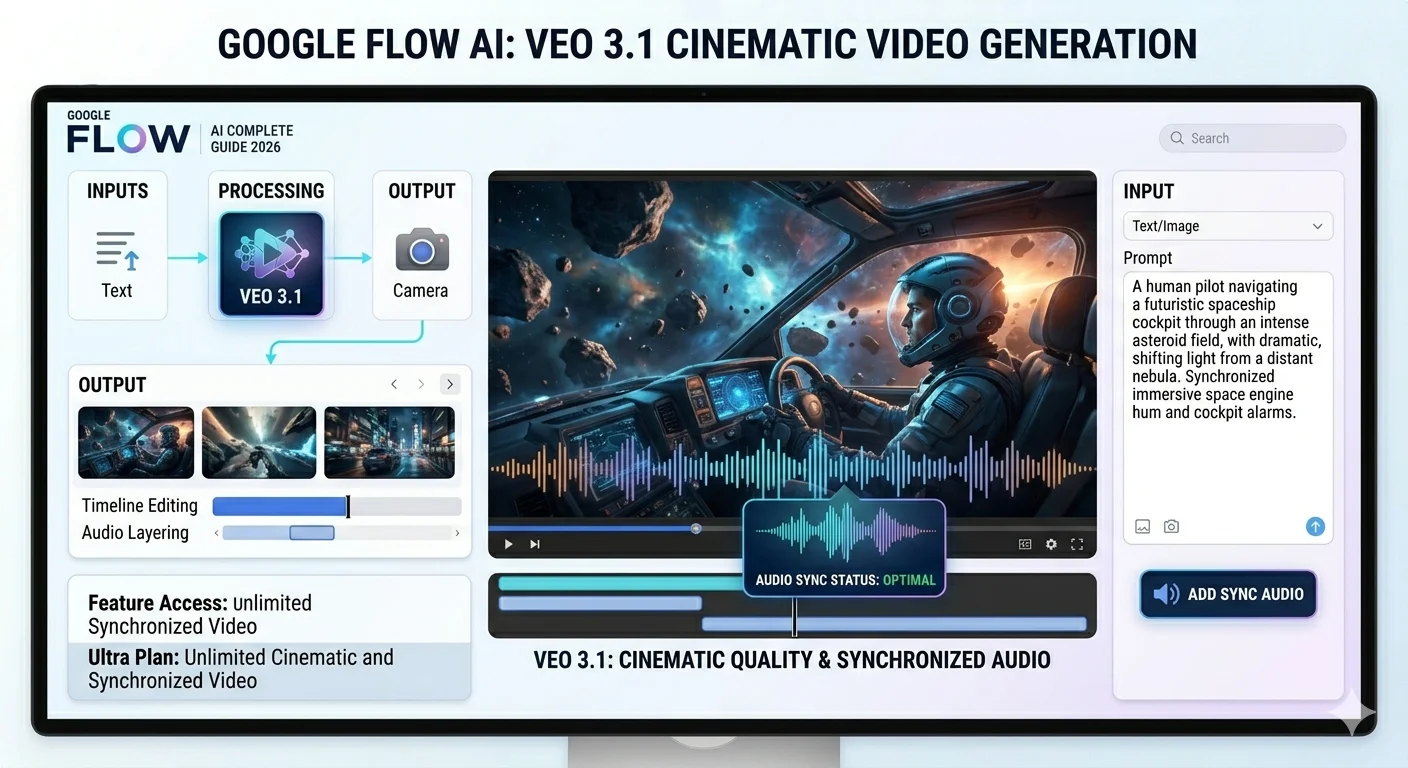
Flow generates cinematic video clips up to 8 seconds long using Veo 3.1. Each clip comes with natively synchronized audio — environmental sounds, character dialogue, ambient music matched to what’s happening on screen. You don’t need to add audio separately. It generates with the video.
Multiple clips can be chained together in Flow’s timeline editor for sequences longer than 8 seconds — up to a minute or more using the Extend feature.
3. Scene Editing Tools
Once you have an image or video clip, Flow gives you direct editing control through several tools:
Insert — Add an object, character, or element into an existing scene. Flow adjusts the lighting, shadows, and perspective to make it look like it belongs there.
Remove — Take something out of a scene and Fill in the background convincingly. This works on both images and video frames.
Extend — Continue a video clip beyond its original length. Each extension generates based on the final second of the previous clip, maintaining visual continuity.
Frames to Video — Give Flow a starting image and an ending image and it generates the video between them. The transition is smooth and coherent.
Ingredients to Video — Upload reference images for your characters, objects, and style, and Flow generates a video that incorporates all of them consistently.
4. SceneBuilder and Project Management
Flow has a visual timeline where you arrange, sequence, and manage everything you create. You can drag clips into order, adjust timing, add transitions, and preview your full project before exporting.
The Ingredients system lets you save characters, objects, and style references as reusable assets. Once you’ve defined what a character looks like, you can use that same character consistently across multiple generations — which was something Whisk could never do.
The Three AI Models Inside Google Flow {#models}
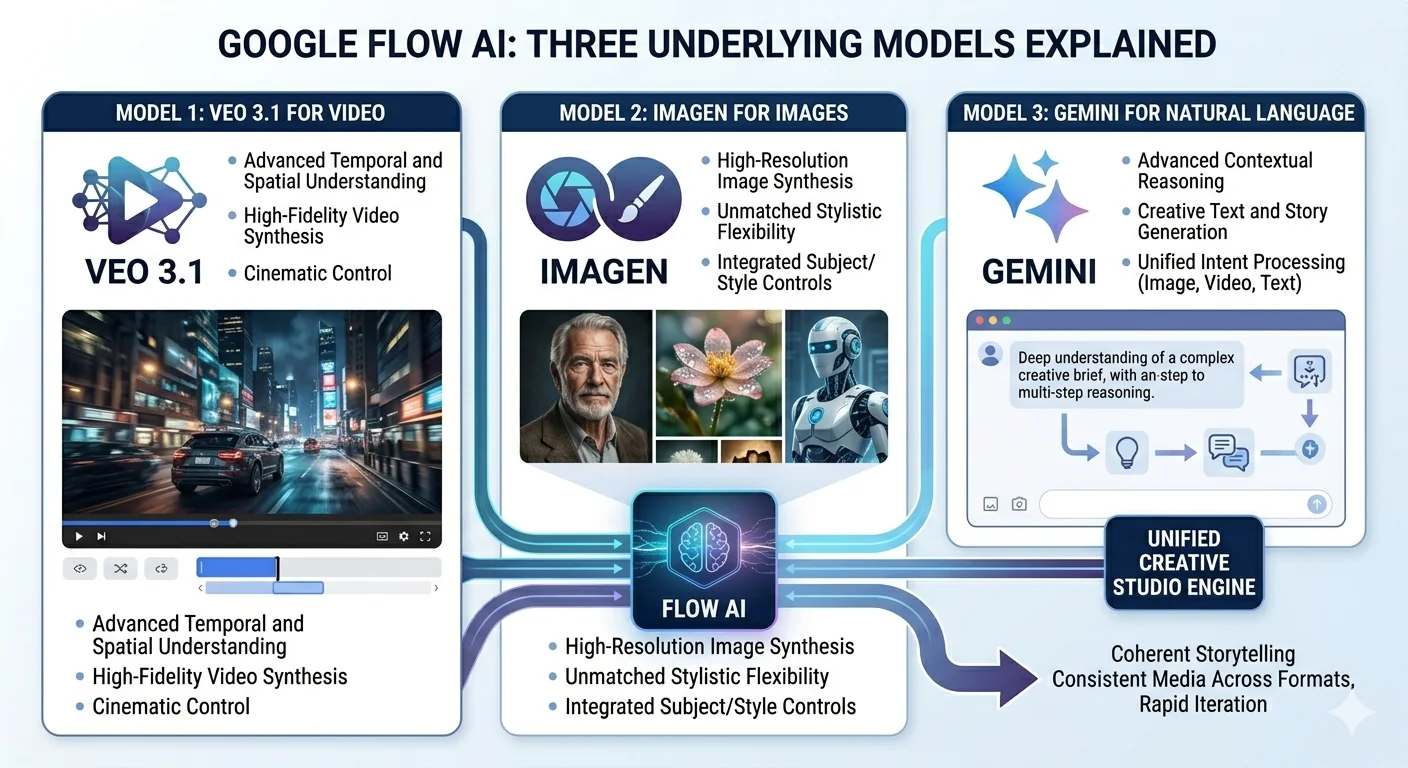
Google Flow AI runs on three models working together. Each one handles a different part of the creative process.
Veo 3.1 — The Video Engine
Veo 3.1 is Google DeepMind’s most advanced video generation model. It handles everything involving motion — generating clips from scratch, extending existing clips, animating still images, and creating the Frames to Video transitions.
What makes Veo 3.1 notably different from earlier video models is audio. Previous versions generated silent video. Veo 3.1 generates synchronized audio alongside the visuals — meaning a scene in a rainstorm will have rain sounds, a character speaking will have matching lip sync, and a music-driven scene will have audio that fits the visual rhythm.
Veo 3.1 brings richer audio, more narrative control and enhanced realism.
Imagen — The Image Engine
Imagen handles all still image generation inside Flow. It’s the same model that powered both Whisk and Google ImageFX, so the image quality Whisk users were accustomed to is preserved.
For image generation, Imagen’s strength is photorealistic detail, wide style range (from photorealistic to illustrated to painterly), and improved text rendering inside generated images — one area where Whisk was occasionally inconsistent.
Gemini 3.1 Pro — The Understanding Layer
Gemini is what makes Flow feel intuitive rather than mechanical. It parses your natural language descriptions and translates them into technical instructions for Veo and Imagen.
When you type something like “a woman in her 30s looking out a rain-covered window, warm indoor light, melancholy mood” — Gemini understands the emotional tone, the lighting direction, the compositional intent, and passes all of that to Veo or Imagen in a form they can act on precisely. You don’t need to learn a specific prompt syntax. You just describe what you want clearly.
Google Flow AI Pricing — Free vs Paid in 2026 {#pricing}
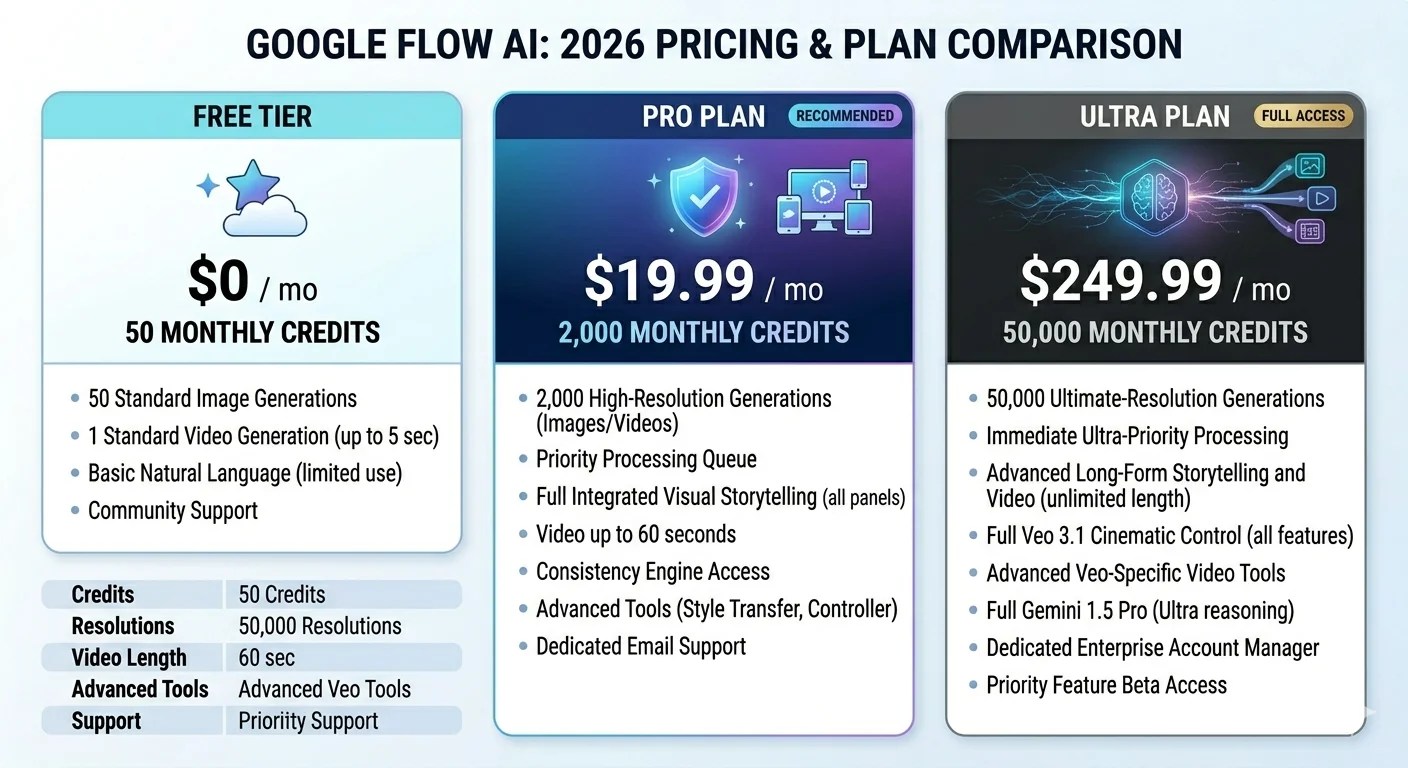
Google Flow AI has a free tier — and it’s genuinely usable, not just a trial that runs out after three generations.
Free Tier
Free users receive 50 daily AI credits for Veo video generation. Some countries receive 180 credits per day. Credits reset at midnight and do not roll over — unused credits expire daily.
Image generation has separate limits. The free tier includes access to standard image generation and basic Flow features.
One important note: free tier outputs include a visible “Made with Veo” watermark on video clips. For personal, educational, or exploratory use this is fine. For commercial publishing it matters.
Google AI Pro — $19.99/month
Google AI Pro gives you the key Flow features and 100 generations per month beyond the free daily credits, plus access to Gemini Advanced, NotebookLM Plus, and other Google AI products across the same subscription.
For someone using Flow regularly for content creation, Pro provides substantially more headroom than the free tier.
Google AI Ultra — $249.99/month
Google AI Ultra gives you the highest usage limits, early access to experimental features, and — critically — watermark-free exports where local regulations allow.
The Ultra tier is aimed at professional creators, studios, and teams with high-volume production needs. For most individual creators, Pro is the more practical choice.
For current pricing details, visit Google One AI Plans.
Google Flow AI vs Whisk AI — What Changed {#vs-whisk}
If you came here from Whisk, this is the comparison you actually care about.
What stayed the same: The image generation quality is identical — same Imagen model, same output standard. The visual-reference approach to guiding image generation is still possible in Flow, though it’s structured differently. The Google account access model is the same — free with a Google account.
What improved significantly: Everything involving video and animation. Whisk Animate used Veo 2 to generate 8-second silent clips. Flow uses Veo 3.1 to generate clips with synchronized audio, and gives you editing tools to extend, modify, and sequence them. The ceiling for what you can create is dramatically higher.
Flow also added character consistency — the ability to use the same visual character across multiple generations. Whisk had no equivalent of this.
What was lost: The one-click style presets — Sticker, Plushie, Capsule Toy, Enamel Pin — don’t exist as buttons in Flow. The simplicity that made Whisk accessible to complete beginners hasn’t been fully replicated. Flow is more capable, but it also asks more of you.
For a deeper look at how these tools compare feature by feature, our Whisk AI vs alternatives guide covers the transition in detail.
Google Flow AI vs the Competition {#vs-competition}
Google Flow AI now competes directly with the most serious players in AI video generation.
vs. OpenAI Sora: Sora is OpenAI’s video generation model, accessible through ChatGPT Pro. Both produce cinematic quality video. Flow’s edge is the integrated image generation pipeline and the audio synchronization in Veo 3.1. Sora’s edge is its integration with ChatGPT’s broader conversational capabilities. Pricing is comparable at the mid tier.
vs. Adobe Firefly: Adobe Firefly focuses primarily on still images and has a strong commercial licensing guarantee. For video, Adobe uses a different set of tools. Flow wins on video capability. Firefly wins on commercial legal clarity.
vs. Midjourney: Midjourney is still the standard for raw artistic quality in still image generation. For video, Midjourney doesn’t yet compete with Flow. For still images, the quality gap between Midjourney and Flow’s Imagen outputs is real — Midjourney remains ahead on artistic rendering. Flow wins on accessibility, price, and the image-to-video pipeline.
vs. Runway: Runway has a longer track record in professional AI video production and strong tools for video editing and compositing. For individual creators, Flow is more accessible and cheaper at entry level. For professional production teams, Runway has more established workflow integrations.
Who Should Actually Use Google Flow AI {#who-for}
Former Whisk AI users: Yes — Flow is the most natural next step. It takes time to learn, but the image generation quality you’re used to is preserved, and the video capabilities add something Whisk never had.
Short-form content creators: Strong yes. The combination of image generation, 8-second video clips with audio, and the ability to chain clips makes Flow genuinely useful for social media content at a price (free) that’s hard to argue with.
Filmmakers and storytellers: Yes, especially with Veo 3.1’s cinematic output quality. Flow was built by and for creatives who think in shots and scenes. The SceneBuilder and Frames to Video features fit naturally into a filmmaking workflow.
Designers needing commercial-safe outputs: Caution — check Google’s current terms before using Flow outputs commercially. For commercial work where legal clarity is essential, Adobe Firefly remains the safer choice.
Complete beginners: Yes, with patience. Flow is more complex than Whisk was. The free tier lets you explore without spending anything, which means the worst case is you spend an afternoon learning something new.
Frequently Asked Questions {#faq}
Is Google Flow AI free?
Yes — there is a genuinely usable free tier. Free accounts get 50 daily AI credits for video generation (180 in some countries) and access to image generation. Free video exports include a “Made with Veo” watermark. Paid plans remove the watermark and provide higher generation limits.
Is Google Flow AI available in my country?
Flow is available in more than 149 countries as of April 2026 — a significant expansion from Whisk’s 100-country availability. EU and UK users may still face restrictions due to data privacy regulations. Check labs.google/flow to see current availability in your region.
Do I need a Google account to use Google Flow AI?
Yes. Flow requires a Google account and users must be 18 or older. The same account requirements that applied to Whisk apply to Flow.
Can I transfer my Whisk AI projects to Google Flow?
The migration window allowed users to transfer Whisk libraries to Flow before the April 30 shutdown. If you opted into migration before the deadline, your assets should appear in your Flow library. If you did not migrate or download before April 30, the content is no longer recoverable.
What happened to Whisk AI’s style presets in Google Flow?
The preset buttons — Sticker, Plushie, Capsule Toy, Enamel Pin — are not directly replicated in Flow. The visual styles are still achievable through prompting, but the one-click simplicity those presets offered was specific to Whisk. Our Whisk AI prompts guide includes the prompt language that produces similar results in text-based generation tools.
How long can videos be in Google Flow AI?
Individual clips are up to 8 seconds. Using the Extend feature, you can chain clips together to create videos lasting a minute or more. Each extension picks up from the final second of the previous clip for visual continuity.
Is Google Flow AI watermark-free?
Free and Pro tier video exports include a visible “Made with Veo” watermark. Only Google AI Ultra ($249.99/month) removes the watermark where local regulations allow.
Google Flow AI is genuinely impressive. Whether it replaces what Whisk gave you completely depends on what you were using Whisk for — but as a free starting point for exploring AI image and video creation in 2026, there is nothing else with this much capability available at no cost.
For everything you need to get started — including prompt guides, troubleshooting help, and honest tool comparisons — browse the full resource library at WhiskAILabs.net.
