
Whisk AI Image Prompts: Create Stunning Images Easily (2026)
Let’s be honest: you’ve probably seen people rave about AI generating amazing images—but if you’ve tried it yourself, you know the results can sometimes feel flat or uninspired. If that’s happened with Whisk AI, don’t worry—you’re not alone.
The key isn’t just the AI—it’s how you write your prompts. And that’s something you can fully control.
In this guide, we’ll walk you through writing effective, natural Whisk AI Image Prompts. No technical jargon, no fluff—just practical advice you can start using today.
Why Whisk AI Image Prompts Matter
Think of Whisk AI as a skilled artist. The catch? It can only create what you describe. Vague instructions lead to vague results.
Example:
-
Vague: A cat
-
Clear: A fluffy Maine Coon cat lounging on a wooden desk, sunlight streaming through the window, soft shadows, realistic style
Notice the difference? Clear, descriptive prompts tell the AI exactly what you want.
Tips for strong Whisk AI Image Prompts:
-
Identify the main subject
-
Specify style and visual feel
-
Set the mood or atmosphere
For a deeper understanding of AI prompt interpretation, check out the Google AI Blog or OpenAI research. For Whisk AI-specific guidance: How Whisk AI Works
How to Write Effective Whisk AI Image Prompts
Instead of memorizing rigid formulas, think of your prompt as layers of description—like explaining an idea to a friend.
1. Main Idea – What is the image about? Be specific.
-
Futuristic city
-
Fantasy character
-
Product mockup
2. Style – How should it look?
-
Photorealistic
-
Digital painting
-
Watercolor illustration
-
Concept art
3. Environment – Where is it happening?
-
Neon streets at night
-
Misty forest
-
Minimalist desk
4. Mood – What’s the vibe?
-
Calm and peaceful
-
Dramatic and intense
-
Warm and inviting
5. Extra Details (Optional)
-
Camera angle: wide-angle, close-up
-
Lighting: soft, cinematic, natural
Tip: Only add details that support your idea.
For advanced examples: Writing Prompts for Whisk AI
Sample Whisk AI Image Prompts You Can Use
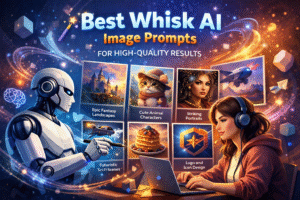
Here are human-friendly, ready-to-tweak examples:
Futuristic City
A futuristic city skyline at sunset, glowing lights reflecting on glass buildings, wide-angle perspective, cinematic lighting, modern digital art style
Fantasy Character
An elf warrior in light armor standing in a forest clearing, soft mist surrounding, dramatic lighting, detailed concept illustration
Nature Landscape
A quiet mountain valley with a river running through it, early morning light, gentle fog, realistic and peaceful atmosphere
Product Mockup
A sleek smartphone on a wooden desk, clean background, soft natural lighting, realistic shadows
Notice how these Whisk AI Image Prompts are clear, specific, and human-like—not robotic.
Real Tips for Writing Whisk AI Image Prompts
From experience, here’s what makes a difference:
-
Be precise, but don’t overcomplicate
-
Focus on one main idea per image
-
Make small tweaks instead of rewriting everything
-
Treat prompts as instructions for a person, not magic spells
Common beginner mistakes:
-
Too-short prompts
-
Mixing conflicting styles
-
Forgetting lighting or environment
-
Keyword-stuffing without purpose
Fixing these early will improve your results immediately.
Simple Workflow for Beginners Using Whisk AI Image Prompts
-
Decide the main subject
-
Choose a style
-
Add mood or lighting details
-
Generate and refine as needed
This step-by-step approach keeps things simple and avoids overwhelm.
Full beginner guide: How to Use Whisk AI
Why Whisk AI Feels Easy for New Users
Whisk AI removes technical hurdles, but your prompt clarity still matters. Strong prompts lead to:
-
Consistent results
-
Less trial and error
-
Reusable templates
-
Natural creative freedom
With clear prompts, Whisk AI feels like a creative partner—not just a machine.
Closing Thoughts on Whisk AI Image Prompts
Great images start with human communication. Keep this in mind:
-
Explain your idea like you would to a friend
-
Include only relevant details
-
Refine gradually
Once you master Whisk AI Image Prompts, the tool becomes fun, intuitive, and easy to use.
For advanced workflows and inspiration: Whisk AI Text-to-Image Guide
Play around, trust your instincts, and enjoy the creative process. The words you choose shape the final image.